Desert Online General Trading LLC
Dubai, United Arab Emirates
Desert Online General Trading LLC
Dubai, United Arab Emirates


🚀 Elevate Your Internet Experience!
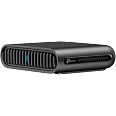
The ARRIS NVG468MQ is a high-performance wireless gateway that supports 802.11ac Wi-Fi and MoCA 2.0 technology, designed to provide superior connectivity for Frontier and Verizon Fios users. With its user-friendly setup and advanced features, it ensures a reliable and fast internet experience for all your devices.
S**4
Cut the Cord, Install Arris Router & Save $$ on Frontier Router Rental Charge (UPDATE 12/20)
BACKGROUND:I recently "cut the cord" with Frontier's Triple Play and moved to their 500/500 FiOS Internet service. I was paying about $155/month for their Triple Play (TV, Phone & 50/50 Internet). Nearly half of the $155/month was made up of taxes, fees and equipment rental charges (DVR, 2 STBs and router). Frontier is advertising their FioS 500/500 Internet service for $39.99/month, plus $10/month router rental and about $5 in taxes. One nice thing about internet service is that FCC has been very restrictive in what taxes can be applied (for now) on internet services. Unlike the voice and video services that can have upwards of 20% of the cost just in fees/taxes.SETUP:For my setup, I already had a couple of Actiontec WECBs (MOCA 1.1) adapters in use to provide ethernet and WIFI access to areas of my house that had lousy WIFI coverage but had existing coax. The WECBs are 10/100, and use the existing coaxial to provide ethernet connectivity back to the router. The nice thing about this Arris router is that it comes with MOCA 2.0 (rated GigE) built in for the LAN side of the router. The MOCA will NOT work for your connection to FiOS ONT; you will need to have an ethernet cable from the ONT to the Arris Ethernet WAN port for the 500/500 service.The setup for me was quite simple. I allowed the Frontier tech (who was excellent) to install the 500/500 service on their FRONTIER Arris router (this is the same router here). I connected my LAN ethernet cables and the house coax cable that went to my MOCA WECBs and everything came up instantly. Since I reused the same SSID on the new router as the old router, every wireless device (iPhones, Cameras, ATVs, etc) were all connected. The only issue I had was with my Wireless Access Point (WAP) where the Ethernet link for that port was only showing 100Mb speed. For a few minutes I felt like Clark Griswold in "Christmas Vacation" trying to figure out why. Low and behold, the ethernet cable I was using for the PoE amplifier for the WAP from the router was actually Cat5 and not Cat5e. Switched out the cable to Cat5e and voila, 1000Mb port speed to the WAP.ROUTER SWAP (RELEASE IP):Once everything was working on the FRONTIER router, it was time to switch over to MY new ARRIS router. To do this, you have to "Release the IP" in the FRONTIER router first (found under the Arris Menus, "Status" and "Connection"). Once the IP is released, immediately unplug the power to the FRONTIER router and go out to your ONT and disconnect the power and wait a few minutes. With power off, I just did a one-for-one swap of all the ethernet cables and the coaxial cable (still left power off) to the new Arris router. I went back to the ONT and plugged it back in to power, and then came back to the new ARRIS router and turned it on. Since I use my WAP for ALL my WIFI, I turned off the 2.4GHz and 5GHz radios in the ARRIS router. ALL my connections became ACTIVE throughout the house. I'm very satisfied with how everything is working, and definitely recommend making the swap. There may be better routers on the market, but having the MOCA built-in to this router, for less than $50, it's a great deal and works for my setup. Should I wish to upgrade my remote 10/100 MOCA adapters to GigE down the road, this router will accommodate it.NEW LAW - NO MORE RENTAL FEES FOR CLIENT PROVIDED EQUIPMENTThankfully, in January, 2020, President Trump signed into law an update to the Communications Act that provides, "A new "consumer right to accurate equipment charges" prohibits the companies from charging customers for "covered equipment provided by the consumer." Covered equipment is defined as "equipment (such as a router) employed on the premises of a person... to provide [TV service] or to provide fixed broadband Internet access service." Currently in Florida, Frontier doesn't care whether you use your own router, they are still going to charge you the $10 router rental fee. Effective, June 20, 2020, it is "expected" that Frontier will comply with the law and stop charging its customers the $10 router rental charge. Once that happens, my $55 (that's what it is w/taxes and router rental), will drop down to about $45/month for 500/500 internet.UPDATE 12/20 - Spoke with Frontier rep on 12/1 and they sent me Router return box for their router, and REMOVED $10 ROUTER RENTAL CHARGE FROM MY ACCOUNT, EFFECTIVE IMMEDIATELY.
K**S
Improved speeds, more dependable.
I have frontier communications, and my plan is 500/500. My downloads is good, but for some weird reason, my uploads went from 513 to 544 (545 average). That is a boost. But I wish it was my download speeds. This modem did come brand new, even though it was manufactured in 2020. Anyways, it's better than my other modem frontier gave me, the same modem, just old scratched and beaten.
B**V
Perfect for Frontier
As it turned out we didn’t need to replace our existing unit.
L**S
Not DSL
This is not a DSL modem. It is principally for fiber optic. Information provided is misleading, in mulltiple places. This MQ modem does not have a DSL phone cable port. The grey phone port on this MQ modem is just for you to plug an actual phone into it for your existing VOIP; phone out, not DSL in. The modem version for DSL is the Arris NVG448BQ. It has the (green) DSL input port. Apparently, with a lot of other equipment added in you could eventually get a DSL signal into this MQ device in a form of bridging, but why not just buy a DSL compatible modem instead. Compounding this, the Arris manuals for both modems are combined into one, without explaining limitations of either, making you think the MQ can be hooked to DSL. This MQ modem is probably a good modem for fiber optic, but I don't have that so could not verify. Returned.
O**E
Frontier is a garbage company
Router works fine; it's an exact replacement for the model I sent back to Frontier. No complaints.HOWEVER, if you're buying it for that purpose, be aware they still charge a rental fee for renting nothing, which they say is "company policy."- even though I called them before purchasing this one to verify I could use my own equipment and not be charged the rental fee.- even though I am currently renting nothing from them.- even though Frontier can't show me in the terms and conditions that they will still charge an equipment rental fee for renting nothing.
R**Z
Great Router that will save you money rather than renting from Verizon.
The delivery of the router came very quick and was brand new in perfect shape and works great. Easy to setup and even Verizon said it was a smart move. Like it better than any previous router from other internet companies I have used. Can't go wrong...Company support was great not that I needed it, but they offer good support just in case.
C**L
Excellent!
I had the exact set up, but it got struck by lightning and I needed a replacement that I knew would work with Frontier and with my work's IP phone. This replacement seems to work better than the one I originally got from Frontier.
L**N
You get what you pay for.
It gets the job done, barely. Weak signal in the corners of our 1 story home but for the low cost it's something to deal with. Would recommend for home or apartment less than 1,500sqft.
Trustpilot
2 weeks ago
1 week ago