
DOWNLOAD THE APP


Customer Services
Copyright © 2025 Desertcart Holdings Limited
DOWNLOAD THE APP


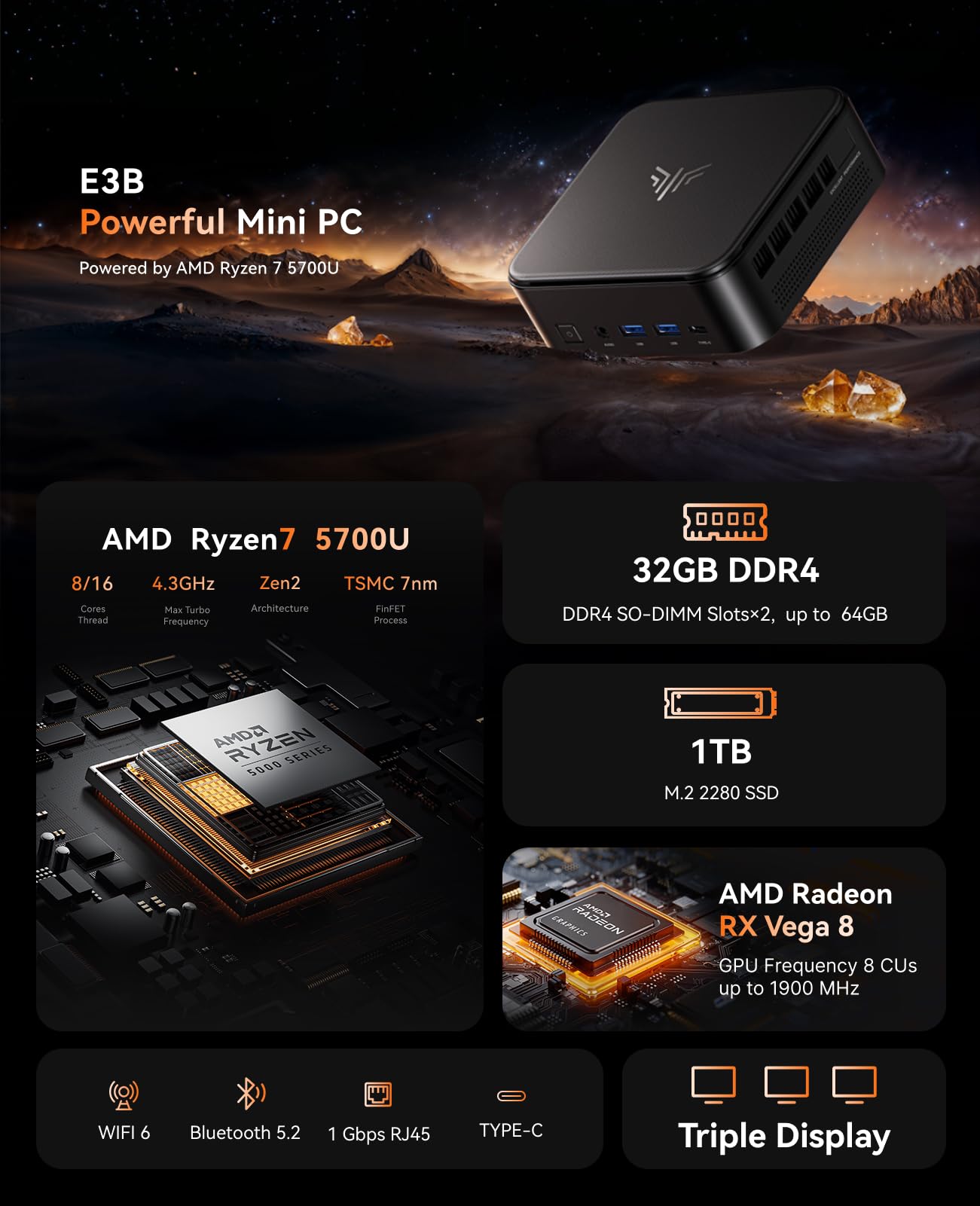


🚀 Compact power, triple 4K, endless possibilities.
The KAMRUI E3B Mini PC packs an AMD Ryzen 7 5700U processor with 8 cores and 16 threads, 32GB DDR4 RAM (expandable to 64GB), and a 1TB M.2 SSD. It supports triple 4K displays via HDMI, DisplayPort, and USB-C, and features WiFi 6 and Bluetooth 5.2 for fast, stable wireless connectivity. Designed for professionals and gamers seeking a compact yet powerful desktop, it offers versatile connectivity and future-proof expandability in a sleek mini form factor.


| ASIN | B0F1N52YFK |
| Best Sellers Rank | #37,695 in Computers & Accessories ( See Top 100 in Computers & Accessories ) #1,147 in Mini Computers |
| Brand | KAMRUI |
| Card Description | Integrated |
| Chipset Brand | AMD |
| Color | Black |
| Computer Memory Type | DDR4 SDRAM |
| Customer Reviews | 3.7 3.7 out of 5 stars (16) |
| Date First Available | March 31, 2025 |
| Flash Memory Size | 32 GB |
| Graphics Card Ram Size | 32 GB |
| Graphics Coprocessor | AMD Radeon RX Vega 8 |
| Hard Drive | 1024 GB SSD |
| Hard Drive Interface | Serial ATA |
| Item Weight | 2.57 pounds |
| Item model number | E3B |
| Max Screen Resolution | 3840x2160 Pixels |
| Memory Speed | 3.2 GHz |
| Number of Processors | 1 |
| Number of USB 2.0 Ports | 4 |
| Number of USB 3.0 Ports | 2 |
| Operating System | OS |
| Package Dimensions | 6.38 x 6.38 x 4.53 inches |
| Processor | 4.3 GHz amd_ryzen_7 |
| Processor Brand | AMD |
| RAM | 32 GB DDR4 |
| Screen Resolution | 3840 x 2160 |
| Series | E3B |
| Wireless Type | Bluetooth |
R**,
Microsoft flight SIM compatible on lowest settings.
This mini PC has exceeded my expectations. I originally bought it as my first gaming PC, and I love its minimalist setup. I’m happy to report that it runs Microsoft Flight Simulator 2024 smoothly on the lowest settings. Paired with a full joystick setup — specifically the Thrustmaster HOTAS 1 — it’s responsive and enjoyable to use. It’s worth noting that the system will indicate that it does not meet the minimum requirements for Microsoft Flight Simulator. However, don’t let that discourage you. During the initial loading phases, you should expect to wait around 45 seconds to a minute, and in my experience, no load time (other than the initial download) took longer than 5 minutes. Nothing loads instantly, but once the game is up and running, performance is smooth and reliable. It also handles cozy games very well, even with a dual-monitor setup. My only wish is that the USB-C port and headphone jack were also available on the back for easier cable management. Overall, this device is worth the money if you want to enjoy Microsoft Flight Simulator and other games without breaking the bank. It does get a little warm under heavy load, but nothing unexpected for a system running high-powered games.
S**N
Not worth your money
This computer worked great for four months. Then it shut itself off. Wouldnt come back on. Called customer service they said send an email. Emailed, no response. Took it to a local tech company, they recomended a new power cable, which i purchased, and that doesnt help. I used it for casual gaming emails and internet browsing. But now its trash. DO NOT BUY
D**D
I loved it until it started over heating.
I've been using this mini pc for almost 5 months now. I want to like it more than I do but since owning it, I've been experiencing crashes almost once or twice a day. After while trying to figure it out, I've found out that it seems to be due to an over heating CPU. When I first got the PC, first thing I did was do a fresh install of Windows 11 Just to be safe of any possible spyware or unessary bloatware. Ran fine for awhile at first but found the more I used it (Mostly using Brave and Bambu Studio, and as a Plex server) I would start experiencing crashing. Started off as a crash a month, to eventually once a week, to eventually daily and I got fed up with it. About a month ago, due to Microsoft ending support for Win 10 and at the same time, every new update for Win 11 that would come up would end up having a warming issued out a few days later after each update seems to have some system breaking bug. Of course that along with all the bloatware and ads that Microsoft pushes on Win 11 just got me to a point where I said screw it, and I decided to try out Linux Mint as I wanted something that wasn't MacOS or Windows. I wiped my drive, installed Linux Mint (Cinnamon) and it went great...at first. Computer ran quicker, things seemed more peaceful without microsofts ads/AI popping up whenever it could, I got to enjoy learning a Linux which has been helpful with work as I do computer repair for a school district that uses Mac's so learning how to use terminal for a few things has come in real handy the last month or so that i've switched over. It's been great until the last 2 weeks where I started experiencing the same issues. The crashes came back, but on linux it's not really a BSOD like Windows; It's more of a system freeze up. Happened once or twice, though nothing of it and chalked it up to Linux having troubles. Then it started happenining almost multiple times a day again like before. Doing some diging I found that the CPU load isn't high but looking into deeper, the temps for it were up there in the 85C range. Being fed up again, I just went ahead and purchased another Mini PC from MINISFORUM instead to try out and I may just use this one as a plex server and tuck it somewhere out of the way or maybe I'll take it apart to see if I can improve on the CPU cooling in any way or possibly just have it sit on top of a usb fan inside a 3d printed housing. I did like this computer, things ran fairly snappy and didn't seem to struggle with anything I was doing at all. It was very small and saved a lot of space on my desk and looked pretty sleek aside from the stickers on the top that I haven't gotten around to removing yet. I basically loved it until it would start crashing on me in the middle of something. If it wasn't for that, I would give it 5 starts but I figured now that it's become to a point of being unusable i'm giving it 3 starts for the cooling problem.
D**N
Great Every Day PC
This is exactly as I expected. It’s a perfect everyday computer and I love the truly compact size. I connected this to my 4k TV and the picture is excellent. It’s silent too.
D**L
Great, with a few caveats
This far, the PC has been rock solid. Fast and silent. First warning, this takes some work to get into: 1- pop off the 4 rubber feet. 2- unscrew the now revealed screws. 3- unscrew 4 more screws holding on the interior cover plate. As I am firmly in the "screw Microsoft" camp these days and planned to use Linux, I had to source another Wifi card as the unit this comes with has NO drivers for that OS. Once bolted back together, installation was fast and straightforward. Every app I've thrown at it runs cleanly and very quick. Handles 2 large monitors perfectly. I'm very happy with the purchase.
V**A
nothing ngll
SOO GOODDD but it comes in the US cable so if ur not from the US buy one for EU
K**N
Small but powerful
It works really good. It doesn't take up a lot of space. it was easy to set up. I have it connected to 3 monitors, a printer and my cricut. Everything runs smoothly!
J**H
Randomly Restarts and no support
I bought one of these in May. I hooked up and it seemed to be fine but I didn’t really use it to a significant degree. Finally his month I really started using it and around every 20 minutes or so it said windows needs to shut down and then shuts down. It repeatedly does this and gives warnings if you dig into the event history. I called the number Amazon as customer service and it says “the wireless customer you have called has been disconnected” so clearly this was some temporary fly by night sham. If the pc keeps working it seems pretty good, but getting one that works and keeps working is a dice roll.
Trustpilot
2 weeks ago
2 weeks ago