Some deliveries may take a little longer than usual due to regional shipping conditions.

DOWNLOAD THE APP


Customer Services
Copyright © 2025 Desertcart Holdings Limited
DOWNLOAD THE APP
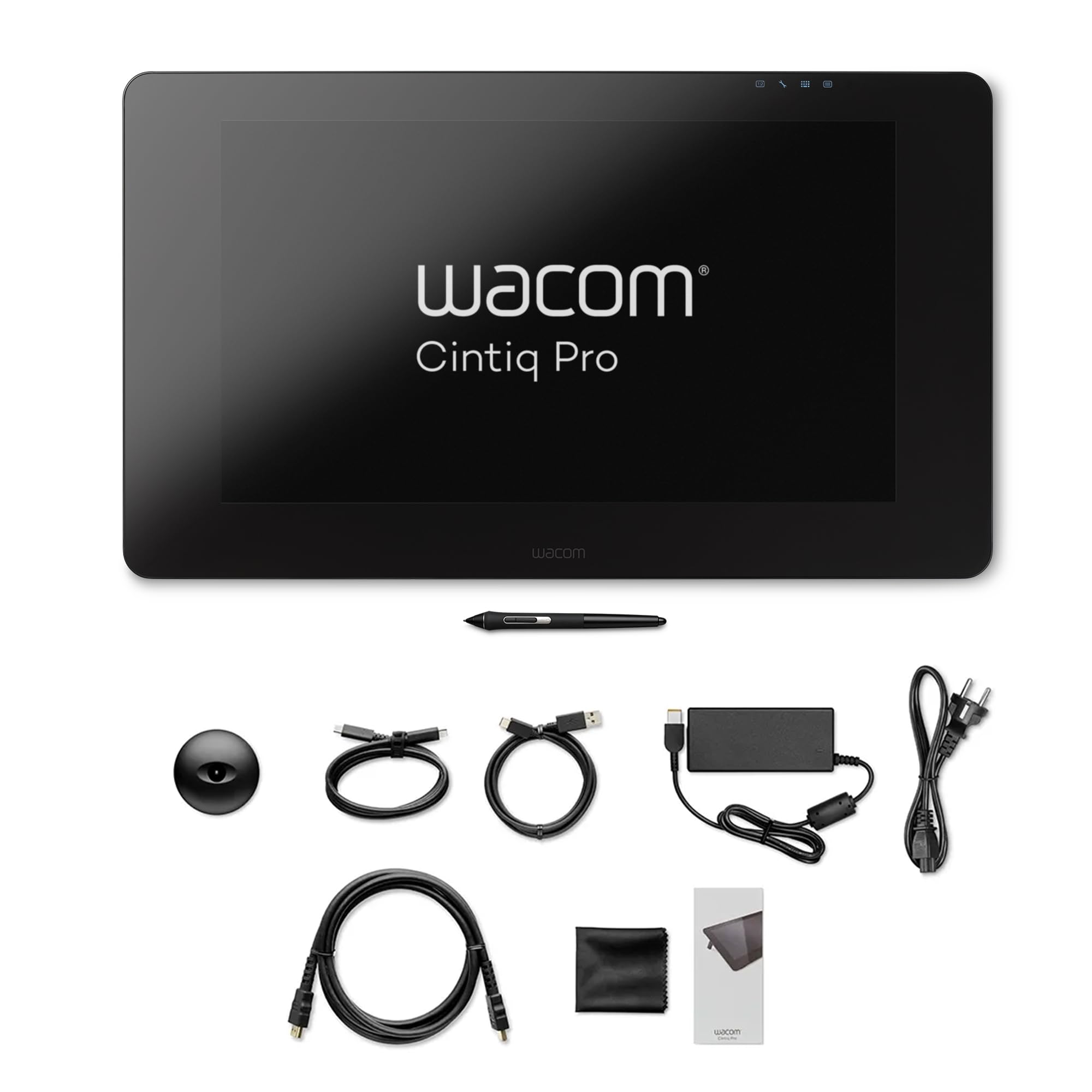



🎨 Elevate your art—where precision meets vibrant creativity.
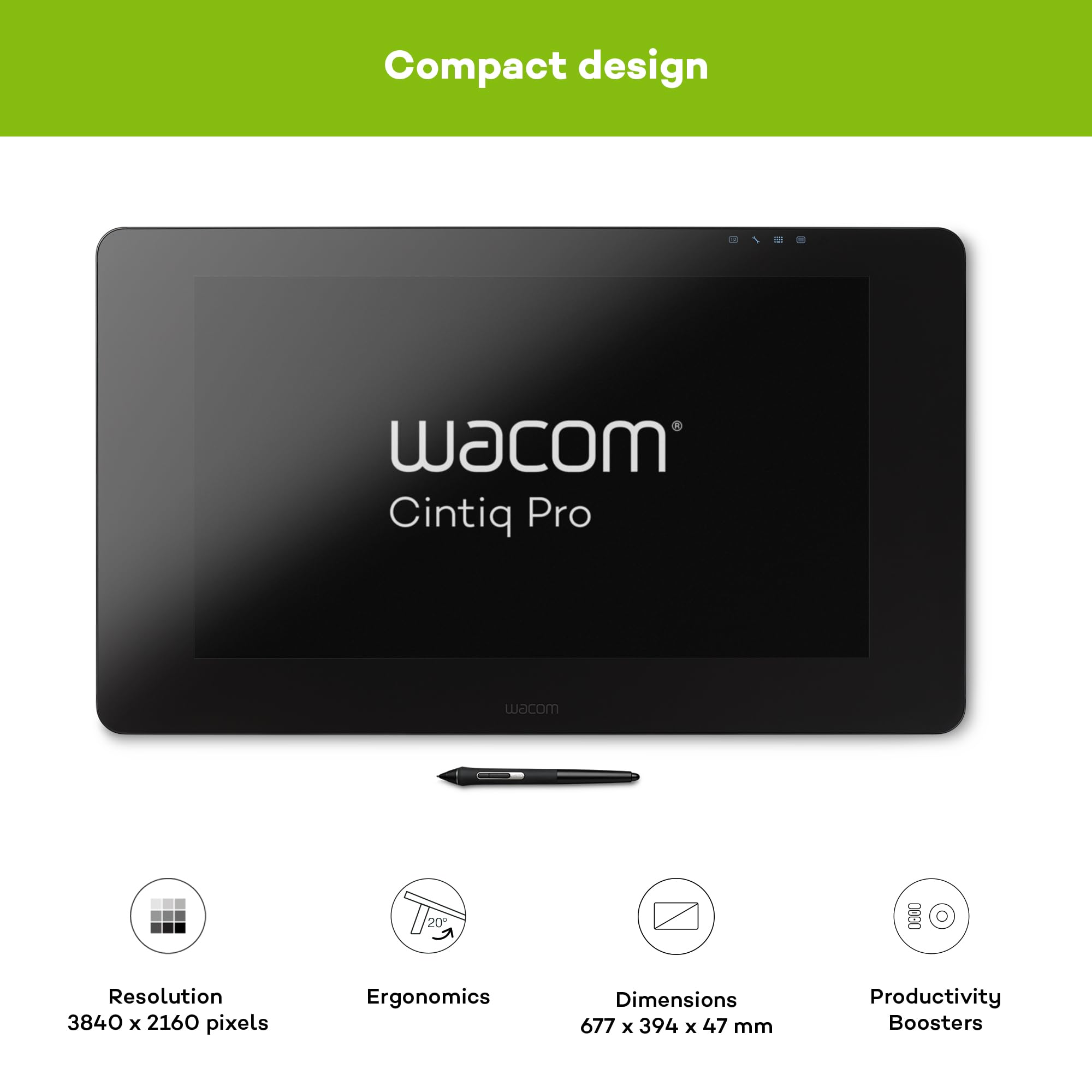
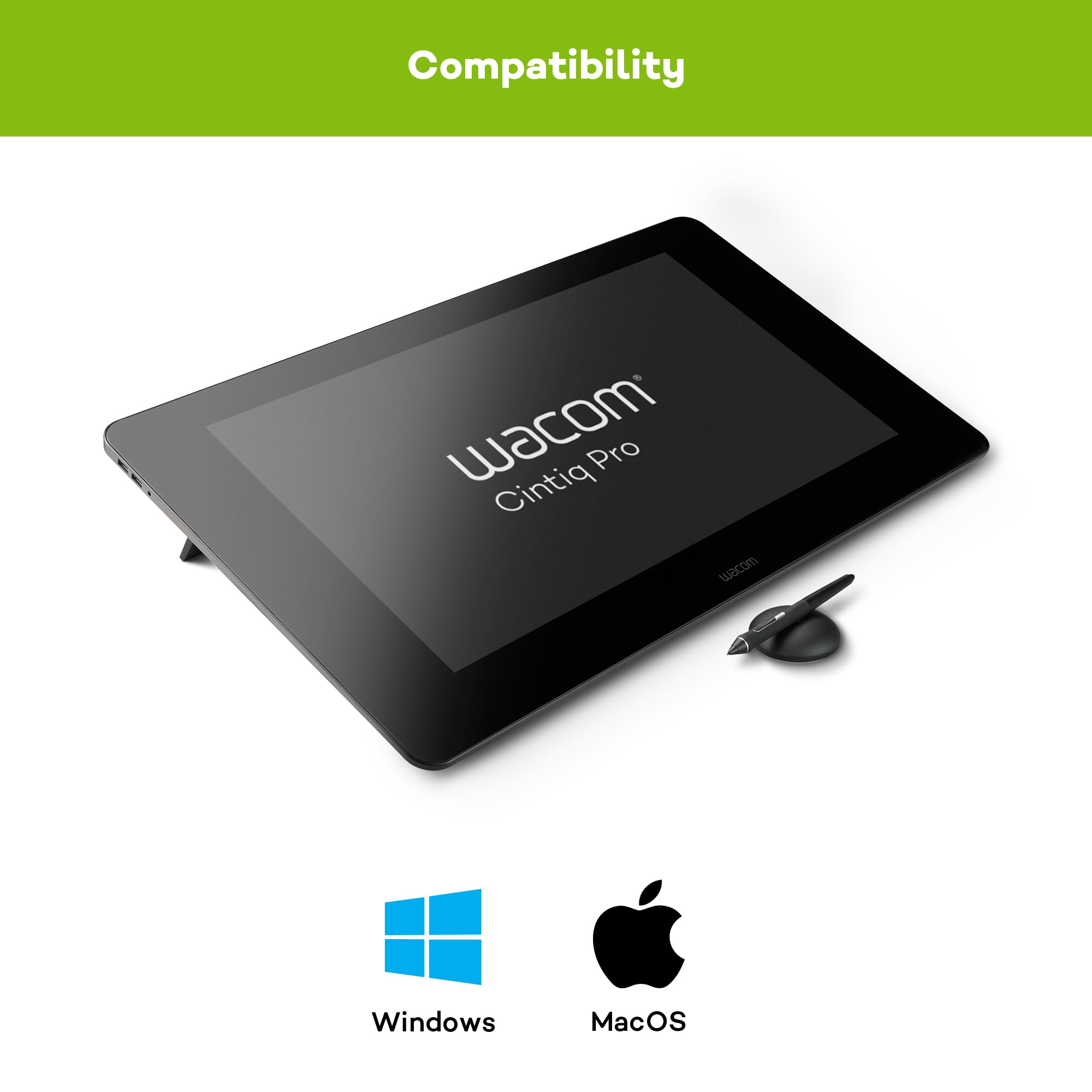
The Wacom Cintiq Pro 24 is a professional-grade pen display featuring a 23.6-inch 4K UHD screen with 8192 levels of pen pressure sensitivity and 99% Adobe RGB color accuracy. Designed for creative professionals, it offers precise cursor control with minimal parallax, a wide 176° viewing angle, and compatibility with both Windows and Mac systems. Its ergonomic design and included accessories make it a premium tool for digital artists seeking unmatched detail and color fidelity.


| ASIN | B07B3CCBPP |
| Are Batteries Included | Yes |
| Batteries | 1 Lithium Polymer batteries required. (included) |
| Best Sellers Rank | 80,636 in Computers & Accessories ( See Top 100 in Computers & Accessories ) 149 in Graphic Tablets |
| Brand | Wacom |
| Colour | Black |
| Computer Memory Type | Unknown |
| Customer Reviews | 4.0 4.0 out of 5 stars (130) |
| Date First Available | 24 Feb. 2018 |
| Delivery information | We cannot deliver certain products outside mainland UK ( Details ). We will only be able to confirm if this product can be delivered to your chosen address when you enter your delivery address at checkout. |
| Guaranteed software updates until | unknown |
| Item Weight | 7.2 kg |
| Item model number | K100986 |
| Lithium Battery Energy Content | 1 Watt Hours |
| Lithium Battery Packaging | Batteries contained in equipment |
| Lithium Battery Voltage | 7.3 Volts |
| Lithium Battery Weight | 10 Grams |
| Manufacturer | WACOM |
| Number Of Lithium Ion Cells | 1 |
| Number of USB 2.0 Ports | 1 |
| Operating System | Windows 7,8,10,11 |
| Power Source | Hand Operated |
| Product Dimensions | 79.5 x 54.5 x 18.3 cm; 7.2 kg |
| RAM Size | 32 GB |
| Resolution | 3840x2160 |
| Screen Resolution | 3840x2160 |
| Series | Cintiq Pro 24 Pen |
| Standing screen display size | 24 Inches |
| Supported Software | Mac OS X 10.11 El Capitan |
| Voltage | 19.5 Volts |
| Wireless Type | Infrared |
P**N
Buy a two fingered glove
For me everything worked great out of the box. I get 4K, nice remote handling, nice weight on desk holds it in place, easy to draw with. You do need a glove to get your hand to slide smoothly over the screen.
B**O
Happy I bought it
I really love this thing. At first I felt a little guilty about buying it, since it was so expensive and there are cheaper alternatives out there. But it’s pretty wonderful. I love the fact that I can rest my arms on it, too.
B**T
Unable to get it working
I am simply unable to get it installed and working on 2x Windows 11 devices and 1x MacBook Pro. It simply does not identify the device despite installing latest drivers from Wacom website, going through several support videos. Support does not have option to contact support via email, and expect you to provide serial number which is only available on card board packing unlike something you see stick to the product. Extremely disappointed to see such poor product despite costing several thousands £££.
D**E
Great product for all creative apps, not just drawing
Good screen quality and flawless pen operation. Works well on Mac and PC, the touch is far more suited to a windows environment at the moment. Although it is expensive you do get what you pay for.
M**N
Major improvements compared to Cintiq 27QHD
I have been using the Cintiq 27QHD for the last couple of years and I was really excited to try the new Cintiq Pro 24 Multi-touch pen display to see the differences. The 24 inch screen is an ideal size, fits much better on most desks compared to the bulky 27 inch model. The 8192 pen pressure levels is a massive improvement, but probably the most noticeable difference is the screen resolution and color accuracy. Looking at a 4K screen with 99% Adobe RGB gamut while drawing is an amazing experience. Another big advantage is that the previous generation Ergo Stand is compatible with this new pen display, so I didn't have to invest into a new one, I could just swap over my previous Cintiq with this new one. Great job Wacom, as always!
G**L
Touch facility isn’t good enough to warrant additional cost. Stand price needs to be considered.
Works with both a PC and Mac but the touch screen does seem to function better with a PC. The touch function is somewhat hit or miss either way. I personally wouldn’t choose the touch option again having experienced it. It isn’t worth the extra money. It’s a generally well built item, it is noisy with the fans when the brightness is turned up to any reasonable level. It sits on two legs which you just flip out, the angle is very shallow for any level of work extending over hours. Factoring in the cost of the stand is equally important as it’s roughly 1/4 of the price of the tablet. Overall I wouldn’t purchase again at this price level. You will need the £500 stand if you value your back working with it for long hours, therefore it’s not recommended for professional use in the configuration offered here.
F**E
Display is fuzzy on Mac
I've used Wacom Cintiq's professionally since 2008. Moving from the Wacom 27QHD to the new Cintiq Pro 27, I was disappointment to find that the display is visibly fuzzy / blurry when using a Mac. Wacom are aware of this issue, which doesn't appear to be an issue with Windows computers. I will update this post when / if the issue is resolved but if you are considering upgrading from an 27QHD to the new pro, I would hold off.
K**P
Faulty
I could not use as the tablets inputs did not work. Tested with several Mac's and PC's but had to send back as no image could be obtained.
D**S
Cette WACOM Cintiq Pro 24 est vraiment pratique !.. Prévoyez d'acquérir l'Ergo-Stand et votre satisfaction sera maximale !.. Vous pouvez également y adjoindre le Slim Pen mais le stylet livré d'origine avec est très bien : équipé d'une mine " feutre " le ressenti est vraiment agréable. L'été, elle chauffe un peu : prévoyez un emplacement " frais " ... ou bien réduisez l'intensité lumineuse de la tablette, ça marche bien ... Bien qu'elle soit livrée avec la télécommande " Express Keys ", son usage sera grandement facilitée par l'emploi de la TOURBOX NEO : programmation de nombreux raccourcis, etc ... ( vraiment bien ! ). Je combine l'emploi de ces deux télécommandes : aucun conflit entre drivers.
M**O
Siempre había querido tener una Cintiq, pero casi no la compro porque, según las reseñas, parecían existir un sinnúmero de problemas relacionados con esta pantalla gráfica. La configuración de mi equipo es la siguiente: Laptop HP Omen X (pantalla 4K) Ram 16 Gb Procesador Intel(R) Core(TM) i7-7820HK CPU @ 2.90GHz Tarjeta gráfica Nvidia Geforce GTX 1080 2 puertos Thunderbolt (Puertos USB-C) — Conectada con estos puertos, solo necesito 2 cables para usarla (alimentación y USB-C). Importante, no todos los puertos USB-C sirven para transmitir a la Cintiq. Tienen que incluir DisplayPort. Si no teneis puertos USB-C así, vais a tener bastantes cables por el escritorio. Eso sí, todos suministrados generosamente por Wacom. Que podais disfrutar del 4K depende de que el PC y la GPU que tengais os lo permitan. Lo mismo para la profundidad de color de 10 bits. Yo ya tenía 4K en mi portátil y también tenía la opción de activar los 10 bits en el panel de control de mi Nvidia GTX 1080. La Cintiq Pro 24 se lanzó en el 2018. Según la etiqueta de la parte trasera, la mía es del 2022. Quizá por eso muchos de los problemas sobre los que había leído parecen haberse esfumado… de momento. El ruido de los ventiladores. O he tenido mucha suerte o Wacom ha ido limando defectos a medida que fabricaba después de tantas quejas. De hecho, se oyen tan poco, incluso con el brillo a 100, que llegué a pensar que no funcionaban bien, pero la pantalla no se calienta en absoluto, ni siquiera ahora que ya empieza a hacer calor. Pantallas con problemas diversos: pixeles muertos, polvo bajo el cristal, fugas de luz. Nada más sacarla de la caja e instalarla, la pasé por un fondo negro y uno blanco con brillo 100. Hay una ínfima fuga de luz en el lateral izquierdo, que no se ve a no ser con la pantalla negra, la luz apagada y el brillo a 100. De momento ni pixeles muertos ni polvo o artefactos extraños atrapados bajo el cristal. Por lo visto, los mayores problemas fueron con las pantallas de las enormes Cintiq 32 (de hecho, la han discontinuado), pero en la de 24 el porcentaje de problemas es menor y parecen dar buen resultado. El efecto arco iris (debido al acabado mate) tampoco lo he notado. Me queda comprobar si con el tiempo aparecen constelaciones de píxeles brillantes en el lugar donde apoyo la mano para dibujar, tema sobre el que he leído más de un caso, o manchas raras. Drivers. Con el Windows 10 todo lo que tuve que hacer fue darle al botón de descargar drivers en la web de Wacom. El Wacom Center se instaló solo y a partir de aquí instalar los drivers, configurar el ExpresKey (no soy una nerd y no me costó nada), además de personalizar un mini panel con los shorcuts-on-screen que más utilizo y olvidarme casi por completo del teclado. Os lo recomiendo, va de fábula. (Mi mini panel en las fotos. Se puede cambiar el tamaño). Tuve la precaución de quitar de mi sistema todos los drivers y cualquier resto de la Bamboo instalada anteriormente antes de empezar con la Cintiq. Protector de pantalla: Sí/No. Las Cintiq Pro vienen con cristal templado mate que supuestamente no se raya, al contrario de los modelos anteriores (no PRO) que llevan una capa protectora plástica y mate, pegada encima del cristal, que se desgasta y se araña con el tiempo. Sobre si ponerle o no un protector de pantalla a las Pro para evitar arañazos con las minas del lápiz, yo he optado por no usar uno por varias razones, como que los protectores se “comen” las minas en poco tiempo y además se pierde la mediana sensación de dibujar sobre papel que da este cristal templado. Además, no sé cómo quedaría la pantalla después, si tengo que quitarle el protector. Sin protector, hay que limpiar bien el cristal, porque dibujar sobre polvo (posible arenilla, etc) podría dañarlo. Wacom recomienda alcohol isopropanol al 70%, que se puede encontrar en Amazon también y un paño de microfibra que no deje pelusa. Uso las minas standard (ACK22211) de dureza media y también se puede ajustar la presión del lápiz en el Wacom Center, aunque yo no le he considerado necesario. Las minas de fieltro (ACK22213) son más rugosas para acentuar la sensación de dibujar sobre papel y más blandas, pero su duración es significativamente menor justo por eso. Las minas metálicas (titanio/acero) de terceros (Wacom no las comercializa), duran mucho más porque son más duras, pero he leído que podrían rayar la pantalla. En el mes y medio que llevo dibujando con la Cintiq, en sesiones de 3-4 horas, la mina standard no se ha desgastado en absoluto. Tampoco ha aparecido ningún arañazo en la pantalla. ExpressKey (caprichoso) En mi caso avisa de que la carga esta baja, cuando eso no es cierto, y en cambio, cuando se agota, no avisa. El primer día lo puse a cargar al 100 % y al día siguiente ya me avisó de que debía recargar inmediatamente porque se iba a apagar. Lo hice, pero cuando a los 2 días me avisó otra vez, me pareció sospechoso, así que pasé de él. Y así estuve trabajando 10 días sin problema, hasta que se apagó realmente…. Eso sí, sin avisar XD. Excepto en el ¼ superior, donde se sostiene solo por la parte inferior, en el resto del bisel el ExpressKey se queda pegado como si lo hubiera puesto con cemento. En la oscuridad, a veces cuesta identificar las teclas que quieres presionar, a pesar de que le han puesto unos identificadores tipo Braille, y la rueda se podría mejorar, pero aun así resulta muy útil. Otra cosa, adoro los biseles tan anchos de la Cintip Pro 24 (al contrario que la mayoría). Es cierto que quitan espacio y la hacen parecer aún más monstruosa, pero es de agradecer poder apoyarte en ellos cuando dibujas (aparte de que sostienen el ExpressKey donde me apetece, sin el que ahora no podría trabajar). Problemas por verificar. Parece ser que las miserables patitas de la Cintiq, aparte de proporcionar un ángulo de trabajo bastante inútil de 20º (yo las tengo apoyadas en una pila de libros de 12 cm), pueden romperse al cabo de un tiempo, dejando un montón de trocitos de plástico bailando por el interior, que derivan en otros problemas peores, como pegarse a los ventiladores o desplazar los imanes internos que sostienen el ExpressKey. Si es así, os aseguro que seré de las primeras en enterarme, ya que la pongo y quito del escritorio 2 veces a la semana por temas de teletrabajo (sí, me gusta el riesgo XD y el ejercicio pesado). Sobre su uso, estoy enamorada de mi Cintiq. Es parecido a dibujar sobre un soporte más tradicional, no solo el resultado, sino también por la naturalidad de hacerlo. En mi opinión la sensación sí se acerca a dibujar sobre un papel, no tienes la sensación de estar dibujando sobre un plástico o un cristal. Las puntas no chirrían, por ejemplo. A mí me encanta. El Pen Pro 2 es muy cómodo, aunque hay que acostumbrase a cogerlo bien, para no presionar sus botones sin querer. Yo prefiero el borrador en la parte superior, a que lo quiten como han hecho con el Pro Pen 3. Es ligero y tras un uso de horas no se me hace nada pesado, así que la opción de cambiar el centro de gravedad del Pro Pen 3 no creo que me aportara demasiado. El paralaje, que es la distancia entre el cursor y la punta del lápiz cuando lo apoyas sobre el cristal, es nula, solo perceptible cuando lo llevas a los extremos más alejados de la pantalla. El retardo entre la punta del lápiz y la línea dibujada (lag) tampoco es perceptible, al menos en mi caso, a no ser que hagas carreras contra el cursor. Creo que esto último depende mucho de que configuración (CPU/GPU) tengas, más que de la Cintiq en sí. También de los parámetros que tengas en el programa. Por ejemplo, con el Photoshop CC2023 de un día para otro me apareció un retardo increíble y era solo debido a que tenía la opción “Suavizado” al 100%. Al ponerla a 0, el retardo desapareció por completo. Por eso es importante investigar, antes de dar por sentado que son problemas de hardware. Otra cosa que hay que hacer si se tiene SO Windows, es poner el Windows Ink en modo tableta en configuración-dispositivos. Calibrar y configurar el lápiz en el Wacom Center es muy sencillo. Yo uso sobre todo Photoshop CC2023 y Corel Painter 2023. Lo tengo que probar aún con el Zbrush. El rendimiento con estos dos programas es increíble. Los trazos son rectos y limpios, nada de líneas temblorosas o bordes aserrados. El movimiento de mi mano es tan natural como cuando dibujo sobre papel o lienzo y el trazo sigue fielmente cada gesto. Hay quien dice no notar los 8192 niveles de presión del Pro Pen 2. Yo sí que los noto (también es cierto que vengo de una Bamboo Fun), porque no soy de presionar demasiado con el lápiz y, aun así, las líneas tienen un asombroso registro de suave/delgado a negro/grueso, dependiendo de la fuerza que ejerza. También detecta la inclinación del lápiz. Todo esto hay que configurarlo correctamente también en cada pincel, sino muchas de estas sensaciones se pierden. Estoy buscando el Art Pen (KP701E2), porque el Pro Pen 2 no tiene la característica de sensibilidad de rotación y tengo ganas de probarlo para pintar. Los viejos lápices por lo visto funcionan en las nuevas PRO, no así los nuevos lápices, que no se pueden usar en las viejas Cintiqs no Pro. La pantalla 4K no ha sido una gran sorpresa para mí, ya que mi portátil la tenía y sabía que esperar. Partiendo de la base de que es un dispositivo para crear contenido y no para consumirlo (el acabado mate y granulado para dibujar mejor resta un poco de nitidez), la pantalla tiene una calidad excelente. A mí, qeu tengo portátil, me va perfecta como monitor también. No podría volver al HD1080p. El espacio de 24 pulgadas es perfecto, me cabe todo lo necesario y los colores se ven mejor que en mi Omen X, que está bastante más saturado. Si no habéis tenido 4K antes, tened en cuenta modificar las propiedades de las aplicaciones que lo necesiten (en el acceso directo del escritorio se puede hacer) para que no os salgan los menús tan diminutos que resulten imposibles de descifrar. El ajuste lo tiene que hacer el sistema, no la aplicación, como está por defecto. Aún me falta mucho por investigar, pero las sensaciones iniciales son geniales. Aconsejo los guantes de dibujo. Son muy económicos (3 pares me costaron 7 €) y facilitan mucho el trabajo. Pero si esta Cintiq no me dura 10 años, no consideraré la inversión amortizada. Este bicho es carísimo. Así que ahora a cruzar los dedos. Espero que sea cierto eso de que Wacom construye “tanques”, porque si no la valoración se va a ir a 0 en un plis plas. Lo que he oído del servicio técnico y del coste de las reparaciones, tampoco es para estar demasiado tranquila. No he usado Huion ni X-Pen, así que no puedo comparar, pero sí suelo actualizar las reseñas si aparecen situaciones de interés para otros compradores. También si el rendimiento a largo plazo es el esperado. Editado en junio de 2025: han pasado más de dos años desde que la compré. La garantia ya ha expirado y de momento funciona como el primer dia. Ya solo tiene que durar ocho años más para que amortice el riñón que me costo jaja
P**R
Das alte Wacom Intuos 3 sollte einen Nachfolger bekommen. Es sollte ein 24 Zoll Display sein, mit hoher Auflösung und als drittes Display, dritter Monitor erkannt werden. Und es sollte kein Produkt aus China sein! Erste Wahl war dann das Wacom Cintiq Pro 24. Unter den Bewertungen gab es einige, die nicht erfolgreich installierten, Probleme mit USB-C hatten oder haben. Also habe ich beim Support angefragt und meine technische Ausstattung beschrieben. Der Mitarbeiter konnte die Frage nicht beantworten. Seine Antwort „ausprobieren“. Ausschlaggebend war der Hinweis auf den Display-Port in der Beschreibung. Vorhandenes System: Windows 10 pro, Ryzen 7, USB-A 3.0 und 3.1 NVIDIA GeForce 1050 mit 2 Bildschirmen HDMI, 4k, 3840 x 2160, 1x DisplayPort. Wacom hat auf der Webpage u. a. einen Text eingestellt. Ein paar Sätze aus dem Text: „Wie schließe ich ein Wacom Cintiq Pro 24/32 an meinen Computer an? Hier findest du Kurzanleitungen für die Einrichtung deines Wacom Cintiq Pro mit verschiedenen Konfigurationen. - Bei Computern mit DisplayPort- und Standard-USB-A-Anschluss. - Bei Computern mit HDMI- und Standard-USB-A-Anschluss. - Bei Computern mit USB-C-Anschluss. Bitte beachte, dass der USB-C-Anschluss deines Computers den DisplayPort Alternate Mode (DP-ALT) unterstützen muss.“ Als das Objekt der Begierde eintraf, gab es gleich ein großes Problem, das einzige Problem. Wer gibt zuerst nach, die Finger oder die Kabelabdeckung? Der Klügere gibt nach, also die Kabelabdeckung. Der Rest ging wie von selbst. Die Nvidia Systemsteuerung erkannte das Wacom Cintiq Pro 24 am DisplayPort als drittes Ausgabegerät. Es bestand / besteht die Möglichkeit, die Darstellung in Windows auf das Gerät auszuweiten oder Monitor 1 oder 2 als Kopie auf 3 zu übernehmen. Aktueller Stand: Kopie von Monitor 2 auf das Wacom Cintiq Pro 24, arbeiten mit dem Stift auf dem Cintiq und mit der Maus auf 2 im gleichen Bild mit der Maus.
A**I
Partiamo da una premessa: il modo piu' semplice per ottenere un concept o un visual grafico è realizzarlo con una penna. Da oltre 20 anni uso una penna digitale per produrre sketch di Architettura, Product Design e illustrazioni. Ho messo in congedo una gloriosa Cintiq 22 con l'esigenza di uno schermo piu' grande e con maggiore definizione. La Cintiq 24 Pro Touch è stata la mia scelta, dopo aver provato in negozio anche la versione a 32 pollici troppo grande per il mio setup attuale sulla scrivania. La prima cosa che colpisce è la finitura opaca del vetro di protezione dello schermo, oltre ad essere antiriflesso dona una sensazione unica mentre si disegna con una leggera frizione sulla punta della penna come si trattasse di un foglio di carta. I colori dello schermo sono calibrati e soprattutto il bianco non "abbaglia" rendendo il colore generale bilanciato e una resa di stampa ottimale. Wacom dichiara uno spazio colore Adobe RGB al 99%. Altro punto di forza è l'assenza del fenomeno di parallasse, ovvero la distanza tra la punta fisica della penna e l'equivalente del cursore sul pannello: in questa versione è praticamente assente, ho iniziato a testare la Cintiq senza calibrarla con risultati perfetti. Sconsiglio la calibrazione anche agli utenti piu' esperti e smaliziati, è perfetta così! La penna ha una punta piu' sottile della mia pro pen precedente, risulta quindi piu' precisa sia visivamente e si avvale di 8192 livelli di pressione per permettere di trasferire qualsiasi tipo di tratto senza cambiare la dimensione del pennello sul software (vedi foto). Il touch funziona benissimo e può essere disattivo in un istante con il pulsante on board sul lato esterno destro dello schermo. Con il mio setup attuale ho collegato la Cintiq con USB_C e il cavo di alimentazione, evitando un cavo in totale e mantenendo quindi la parte collegamenti in ordine. Bisogna posizionare bene i cavi per richiudere lo sportellino sul retro dello schermo, ma con un po' di pazienza tutto risulta pulito ed esteticamente valido. Ultima nota il prezzo, si allinea alla dicitura PRO non è certo un prezzo da chi vuole iniziare ad usare uno schermo per disegnare, bisogna valutare bene lo sfruttamento del dispositivo: la mia Cintiq è al lavoro dal giorno stesso in cui è arrivato il pacco, bello e impeccabile, da Amazon. Provatela prima di ordinarla. Consigliata ai professionisti.
N**S
Parto premettendo che non sono nuovissimo ai prodotti Wacom e questo non e' il primo dispositivo acquistato da questo produttore. Ho acquistato la tavoletta 2 volte perche' purtroppo la prima e' arrivata con un piccolo difetto ben noto, la polvere tra display e vetro protettivo... Ripeto per confermare che non si tratta di un errore di scrittura, ho acquistato 2 volte si, questo perche' ahime' l'assistenza di Amazon e' stata disastrosa. Il primo operatore mi ha suggerito di contattare Wacom direttamente e che loro mi avrebbero indicato le procedure per risolvere il problema. Contatto Wacom e loro mi dicono che il problema da me riscontrato e' ufficialmente riconosciuto e quindi se ne deve occupare direttamente il venditore che poi a sua volta procedera' a risolvere con il produttore. Contatto nuovamente Amazon e il secondo operatore mi suggerisce di mandare la tavola in assistenza, sono inizialmente stupito, ma accetto per poi cancellare la riparazione a seguito di una mail dell'operatore Wacom che inveiva contro Amazon e che mi suggeriva di richiedere il reso dato che mi trovavo ancora nelle 2 settimane in cui era possibile richiedere il recesso e questa era la ragione del mio stupore iniziale al consiglio dell'operatore Amazon, infatti mi aspettavo una sostituzione ! Leggendo successivamente nelle FAQ (FATELO ! NON SIATE PIGRI !) noto che per alcuni prodotti questa e' la procedura suggerita in quanto non e' possibile una sostituzione, la cosa strana e' che non sia stato l'operatore Amazon a dirmi di farlo. Avvio finalmente il reso e resto in attesa del rimborso. Inutile dire che ho dovuto aspettare una quantita' di tempo apparentemente infinita. Arrivato il rimborso procedo all'acquisto della nuova tavola (non immediatamente perche' era esaurita, l'offerta proposta era troppo allettante, figuriamoci se chi poteva acquistarla se la lasciava scappare !) e finalmente arriva e senza difetti. Chiudo qui la prima parte in cui era per lo piu' indicata l'esperieza con produttore e Amazon, e aggiungo che non voglio essere infantile e dire che non acquistero' mai piu' da loro come farebbe un ragazzino, nonostante questa spiacevole esperienza ho continuato ad acquistare da loro e senza mai avere difetti o problemi con i prodotti acquistati. Passiamo dunque alla tavola in se. La prima cosa che si nota e' la larghezza, mi aspettavo fosse piu' alta e meno larga ! Non e' un problema, anzi dopo quasi un mese di utilizzo penso sia meglio così ! L'express key e' una genialata, incredibilmente comodo e la batteria dura tantissimo, ho fatto 2 settimane con solo una carica. I driver sono un calvario, in particolare se avete driver di altre tavole (sempre Wacom si intende), quindi consiglio a tutti i nuovi arrivati di prepararsi al peggio e armarsi di pazienza, il problema non e' irrissolvibile, ma solo estremamente fastidioso e ostico (difficile). Un problema che tutti sentono di dover fare presente sono le ventole "rumorose", se non avete mai avuto un PC o una PS4 allora non avete idea di cosa significhi "rumoroso" (la PS4 sembrava un jet pronto al decollo). Le ventole fanno il loro lavoro e non ci si puo' aspettare che siano super silenzione in uno schermo 4K così sottile, non siamo ridicoli per piacere ! A livello audio ho risolto con software che sopprimono i rumori di fondo (ne esistono anche di gratuiti super efficienti) quindi se si deve registrare non si deve andare in paranoia per questa cosa, mentre per gli altri non so che dire, io uso le cuffie quindi personalmente non ho problemi, quando pero' non posso usarle devo dire che non mi disturbano finche' riesco a sentire chi mi parala (sono meno rumorose di quanto possa apparire in quest'ultima frase). Ora un consiglio prima di chiudere, chi acquista per la prima volta potrebbe pensare che questo sia il santo Graal degli artisti, ma non e' così in quanto i progressi che vedrete dopo l'acquisto sara sempre miseri se non vi esercitate ! E' vero che diventa un po' piu' semplice disegnare, ma non tanto da farvi diventare professionisti solo perche' adesso avete una tavola con display integrato quindi consiglio a chi non e' dell'idea di mettersi sotto di risparmiarsi i soldi o di andare verso alternative meno costose così che in caso di fallimento nel perseguire il loro sogno non si vada in bancarotta. Nel complesso sono soddisfatto e devo dire che sono molto fortunato ad essere riuscito a trovarla in offerta così da poter usare i soldi risparmiati per pagare magari le licenze dei software che utilizzo. Non sono riuscito a dare 5 stelle (siamo ad un 4.5 per me in realta' e non 4) perche' il difetto della polvere viene fatto presente da molto tempo e Wacom ancora non ha risolto, peccato... Spero che la recensione possa tornarvi utile.
Trustpilot
1 month ago
2 months ago