
DOWNLOAD THE APP


Customer Services
Copyright © 2025 Desertcart Holdings Limited
DOWNLOAD THE APP
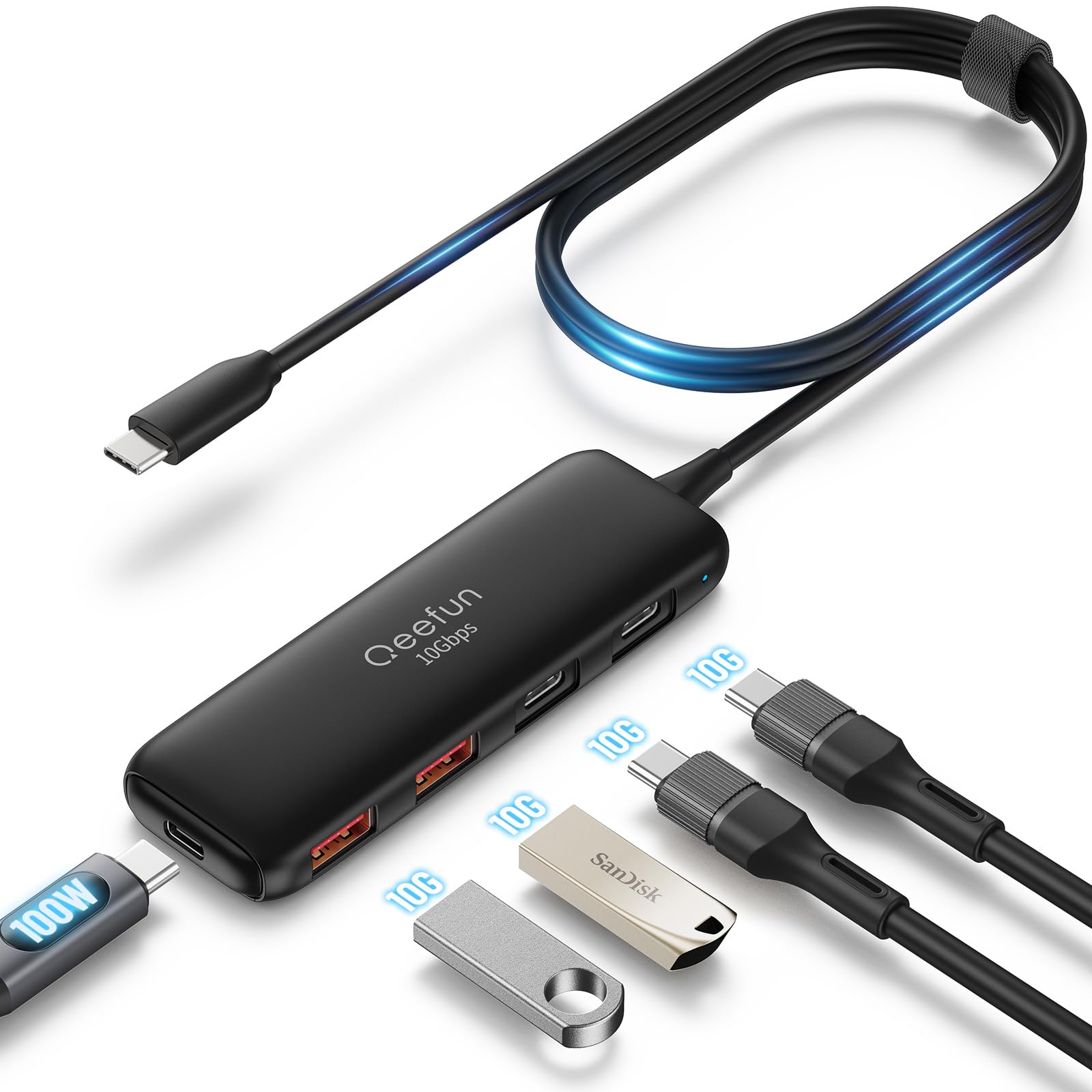
🔗 Connect with Confidence!
The Qeefun USB C Hub is a versatile 5-in-1 adapter featuring 2 USB-A and 2 USB-C ports, capable of 10Gbps data transfer speeds and 100W power delivery. Its plug-and-play functionality and wide compatibility make it an essential accessory for professionals on the move.



| Material Type | Acrylonitrile Butadiene Styrene (ABS) |
| Color | 4-Port USB 3.2 C+2a2c |
| Item Weight | 63 Grams |
| Item Dimensions L x W x H | 4"L x 1.4"W x 0.39"H |
| Data Transfer Rate | 10 Gigabits Per Second |
| Number of Ports | 5 |
| Operating System | Windows 11, Windows 10, Windows 2000, Windows 7, Windows 8, Windows Vista, Unix, MAC, Linux, Chrome OS |
| Compatible Devices | ['Speakers', 'Printers', 'Digital Cameras', 'Gaming Consoles', 'Keyboards', 'Laptops', 'Mouse', 'Tablets', 'Smartphones'] |
| Total Usb Ports | 4 |
| Hardware Connectivity | USB Type C, USB, USB 3.0 |
| Additional Features | Fast Charging, Fast Data Transfer, Plug and Play |
W**E
Better solution for a on and off toggle switch for a USB-C 3.2 port.
I'd been searching for a USB-C 3.2 cable or hub that specifically had an on and off switch for an Elgato Stream Deck. Sometimes during my PC's start up process the Deck needs to be rebooted or restarted to refresh its setting. I'd rather not resort to plugging, and unplugging the device and risk damage to the terminal and port shorting the device as it produces a video image as well. This has 2 ports, both with toggle switches that lock into place when you depress and release on and off. It works perfect so if you have a device you want to toggle on and off this device is one of the best bets.
A**T
Great for connecting other USB devices
The package arrived in good shape. It is a pretty solid hub. I connected my joysticks, wireless mouse, and a portable hard drive (as external storage) to it. Worked perfectly well so far!Pros:- The separated on and off buttons! These helped me a lot, I don't need to unplug my joysticks or change the config for games that have control conflicts with keyboard/mouse. As well as the portable drive, I just press the button afterward.- Good transfer speed.- Have enough space between the ports, and the ports are facing up, so it is pretty easy to plug and unplug when necessary. Well, I don't do that a lot, I just use the buttons. Actually, I think people who do that on a daily basis probably would like this design better.Cons:Nothing to complain so far.Overall it is a very cost-effective USB 3 hub, with some good additional features.One more note is that the package doesn't include an external power source, the manual says if you want to use 2 hard drives, you will need that.
M**Z
Keep it all plugged in
Now I can keep everything plugged in and disabled until I need it. I am using it with a headset and webcam. Cord length is sufficient, and it is compatible with my devices. It could use more weight to keep it more stable though.
J**Y
does the job
Makes a good connection and holds it. Items don't stop working because the cable starts to pull out.
J**R
Excellent Features
I love the turn on- shut off switch on each USB position. A blue light comes on when you turn on power to each position.
J**.
Great charger for all my devices.
Great for charging my phone, watch and earbuds. I especially like the ability to charge my phone sideways and get a clock display on my phone. And it is very sturdy and should last me longer than the other brand I had before.
S**M
Best for my needs with high speed ports
Excellent hub, does what it's supposed to well.
A**R
Cruddy hub.
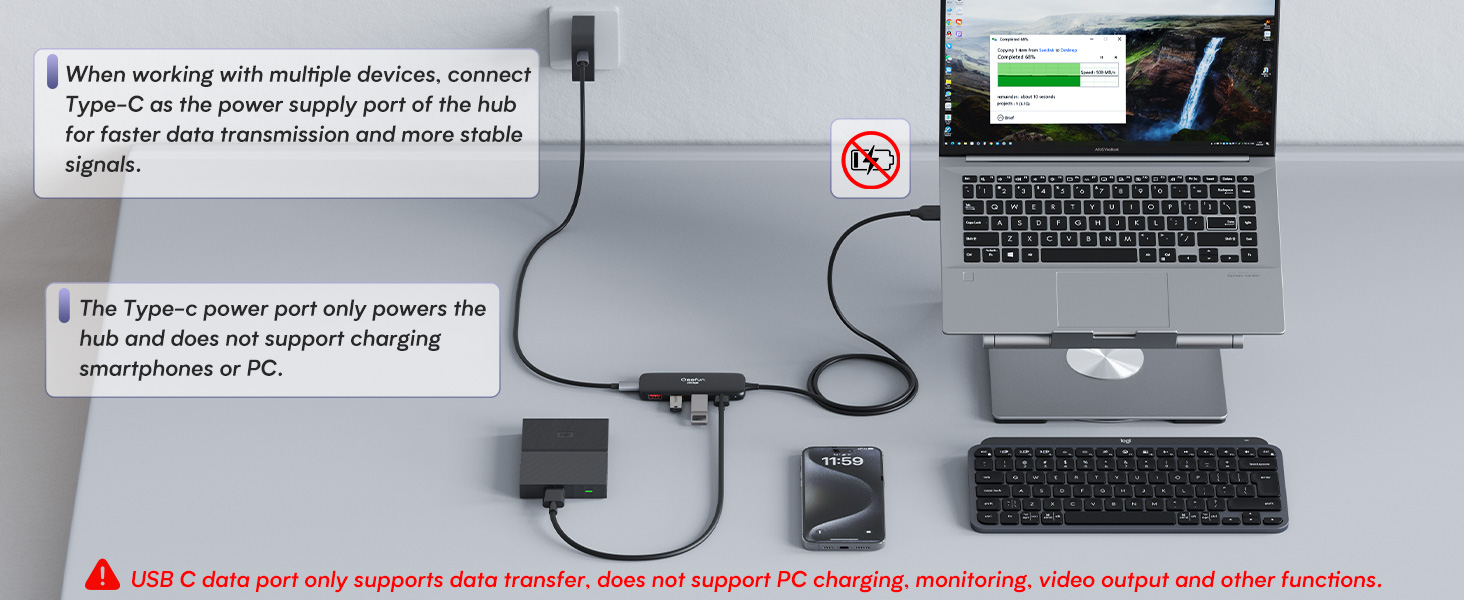
I was wanting to not use a PCIe card since the amount of PCIe slots on modern boards is less, I digress.This hub worked fine without external power for half an hour and then file explorer just kept hanging. I plug in my NVMe SSDs and it'll just hang even though it's detected in USBTreeView. Normal flash drives work just fine weirdly. It seems like a power issue, like its not getting enough juice somehow even though NVMe SSDs can work just fine on USB 2.0 power. Even with just 1 NVMe SSD, it would still just hang.My solution was to plug in external power and then plug in the hub. Magically it would start working just fine. I don't trust thing at all since its also back feeding power, yay. Don't buy this junk. If I contact the company, what they gonna do? Send me another junky one that also back feeds.
Trustpilot
2 months ago
3 weeks ago