We remain fully operational. Our teams are working around the clock to ensure your deliveries continue safely.

DOWNLOAD THE APP


Customer Services
Copyright © 2025 Desertcart Holdings Limited
DOWNLOAD THE APP


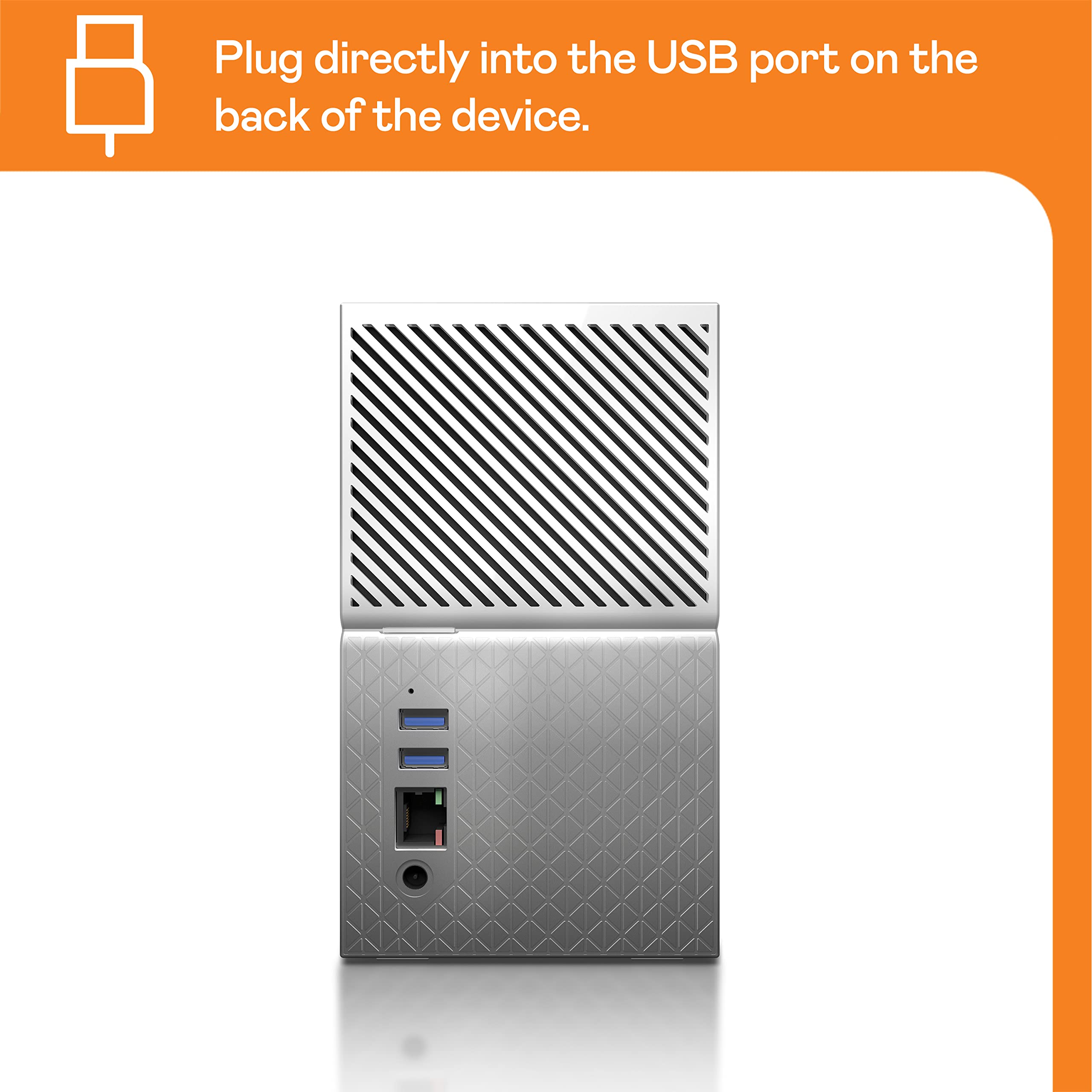
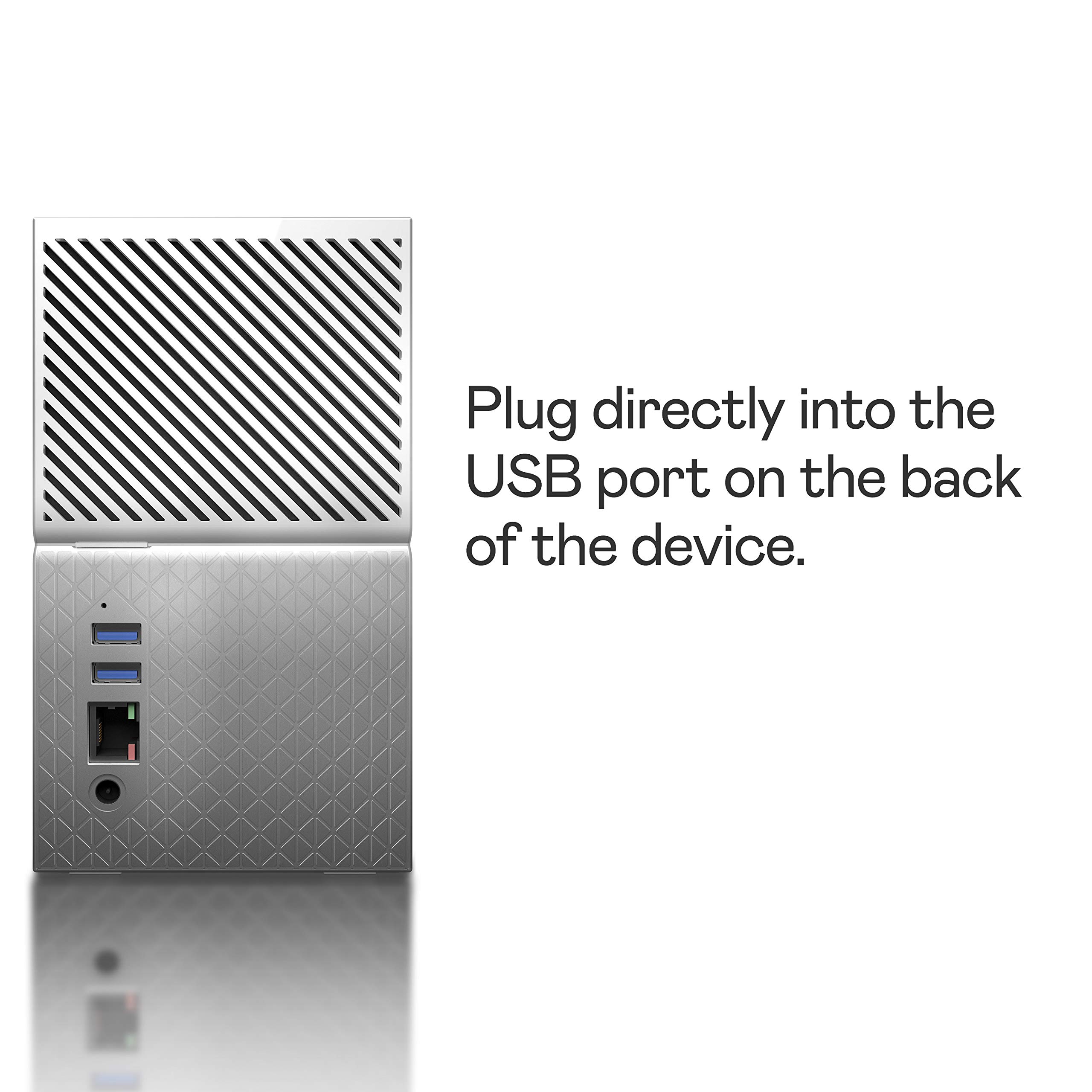

📦 Your Digital Vault Awaits!
The Western Digital 8TB My Cloud Home Duo Personal Cloud Storage offers a robust solution for centralized storage, allowing users to securely store, access, and share their photos, videos, and files from any device with internet connectivity. With its intuitive app and seamless streaming capabilities, this device is perfect for the modern professional looking to keep their digital life organized and accessible.


| ASIN | B076DHQRXH |
| Best Sellers Rank | #108 in Network Attached Storage (NAS) Devices |
| Customer Reviews | 3.7 3.7 out of 5 stars (203) |
| Date First Available | December 3, 2017 |
| Is Discontinued By Manufacturer | No |
| Item Weight | 5.29 pounds |
| Item model number | WDBMUT0080JWT-NESN |
| Manufacturer | Western Digital Technologies, Inc. |
| Product Dimensions | 6.3 x 3.94 x 7.09 inches |
G**R
Great Usually
This is the third WD My Cloud unit I have purchased. First one failed after several years of working well. It was a duo and had two drives. Unfortunately the failure was in the way it communicated and not in either hard drive. Since I am not sending my unit off with my data in it, I tried to salvage the two drives full of data. WD stores the RAID data in an almost unrecoverable format, so I lost the data. I did gain two working hard drives out of the failure however. With this said, the WD Home Cloud systems are great for home storage and should almost always be recoverable if a usual type problem happens. I bought a single and another double (duo). The way they move data is almost bulletproof and not subject to transfer failures as with many systems. With the way they are securely accessed, you have all your data and photos with you on your mobile devices anywhere you go. I think every home and small office would benefit from owning one. Just one bit of caution; NEVER TRUST ANY SINGLE SYSTEM WITH ALL YOUR DATA STORAGE AND BACKUP!! Yes, The unit that failed was backed up elsewhere. BTW, these can easily transfer their data to another USB backup device by plugging it into the back of the device.
O**N
A case sensitive file system on a Windows machine??
Like many has said, you need to install a WD application to map a z: drive to access the files. You can't use a network share. One positive thing is that when you are on a laptop and you are traveling, you have the files transparently available at z:, similar to other Cloud drives. The bad news is that the drive uses a case sensitive file system like those on Linux. Normally you won't notice it until you try to install applications or use a command line to open files. If you created a file called, 'My Document.txt' and you try to open the file by 'my document.txt', you get a 'file not found' error. This is unacceptable for Windows users. Lots of applications will not work when they are not careful in retaining the original file name in case. It also creates some weird behavior when you can see multiple versions of a file with different cases in the name in the cloud portal but back in Windows, you see only one. You may accidentally work with the wrong one when using different variations of the file name. UPDATE: returned the product. When one of my Windows backup program (SyncBack) cannot see the Z: drive, that is the end of it. I couldn't work with projects on the drive directly and I couldn't work with a local copy and sync my folder back to this WD Home thing. Talked to WD support via email and phone and they offered no help. I switched to "ASUSTOR AS3202T 2-Bay INTEL Quad-Core NAS". It has way more features (it has an app store!) and allow me to work with files via SMB shares. Plex app on it can do transcode without any buffering (WD Home constantly buffers). Asustor can even integrate with other network shares and cloud drives seamlessly.
B**R
Works as intended...
Works great & connected to home network with little to no issues. I was uploading my different cloud storages that I've had throughout the years & have managed to get everything sync'ed. I'm still trying to get the plugins to work well or trying to figure out if there's any relevant content even on there. The Plex media server is a great feature but is somewhat difficult to get set up correctly. If you have a nice movie collection, it's a great tool to use to stream to every device in your house; once you buy the Plex Pass. The DUO seems nice too having a redundant hard drive storing all my (once, someone else's) cloud information right in my home.
J**R
Easy to Set Up
This is a replacement unit for a My Cloud unit which was 3 years old and was no longer able to access it outside my home network. The set up is quite simple, and WD packed a lot of features into this unit. However, they have so many variations of this product that their documentation is very generic as they tried to address a number of products with a generic set of instructions. Furthermore, the desktop app comes with apps that do not work for the y Cloud Home devices. Why would anyone release apps that are not intended to be used with this mode is beyond me. Other than that, the sync process works well, and it works seamless with both Windows and Apple native backup software. Having a RAIDed system makes me feel at ease knowing that I have redundancy built in.If you are a beginner user or if you want ease of set up and simplicity, this is definitely the device for you. On the other hand, if you want to administer disk quotas and be able to tailor its functionality; or if you are an experienced user, look at other similar WD products.
M**G
Not a true cloud
I would not buy this again until it becomes a true cloud with automatic uploads/downloads for anyone in my family. Pros: - it’s a stand alone drive with a wifi sensor, so it doesn’t need to connect to a computer - has an easy to use app to interface with - it took me 10 minutes to unbox it and get everything working Cons: - You have to register your email on an app to use this hard drive. I was hoping to encrypt it through my wifi so that anyone in my family could use it. Instead they need to each register. - it’s not a cloud in the sense we understand it. It doesn’t automatically backup anything. You have to open the app anytime you want it upload your photos or files. - the transfer rate is very slow. I have a 1 gig cat 6 connector connected and it only seems to do about 5 mbps on wifi from my phone to wifi to the hard drive. - the duo systems split the total volume into 2 partitions. So if you bought the 8TB like I did, you are actually only getting 4TB, and the other is the RAID back up - can’t get my wife and my photos to save to one spot, so there it doesn’t solve the consolidation problem
S**N
Great replacement!!!
Was using a 4TB older version that WD notified me they were going to stop supporting (it’s was getting close to 10 years old). Been planning to upgrade and this gave me a good reason. Best part is the phone app addition!!! Can access my personal items anywhere without having to upload to a cloud. Movies, photos, legal docs, etc… super easy to access now.
A**O
Mejor busca en otro lugar, este producto no sirve, no se pudo configurar ni con toda la ayuda en línea de WD. Después de revisar con soporte técnico, no tuvo reparación. Lamentablemente pasó mucho tiempo entre que lo compré y lo usé como para devolverlo a Amazon y el proceso de hacer válida la garantía es muy complicado con algunos cobros. Si lo compran como producto restaurado, no les harán válida la garantía
D**D
عيبها ماتشغل اي صيغة للفيديوهات + بطيء ف القرائة + مافيها عربي + التطبيق حقه بدائي
G**Z
Decepcionado, ya que la información del vendedor es engañosa en cuestión del almacenaje ya que yo comparaba el producto de un solo disco con capacidad de 8 Tb y decidí comprar el dúo con la misma capacidad, esperando 2 discos de 8Tb cada uno en Raid pero no, son 2 discos de 4TB lo cual en suma si son los 8TB. Lo cual me siento engañado ya que pague más por menos capacidad
M**.
Extremely limited NAS functionality.
J**Z
Excelente compra .... realmente muy útil ! La mejor compra que he hecho !
Trustpilot
3 weeks ago
1 month ago