
DOWNLOAD THE APP


Customer Services
Copyright © 2025 Desertcart Holdings Limited
DOWNLOAD THE APP
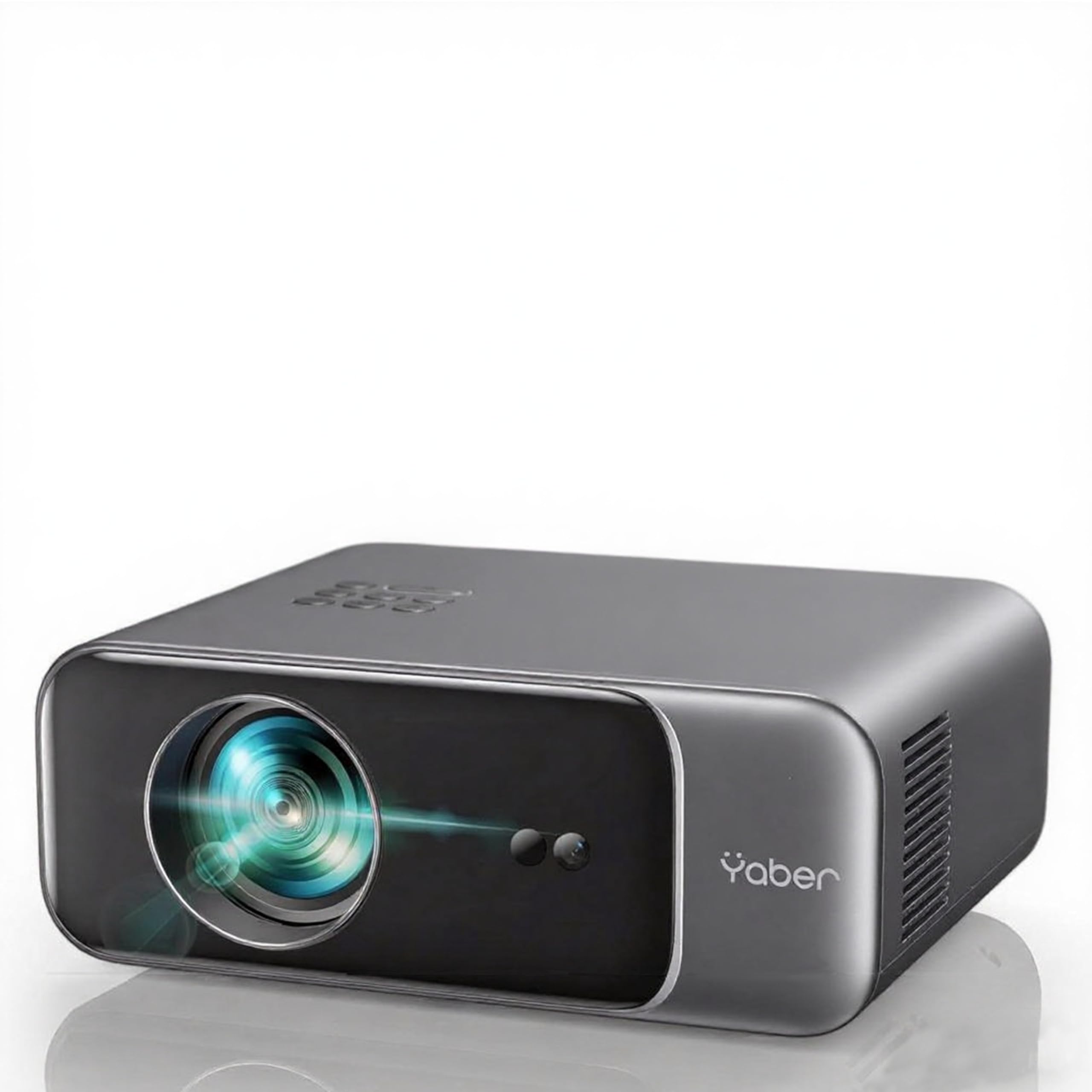
🎬 Elevate your home cinema game—because your binge deserves brilliance!
The YABER Pro V9 is a portable 1080P HD smart projector featuring advanced AI-driven auto focus and 6D keystone correction for effortless setup. It supports 4K playback with a 25000:1 contrast ratio and wide color gamut for vivid, detailed images. Equipped with WiFi 6 and Bluetooth 5.2, it offers ultra-fast connectivity and built-in 12W Hi-Fi speakers for immersive sound. Its compact, low-noise design and 200,000-hour lamp life make it perfect for on-the-go or home cinema use, backed by professional customer support.


| ASIN | B0BMQDC9G9 |
| Best Sellers Rank | 8,786 in Electronics & Photo ( See Top 100 in Electronics & Photo ) 110 in Projectors |
| Item model number | PRO V9 |
| Language | German |
| Manufacturer | YABER |
| Product Dimensions | 25.7 x 20 x 10.3 cm; 1 kg |
A**R
Surprisingly good.
I bought this projector after having used a cheaper projector for just over 12 months. The other projector had a noticeably lower resolution, so I wanted something that was more clear. I bought a different brand of projector before this Yaber one. Unfortunately it was damaged so it had to be returned. Noise To start with, I can say that all three projectors make about the same amount of noise. This is from the fans to keep cool. It is certainly noticeable. I have an app on my phone that measures sound. Obviously this is not calibrated but at least gives a frame of reference. With the projector on, and about 5 ft above and slightly behind me, it registers 50 dB. When I switch it off, this drops to 30. Seems pretty standard for projectors in this price range. Focus The autofocus setting is excellent. You can fine tune it. I have tried the smallest increment up and also the smallest increment down. In each occasion I went back to the original setting that the projector had selected. I use the projector everyday, and it is in the same place, pointed at the same wall, so there is no reason to adjust the settings. By default, the projector sets the focus every time it switches on. I have turned this off. To save time, and also to save wear and tear. (I have a small security camera that used to do this as well and after a few years it broke down.) Picture The picture is very clear. When it says 1080p, I'm not sure this is quite right. I have watched a few things at 720p, and this is only slightly more blurry than the same thing at 1080p. Nonetheless it is a very good picture. With cheaper projector that I used for the last 12 months, there was no point in going above 480p. Nothing improved beyond that. Despite the other projector saying that 1080p was supported. With this projector, I do recommend using the 1080p option on YouTube etc. I have the projector just behind my bed, projecting onto the wall at the foot of my bed. So the projection distance is less than 7 ft. Because of furniture and curtains, I have reduced the size of the projection to 96% of maximum. It is now the equivalent of a 69 inch TV. As I say it could be bigger, and if I was projecting from a greater distance onto a bigger wall, obviously even bigger again. It is surprisingly bright. Compared to the last projector it is so bright that I have actually turned the brightness down. In a dark room, it is almost a bit overwhelming. Functionality If you play about in the settings, you can get the projector to switch on and select a particular HDMI port. It has two. This means that all you need to do is turn it on and it is projecting from your TV stick or whatever. There is no need to select HDMI or make any changes to the settings. Power on and go. The projector interfaces well with HDMI. I use a fire TV stick. You can press the Alexa button on the remote control and tell Alexa to turn the projector on or off. To turn it off you have to say it a second time as switching off is a two-step process. You can press the Alexa button and say turn up the volume or turn down the volume to adjust the volume. This only works for the volume on the projector. If you link a fire TV to an echo dot for example, the volume that is adjusted is the volume of the projector, even though those speakers are not being used if you are using an echo dot. The projector has two speakers. These are at the back of the projector and face backwards. Turned up to maximum, again using my phone sound app, the volume shows as 89 dB. Loud enough. Setting the volume to 66% of maximum seems comfortable. 50% is a little low. Remote control The fire TV stick remote has infrared options. To set, either scroll down to set up the projector as Yaber TV (scroll to the very bottom of the TV options when doing this) or the IR code is 5575, group 2. This means that you can program a fire TV remote to switch the projector on and off. And also change the volume. The fire TV stick remote works much better for the volume control than Alexa voice commands. If you are using the projector speakers, the remote will adjust the projector volume. If you are using an echo dot, the remote will adjust the echo dot volume. To switch it off there is a two-step process. Just press power button twice. You don't need the OK button from the Yaber remote. Overall I think this is an excellent projector for the price. The picture is clear and bright. The cheaper projector was noticeably more blurry and pixelated and did not interface with the remotes properly. Also there were more steps to get everything switched on and onto the correct screen. With this projector I just need one remote to run the whole thing and many of the instructions can be verbal so just one button. The one and only downside is that it is a little bit noisy. That is not unique to this projector and to avoid that I think means spending a lot more money.
A**R
Picture Quality and Price
This is an excellent projector and works wonderfully for what I watch which are films and sports - It's quick and easy to set up - the amazon price point was brilliant - Picture quality very good and sound acceptable - another great point is its portability - I did look around before purchasing this but nothing comes close for the price
M**N
Overall very good.
I will use this for presentation using PowerPoint, using a iPad. To make this work both the iPad and projector need to be on the same network. The work round is use an Apple TV box, once these are set up then it works without a WiFi Network. I am sure another “box” would work, but I have an Apple TV box. Brightness is good. Autofocus is good, sound is good for a little projector, resolution is good. Used twice now to do presentations in a normally lit room and it is bright enough not to require lights switched off. Tested on Netflix and Prime both work through the Apple TV box, but not without, due to copyright restrictions on screen mirroring. Nice bag, haven’t had to read the instructions, yet, all simple, bluetooth only works for external speakers and AirPods. USB ports work well. Apple TV uses HDMI. I had initially sound quality problems and no sound on Netflix, but both are fine now, I suspect I was using the wrong output system on the iPad and confused the set up by changing the Apple TV box’s name. Overall very pleased. Good buy!
P**L
A superb HD projector.
For the money, this is a superb projector! It’s a genuine 1080p resolution, and this shows in the quality of the images shown. The picture is bright, crisp and clear. The autofocus and auto keystone is a brilliant feature. Just power up the projector, wait a couple of seconds, and you have a bright, colourful, crisp, clear AND level image. Genius. The sound is also VERY good, with two rear facing speakers. Noise from the internal fan is very low and unobtrusive. I use mine with an Amazon Firestick which works perfectly. The firestick volume control even controls the projector. You can pair bluetooth speakers, and it has an Audio Return Channel if you have a soundbar. If you’re looking for a projector, you won’t go wrong with one! Not that you will need it, but support from Yaber is also excellent! I had an issue registering the product, and Yaber responded within 24 hours resolving the issue.
G**E
Beutiful colors for pictures and films
For the price works perfectly...very quite and stunning pictures very good quality for watching films. For gaming is ok but not for footobal games.
V**K
Awesome projector.. at short distance u get very wide n large screen projection. Initially colour was dull when I put to movie mode...I about to return this projector since my wazatco projector will give more depth of colour than this... But when I searched setting, I could see the colour changing bar, where we can set brightness, colour, contract etc manually too.. which gave me best results as authentic as LED tv. I love this projector output after setting the colour properly. Worth and value for money. Lack of lan port is disadvantage. But wifi works well..
V**H
Black spots started coming in a day. Amazon got a replacement done. This projector is the Best in its segment. I have been using it everyday. Way better than any other 1080p projector under 15k. Contrast is great. Gives an amazing TV feel. I compared to Wzatco Neo. This is a league apart. If you don’t mind the apps and use a fire stick+soundbar, it’s the best investment you will make. Trust me I changed my 1star review to this after using this for almost 15 days everyday.
G**A
The projector itself is fantastic! The picture quality is superb, and the sound is impressive. However, I didn't realize before buying that it doesn't have any apps. If you're looking for a projector with built-in apps, this might not be the best choice. But for a great picture and sound at a good price, this projector is definitely worth considering.
S**K
Review based on a week's usage... And so far it's awesome and fullfill my needs. Good quality brightness Awesome key stone Focus Have all basic Port HDMI USB etc Wifi Bluetooth Slightly better inbuilt speaker would have been great and it would have been complete package. Go for it.. Only request to seller is they should seal the box or parcel.. Thanks
S**R
Pro: Auto focus. Auto align picture on screen Crisp and clear video projection Vibrant color Con: Projector sound is not sufficient, you have you source sound connection
Trustpilot
1 month ago
2 weeks ago