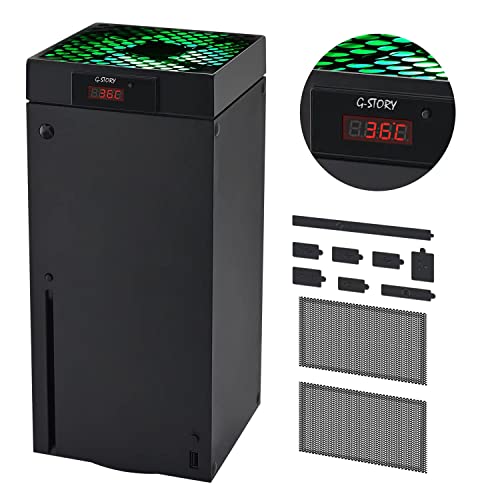

❄️ Keep your Xbox Series X cool and your gameplay hotter—because overheating is so last season!
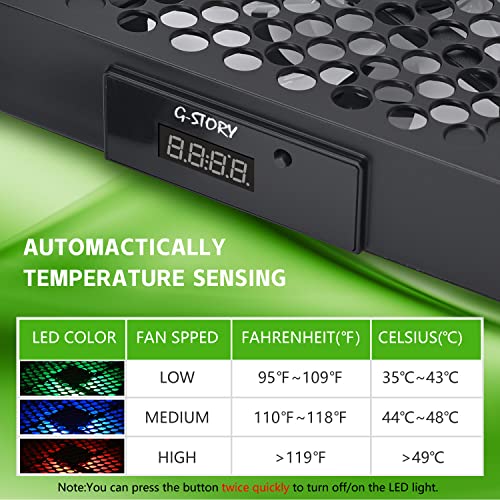
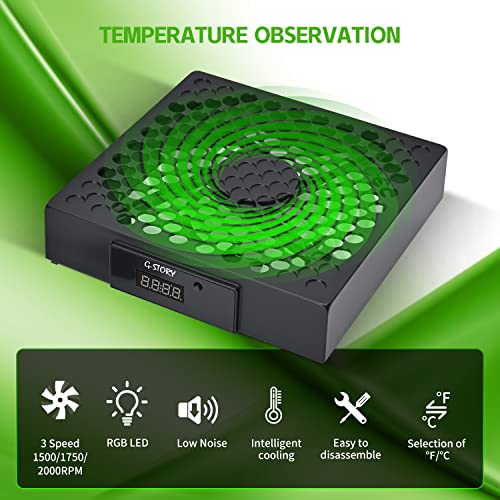
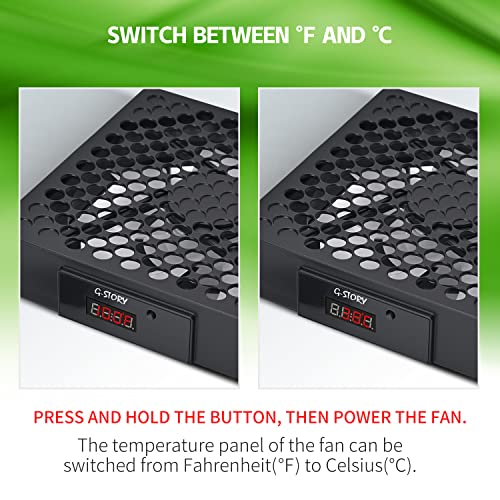
The Xbox X Cooling Fan by G-STORY features a smart temperature-sensing chip that automatically adjusts fan speed between 1500 and 2000 RPM, with a real-time LED temperature display switchable between Celsius and Fahrenheit. Its RGB LED lights provide clear visual cues of your console’s heat status, while the lightweight, easy-to-install design includes dust filters and covers to protect your Xbox Series X from overheating and dust buildup. Perfect for marathon gaming sessions, it balances quiet operation with powerful cooling to keep your console performing at its best.


| ASIN | B09XMRC72P |
| Best Sellers Rank | 3,503 in PC & Video Games ( See Top 100 in PC & Video Games ) 16 in Xbox Series X & S Accessory Kits |
| Country of origin | China |
| Customer reviews | 4.3 4.3 out of 5 stars (5,895) |
| Item model number | For Xbox Series X |
| Package Dimensions | 17.5 x 15.9 x 7.4 cm; 440 g |
| Release date | 24 Feb. 2025 |
P**X
Better than the others out there.
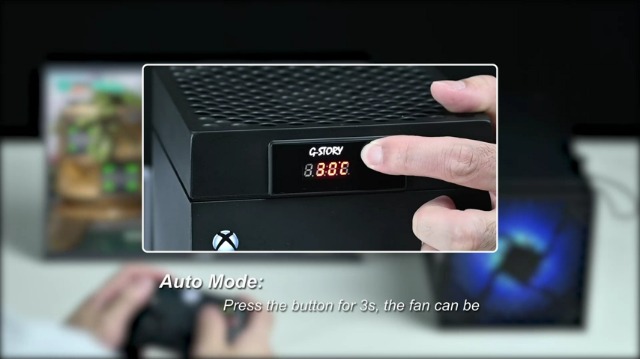
I was talking to a friend who said he had bought an additional cooling fan for his series X and had noticed some performance benefits, so I started to look to see what options there were. All cooling fans currently on offer, the reviews all seem to say there's noise from the fan but I would kind of expect that anyway. I kept returning to this one because it had a temperature sensor and would turn on and off when the system needed it, where the others seemed to be manual which I thought would be a pain to keep having to turn them off and on again. So back to this fan, it seems well made and is extremely simple to set up! Just take it out of the box, put it ontop of your series x and plug it in..... That's it. You can change it to manual so you can choose the fan speeds which are represented by a different colour and more noticeable.... An increase in fan speeds which naturally means a louder fan noise. On idle the series X seems to sit at about 21°C and whilst doing minimal things like navigating the menus and watching YouTube etc, you shouldn't see the temperature go above 27°C although the temperature of your home could effect this if you're heating is on and how well your console is ventilated etc. When you start to play something a little more demanding of the system like a game, you'll see the temperature rise to about 34°C and the second it hits 35°C, the fan kicks in and the top glows green. (The next 2 settings are blue and then red, which both have an increased fan noise as you'd imagine, but I've been playing games for hours on end and it's never got past 36° before it's cooled back down to 34° and shut off) After a couple of minutes of running, the fan reduces the temperature to 34°C and the fan will cut off again. I liked this as it wasn't a constant and yes, although you can hear the fan, it's not really any louder than my Xbox one used to sound when it's fans kicked in. Plus, if you're like me and wear a headset, you won't notice the fan whilst it's on. So all in all, it's a reasonable price, seems well made, has an auto mode that will do everything for you and works very well😁👌🏻
D**D
Superb additional fan.
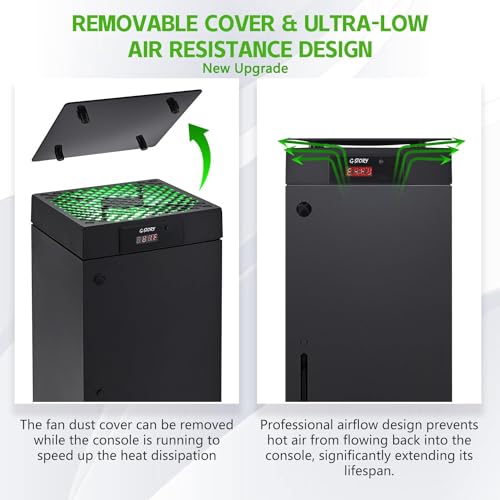
Very easy to set up and pretty accurate temperature as the display temp is one degree cooler than a separate room thermometer. The highest temperature I have seen on the display is 41 degrees whilst playing a game and that includes having the dust cover on top, take it off and the temperature drops to 38.The fan set to automatic will only start up when it reaches 35 degrees.How quiet is it? Well it is fairly quiet but will get louder as the temperature increases the same as the consoles fan, so you have to remember that you have the noise of both fans all the time after reaching 35 degrees.The fan led light will change colour as the fan speed increases and you can change the temperature display from Celsius to Fahrenheit. My only negative is that the front display remains on all the time even when the console is off, you can only turn the led fan lights off. The fan also comes with a set of rubber blanking plugs and a pair of adhesive dust covers for the rear vent. It also comes with the top dust cover and a pair of clips which when fitted in the top you have two plastic solid hooks on the sides to hang a controller or headset. I would recommend this as you can hardly hear it with the sound from the TV but we're all different, may be unbearable to others, give it a try you can always send it back. The way I got round the display constantly being on was to plug it into a usb hub with independent switches so you can just turn it off.
D**N
Good Xbox cooling fan
Good fan keeps Xbox cool, I’ve use this fan in the past and I like it I bought a white cover for the Xbox so the white fan looks ok
P**E
Works well
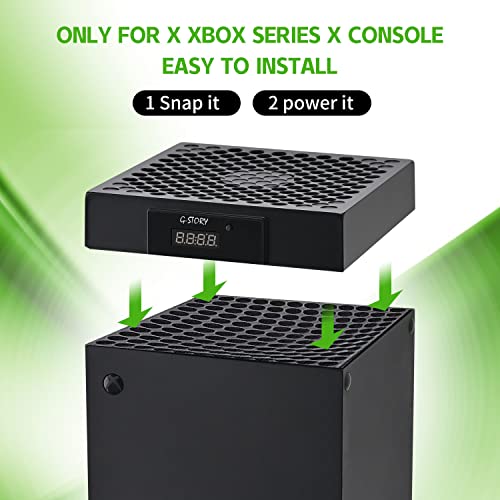
One issue I hit this year was my XBox-X series over-heating. While I expected it to run hot with the new graphics module and cpu, I had hoped that Microsoft had taken measures to deal with that. It turns out that while they did consider cooling, they took a cheaper option which is not as efficient as it could be. Never had this problem with my 360 or 1 series. Oh well. So I had a hunt around for a cooling tray that would help. I don't expect miracles, I just want something to help with the cooling. So many options. Have to say though, I wasn't impressed with the base mount coolers around. The small holes in the bottom of the XBox X are not enough to pass air through in my opinion. So, next option, a top mount with larger fan to draw air through and heat away from the XBox. I was doubtful, I admit, I did not really think this would work well. Anyway, it arrived quickly, was smaller than I thought it would be - no idea why I thought it would be bigger. Rather nicely, it comes with wire mesh covers. As I already invested in those to prevent pet fur and other much getting into the XBox they were redundant, but a nice touch nonetheless. Especially for those who didn't invest like I did. Fitting was very simple. My only complain is that the USB cable powering this should have been a bit longer. Another three or four centimetres would have been ideal. But, such is life. This clips to the top of the XBox via four posts that slot into the vents on top of the XBox. The fan fills the inside cavity of this unit, and it has a nice little digital display to show you the temperature. Not sure how accurate that is, but it's a neat little toy. Of course, the burning question is, does it work? Yes, it works precisely as advertised. You can colour me surprised on that one as I really had my doubts. If the digital readout is anything to go by, the temperature of the XBox while running is much more stable, and a lot lower than it has been. The proof of that pudding is that I have had no freezes, locks or screen of death crashes since I fitted this. The other thing I appreciate with this, is that it is easy to clean - or at least, easier than most other units. I did buy another, different unit "just in case" this one didn't work. I'll keep the other one as a spare for when this burns out, so I can still have cooling while I wait for a replacement fan. I am impressed and pleased with how well this unit is working. Even more impressed that I haven't had a single crash or freeze from my XBox since fitting it. Really can't ask for more than something that actually works. Another nice thing about this is that it is pretty quiet. No rattling, humming, buzzing or high pitched whining that one can normally expect from a fan. This just sits on top of the XBox, working quietly and efficiently. Money well spent.
A**R
Perfect
Works perfectly keeps the Xbox cool for longer gaming sessions
F**M
That is really working very well
A**.
Herkesin yazdığı gibi maalesef biraz sesli çalışıyor. Fakat soğutması gayet iyi, yeşilden başka rengini göremedim daha. En fazla 42-43 dereceleri gördüm.
T**X
Ho preso questa ventola per non far salire troppo la temperatura della mia Xbox durante l’utilizzo intenso. È veramente un ottimo prodotto, laverò la di attiva o in maniera automatica o manualmente. Ha 3 livelli d’intensità, indicati sia 3 colori, verde, blu, rosso. Grazie a questa ventola posso monitorare la temperatura della console, grazie al display luminoso messo nella parte anteriore e posso tenere la temperatura sempre sotto controllo evitando così eventuali surriscaldamenti. Unica pecca , alla velocità massima risulta un po’ rumorosa. Ha anche un comodo coperchio da usare quando è spenta, per impedire alla polvere di entrare nella console.
T**.
Works well. Matches the look and fits the XboxX perfectly. More airflow is always better. Gets a little noisy on high setting but that's ok. The point is to keep temps down in the unit. You can use it in auto mode where it will spool up higher as temps increase or use the manual low-med-high settings.
S**E
It attaches easily and looks good while doing a great job. very happy.
Trustpilot
2 months ago
2 weeks ago



