
DOWNLOAD THE APP


Customer Services
Copyright © 2025 Desertcart Holdings Limited
DOWNLOAD THE APP


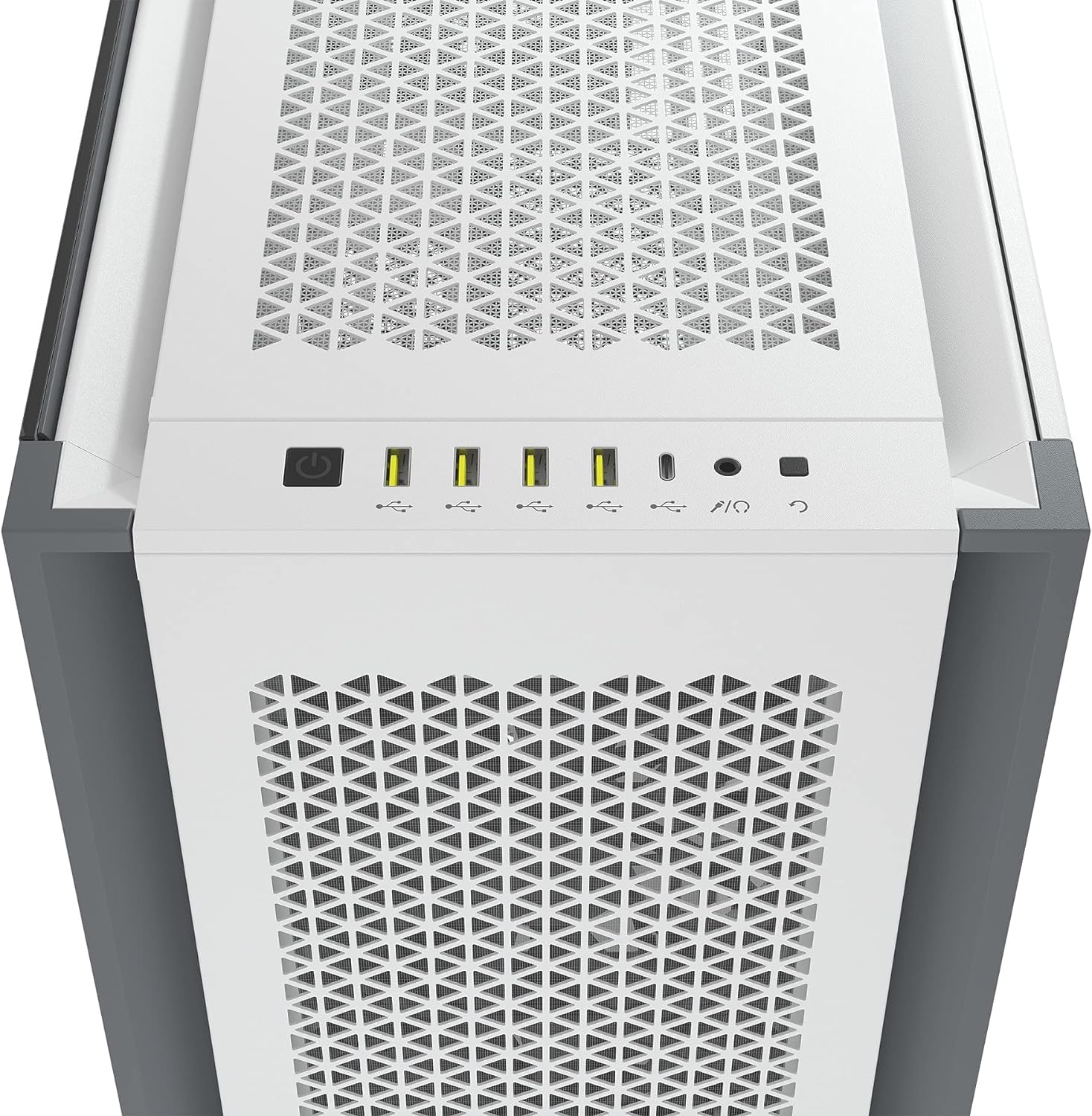
🔥 Build Bold, Cool Hard: The Corsair 7000D AIRFLOW is airflow unleashed!
The Corsair 7000D AIRFLOW is a premium full-tower PC case designed for ambitious builders seeking maximum cooling and spacious interiors. Featuring a high-airflow steel front panel, three included 140mm AirGuide fans, and support for up to three 360mm radiators, it ensures superior thermal management. The RapidRoute cable system simplifies cable organization behind the motherboard with 30mm of space, while the tempered glass side panel and vertical GPU mount highlight your components in style. With extensive fan and storage options, this case is built to future-proof your high-performance PC build.
| ASIN | B09444VWX2 |
| Best Sellers Rank | #92,927 in Computers ( See Top 100 in Computers ) #810 in Computer Case Fans |
| Item model number | CC-9011219-WW |
| Language | English |
| Manufacturer | CORSAIR |
| Product Dimensions | 54.99 x 24.79 x 59.99 cm; 18.7 kg |
S**M
Broken case
The backplate is bend and it was useless to use stock fans and I had to fix the bend to build the pc. However, it worked and lesson learned DONT BUY CASE ONLINE !
H**N
Great airflow and heaps of space.
Needed bigger case due to buying a 4090 graphics card. Amazing airflow and space in this case. Z390 godlike with 9900k processor and the 4090. Temperatures compared to my precious case dropped nearly 5deg c for the processor.
M**G
Very well made case, bit over kill in places like double back door, plenty of room to put stuff, i got 420 Radiator CPU cooler and a 240 GPU cooler, 16 fans in total all runn fine, keeps the noise down because of solid materials, heavy at 18kg without anything in it, so be prepared to heavy lift (25KG) when fully built.
M**Z
This case is big. Really big. It also looks real nice, and has very good airflow, and the side panels are on hinges, they open up nicely. There's enough room in this for the largest CPU coolers and graphics cards. It was also really easy to work with for my first build, I was weary about spending so much on a case for a PC, but after building my setup and using it, I'm gonna say it was well worth the money. Ordered a beast of a case, got a beast of a case, 10/10 experience working with it.
Z**Y
This case is a GEM. I have built a few computers so far in my life, and I think this was the easiest case to build in yet. Though it is a Full-Tower case, so with all the real-estate, it better be easy! The case is Big, it weighs in at a whopping 49 Lbs. empty. However, with my whole build it easily tips the scale at 85-90 lbs. The pictures do not do this case justice, it is BIG, and has a large footprint. Standing at around 2.5 Feet tall, almost 2.5 feet long, and 10 inches wide, you need to make sure you have the space for this case! The chassis is made of thick gauge steel, and feels and looks durable. The metal panels are also thick, and quite hefty, requiring two hands to comfortably handle and maneuver. However the panels are easy to remove on both the sides, front, and top. The removable racks for fans is a very nice touch that made installing the Rad, and fans a breeze. I only used one tray for my LTS 3.5" HDD and the rest of my storage is done through NVMe SSD's. however if you plan on using all 6 trays you will have to be meticulous in cable management because it doesn't leave much room for extra cables let alone using 2.5" SATA drives, so I recommend getting a modular PSU for this case. If you fill your fan slots with corsair fans (I had 12 in total) the cable management bay is a tad bit on the cramped side for the size of the case, but it is workable if you have enough time and patience. I will list my build below to show what I have living comfortably in this tech mansion. The amount of cutouts for the cable routing is very nice in such a large case, there are a couple things I wish I'd done differently. If you like the RGB features like I do, I recommend spending the extra money on Corsair Link systems. It alone would cut the amount of cable routing by nearly 75% and you wont wind up with a rats nest of cables. The commander series of fans have short cables and required some ingenuity to route them to reach the Commander Core and Commander Core XT Modules for all the effects. (mine are still not in order and I spent the greater part of 8 hours on cable routing and management and I'm not 100% happy with where I wound up). However, I'm willing to admit that I went haywire with the RGB fans and went for the less expensive Non-LINK fans so it is mostly my fault. If corsair Were to supply or Offer a kit of a few extension cables for your front fans for the RGB and PWM cables this would work out just fine and It would have saved me a few hours of Cable Routing, however I am not attempting to say this is their fault by any means. Their cable management system provides 2 channels to route cables with Velcro straps to fasten the cables to the chassis. These Channels are small, however, and tend to give troubles for high end power hungry motherboards as their custom cables have the capacitors that eat precious room in these channels. Other than the options for cable management, this is a very nice looking, functional case that is built very well and seems to carry the expected Corsair quality. I 100% recommend this case if you are in the Market for a sleek Modern case to house your large components and give plenty of airflow to keep your expensive parts cool. My Build affectionately named Nightingale: - Corsair 7000D Airflow Black - ASUS ROG Crosshair X670E Hero - AMD Ryzen 9 7900x (AM5) - Corsair Dominator Titanium DDR5 32Gb x 2 - Sapphire Nitro+ AMD Radeon RX 7900 XTX Vapor-X - Corsair RM1000e Modular PSU w/ Corsair Pro Type 4 custom sleeved cable kit - Corsair H170i Elite XT LCD 420mm RGB Liquid CPU Cooler (Top Exhst) - 8 x CORSAIR iCUE SP120 RGB ELITE (4 x on the front panel & 4 x on the side panel) - 1 x CORSAIR iCUE SP140 RGB ELITE (rear Exhst) - Micron 3400 512 GB M.2 NVMe SSD - Crucial T700 2TB Gen5 NVMe M.2 SSD
T**N
Galet stort, plats för allt, fint luftflöde och mycket enkel att bygga i. Topp notch.
A**R
Ok to start with this is the best case i have ever had, also the biggest by far but it gets the job done, so there is a couple of things to know about this case, firstly is that the side fan mount only supports 4x 120mm and not 140mm fans. More than sufficient, also when i first used this case it did sound like a jet engine roaring, this was due to the built in fan splitter and my bios settings. The built in fan splitter must be powered by a sata power cable (same as the ssd to power supply cable), the issue turned out to be that the header i used for the fan was set to DC and not PCM, this meant it was firing all fans at max speed instead of a controlled curve. This one change in my bios made all the difference. Cable management has a lot of room and mounts for the fans come off completely for easy fitting of fans, just make sure when you mount the fans they are in the correct orientation and the cables are in the correct position to allow tidy cable management. You get some complimentary screws and tie wraps plus velcro cable tidies which is great, i never used a manual to figure out how to set up the case for my build as it was self explanatory and things are built in a way to make your life easier. I suggest you pick a place with a lot of space for your build as these doors open on hinges and i needed half a room to have both doors of the case open at the same time, i also found that my power supply cables were not long enough to reach things like my cpu and even my 24 pin so i did have to buy a cable extension kit to get around this. Also although i had lots of room for cable management i still found myself fighting with cables, this was due to cable extension connections being at the back, also the fact i am using a lot of fans. I moved the rear stock fan to the front so the front has 3 140mm stock fans, the rear has a noctua 140mm fan, the top has 3 noctua 140mm fans and the side has 4 120mm fans so you can imagine i am running a lot of cables. (case only comes with the non rgb 3 stock fans, the rest i bought separately) Although i needed to buy a PCU extension kit, change a bios setting, fight with cable management i will say this case is definitely worth every penny, it is very well made, strong, everything is designed to make your life easier, it looks great, it keeps my temps low on cpu and gpu and has plenty of space for anyone wishing to run a custom water loop. I only mention my building issues as i wish i knew before i started so i didn't have to wait an extra day for cables and google the hell out of the fan splitter to find it was a bios setting so i hope someone will read this and it will help them if they need it, otherwise my advice is, DEFINITELY buy this case, it is amazing!
Trustpilot
2 months ago
1 month ago