
🚀 Stream, Record, Dominate — Your Mini Broadcast Studio Awaits!
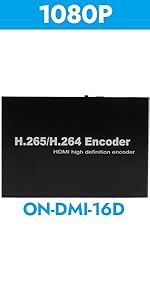
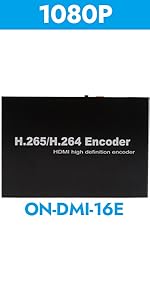
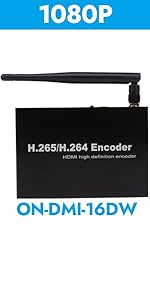
The EXVIST Mini HDMI Encoder is a sleek, lightweight device designed for professional-grade live streaming and recording. Supporting H.265/H.264 encoding, it enables dual-stream broadcasting via RTMP and TS protocols to major platforms like YouTube and Facebook, or private servers. With compatibility across 12+ streaming protocols and a user-friendly browser interface, it offers seamless control and customization including logo insertion and OSD text. Its built-in SD card slot supports up to 128GB for direct MP4 recording, making it an all-in-one solution for IPTV, surveillance, remote teaching, and event streaming.





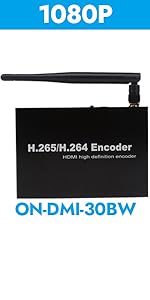
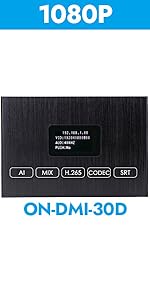
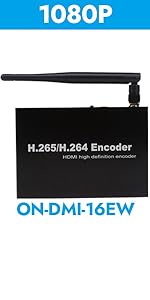
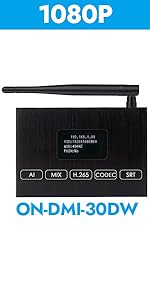

| ASIN | B08LGHQBZL |
| Batteries | 1 Product Specific batteries required. |
| Best Sellers Rank | #1,017 in Video Converters |
| Customer Reviews | 3.9 3.9 out of 5 stars (47) |
| Date First Available | October 20, 2020 |
| Item Weight | 0.48 ounces |
| Item model number | ON-DMI-16EM |
| Manufacturer | EXVIST |
| Product Dimensions | 2.36 x 1.38 x 0.31 inches |
A**R
Lightweight, strong aluminum case, easy to use
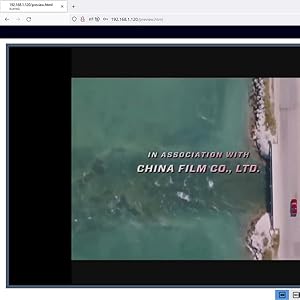
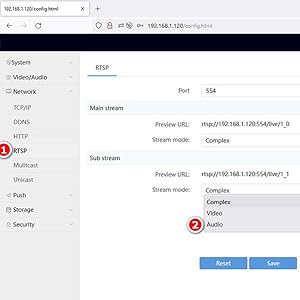
I have decided to break my review up into sections as I would like to cover a few things as I think they are the most important. I like that the encoders come with everything you need in order to get you started, it comes with an HDMI cable, Ethernet cable, power cord, and an owner’s manual. Setup is easy, it is almost plug n’ play There are three connections that you need to make to the back of the encoder which is the power source, Ethernet cable and the HDMI cable. Wait a few seconds and you can then go to the encoders default IP address which is http://192.16 8.1.120 and the default username is admin and the password is 12345. The admin interface • The admin interface is easy to use and navigate through and it is not cluttered. The live feeds I already have one so I decided to purchase another one simply because of this feature and that is I am able to broadcast this live either internally or I can set it up to broadcast using Facebook or YouTube. If you choose to broadcast internally all you have to do is simply go to the encoders IP on an iPad or Apple computer and enter this IP i.e. http://192.168.1.120/hls/0.m3u8, for window’s users open VLC Player and enter the IP in. I love this as I have IPTV and I have added the encoder’s IP http://192.168.1.120/hls/0.m3u8 to my playlist so I can watch anything like movies, TV shows from YouTube, ect Live feeds to YouTube and Facebook: For YouTube and Facebook you will receive a stream URL i.e. rtmp://a.rtmp.youtube.com/live2 followed by a randomly generated key that will consist of letters, numbers and dashes i.e. a12b-c0d4-572e-fgh2-ijkl. (This may vary in length and after the string URL you need to add a forward slash at the end then enter the randomly generated key so the URL and stream key look like this i.e. rtmp://a.rtmp.youtube.com/live2/a12b-c0d4-572e-fgh2-ijkl. The key may also vary in length. To you live stream, log into your encoder then click on settings, then click on network, then click on RTMP, and change and enter the following: • Channel: Chose main stream or sub-stream • Enable: True • Push mode: Complex • Push URL: i.e. rtmp://a.rtmp.youtube.com/live2/a12b-c0d4-572e-fgh2-ijkl • Press save On Facebook or on YouTube you may have to wait a few seconds for either social media site to successfully communicate with your encoder once they have successfully communicated then you’re ready to go live. Pros, neutrals and cons: Pros: • You don’t have to broadcast do YouTube, Facebook or any other third-party site; you can broadcast internally by using the encoder’s URL. • You can record directly to the encoder if you have a micro SD card; if you don’t you’ll need to purchase one separately. • The encoder supports a search function that allows you to search for a recording and you can download it to your computer. • The recording is .MP4 • If you need to do a factory reset just press the rec button down for a few seconds, and default username and password is also attached to the encoder. • The admin interface is pretty easy to navigate through • You can add text on screen, just use letters A through Z, numbers zero through nine and some special characters such as like the dollar sign, at symbol, the hash-tag or pound symbol, ect (Emojis are not supported) • You can add a custom image, JPEG only • You can increase the size, font color of the text including the time. • Typically when you purchase a product receiving support can be a pain in the a** however if there’s ever an issue that occurs, if you send them a message through Facebook messenger, they will respond to you very promptly or the next business day which that is absolutely fantastic. Neutrals: • To some people this may be a negative thing and to some people just may be a positive thing so I’m classifying this just as being neutral. If there was an update issued it will not automatically update you’ll need to manually update it yourself and updating is pretty easy. Personally I like having control over if the device is going to do an automatic update so I can decide whether I want to or not or if I have a second one or third one I can do an update to one to see how it works so if the update is a successful it won’t affect my others. Cons: • It’s a bit disappointing that it only supports JPEG’s, would be nice if it’s supported other image formats like .png, .gif, .bmp • When uploading an image, you are restricted to a certain size, would be nice if it was no size restrictions like L x W. Conclusion I’m overall very pleased with this encoder especially for the price as I have seen other encoders that pretty much do the same thing but twice as much and even up into the thousands.
T**.
The AAC audio stream is not 100% compliant
Video and audio capture are of a good quality. Minimal delay from the live stream. The audio stream will send bad AAC packets that will cause some (Plex, FFMPEG) clients to drop the stream all together. Configuring xteve or threadfin to transcode the audio will make this rocksolid with plex.
D**F
Works with ADBTuner - documentation wrong or worthless
Works well with ADBTuner after I figured out how to switch to 1080p 50/60Hz. The menus and documentation are absolutely maddening. The online help shows menu items that don't exist on my product. Updating firmware is seemingly impossible online and impossible to find firmware for offline update.
R**4
Super easy to use, makes life much easier and great for selective passthrough.
Had it for maybe 2 hours so far and it's perfect. So much easier if you have multiple computers and one screen and set of peripherals you want to use at your desk (mouse, keyboard, etc). You just hit the switch and it all automatically switches over. Quality is great and picture quality has no degradation at all. Works super well and it pretty small. Definitely recommend. Compatibility with pretty much anything, I used it with an intel MacBook Pro and M4 Mac so should work with anything (just passes USB AND HDMI/VIDEO THROUGH). Definitely recommend if you want to streamline on-desk controls to multi computer setups.
A**H
Works great after upgrading the latest firmware which truly supports HTMIL5
No fancy way to say this, Five stars it is. This is an excellent device for the application that I wanted, in this case wanted a device that we can preview live video directly via smartphone. At the very beginning, I really didn't know how to make it. I contacted the vendor via WhatsApp, it was midnight at vendors location, yet the answer was quick and effective, thus I was able to quickly resolve the issue. In addition, vendor provided me with updated firmware instantly, thus I was able apply to the unit. Vendor is friendly, and gave me a video demonstration, how the unit worked for a lament view point. And weeks later, I had some more challenging questions about the unit, answered instantly. And quick turn round on the product information. I will buy from this vendor, as the service support was excellent.
N**R
This was disappointing
I'd gotten this to help me with some remote birdwatching using a dslr. I've had it less than a day and I'm sending it back. I was excited to find a budget encoder I could record with as well as convert the signal to rtmp and pull it into OBS to make home videos. It allows you to pull audio in separately, which was perfect for my setup. It was really promising and then it wasn't. I did some testing before putting it in use and I'm glad I did, I would have been very upset. My first mistake was trying to use rstp to view, I turned on the OSD clock and watched as the lag started at 5 secs and continued to slowly get more and more behind. I decided to switch over to rmtp and lowered all the settings I could and it started looking really good. The picture quality was amazing and then the signal goes black. I've used it both POE and on the wall wart. I did a recording test with a newly formatted by the firmware and it rebooted on me during with no evidence the recording had existed. I did get successful recordings, but the feed (I'm using rtmp for monitoring randomly goes black, with no pattern to the length or the frequency. I went to the website and there is no information on current firmware and their support is lacking. I'm tech savvy and I tried all the things and it's just not been stable for more than 5-6 minutes at a time in the 4 hours I've been trying to get it to function correctly.
R**N
It works as well as others twice the price.
It has worked flawlessly for over a month. The video quality is solid. Great value.
G**K
quality and price
Trustpilot
2 months ago
2 days ago



