Some deliveries may take a little longer than usual due to regional shipping conditions.

DOWNLOAD THE APP


Customer Services
Copyright © 2025 Desertcart Holdings Limited
DOWNLOAD THE APP

🚀 Upgrade Your WiFi Game — Stay Connected, Stay Ahead!
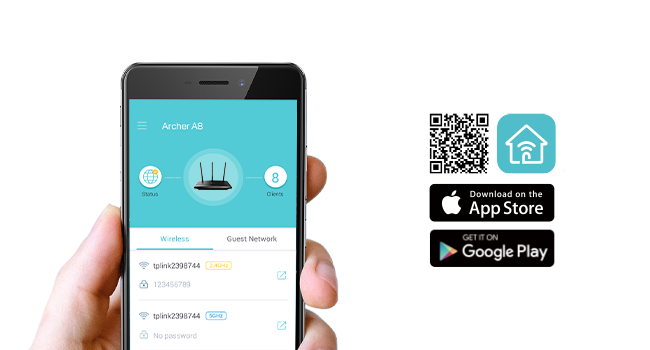
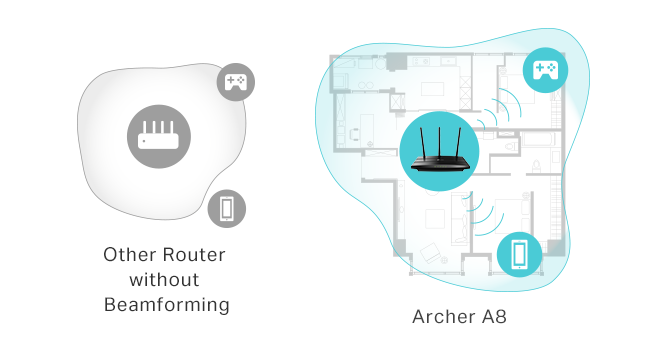
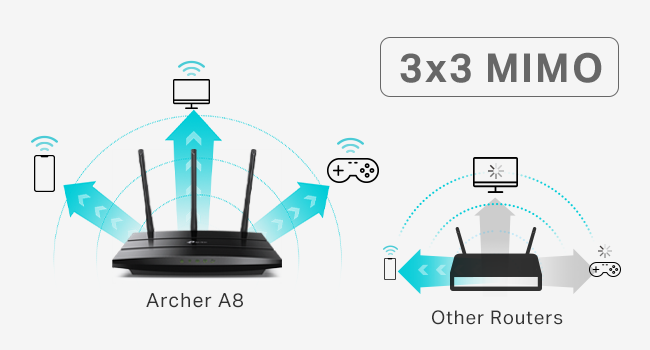
The TP-Link Archer A8 AC1900 Smart WiFi Router delivers high-speed dual-band wireless connectivity with up to 1900 Mbps combined throughput. Featuring MU-MIMO for efficient multi-device communication and beamforming technology for focused coverage up to 1,200 sq.ft, it ensures reliable, fast internet for home or office. Easy setup and management via the Tether App, plus guest network and parental controls, make it a versatile choice for modern professionals seeking seamless, secure connectivity.






| ASIN | B08C3YBBHM |
| Best Sellers Rank | #3,181 in Electronics ( See Top 100 in Electronics ) #30 in Computer Routers |
| Customer Reviews | 4.4 4.4 out of 5 stars (9,810) |
| Date First Available | July 2, 2020 |
| Item Weight | 14.6 ounces |
| Item model number | Archer A8 |
| Manufacturer | TP-Link |
| National Stock Number | 0 |
| Product Dimensions | 9.57 x 6.32 x 1.28 inches |
U**R
Strong signal, quick and easy setup, super pleased with this purchase
After less than 3 years with my prior router from a different brand, its signal strength was noticeably declining and then 2 months ago I received an email from the manufacturer saying that it would not longer be supported and may stop working entirely. That was the context for searching out and ordering this TP-Link remote router for my office and I am very happy with its improved performance compared to the unit it has replaced. I have the router installed in my home office, in a separate building about 100' from my house. This router is connected to our main modem in the house through a 200' LAN cable which works perfectly. Setup was extremely easy - I followed the instructions precisely, step by step, and it hooked right up. The password strength is both satisfactory ... and not so darned complicated that it's difficult to enter as required. The strength of the signal is much better than what I had before, easily crossing the back yard and allowing connectivity from rooms facing from inside the main house. It also allows good, fast signal through a metal porch roof which wasn't possible previously. As much as I was frustrated with having to replace a unit that wasn't old enough to reasonably fail, it was completely worth it for the improved performance this has brought for my home office. As advertised; full marks!
A**N
Budget Wifi Router
I come from old-skool DD-WRT days, manual configs, and pretty much the router is supposed to route, and other devices do the rest (DHCP/DNS/Anything else). This fit the bill perfectly, could config it the way i wanted to. Sits in a brick house, so can't speak much to signal, as distance is limited by physical barriers that will block signal. Good value for what it is, easy to set up and use, looks much better than the WRT-54G's of yesteryear. Probably can travel with it, but I wouldn't think most people would. Peculiar notes - Offers 3 different SSID's to config, with 5GHz and 2.4GHz options for a total of 6 if you'd like. While this may be a feature or an annoyance, that's up to your use. It's there if you want to use all 3(6). I turned em all on, and seem to have confused everyone in my house. Especially with ISP's wifi router that can not be configured as easily. MAC address can be cloned if you would like to replace your ISP's wifi router to their network, if they check the MAC on the device for access.
B**S
Skip the gaming router, get this instead
If you want a router that is as future-proof as possible while delivering great real-world performance and EasyMesh support, this is the one to get. I previously tried a TP-Link gaming router that I thought would do everything this one does. Instead, I got weaker and less stable WiFi in exchange for it looking like a spaceship and coming with a bunch of AI gaming QoS features that are mostly useless in real setups. In most cases, you should not be using QoS at all anyway. This router has been far more stable, has better signal strength, and has been much less of a headache overall. Do yourself a favor and get the non-gaming version. You will get better performance without the gimmicks. The little pixel screen is fun but kind of pointless. I would have preferred it not be there in exchange for a lower price, but it is still fun to mess with and write things on. Also, for those who care, this is an AMAZING Steamlink router even through multiple rooms. Can confirm, very low latency and packet loss.
J**Y
Big and Fast...
I recently upgraded to a 1Gbps connection and my old router was proving to be a bottleneck, so it was time to upgrade. Granted this router is probably overkill for most people's home networks, it is certainly so for mine, but this router is about as futureproof as you can get right now, so splurge it was -- it should be able to handle any updates to my network over the next few years that I can think of, and WiFi 8 isn't due until at least 2028... When the router arrived I was amazed at the size of the box it came in, the box was BIG! The router itself is about the size of a full-sized hardcover Webster's dictionary and is designed to sit vertically on the shelf or other surface it is sitting on. One thing: it runs pretty warm, so I would suggest that you provide plenty of ventilation around it. I would not stack it on a bookshelf surrounded by books as you might be tempted to do. Mine sits on the top shelf of a record cabinet surrounded by free air space. Since it is only about 4 inches wide it did free up quite a bit of space over the older, festooned with antennas, style of router I had. A quick note about the fancy displays. Initially I set up the LED dot matrix to display the current temperature, but it was clear that the display was just going to be distracting so I quickly turned it off. The touchscreen display on the other hand is useful. You can swipe through four different displays CPU and memory usage, network throughput and number of clients, time, and weather forecast. When you tap on the WiFi icon you are presented with virtual buttons that allow you to turn the Guest Network on or off, activate WPS if you are using WPA2 or lower network encryption, or turn WiFi on or off. When you turn the Guest Network on a QR code is displayed, which allows guests to connect to the network easily by scanning it with their phone camera -- pretty cool. Set up was as simpler than the last TP-Link router I set up. I turned the radios off, plugged it in via ethernet to my laptop and set the SSID and password and configured a few other parameters. I then unplugged the old router and replaced it with the BE900. Once I had it plugged in, I needed to set up a few address reservations which proved to be much easier as the new UI has a button which, when pressed, pops up a dialog box which contains the MAC address of the selected device -- all you have to do is enter the IP address you want to assign to it. Nice touch. Although while setting up the SSID it appeared as though band steering, "Smart Connect" in TP-Link lingo, does not appear to be supported, setting the 6Ghz radio SSID to the same as that for the other 3 radios worked great, my phone connects to the 6Ghz radio w/o problems and my other devices all connect to the 5Ghz or 2.4Ghz bands as required. Setting up link aggregation for my NAS was straightforward and TP-Link now supports LACP so the router and NAS play nice together in the link aggregation scenario. Once set up, it was time to have some fun. Since my phone is the only device to support the 6Ghz radio, I gave that a try first. The old WiFi 6 router I had the phone would max out at about 750Mbps, now it ran around 950Mps, the same as the all wired connection from the NAS. Impressive. The laptop in the same room now ran at about 850Mbps down and 950Mbps up, with the old router it was around 650Mbps both ways. Desktop in the office about 30 feet away and through a couple of walls runs around 700Mbps down and 625Mbps up. Overall, the BE900 provides a nice bump in performance from both a WiFi 7 device (my phone) and WiFi 6 devices (the two computers). I have about 20 clients all told in my apartment which consist of a bunch of A/V equipment (mostly wired, all of which only support 100Mps link speeds), a TV and streaming audio player in my bedroom, a printer and a bunch of smart home devices. All perform well, and even Alexa seems to respond more quickly with the faster uplink. Overall, this is a great, I would say little, but it's not, router. It is easier to set up than past TP-Link routers, has more useful features in the management UI and has a nice UI associated with the touchscreen display. The performance is blazing fast and it is barely even stressed by the workload that I put on it, although I plan to move backup tasks to the cloud as soon as I get my act together. The BE900 is expensive, but being at the bleeding edge can be costly. You can get performance which is almost as good, although some features are missing, from the BE550, but for the baddest router in town this is a real contender.
A**D
Great router, way more powerful wifi signal than my replaced Asus ROG BE98. Only issue was the IoT network is flakey, but just setting up a guest network with the same SSID and credentials, then deactivated the IoT broadcast, fixed all issues and I'm never seeing a single drop out any more.
E**G
Increíble producto a un precio muy accesible, vale la pena para bajar el PING subir la velocidad y aumentar la cobertura del Wifi.
Trustpilot
1 month ago
3 weeks ago