Some deliveries may take a little longer than usual due to regional shipping conditions.

DOWNLOAD THE APP


Customer Services
Copyright © 2025 Desertcart Holdings Limited
DOWNLOAD THE APP
![A ADWITS [ 12-Pack ] Thermal Conductive Silicone Pads, Soft Safe Simple to Apply for SSD CPU GPU LED IC Chipset Cooling -Blue](https://m.media-amazon.com/images/I/61NqZge5+WL.jpg)
❄️ Cool tech, hot performance — stay chill, stay ahead!
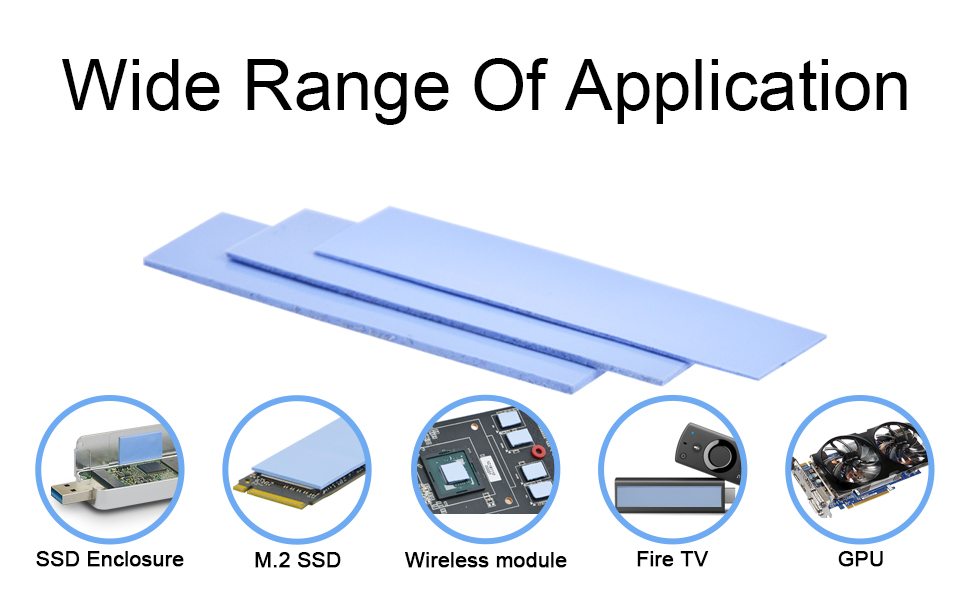
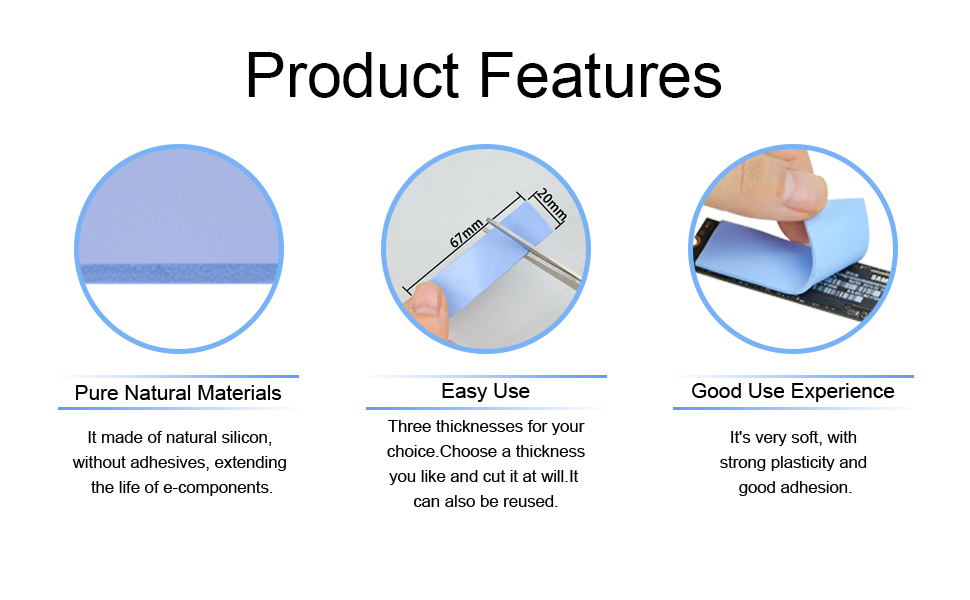
A ADWITS 12-Pack Thermal Conductive Silicone Pads deliver premium 6.0 W/mK heat transfer with three thickness options for tailored cooling solutions. Engineered for safety and durability, these electrically insulating, fire-retardant pads operate reliably from -40°C to 200°C. Ideal for SSDs, CPUs, GPUs, and chipset cooling, they offer an easy, mess-free alternative to thermal paste, proven to reduce device temperatures by up to 20°C under stress. Perfect for professionals upgrading or maintaining high-performance electronics.


| ASIN | B07X81PRK7 |
| Best Sellers Rank | #11 in Thermal Pads |
| Brand | A ADWITS |
| Cooler Heatsink Material | Silicone |
| Date First Available | August 31, 2019 |
| Item Weight | 1.06 ounces |
| Manufacturer | A ADWITS |
| Mounting Type | PCB Mount |
| Package Dimensions | 6.54 x 5 x 0.31 inches |
| UPC | 653846910103 653846910127 |
A**E
Works great on Surface Pro 11 SSD enclosure - 1mm is perfect for a 2230
Excellent. They give you 2x of the three sizes 0.5mm 1mm and 1.5mm. I cut a piece off and measured for a Surface Pro 11 SSD 2230 from an upgrade. I measured the original Microsoft 2230 512GB SSD and it was 2mm. I replaced with a WD SN 5000s which was 1.4mm thick. I decided due to how much space I had inside the SSD enclosure to go generous and I gave my new SSD a 1mm cut of this pad (instead of 0.5mm due to all the space!). Excellent! Fit just fine, now it dissipates heat to the full surface backing with all the metal. If you’re upgrading your surface pro 7,8,9,10,11 this order is great to stick in the back of a new 2230, a 1mm cut of this pad!
H**R
20° NVMe temp drop under heavy load testing. Great thermal remediation solution.
I installed a Samsung EVO 500GB NVMe in my Dell G5 and it was running very hot during heavy load testing (74°C). I purchased these thermal transfer pads since there was little space for a heat sink (heat spreader) in my laptop & I had noticed that part of the problem was that the heat shield/spreader that was originally installed over the 125GB SATA NVMe (this POS drive was only transfering at about 43GB/s - if you have this laptop replace this ASAP) was not fitting flushly over my new Samsung EVO NVMe. This was not efficiently transfering heat away from the NVMe, but more likely trapping it and preventing air flow. I figured that it would be better to place a thicker transfer pad under the heat shield and perhaps one under the NVMe as well. After a little more examination and noticing how little airspace was over the shield I realized that further benefit could be realized by conducting heat from the sheild to the copper film on the inside back of the laptop cover. The included photos illustrate my application in detail. After this was accomplished, I tested the temperature after the laptop booted up and idled for 20 min and then stress tested it. Idle after 20 minutes was running at 35°C (prior to modification it was idling at 43°C). After running the Samsung Magician Performance Test twice the temperature now was at 49°C as opposed to 63°C prior to this mod. I then ran the BlackMagic Speed Test which writes and reads 5GB in repeated cycles. After 32 cycles (160 Gigs written &160 Gigs read) the temperature had risen to 54°C (as opposed to 74°C prior). This is a 20°C difference or 36°F. I continued to test for another 16 iterations and the temperature was not rising above 55°C. This modification was definitely a success. I decided to test again under a heavy real world test. I performed 2.3 GB of rapid instalations, opened 2 file browsers, 6 graphically intensive web pages, including 2 HD youtube videos playing simultaneously, full screen on different monitors and was editing in Davinci Resolve on my 3rd monitor w/ multiple 4K video clips, a 4K time line, a stabalization effect, 3 node color grades and a couple of complex Fusion animations. The NVMe was only reporting a temperature of 47°C peak through 1½ hours of editing. The thermal transfer pads have just the right amount of adhesion. There is no actual adhesive that could damage labels on the NVMe during reapplication or removal (damage or removal of the label would void Samsungs warranty). The texture of these pads provides adequate adhesion to prevent them from becoming dislodged so long as there is any pressure from a sandwiching surface. They are pliable and soft enough to assure a good cushioned contact with the chip surface area, while being firm enough to provide a fair contact pressure. My only concern would be how well this material will maintain these properties with constant temperature variation and age, but at this price I am not too concerned, as if needed, I will just replace them. Checking these will just become a part of routine maintenance, just as cleaning the heatsinks and fans are. In short, I think these are a great product and I will be purchasing more as I need them for more devices.
T**E
works ok
Not as thick as i thought they would be but still they work ok.
K**A
Great quality and value for the money
These are the best thermal pads money can buy. I use them regularly to maintain or repair consoles as a hobby, and they’re fantastic. They’re easy to cut and stick securely to anything, making reassembly a breeze—unlike other pads that can peel off during reassembly. I also use them to help cool components in consoles and laptops that manufacturers often overlook, which can result in a temperature difference of 10 to 20 degrees.
R**N
Necessary item to keep heat sync working correctly.
I previously operated an external Thunderbolt 3 SSD enclosure without the aid of the heat tape and since it had passive cooling (no fan), I could feel the enclosure get hot. Once I installed the correct heat tape by utilizing just the right thickness to provide a small amount of pressure to the lid when closing I saw the overall temperatures drop significantly, measured with a laser thermometer. The adhesive is just enough to position it on the lid and the board to keep it in place. It fit perfectly for the SSD. I have also added this to my Thunderbolt 5 SSD enclosure (with a fan) for extra insurance against heat buildup.
E**O
great and very cheap
excellent item, i will recomended a lot
R**M
Necessary for Every Installation
When you install an NVMe M.2 in your computer or external drive you must give it the ability to keep itself cool. Unless you are able to provide direct fans for cooling these pads, along with the heatsink around will be the only available cooling. To many people, it is counter-intuitive to think something is kept cooling by having another object touching it. Many people will consider this as insulating the heat in. But these pads are designed to transfer the heat from the NVMe drive to its surrounding metal heatsink. By doing this you actually keep the drive cooler. As they are introducing the New Generation Drives they are already finding these new powerful drives are overheating when used in old-style sockets. Don't be surprised if you see these pads available in thicker types to help these Gen 5 drives cool better.
J**R
Performance seems to be modest
These thermal pads seem to be good for tinkerers who need an assortment of spare parts on hand, for use with slower SSDs that don’t run as hot, and for average users who don’t do many heavy-duty file transfers, but they seem to be not as efficient for higher performance needs. They work OK and stick fine, but they don’t bleed heat as efficiently as some other pads. For me, it worked out to be a good value and I’m glad I bought them. I’ve use only one so far, but since I do tend to tinker some, these pads are super useful to keep around even if it ends up being a temporary solution until getting a higher performance pad. The one pad I’m using is on a Crucial P3 Plus 4TB drive in a super basic, passively cooled Sabrent 10 Gbps enclosure and it’s working well enough that I’m not going to bother upgrading to a higher performance pad. That drive is a bit slow, the enclosure is a bit slow, and I don’t use that drive as heavily as I use my other one, so it never gets all that hot and these pads are plenty good enough for the job there.
G**O
Easy to handle and install. No overheating problems.
M**K
These thermal pads are just awesome, lowered temps on three graphics cards 10 degrees a breath of fresh air for a old graphics card, new life ready for its new owner. Thanks for an awesome product. Used this on Sapphire R9 290X, XFX 7980 and a Sapphire Tri X R9 290X . Used 1mm pads on all three cards.
B**D
They come in bags each bag contains 1 piece of 0.5mm 1.0mm and 1.5mm i used them for my gpu and it gets the job done ✅
C**S
Packaged great nice quality and thickness for my m2 ssd
R**D
ممتاز و لا توجد مشاكل في التغليف و السماكات ممتازة لا اغراض مختلف
Trustpilot
1 month ago
2 weeks ago