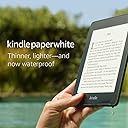


📖 Dive into a world of stories—wherever life takes you!
The Kindle Paperwhite (2018) is the ultimate e-reader, featuring a waterproof design, a stunning 300 ppi glare-free display, and up to 32 GB of storage for thousands of books. With weeks of battery life and Audible compatibility, it's perfect for reading and listening on the go. Enjoy instant access to a vast library of titles, making it an essential companion for any book lover.


| Display | Amazon's 6” Paperwhite display technology with built-in light, 300ppi, optimized font technology, 16-level gray scale. |
| Size | 6.6” x 4.6” x 0.3” ( 167 x 116 x 8.18 mm). |
| Weight | Wi-Fi: 6.4 oz (182 g) Wi-Fi + Free Cellular Connectivity: 6.8 oz (191 g) Actual size and weight may vary by configuration and manufacturing process. |
| System Requirements | None; fully wireless and doesn't require a computer to download content. |
| On-Device Storage | 8 GB or 32 GB; holds thousands of books. |
| Cloud Storage | Free cloud storage for all Amazon content. |
| Battery Life | A single charge lasts up to six (6) weeks, based on a half hour of reading per day with wireless off and the light setting at 13. Battery life will vary based on light settings, wireless usage. Audible audiobook streaming over Bluetooth will reduce battery life. |
| Charge Time | Fully charges in approximately 4 hours from a computer via USB cable or fully charges in less than 3 hours with a 5W USB power adapter. |
| Wi-Fi Connectivity | Supports public and private Wi-Fi networks or hotspots that use the 802.11b, 802.11g, or 802.11n standard with support for WEP, WPA and WPA2 security using password authentication or Wi-Fi Protected Setup (WPS). |
| Accessibility Features | VoiceView screen reader, available over Bluetooth audio, provides spoken feedback allowing you to navigate your device and read books with text-to-speech (available in English only). Kindle Paperwhite also includes the ability to invert Black and White, adjust font size, font face, line spacing and margins. Learn more about Accessibility for Kindle |
| Content Formats Supported | Kindle Format 8 (AZW3), Kindle (AZW), TXT, PDF, unprotected MOBI, PRC natively; HTML DOC, DOCX, JPEG, GIF, PNG, PMP through conversion; Audible audio format (AAX). |
| Documentation | Learn more about Kindle devices with our Quick Start Guide and Kindle User Guide. |
| Warranty and Service | 1-year limited warranty and service included. Optional 1-year, 2-year, 3-year Extended Warranty available for U.S customers sold separately. Use of Kindle is subject to the terms found here. |
| Included in the Box | Kindle Paperwhite, USB 2.0 charging cable and Quick Start Guide. |
| Waterproofing | Waterproof (IPX8), tested to withstand immersion in 2 meters of fresh water for 60 minutes. Learn more about the waterproof Kindle Paperwhite. |
| Available Colors | Black, Twilight Blue, Plum, Sage |
| Generation | Kindle Paperwhite 10th Generation - 2018 release. |
| Software Security Updates | This device receives guaranteed software security updates until at least four years after the device is last available for purchase as a new unit on our websites. Learn more about these software security updates. If you already own a Kindle, visit Manage Your Content and Devices for information specific to your device. |
R**Z
Worth upgrade 5th to 10th gen? Only if you use audible books
Ill say upfront, Kindle is fantastic, has been for a decade! I love the convenience of reading and accessing new books. The Paperwhite reading page is easy on the eyes, precise fonts and backlit to read without additional light. And Im talking about my 5th gen that Ive used for years. Five Stars all day long and for the past 8 years! So yea, I give this new 10th gen Kindle 5 stars in this review however from a different perspective is the upgrade worth it? Now.........I compared my 5th Gen to my just received 10th gen (no wifi with ads) is it worth it to upgrade to the 10th generation Paperwhite? If you just read books then probably not, here is why......... -- Font resolution is the same: This is the biggest upgrade issue for me. The screen viewability. Well there may be more pixels on the screen with the 10th gen, to my eye when looking at the 5th and 10th side by side with the exact same settings for display and font my human eyes cannot perceive one iota of difference (see picture attached). Amazon points out the improved font resolution but this make not difference to the end font presentation. -- The 10th gen is faster. Yes pages change a little faster and crisper with the 10th. But again IMO not worth the cost of upgrading. -- The 10th gen online book search is much faster and it works!. My 5th gen was slow and often would not work when trying to find and research new books to buy from the Amazon Kindle store. This feature is supremely more usable with the 10th gen. If this is how you shop for books then the upgrade from 5th to 10th is worth it. If you like me, use your computer to search and manage your content then its not really that beneficial. -- 10th gen is waterproof. I cant think of one instance in all the years Ive used my 5th gen Kindle that it was at risk of getting wet. I gotta say for me its a nice to have but dont care. -- Battery life: I suspect the 10th gen is longer but the 5th gen lasts so long now, weeks for me, why do I care? -- Lighter and thinner. Yes it is. Were talking an ounce here. honestly i like a little more bulk to hold on to the thing. When its put in a case then what does it matter. -- A nice convenience on the 10th gen is that now I can return borrowed Kindle Unlimited books right from the Kindle rather then doing it when having to visit Amazons website and the content page. There is one reason to upgrade........ -- Audible content. OK they got me here. This is one single most important difference between 5th and 10th. The 10th can play audible content over a bluetooth device. Yea thats pretty cool. Ive not used audible books before but like other new things "you dont know what your missing until you try it". This is probably the one feature that might make upgrading to the 10th gen worth it! -- Well there is one more reason to upgrade...its cheap to upgrade. If you get the ads, no wifi version and trade in the old kindle you get 25% off + a $25 gift coupon. If you pay for Kindle Unlimited as I do you also get 6 months free even if you have an existing account....thats $60 savings. So bottom line it cost me $20 to upgrade to the new 10th gen Kindle when trading in an old one and by golly im looking forward to trying out my 10th gen using those new fangled audio books!
J**H
Best Kindle ever… Waterproof tested!
Quick summary in case you don’t want to read my whole review: This is the best Kindle ever. If you are searching for a great reading device then this is the one you want! I’ve had many Kindles over the years, beginning with the very first one with the full keyboard and the strange looking scroll wheel with LCD indicator. At the time that first Kindle was amazing even though it is a dinosaur by today’s standards. From there I moved on to the subsequent smaller models without the keyboard, the original Paperwhite with the built in lighting, the fancy new Oasis last year, and finally to my current Kindle which is the most recent Paperwhite prior to this new release. Last year I wrote in my review of the Oasis (which you can view here: https://www.amazon.com/gp/customer-reviews/R1X98VSOJ61Z4C/ref=cm_cr_arp_d_rvw_ttl?ie=UTF8&ASIN=B075M8FDWM) that despite the Oasis being a great, premium device, I still recommend just buying the Paperwhite. Despite the Paperwhite not being waterproof like the Oasis, having a different (smaller) screen size with less LEDs for lighting, and not having the “premium” device feel with the metal case I still preferred the Paperwhite due to it’s comparably low cost and I actually liked the feel of the case better when reading. Ultimately I returned the Oasis and purchased the Paperwhite. For my money the only thing that was really missing on the Paperwhite compared to the Oasis was the waterproofing. And now… (drumroll….) the Paperwhite has waterproofing! For me just knowing this one new feature (the waterproofing) is enough to know that this is the best Kindle yet because I already put the previous Paperwhite in that top position. For good measure I had to immediately test the waterproof feature. Be sure to see my pictures, since seeing is believing! First I just simulated spilling a glass of water on it. That was easy to clean up with just a few swipes of a paper towel. Then I actually submerged the entire device in a bowl of water. It continued to work fine even while underwater and when I removed it the paper towel wiped it dry without any issues. The only residual water were some drips from the charging port on the bottom (the only port on the new Kindle Paperwhite). I gave the unit a few good shakes and the remaining water came out of the port (shaking produced a surprising amount of water!). Test passed! The other new things are kind of a bonus to me, the main ones being: - 8 GB of storage on the base model. This now matches the Oasis base storage. I really don’t think you need a lot of storage on a Kindle unless you will be away from Wi-Fi for long periods of time and need to be able to carry tons of books on the device, but having extra space can’t hurt. - Flush front screen. It’s nice that the screen and the bezel around the screen are now flush so you can easily wipe things off the screen without them potentially getting stuck along the edges. Previous models had the screen sunken below the bezels so it was always possible that something could get stuck under the bezel. This flush design just makes it easier to clean without worrying about those edges. - Audible. This may be a big deal to you if you use Audible a lot. You can now listen to your Audible books via Bluetooth headphones or speakers. For some reason I feel like I would just use my phone if I wanted to listen to Audible, but if you’d rather use the Kindle it’s now an option with the Paperwhite for the first time. Other Kindle models have had it for years and now it’s finally available on the Paperwhite. In the past I always criticized the Paperwhite models for having uneven lighting. I am happy to report that the lighting on this new model is much improved and seems to be very even now! Despite still only using 5 LEDs versus the Kindle Oasis’ 12 LED setup I think it would actually be hard to tell the difference between the two. Previously I could see lots of “hot” and “cold” spots on the Paperwhite screens where the lighting was uneven. I am not noticing that nearly as much now, if at all! So even though the Oasis has a technically better lighting setup I think most people will find that the new Paperwhite screen is perfectly fine for low light reading (see picture). As I said in the beginning, I had already recommended the last generation Paperwhite over the Oasis even without the waterproofing, larger storage, or Audible support. Now that the Paperwhite has all of those things and a seemingly improved lighting system it’s an even better buy! The Paperwhite is just shy of half the price of the Oasis as of this review making it an incredible value! If you already have the most recent Paperwhite then there’s not a huge difference and upgrading may not be worth it to you. The main things you’ll get are the waterproofing and the Audible support. I upgraded mine mainly to get the waterproofing. Using Amazon to trade in my old Paperwhite I was able to buy the new one for around half price (they pay you for the old device AND give you a coupon for a discount on the new one). For me it was worth it, but of course you’ll have to decide for yourself if the new features are worth the cost of upgrading. If you don’t have a Paperwhite already then it’s a no-brainer and this new one is the model to get. Pros: - Waterproof! Now you can read by the pool, on the beach, or in the tub without fear of destroying your device. - Lighting system seems to be improved and provides a more even light pattern compared to previous Paperwhite models. - Flush screen makes cleaning smudges or dirt easier. - Audible support means you can listen to your books via Bluetooth. - Double the base storage of the previous model, now matches the Oasis with 8 GB to start. - Great Kindle interface just like all the models. There’s really no need to review this as it’s basically the same as it has been and works great for what it’s purpose is. - Thin and light, easy to hold while reading with a nice texture that doesn’t feel like it will fall out of your hand. Cons: - None! Unless you count the plastic case as one versus the Oasis metal case (I don’t since I like the feel of the Paperwhite’s rubberized back better)… or if you think 12 LED lights on the Oasis are better than 5 on the Paperwhite, but again the Paperwhite’s lighting is much improved and provides a very nice, even light. The bottom line here is that this is by far the best Kindle device for the money. It’s worth the extra price compared to the base Kindle just because it gets you the lighting (which to me is a requirement for reading in bed or reading on the plane) and now it gets you waterproofing. The jump up to the Oasis really is even less justified now as the Oasis just gets you a metal case, a marginally better screen size/aspect ratio, and MAYBE better lighting… for almost twice the price. Buy this one. There’s no reason to look at the other models. TIP: If you happen to already have a sleeve-type case for your previous Paperwhite then the case will most likely also fit the new Paperwhite. I’ve been using this case for about a year and it fits the new model great as well: https://www.amazon.com/gp/product/B073GFS4K8/ref=oh_aui_detailpage_o04_s00?ie=UTF8&psc=1
M**B
Solid Product with Good Price`
I finally decided to use Amazon's Kindle trade-in program to trade-in my 2nd generation dinosaur Kindle for some newer tech. While my old Kindle still did work and had been a workhorse for years, the battery was not what it was, it was heavier, and the lack of back-lit light for nighttime reading was overdue for an upgrade. This Kindle is very lightweight compared to my old Kindle, even with a case (Moko, Origami Slim Shell), which I purchased as an accessory item. It is almost as light as my Galaxy S8+. The touch screen works well, which is another feature I did not have previously. I can say my only complaint here is there is little room on the sides of the case to rest your thumbs when holding the device, which sometimes causes a page turn accidentally while reading. This normally happens when reading in bed, but it's not a huge issue. The display is easy to read and I really like the paperwhite design of the display. Also, I very much like the device is backlit with a good range on adjusting the brightness as needed. I don't generally read outside much, so, for now, I have not encountered any issues. I have had the device about a month and have not needed to charge it since my first charging. I usually keep it on airplane mode and the battery is going strong. Very happy with that. The one complaint I have had with this device - and it is not the device itself, but with Amazon - the charging cable (micro-USB) lacks a power adapter enabling you to charge the device from an outlet. This was not the case with my 2nd generation Kindle as it came with the full cable and power adapter. Then, Amazon conveniently recommends you purchase said adapter as "official OEM" adapter for Kindle devices for the whopping price of $19.99. This is a complete rip-off, in my opinion. The adapter should come with the device, but if you are going to sell it separately, you do not need to over-charge for it by this ridiculous amount. You can find another generic adapter for a reasonable price. Just be sure to make sure it matches the specs required for charging the device. Booo - bad form Amazon! Even with the "missing" adapter, I am happy with the product and the value and price paid. I also very much recommend taking advantage of the trade-in program Amazone offers if you can. I was able to get a $5 credit for my old Kindle and 25% off toward future Kindle product. I also pulled the trigger on this sale during Prime Days so the device was further discounted. This was a great time to upgrade and save money.
M**N
Perfect size though smaller than expected
I love my kindle paperwhite so far, I've had it a week now and love the portability of it! It is so lightweight and I really have been able to read it anywhere. I love that I got 15% off AND a $20 ebook credit, that made getting it for myself for my 40th birthday an even better deal! I was stoked! I had a kindle shortly after they first came out and wasn't really sold on the e-reader vs an actual book experience. I loved the concept of it, just not the actual product at the time, BUT as I've gotten older and more used to reading on a screen (I use my kindle app on my phone quite a bit) I really craved something that doesn't have all the extra distractions of emails, text messages etc. popping up while I'm reading, plus I'm on my phone way too much already anyway, AND I loved the idea that I could take it in the bathtub with me (I will not do that with my phone). So when this deal popped up and it was close to my birthday I got so excited to treat myself that I originally ordered it without adding the code for the deal itself....whoops! But I contacted customer service and they assured me I could cancel and reorder it without issue so I did. Now, I'm not sure if I messed something up here but my order took forever to process after this and after multiple chats with customer service was told my bank was authorizing then deauthorizing it but after this particular chat session it finally switched to shipped and showed it would arrive on August 31st (10 days after my birthday when I had ordered it 5 days before my birthday). To be fair when I ordered it I was given a window of Aug 18-Sept 1st (on prime delivery mind you) and because I work for a shipping company I figured that much like we have to deal with an influx of more orders than usual due to covid that this was an over cautious estimation but as it turns out, it was not. Now, when I contacted my bank they also assured me that they do not authorize and deauthorize charges like that and it had to be on the other end so with that knowledge it does upset me that I am paying for a 2 day shipping service (that I do not use all that much to even justify the cost I'm paying) that I now have to wait 2-3 weeks for, so that's really the only complaint I have at this time, the product itself I am in love with. I was surprised by the size of it, I am terrible at interpreting dimensions by measurements and sometimes even the comparison pictures don't quite sink in so when I opened the box and saw how slim the box it actually comes it was I was shocked and then when I opened that and saw that the kindle itself was about half the size of that I felt kind of disappointed at first until I realized how perfect the size really is, I can hold it comfortably in one hand and it's lighter than most books, not to mention I don't have to hold the pages open as well so those are all pluses for me, (even though I absolutely adore books and own tons of them also and never want to get rid of them either) I love that I can get a brand new book delivered instantly to my device without having to go anywhere, BUT books I love the tactile feeling of plus anytime illustrations or pictures are included they are much better in the book, especially since this is only black and white though this isn't a deal breaker as most pictures in the books I read aren't usually so integral to the story that I need to see them in color, though if I was reading the kids picture books I got way back when my son was small I'd want the color for that. I am also new to Audible and see I can hook my device to a bluetooth device to listen to but have not tried that yet to let you know (I usually do this on my phone) whether I like it on this device or not but if I do eventually try it I will update the review.
S**E
Pinhole Bright Spots and Other Issues
Updated Review on Oct 6, 2019: After nearly a year of using it, I noticed that the issues I mentioned in the original review were largely negligible while reading. The pinhole near the corner was never bothersome because I'd have to remember to look very closely to see it. The battery can last for a long time during hibernation, even for many many weeks if not used. I also hardly remember to notice the uneven screen color temperature. The only thing that's still a bit inconvenient is the glare. When near a window I'd have to adjust my reading angle to avoid the glare. It's something hard to overcome with a digital device and it's not a big compromise for light-weight and convenience. Therefore please take my original review below with a grain of salt, I was nitpicking on a device that I had a lot of expectations for. I also decided to change the 3 stars to 4 stars. Original review on Nov 12, 2018 (with updates on Jan 26, 2019): I have owned a Kindle Paperwhite since 2014. I really liked that old one and gifted it away a while ago. Perhaps I have had too much expectation for this new 2018 version (waited for many months for the release), I felt quite disappointed with a few of its issues. First I must be clear that I am a fan of e-books, and I think Kindle Paperwhite has always been a nice device, light, easy to use, easier on the eyes than an LCD screen, easy to look up words, etc. I also used a Kindle Oasis for a couple of days, I don't feel comfortable with the hard slick aluminum back, and its front lights are located on the sides, so the slight uneven light can be observed from left to right; while for Paperwhite with bottom lights, the unevenness is from top to bottom, meaning within each text line, the light is usually even, therefore less distracting to reading. Here comes the new 2018 Paperwhite: I like the screen is flat with the bezels now. However, both the first device I received and the subsequent replacement have a bright pinhole dot under the screen (see photos). It's like a piece of tiny defect or dust above the e-ink text and located in the light distribution layer (my guess). When the front light is adjusted to a high level, the dot becomes quite bright and distracting. I was surprised the second device had the same issue (just my luck or something else is going on here?), but because it's near the corner, I decided to live with it. This pinhole bright spot issue apparently can be found on the previous generations as well based on many reviews, I am just astonished Amazon hasn't fixed it. Also, I don't know what happened with the charging cable, it took me a lot of effort to plug it into the device, and pull it out, it's like as if the connectors are not made well. (Update Jan 26, 2019: the difficulty of plugging in the cable only occurred during the first couple of uses, it became normal and smooth later.) Also, the screen feels easier to smudge than my old Paperwhite. The texts appear slightly blurrier where there are fingerprints. Another issue is that the screen has a ton of reflection from bright windows or light sources (please see my photo, taken under an east-facing window in the afternoon). I don’t remember if it has always been like this or it’s because of the new screen update. Even with the window blinds shut, I had to tilt Kindle to certain angles to avoid the glare, albeit softer than on an LCD screen, still quite distracting. Under the same lighting, a real paperback has no reflection glare issues. Furthermore, when front light is on and when external ambient light is somewhat dim, my replacement Kindle Paperwhite appears a bit yellower near the bottom, especially on the left side, it’s distracting but hopefully, I’ll get used to it. It’s like real paper books getting old and parts of pages turning yellow—I try to convince myself. (Update Jan 26, 2019: other reviewers have mentioned issues with poor battery life. My experience is similar that if I don't use it for a few hours, even with WiFi turned on, the device will enter something like a hibernation mode, which requires a bit more time to wake up, but it allows the battery to last for many weeks if left on the shelf. If I read about 1-2 hours a day with wifi on, the battery drains very quickly, and will hardly last beyond a week. However, If you keep airplane mode on during reading, it will significantly conserve battery, the only inconvenience is that if you don't know a word and the dictionary also doesn't have it, which is quite likely the case, Wikipedia won't be able to show up without WiFi.) Perhaps I’m just asking too much for a digital device. Overall, it’s still a great device to read books, and Amazon still provided a fast replacement when I asked. However, with these experiences, I can no longer swear to e-readers. I don’t write reviews often, but I feel strongly about this product and sincerely hope it will help fellow costumers and help Amazon improve their devices.
W**L
ABSOLUTELY AWESOME DEVICE (small issue with touchscreen)
Received this for Christmas and it is awesome! Disclaimer: this is my first e-reader so I have nothing to compare it to. I am also a very new user and still haven't made it through the user guide... which is like 1000 pages and is very helpful but slightly intimidating! Battery life is great and lasts for weeks. I like the 'paper-like' option with no back-light for daytime reading. Easy on eyes and reads like a book. Honestly, I'm surprised at how 'book-like' the Kindle actually reads (also thanks to the leather-like amazon cover I received as well. I know that sounds like a bad advertisement but it's not. Another item I wouldn't have purchased for myself but so glad I got for the protection and feel). Only concern is that if you accidentally take brightness all the way to 0, you won't be able to see anything in the dark and it may be hard to find the 'increase brightness' symbol. The Kindle looks to be OFF in this mode if you are in the dark. NOT a complaint because I love it during the daytime, just a caution to anyone out there that may be reading while trying not to bother kids or spouses. Low-light is really good (better than my cell phone) but stop at 1 unless you have light. Only issue I've had is that the Touch screen can be finicky if your hands are super dry. Noticed this after working outside in cold. Seems like touchscreen doesn't recognize finger if hands are too cold/dry. Lick your finger, put on lotion, or don't abuse your hands and I think you'll be fine. Cant speak to it yet but I recently downloaded the ESV Bible translation (for FREE) and I'm looking forward to being able to bookmark, highlight, and make notes wherever and however I want without limitations of margins and poor hand writing. This makes it worth the cost to me for this feature alone and all the books are a bonus! Dont quite understand it yet but you seem to get 2 free books every so often but you have to choose from a list of 6 or so books. I think they might be new releases on the Kindle format maybe? Overall extremely satisfied with the Kindle so far. It's very intuitive and you really don't need to even read the guide unless you want to learn more about some of the lesser used or less obvious features. Definitely beats reading on iPad or phone by a long shot. The battery life and ease on the eyes make it worth the investment (although I must admit I was VERY hesitant to get one and would have waited for next years' Cyber-Monday sale if Santa hadn't hooked me up). Best gift and so glad I have one now. No longer have to leave lamp on to read and you can't beat the portability. At 4.75" x 6.5" in the case it's pretty much a large cell phone. On that note, also love being able to read without interruptions from text, emails, calls, etc. Hope this was somewhat helpful. Good luck and happy reading! -Will
R**Z
Yeah, Still Good - Amazon Still Is The Best With These Devices...
This is my third? Fourth Kindle? Maybe Amazon should have a subscription program where they deliver a new one every 18 months? No... to be fair, these are built like a tank. They can take a beating. I’m afraid to take my iPad in a bus or park because sometimes it feels even if I look at it ugly it will bend... but a Kindle is the kind of device you can throw in your bag if you’re going hiking and feel like you want to read some science fiction in your tent. Nonetheless... I think they last about two years of actual usage. The first one broke because I MIGHT have sit on it while at the beach. It’s still a mystery up to this day. All I knew is that now it was working, now the screen was frozen and stuck and impossible to repair. The second one I sold it because I told myself I’m not reading anymore... and ended up buying another one two months later. The third one, I swear, it wasn’t my fault. I just woke up one day, picked it up from the table and there it was, half the screen black, e-ink frozen. I contacted Amazon, they couldn’t do anything for me but they were nice enough to give me a $20 gift card to use towards my new purchase. Taking into account THAT... ONE - I purchased it offline from a store in London. TWO - It was out of warranty. THREE - It was an older paper white model... They were really nice about it, aren’t they? Anyway, I used that money to buy some books and bought this offline - this latest model and I’ve been using it for about a year now. So what do I think about it? ONE - I think the screen is awesome. It has glass or tough plastic or whatever it is - but it feels it can withstand more pressure. The other one was very sensitive and fragile. Now I wouldn’t suggest to sit on it (unless you want an excuse to get the Oasis, in which case, go ahead) but it feels a lot better in the hand. TWO - Battery life maybe a bit worse? But who cares. Let’s be honest, you’ll finish 1 - 1.5 books (or around 400 pages) BEFORE you have to charge it again. If you are such a reader that you read more than 400 books between charges or having a power outlet next to you - well, I don’t know what to say. Good for you? But even if I would go on a multi-day expedition, it would still last me enough time. A tablet doesn’t last 20% of that time. You also have to charge your phone once a day. So it is that bad to have a decide that lasts ONLY a 400 page book? I mean - how entitled have we’ve become if this is a problem? THREE - Storage. Don’t care. I prefer to listen to audiobooks on my phone and it takes a damn long time to fill 8 GB with books. If the average book is about 2 MB, that’s 4000 books. Unless you’re leaving on a mission to Mars and you need a good segment of the best knowledge the world has to offer, you’ll never run out of space. FOUR - General design. Feels more solid and more tablet like. As I said, I appreciate the new screen. Apart from that, it’s fine I guess. Old cases won’t fit though, remember that. FIVE - Water proofing. I haven’t read with it in the bathtub yet nor in the pool. I truly believe it is water proof but please remember this is for non-salty water. Salt is corrosive and does bad things to electronics, no matter if it’s an iPhone or a Kindle. I can’t really think of many places where I can read in water to take advantage of the water-proofing and I’m curious how the touchscreen works (or not works) then. SIX - Backlighting. Same I guess - just don’t use an Oasis, a recent one, because you’ll be spoiled by the blue light filter and the multiple LED’s. And then you’ll think this one sucks. It doesn’t, it’s more than enough. SEVEN - Value for money. I don’t know. It’s not like I bought all the ebook readers out there. I like to read a lot. Like a lot, lot, lot. And I spent thousands of dollars on books - some which I never read but looked good in my library. Buying a Kindle saved me a lot of money. The Amazon ecosystem saved me money. If you’re living outside the US and you want to buy a book written in English in a local library, expect to pay a premium, sometimes 50 - 100% over the initial price. Buying on Amazon is still the cheapest way to get books, apart from used books stores. My first eBook reader was an iRiver and it was fine. Then the Kindle 4, Kindle Paperwhite 1, 2 and this one. And I got more value out of this $100 than for any other device. It brought me more joy and profit than anything else I have. Buying a Kindle for me is like buying Apple stocks ten years ago, it paid off. So I guess the value is in the usage. That’s about it. Enjoy your new Kindle.
E**O
Easy to use, easy to read, practical and portable!
I really enjoy reading on my new Kindle Paperwhite - the screen presents the text of my books clearly in any light. In daylight it looks pretty much like the page of a book on paper - but in darkness it is brighter and remains legible. I love that the Kindle only adds enough light to make it visible, but not filling the room with light - I can read in a dark room without disturbing the others there with me. The battery life is impressive, especially when I keep the brightness settings at a modest level. I can set this pretty low without sacrificing legibility! I fully charged my Kindle a week ago - I’ve been reading on it for several hours a day and it is still showing more than 50% charge, so I can expect it to have another week of similar usage. The size of the unit makes it easy to stow in a trouser or jacket pocket, even when I have it in its case. The user interface is perfect when reading a book - less so when searching the library or shopping for books online (I have a lot of books in my collection, and scrolling through them or using the onscreen keyboard can be clunky!). I usually end up doing my book shopping on either my computer or my tablet, then downloading my purchases and borrows to the Kindle when i’m ready to read. I’m amazed at how much content is available for the Kindle - I can find pretty much everything I need in an ebook format, but if not it is usually available somewhere as.a PDF, which the Kindle can read. I also have Kindle apps on my cellphone, computer, and tablet, so if I don’t have my Kindle with me, I can still read my books on my other devices. The apps always know where I’m at in a book, so after a momentary sync, I can open the book I was just reading on my Kindle and my iPad knows what location to go to. I also enjoy the highlighting tool on the Kindle - its easy to select and highlight items I want to come back to - or to share with others. Overall, this is an easy to use, portable and powerful reading tool, with access to an immense pool of content. It is a great value for the price!
Trustpilot
3 weeks ago
1 week ago