


🖨️ Connect. Share. Print. Stay effortlessly productive.
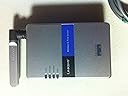
The Cisco-Linksys WPS54G Wireless-G 802.11g Print Server enables seamless sharing of USB 1.1 and 2.0 printers across your network via 54 Mbps Wireless-G or 10/100 wired Ethernet. Designed for single-function printers, it offloads print jobs from PCs, eliminating the need to keep computers on constantly. Ideal for professional environments seeking flexible, reliable network printing solutions.
| ASIN | B0006G36TA |
| Best Sellers Rank | #123 in Computer Networking Print Servers |
| Brand | Linksys |
| Brand Name | Linksys |
| Customer Reviews | 3.2 out of 5 stars 176 Reviews |
| Global Trade Identification Number | 00745883561049 |
| Item Form | Sheet |
| Item Height | 2.4 inches |
| Manufacturer | Linksys |
| Material | Paper |
| Material Type | Paper |
| Number of Items | 1 |
| Sheet Count | 1 |
| UPC | 745883561049 |
R**3
Works Great - Just be Sure to Pick the Right One
I asked the Firedog experts at CC what I should buy to share my printer wirelessly across my WEP 64 bit secure network. They pointed me to the WPSM54G on the store shelves and I took it home and installed it. It didn't work. I called Linksys. After an hour of debugging, the support rep finally asked me if I have a multifunction, all-in-one printer. I told him no, and he told me I had the wrong print server. What I needed was the WPS54G instead. I ordered it from Amazon since CC didn't carry it, and with good directions it installed flawlessly and works great from both my wired XP Pro laptop, my wireless XP Pro laptop as well as my Vista wireless desktop (one review said this wasn't Vista compatible, but it works fine on my new Dell with Vista). My printer is an HP 952C inkjet. So if your printer only prints, then buy this with confidence. If your printer faxes, copies, scans and prints, then make sure to buy the WPSM54G instead. Also, while it is true that you have to have installed your printer driver onto each computer before installing the print server on the computer, you don't have to connect each computer to the printer to do so. Just download the drivers off of the web and install them as you add the printer to your computer. You of course won't be able to do a test print, but that's okay. And even if you didn't have to install the driver first, you'd still need to install it second, so I don't see this as a problem as one reviewer did. Here's an update: after 3 days of flawless performance, this product just up and stopped working. I had to unplug my wireless router and the print server for 30 seconds then plug them back in again. Linksys had no explanation as to why it suddenly stopped working. This fixed the print server but killed my Internet connection to my Linksys wireless router. After 90 minutes on the phone with them, it still isn't fixed. Linksys products are tempermental and their support is questionable. I'd drop my star rating on this product to 1-2 stars if I could.
L**N
Bad design no longer works and support is terrible
This worked fairly good for a few months. Biggest problem I had was that: (1) This forces the attached printer to become the default printer. This is not what I wanted as I bought this for a secondary photo printer and still use a close by, and attached, laser printer for 95% of my printing needs. Linksys support confirmed there is no work around for this. (2) You can not monitor printer status through the print server so you lose the ability to monitor ink levels. But after a few months my WPS54G decided to stop working. It will no longer connect wirelessly and any attempt to do so, or access the internal web based set up screens, causes the WPS54G to totally lock up. Tried troubleshooting myself for several hours with the only result being that I saw comments from others posting on other web sites who have the same unresolved problem. Spent a couple hours with Linksys Tech Support only to be either hung up on or disconnected twice before problem was resolved. Complained to customer service who transferred me to Sr. Tech Support only to wait on hold for about 45 minutes before giving up. I will say I got a follow up call from a nice US based customer support rep. who is attempting to resolve, but that was three days ago and no resolution yet. I know this unit is defective and needs replacement under warranty, but getting a return authorization or diagnosis has taken hours over four days so far with no resolution in sight. It really doesn't make sense to spend so much time on this (maybe that is what Linksys hopes for) but I want to see this to some resolution on principle at this point. re: WPS54G V2.0 purchased December 2007
F**Y
Not Vista Compatible
This unit was quick and easy to install, with good directions. It does print remotely but it does not show the ink level on the computer and the print server does not appear on the network. After much hassle and troubleshooting dead ends with Linksys, they admitted that this unit is not Vista compatible, that there are no Vista drivers for download, and that they have no idea whether a Vista driver will ever be available. It is disappopinting that a supposedly good company like Linksys would still be selling incompatible new units a year after Vista was introduced, without disclosing the Vista incompatibility.
K**L
Great print server!
I installed a wireless network using the WRT54GX4 and three WPC54GX4 cards in desktop pc using a pci to pcmcia bridge card. I also have a WPS54G print server on my network. All use WPA2 for security. I repeat I use not only WPA but WPA2 as it is working quite well in my print server. I will say use the web pages published by the print server and not the configuration software that loads onto your computer. The software didn't make the wpa available but if you go to the web pages from the device it is all there and was a snap to configure!! An update to this review, I have now had the unit in service for almost a year with zero problems!!! I would say this one is a keeper.
C**R
Some Things you need to know about this product
This product is working well for me. The install instructions leave a lot to be desired. For example, it does not tell you that the SSID of the router and any encryption need to match exactly with your print server settings you set with the wizard, or you will get a connect failed error. The other thing that it does not tell you is that you have to switch the printer settings from a USB set up to a TCP/IP. (Printers, properties, Ports, Add port). You can get the IP address for this by connecting the print server to the router then press the reset button for 3 seconds. If your printer is compatible, it will print a page with the IP address you need for the print settings.
J**R
lousy interface
I am very unhappy with this Linksys product, who I have always had good luck in the past. It has a very bad "wizard" interface that will not let you print any other way except using this interface. I could not connect through the wizard (despite being able to connect through the "secret" web interface) and was unable to use this device. I'm very knowledgable about print servers and networking and have never had an issue setting them up before this (I have two other network servers in my house already). I recommend a different brand.
J**N
Works Great
As long as your printer is not a fax/copy/print or multifunction printer, this server works great. If you already have linksys wireless router, the setup is quick, easy and flawless. It is good to be aware of basic networking before working with any wireless technology. Support may not know what all individuals' system and user problems are, but they know what they are talking about. The fact is that this server works and it works well.
M**W
Typical Linksys
I am currently on my second print server. The first one was always very hot, even if it was not being used. Well after a year it just stopped working. No lights nothing. The only reason I purchased another one was because all my other wireless products were Linksys. This time I attached a large heat sink to one side. This one runs much cooler. With all of the problems setting up my router, print server, range expander (all Linksys) I wish I had gone with another vendor. Now my range expander has stopped working after about a year and I assume it would be the same problem as the print server - heat. Oh well, this time I will switch to another brand and as my Linksys products die, I will replace them with their competitors brand. I am tired of customer service that can't speak English, setup instructions not written by English speaking employees and a total lack of knowledge of their own product.
Trustpilot
1 day ago
2 weeks ago