Desertcart purchases this item on your behalf and handles shipping, customs, and support to Israel.
🚀 Print smart, print fast, print fearless.
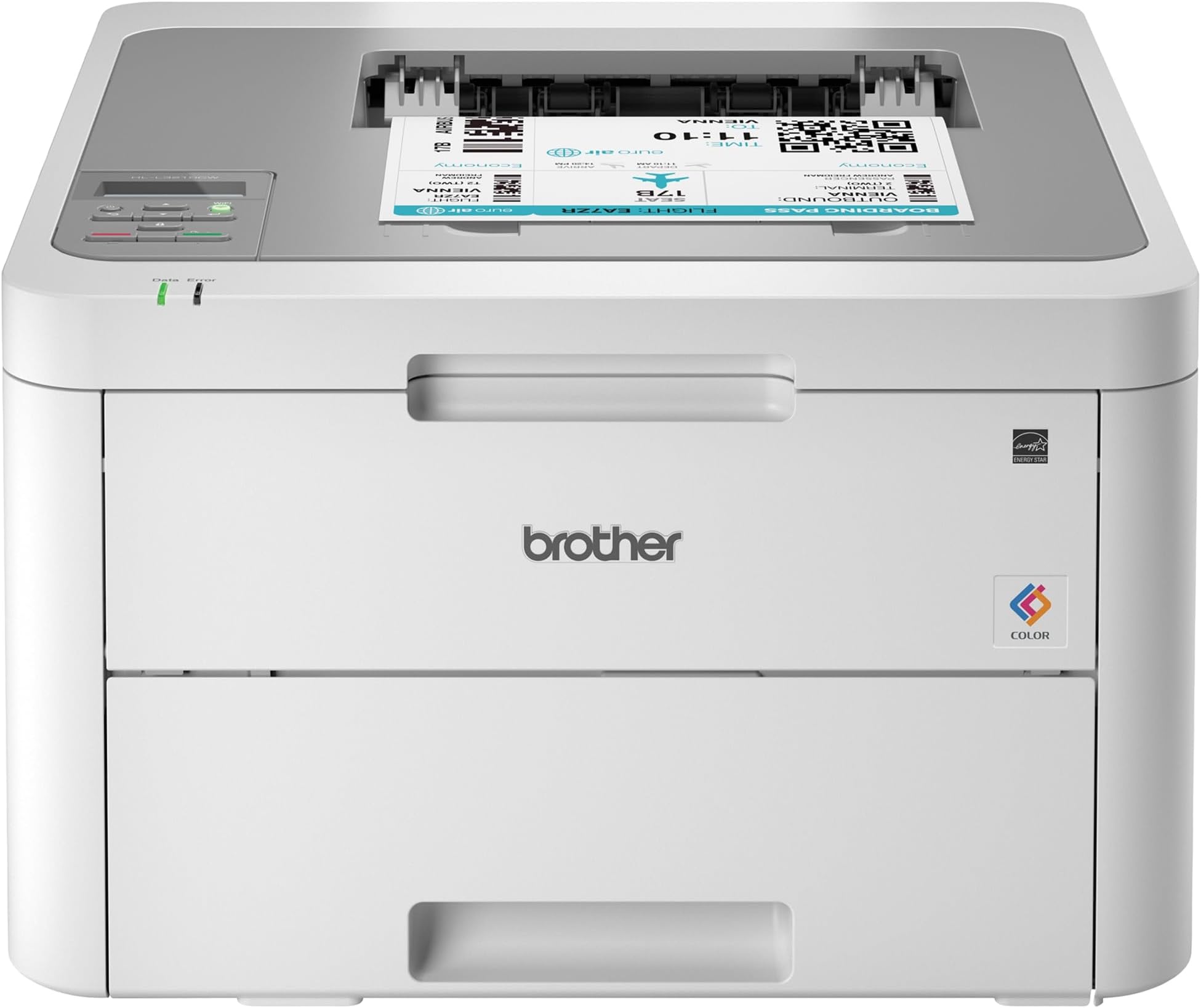
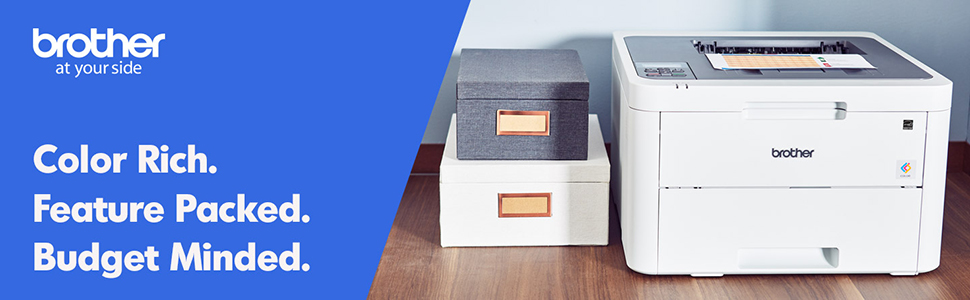
The Brother HL-L3210CW is a compact, wireless digital color laser printer designed for busy home offices and small businesses. Delivering sharp text and vivid color at up to 19 pages per minute, it features a 250-sheet adjustable paper tray and versatile media handling. With built-in WiFi, WiFi Direct, and USB connectivity, it supports mobile printing from multiple devices. Economical toner options and a Toner Save Mode make professional-quality color printing affordable and efficient.


| Additional Printer Functions | Print Only |
| Asin | B07FMS1DMX |
| B W Pages Per Minute | 19 pages_per_minute |
| Best Sellers Rank | #342,431 in Office Products (See Top 100 in Office Products) #457 in Laser Computer Printers |
| Brand | Brother |
| Built In Media | CD-ROM Includes Printer Drivers, HL-L3210CW Starter Black Toner Cartridge (1,000 pages),Starter Cyan Toner Cartridge (1,000 pages), Quick Set-Up Guide, Starter Magenta Toner Cartridge (1,000 pages)DR223CL Drum Unit Set (18,000 pgs)**, Toner Cartridges |
| Color | White/Grey |
| Color Pages Per Minute | 1 pages_per_minute |
| Compatible Cartridge | Arthur Imaging compatible Brother HL-L3210CW Toner Cartridges |
| Compatible Devices | Laptops, PC |
| Control Method | Voice |
| Controller Type | Amazon Alexa, Vera |
| Customer Reviews | 4.3 4.3 out of 5 stars (3,313) 4.3 out of 5 stars |
| Display Type | LED |
| Duplex | Manual |
| Global Trade Identification Number | 00012502651741 |
| Hardware Interface | USB |
| Ink Color | Black |
| Item Dimensions D X W X H | 16.1"D x 18.1"W x 9.9"H |
| Item Type Name | Brother HL-L3210CW Compact Wireless Digital Color Printer with Mobile Device Printing Ideal for Home and Small Office Use |
| Item Weight | 37.8 pounds |
| Manufacturer | Brother Printer |
| Maximum Copy Resolution Black And White | 600 dpi |
| Maximum Copy Resolution Color | 600x600 dpi or higher |
| Maximum Copy Speed Black And White | 19 pages_per_minute |
| Maximum Media Size | 8.5 x 14 inch |
| Maximum Print Resolution Black And White | 600 dpi |
| Maximum Print Resolution Color | 600x600 dpi or higher |
| Maximum Sheet Capacity | 251 |
| Model Name | HL L3210CW |
| Model Number | HLL3210CW |
| Model Series | HLL3210CW |
| Number Of Drivers | 1 |
| Number Of Trays | 1 |
| Other Special Features Of The Product | Epeat Qualified |
| Output Sheet Capacity | 251 |
| Paper Size | 5-x-8-inch |
| Power Consumption | 390 watts |
| Print Media | Card stock, Envelopes, Glossy photo paper, Paper (plain) |
| Printer Connectivity Type | wired, wireless |
| Printer Output Type | Color |
| Printer Type | Laser |
| Resolution | 600 x 600 dpi or higher |
| Scanner Type | Sheetfed |
| Specific Uses For Product | Home, Office |
| Total Usb 2 0 Ports | 1 |
| Total Usb Ports | 1 |
| Unit Count | 1 Count |
| Upc | 012502651741 |
| Warranty Description | 1 year |
| Warranty Type | Limited Warranty |
| Wattage | 365 watts |
User
Exactly What I Needed
This printer is truly plug and play. It took me less than a 1/2 hr to print a photo from my phone (which I’ve never done before).Installation and setup: this printer is heavy. The hardest part was getting the thing out of the box. It only had the printer itself and the power cord. If you are planning on connecting it directly to your computer, you will need to buy the cable separately. You have to take off all the blue tape and the orange protective bits, put the cartridges back in, plug it in, load paper, and then connect it to your network. It was a little tedious to use the up and down arrows to key in the network key, but it’s a one-time thing.I’ve previously only had inkjet printers, so I don’t know how it compares to other laser printers, but I’m very happy with the quality of the images. To really put it through its paces, I ran some different types of paper through it and the printing was spot on for almost all of them. I ran some labels through and it had some issues feeding some of the pages, but it did way better than any other personal printer that I’ve had. I kind of anticipated issues because the printer didn’t have a label option for paper type.All in all, I’m exceptionally pleased with this and am super grateful to have quick, reliable, quality printing.
User
Great so far with a small issue.
Using this to print regular letters and office graphics works well and print quality is just fine. With a little trepidation I decided to print a couple of greeting cards on standard greeting card 1/2 fold stock and to my surprise it printed just fine. Color was good paper feed (through the manual feed slot) was great with no problems as mentioned in other reviews or questions answered. The greeting card program I use set the printing options for this printer quickly and straightforwardly. I did set the paper type to thick before printing. So I decided to print the envelopes for the cards and this is where there was a little disappointment. The printing was fine and was handled OK through the manual feed just one issue....the envelope came out a bit wrinkled (only on the back side). Not enough to throw it away but it was noticeable. I didn't consider this to be a problem because I normally don't print envelopes, just write them out.Setting up the printer (drivers & wireless) you need to pay attention and follow instructions as it could be a little confusing to some. After doing this the printer worked fine with wireless printing.In closing I would recommend this printer having had brother machines in the past and found them to be well made and function properly not to mention the price was well suited to my budget.
User
Love love love 💕
Update: I have now had to replace all the toner that came in the machine, but I’m pleased as to how much I got out of them! The black went first about two weeks ago, and now I just had to buy the three colors. I’ve been through roughly 3000 prints now!I just got this printer today and I put it to the test!Setup was very easy, took maybe 15 minutes but that’s mostly because my internet is super slow.I’ve printed about 300 pages today and it is so fast!! My old HP Envy 4500 claimed to print 17ppm and this one prints 19ppm. Well I printed 48 pages on this in the same time I would have printed maybe 4-5 pages on the HP! So far it hasn’t lost WiFi connection at all and it has gone into deep sleep many times throughout the day with no problem waking up. I’ve printed from both my computer and iPhone with no problems at all.So far I am loving this printer!!!I did notice I’m the only one that has left a review for the new model so maybe they have fixed all the issues the older model was having?Thus far I have to admit that this is by far the best printer I’ve ever had! No paper jams, fast printing, and as far as quality- it’s better than the old printer but I have so far only printed out curriculum materials for school. If your on the fence I’d say get it!!It’s now a week later and I’m running low on black toner after printing close to 2000 pages! Considering the yield is 1400 pages on the toner it came with and it’s still printing that’s awesome! I did order another black but won’t replace it until it’s completely empty.
User
Great Color Laser Printer; Does NOT do duplex
I was looking for a replacement for my 9-year-old Brother HL-3170CDW which held up fairly well until the last 6 months. This printer was slightly slower but more inexpensive so ordered it. It was fairly easy to setup on our wireless network though it did take a couple of tries to find where to input our network password. What I failed to note was that this printer does not do duplex automatically. You can do it manually by using the front opening to the printer. So if duplex is important then find a different model. The colors look great and I look forward to it lasting as long as my other brother printer.
User
I love this printer
This is not a review of a new product. I have had this printer for 2 almost 3 years now. I rarely review products unless they're amazing or terrible. But I was just saying how much I enjoy having a printer that just works so I decided to review it. I love this printer and have recommended it to other people multiple times. I don't print a whole lot, but when I do, I need to print a lot of sheets. And because I don't print very often, other printers would just not work because it had been a while since the last print. Not this one! It works every time. Replacing toner is easy. I have had to move it multiple times, and it just easily connects. Is it the best for photo-like prints? No, but that's not what I need it for, I need it for my office needs. It never jams. I'm happy with the paper capacity for a home printer. If you're deciding you won't be sorry about this one.
User
WARNING: CANNOT RESET TONER
(In case you don’t care to read the following essay, I just need to say, Amazon is amazing and their customer service always goes above and beyond. THANK YOU AMAZON. Ceasing with the butt kissing now.)Unless you love wasting money and toner, DO NOT BUY THIS MODEL!Imagine this nightmare I'm living:You have a project due the next day, but you're not sweating it. This printer is new, it's not going to give you any problems. Except it decides it's done using the toner left in its cartridge. It hasn't even made it to 1,000 pages - it makes it to 799. Are those 799 full ink pages? No. It's mostly one address per page printed in size 14 font. This printer has been hijacked until you buy a brand new Brother brand toner cartridge. You then spend an hour with a Brother rep:Us: Yes. I need to reset the toner. I was able to do it on previous models by pressing cancel and secure, but the buttons aren't working on this one.Brother Rep: I can help you with that!Us: Thank you, that would be great.Brother Rep: You are welcome.Brother Rep: Did you replace the toner?Us: No, it doesn't need to be replaced, it needs to be reset.Brother Rep: Are you getting an error on the brother machine's display?Us: Yes, it says replace toner cartridge black (bk).Brother Rep: Thank you. Did you recently replace the black toner cartridge?Us: No, it has not been replaced since we bought it, we've hardly used it.Brother Rep: Thank you.Brother Rep: Thank you for waiting. There is no toner reset steps for the HLL3210CW. Also, the machine comes with a starter cartridge that prints approximately 1,000 pages.Brother Rep: The approximate toner yield is in accordance with the testing protocol ISO/IEC 19798 (Letter). The testing protocol involves continuous printing of a 5% coverage sample page of text. Users who typically print documents with a toner coverage higher than 5% should expect a lower page yield per toner cartridge.Brother Rep: In order to remove the "replace toner" message, you would have to replace the toner cartridge.Us: So because the black toner is "out", the entire printer is hijacked? What if I no longer wish to print with black ink, and only want to use yellow, magenta, or cyan?Brother Rep: <SPAN><DIV><DIV>Your printer is designed to stop ALL printing operations when any of the toner cartridges have reached their end-of-life.Us: So Brother completely did away with being able to reset the toners?Brother Rep: No, however, your machine does not have the option to reset the toner count. If there is an issue with the toner, you have a 90 day warranty.Us: The printer itself has a 1-year warranty. What does that cover? Brother Rep: One moment.Brother Rep: I am still working with you.Us: GreatBrother Rep: Thanks.Brother Rep: Thank you for waiting. The 1-year warranty covers a 1 year exchange for any mechanical malfunctions.Us: I feel this issue is a mechanical malfunction since the three previous Brother printers had manual toner reset functions, but I'm guessing Brother doesn't feel that way?Brother Rep: Please wait.Brother Rep: Please press the up or down arrow and select machine info.Us: okayBrother Rep: Then check the page counter.Us: Black is at 799. Does it count how many pages come out of the machine?Or how many full 8.5x11 pages of ink have been used? Because the main thing we use this printer for is printing one address on a 5x7 piece of paper.Brother Rep: How many pages.Brother Rep: The starter cartridge that prints approximately 1,000 pages.Brother Rep You will need to replace the toner.Brother Rep: The testing protocol involves continuous printing of a 5% coverage sample page of text. Users who typically print documents with a toner coverage higher than 5% should expect a lower page yield per toner cartridge.Brother Rep: If you would like to confirm this, please contact s via phone. Phone support is available at 1-877-276-8437. We are open Monday through Friday, 9am to 9pm Eastern time.Commencing rant: Depending on which Brother printer you have, how well you Google and YouTube, and whether or not you have turned off the auto-update firmware, you might be able to reset the toner, which will allow you to (SHOCKINGLY) use up the toner that's still left in the cartridge. Often, for hundreds of pages more. However, Brother is a greedy planet hater, a killer of the environment. They would rather you spend your hard-earned money and throw a still-good chunk of plastic away than actually let you use up what they have given you, what you have already paid for.We should be allowed to use the ink until it starts to fade! I have the right to a barely readable printout! I have the right to chose to switch to blue ink if the black is out. Except Brother says I don’t. I have to buy and replace the black ink before I can use any other ink. "Sucks to be you," says Brother.
User
BEST QUALITY PRINTER after trying others!!!
I ordered an Epson EcoTank printer, and it was so cheap. It felt cheap, the set up took me hours, and it printed very slow. I immediately returned it that day. And then I purchased this one, and I LOVE it! It was such a quick, smooth set-up, and it prints so quietly and quickly. The machine is very heavy, and I'm sure it's because of the quality. 10/10 recommend!!!
User
Great
Great printer
User
Bom custo benefício
A qualidade da impressão em preto é muito boa, entretanto a impressão em cores de fotografias é razoável. De qualquer forma, essa impressora atende bem para uso doméstico e de trabalhos escolares. Ainda não troquei o toner, mas aparentemente, existe uma oferta boa de consumíveis com preços razoáveis. A instalação é tranquila, mas bem demorada. Outra coisa que pode incomodar é o grande espaço que ocupa (apesar que não existe milagre para ter 4 cartuchos de toner em um único aparelho. Até o momento, estou bem satisfeito com a impressora.
User
Extremely good printer
Bought this about a year ago now, and have been extremely satisfied with it. Honestly I don't print often, and so far this printer probably has not "paid" for its self yet for the hefty initial investment, but I can already tell it was well worth it.For the 4 years prior I had been using an HP Inkjet printer. As mentioned I dont print super often, so what I was finding is that my ink was constantly drying up and gunking up the printheads. Overtime this got worse and worse, and I was going though ink constantly, which is so expensive! Don't get me wrong, new toner (4x cartridges) for this new printer is insane at first glance, but you get so so many more pages for your money.Quality is sharp and crisp. Colors not as deep as an inkjet, but this is not designed to be a photoprinter. I'm able to go weeks without printing, send a page to it and have it print in moments, without any worry of the printheads getting clogged or drying out. I had so many issues with my last printer so constantly, but have yet to have any problems in the year I've owned this.Prints pretty close to the margins on the top and sides, but there is a solid chunk at the bottom it has issues printing on.If you an find this printer in stock, its absolutely worth replacing your old inkjet. The initial sticker shock feels like a lot, but this is definitely a long term investment!
User
Good colour output, fast and quiet
Since the pandemic started, colour printers have been difficult to source. I have had the opportunity to test a couple printers, and this particular printer produce the best quality on regular paper, it's fast, and quiet. Took me 5 minutes to unpack, and 2 minutes to get it running in full operation. I recommend this printer.
User
Vale muito a pena
Excelente impressora, muito rápida.
User
Impressora Brother Laser - HLL3210CW
Cumpre o proposto. Rápido atendimento.
Trustpilot
1 week ago
1 month ago