

📷 Preserve your past at lightning speed—digitize memories before they fade!
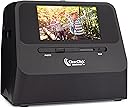
The ClearClick 14 MP QuickConvert 2.0 is a portable, no-computer-needed photo, slide, and negative scanner that digitizes 4x6 photos and smaller in just 2-3 seconds. Featuring a rechargeable battery for cordless use, a 5" preview LCD, and 14 MP resolution, it saves images directly to an included 8GB SD card. Perfect for effortlessly preserving family memories with included editing software and a 2-year warranty from a trusted US small business.


| ASIN | B073V879J5 |
| Are Batteries Included | Yes |
| Batteries | 1 Lithium Ion batteries required. (included) |
| Battery Charge Time (in hours) | 1 Hours |
| Best Sellers Rank | 1,520,976 in Home & Kitchen ( See Top 100 in Home & Kitchen ) 65,699 in Artwork |
| Brand | ClearClick |
| Colour | Black/White |
| Customer Reviews | 4.3 4.3 out of 5 stars (488) |
| Date First Available | 6 May 2025 |
| Guaranteed software updates until | unknown |
| Item Weight | 1.08 kg |
| Item model number | QuickConvert 2.0 |
| Lithium Battery Energy Content | 3.89 Watt Hours |
| Lithium Battery Packaging | Batteries packed with equipment |
| Lithium Battery Voltage | 3.7 Volts |
| Lithium Battery Weight | 20 Grams |
| Manufacturer | ClearClick |
| Number Of Lithium Ion Cells | 1 |
| Operating System | Mac OS X, Microsoft Windows |
| Power Source | AC & Battery |
| Product Dimensions | 20.32 x 17.78 x 15.24 cm; 1.08 kg |
| Series | ClearClick QuickConvert 2.0 |
M**A
Para tomar las imágenes de un álbum es complicado y con se obtiene una resolución buena, no lo recomendaría
D**K
Exactly as described. Have just started using...I have old odd shaped negatives (from the mid 1950s) so they didn’t fit exactly, but I trimmed the edges and it works perfect! So excited to see the pictures.
M**L
This ClearClick image scanner was purchased (initially) for the creation of the ultimate Christmas gift. Family members *truly* enjoy having their decades-old slides & photos available in electronic format. It is relatively labor intensive to work through any project of this type, but where there is a will, there is a way. No doubt, the ClearClick streamlined the entire process and produced amazing results. Where professional digitizing services charge (on average) ~$1/slide or photo, this unit will far exceed its price tag value when you have hundreds to thousands of photographic memories. If you can allocate the time doing the work, yourself, then just do it. Couple of notes: - if scanning slides, use canned-air to remove dust particles prior to each scan. It's well worth the effort, you don't want to have to redo anything. I went through 2 cans, cleaning ~900 slides. I eventually picked up an electric handheld, dust-blower/remover since canned-air can be pricey. At present, I still have a over a few thousand slides yet to scan. - If scanning boxes of slides, carousels of slides, or envelopes of photos: -- Just a suggestion: do one entire box/envelope/slide-carousel at a time. I moved them after each completed batch to a computer. -- I named them using the slide/photo film development date and slide/photo number (when available), using a naming scheme of '<year>_<month>__<slide#/photo#>.jpg, so '1971_08__15.jpg' as an example. Where there was more than one box with same developing dates, I suffixed the month with a letter, ex: '1971_08b__15.jpg' which was slide 15 from the second box. Moving the image files off from the scanner card (using USB mode on the ClearClick) and renaming the jpeg files right away eliminated any potential for confusion of what had already been scanned. - Scanning one slide/photo does take ~1-2 seconds, as indicated. - Scanning photos while they're still in the plastic of an album 'works' but the rows of scanner LEDs could sometimes be seen on the top and bottom of the finished scan. Removing them from the plastic, while it adds more time, is well-worth the effort. You only want to "have to" scan your photos one time, in my opinion. - The ClearClick on-screen menu took a little bit to get used to, but it's relatively intuitive. I only used the brightness and RGB color adjustments a small handful of times. Keep in mind that each of those color adjustment settings remains 'set' until the unit's power is cycled or if you go back in to reset them. - I haven't tried the HDMI 'preview via a TV' feature, but that is certainly a bonus. The screen on the unit worked for my needs. - The included 32GB SD card was more than enough. Image files were, on average, 3-4MB in size using the 22MP setting. The ~900 jpeg files were ~3GB, in total.
A**O
crisp pictures
C**L
It was working just fine. I got 3 reels done. Then I plugged into my laptop and it wouldn’t work as the USB connection fell inside the unit..there was no way to open it..I contacted the company though and they are sending me another unit.
Trustpilot
1 month ago
3 days ago