Desertcart purchases this item on your behalf and handles shipping, customs, and support to Israel.
🚀 Elevate Your Workspace: Dual 8K Power Meets Pro-Level Speed
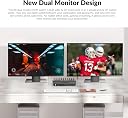
The AV Access 8K KVM Switch lets professionals and gamers control 2 computers with 2 DisplayPort monitors seamlessly. Supporting resolutions up to 8K@60Hz and 4K@165Hz, it features a high-speed USB 3.0 hub, zero-latency switching, IR remote control, and comes complete with all necessary cables for a clutter-free, ultra-smooth multi-device setup.


| ASIN | B0C4TB6Y67 |
| Actuator Type | Push Button |
| Best Sellers Rank | 49,253 in Computers & Accessories ( See Top 100 in Computers & Accessories ) 151 in KVM Switches |
| Brand | v AV Access |
| Circuit Type | 2-way |
| Colour | 8KSW21DP-DM |
| Compatible Devices | Computers with DisplayPort, Monitors with DisplayPort |
| Connectivity Protocol | Wi-Fi |
| Connector Type | Displayport |
| Connector type | Displayport |
| Contact Material | Gold |
| Contact Type | Normally Open |
| Contact type | Normally Open |
| Control Method | Remote |
| Control Type | Dual Computer Control |
| Controller Type | Push Button |
| Country Of Origin | China |
| Current Rating | 2 Amps |
| Current rating | 2 Amps |
| Customer Reviews | 4.0 out of 5 stars 283 Reviews |
| International Protection Rating | IP44 |
| Item Dimensions | 25.4 x 5.1 x 6.9 centimetres |
| Item Weight | 150 Grams |
| Manufacturer | AV Access |
| Manufacturer Part Number | 8KSW21DP-DM |
| Material | Metal |
| Model Number | 8KSW21DP-DM |
| Mounting Type | Rack Mount |
| Number of Items | 1 |
| Number of Positions | 2 |
| Operating Voltage | 12 Volts |
| Operating voltage | 12 Volts |
| Operation Mode | manual |
| Operation mode | manual |
| Smart Home Compatibility | Not Smart Home Compatible |
| Specification Met | IP44, Performance Specifications |
| Switch Type | solid-state |
| Terminal | physical |
| Unit Count | 1.0 count |
| Upper Temperature Rating | 179 Degrees Celsius |
| Wattage | 24 watts |
N**L
Does the job.
Works really well. quick to set up, came with all the relevant cables. very happy. I have a pc and laptop but wanted to share just one keyboard and mouse and same two minitors.,laptop has a dock and everything via displayport.
A**R
Flawless
This isn't the first KVM I've used. Previous ones had little things that were annoying-but-bearable-given-the-service. In some ways with this one I downgraded from the previous one, that could handle more computers, but was single screen and HDMI. But I only have two computers I really need to switch between daily, and I considered fewer cables was a very good thing (I like clean cable management, and the difficulty to get there goes up exponentially with the number of computers). Here are the things this one does better than what I've had in the past: - No weird reaction when proxying the keyboard. Sometimes, they will repeat your keypresses several times. Very annoying when it was Ctrl/Cmd+w in a web browser. - Build quality. It's really well made. - USB and audio connections at the front. It looks less clean on the desk, but my son can unplug the keyboard to plug it directly into the gaming PC (allegedly to shave a couple milliseconds in Geometry Dash), and my daughter can easily plug her own headphones in place of the speaker. If it's easier for them to do, it's easier for me to undo. - USB passthrough. It works with a fancy keyboard/mouse that has dedicated software. Other KVMs also work, but without USB passthrough, you only get the standard keyboard/mouse stuff (goodbye the volume and mute buttons). This is minor but nice. - Connections at the back are clever, as well as the centre of gravity. Especially for the AC adapter: it's screwed it and stays in sturdily. KVMs typically sit at the edge of the desk, naturally pulling on the cables in some cases. Lastly, a very nice-to-have that I don't think is documented on this product's page: hotkeys. It's obviously not the only product doing this, but I love it and it works beautifully. And, once again, very clever setup: it's trivial to change the key you want, and for it not to interfere with normal typing. After 10 days using it quite extensively, I have literally zero complaints.
M**.
So far so good... Where others have failed!
I've tried a couple of a cheaper KVM device sold on Amazon and both just wouldn't sync both monitors properly. This is a bit more expensive but comes with all the cables so might work out cheaper if you don't have cables, and I was also skeptical when the documentation said if you have issues use the supplied cables but I initially had issues with my original cables but when I swapped it for theirs it works fine. Works great even though I have quite an odd setup. Laptop with thunderbolt to 2xDP adapter and a desktop with a 2xDP GPU all going through the KVM switch into two DP monitors but one is old and is Displayport 1.0 and the other is even older so it's not even HDMI so has a active DVI to displayport adapter to make it DP compatible. Only thing I'd prefer is a wired remote button rather than the button cell remote but that's a minor gripe when I've finally found a switchbox that can cope with my setup!
X**D
Failed after one week
I used this product to connect two pc computers to a 43-inch 4k monitor and it didn't like it. The monitor kept having a blank screen for about 10 seconds and after a week of this irritating behaviour it stopped working.
C**E
Good product
Works perfectly, easy to install, all that was needed was inside the box
P**R
Needed Some Tech Support but Great
To get the refresh rates I wanted I needed to purchase some DP 2.1 cables and then Kevin from AC Access assisted in a firmware update for the switch. Now I’m achieving 3440 x 1440 resolution at 120 Hz with my widescreen Dell Alienware monitor and I’m very happy with the stability and features.
I**O
Very good stuff
Quite expensive, but it is very good...no issue at all
I**T
Perfect for my needs, finally a great switch/dock/hub for my mixed OS set-up.
The AV Access iDock-C10 has been a practical solution for managing my dual-system setup. I regularly switch between an M1 MacBook for work and a Windows gaming workstation, and finding a KVM switch that supports both consistently has been challenging. After trying several other options with limited success, I had resorted to using two keyboards and mice alongside switching inputs on my main display. The real challenge always seems to be passing the EDID for the Mac through a peripheral, and this dock just hasn't had that issue, and consistently passes accurate display information to the Mac. The iDock-C10 has made a noticeable difference and freed up a lot of space on my desk. The setup was straightforward, and it works reliably with both machines. The USB-C connectivity is particularly convenient for the MacBook, allowing for video, power, and data transfer through a single cable. Even though the Apple silicon machines reintroduced an dedicated HDMI out, it's nice to just have one cable to dock it. Switching between devices is quick, and I haven’t experienced any connectivity issues or delays beyond the an expected brief moment for the keyboard and mouse to re-engage when being accessed by the alternative machine. I do appreciate the fun trick of being able to mount an external drive to one, eject it, and then have it show up on the other. A little thing that I wasn't even looking for. I will mention that I use a single display externally, and I believe this might not support two separate displays (from my mac at least) from the documentation. So keep this in mind. My set-up actually calls for a duplicated display because I send it to a projector to do video/media work in my home studio. So, the way this outputs from the mac is a feature for me, not a limitation! I really appreciate the compact design, which keeps my workspace organized, and the device handles peripherals like my keyboard and mouse without issue. I really prefer a full mechanical keyboard, and this has allowed me to keep only one out... with a little special key remapping on my Mac, I use the one I got with my tower. While no device is perfect for everyone, the iDock-C10 has been a solid addition to my setup and has streamlined my workflow significantly. It’s definitely worth considering if you’re looking for a reliable KVM switch for a mixed Mac and Windows environment. For me it's been a five-star experience, and a real relief to have found something that does what I need without a lot of consternation. Would get again.
J**2
No more flickering! Thanks Kevin Pan!
EDIT 1 YEAR LATER The flickering issue is completely gone after a year! I extend my gratitude to Kevin Pan of Technical Support for his invaluable assistance in updating the firmware and supplying new cables, which successfully resolved the problem. --- OMFG, I finally got this KVM working with my Alienware AW3420DW (the notorious flicker monster) and my Dell S2716DG monitor. Both have G-SYNC. No, I’m not a Vine Customer here to review this, though I wish I had gotten it for free considering all the hassle I've gone through to make this work. I was battling some serious flickering issues and spent two weeks juggling various 8k DisplayPort 1.4 and 1.2 cables, on the brink of returning this KVM and throwing in the towel. Just when I was about to give up and possibly set up a shrine to cables past, I stumbled upon 16k DisplayPort cables on Amazon. Naturally, I had to try them. I got two “uni DP Cable 2.1 16k” cables. One goes from the KVM to Monitor 1, and the other from the KVM to Monitor 2. I'm still using my old DP cables (which worked perfectly fine before the KVM), and they are now plugged into the KVM. Checked Refresh rate on both monitors and they are both good, 120hz and 144hz. Switching between my work laptop and gaming rig is straightforward with just the push of a button. No issues at all. It even remembers my window positions when switching back and forth. Now I am typing this review with no flicker in sight! I hope this helps anyone else trying to get this expensive machine to work with their setup!
H**E
モニターが点滅してしまう。
概ね使用できるが、しばらく使っているとモニターが点滅するようになる。最初はサブモニター側が、ゆっくりした点滅を10分程度の間隔で起きていたが、メインモニター側も点滅するようになった、メインモニター側は素早い点滅を10分程度の間隔で素早く何回か点滅する。問題なく使用していたモニターなのでkvm側の問題と思う。今まで何台もkvmを使用してきたが一番安定していた機種なので残念だ。個体差による問題なら交換してほしい。
M**O
Fast switching between two devices, as described
It works perfectly. Exactly as described, fast switching between my usb-c laptop and my "legacy" connection desktop with two monitors.
Trustpilot
2 weeks ago
5 days ago