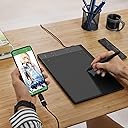
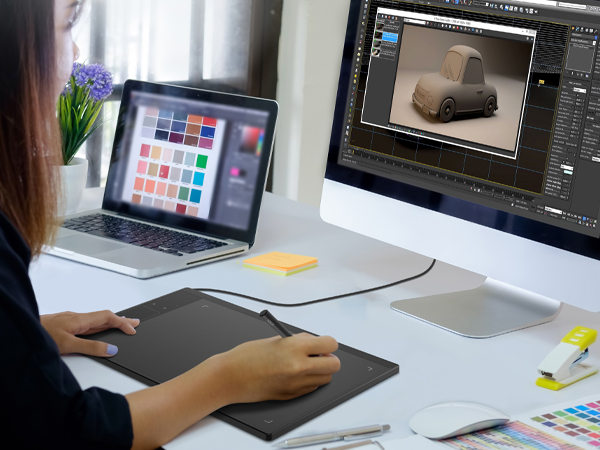
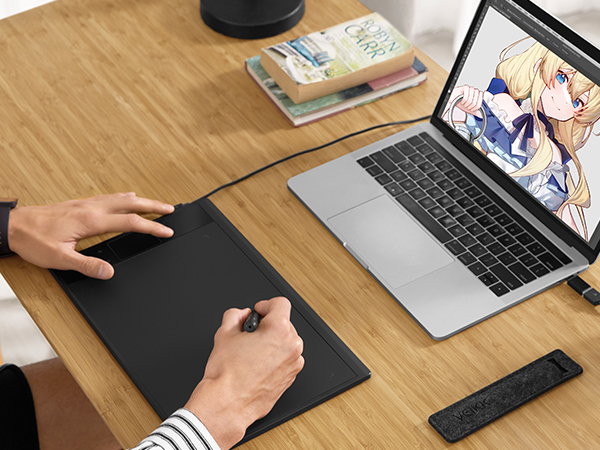
Tl;dr: Amazing for the price, and even beyond that a very solid tablet for beginner or intermediate artists (with one small caveat on the driver, more on that below) Pros: -nice build, very light and thin without feeling flimsy. Good size, takes up the space of an 8.5x11 sheet of paper on your desk and the active area makes good use of this space without having huge borders that aren't part of the drawing area. Personally, I most enjoy using tablets in this size range, any smaller and I get pain in my wrist, though someone who’s not using to drawing on a tablet like this may not feel the same. -pen is light but solid, and battery less!! Best part of it. Reprogrammable pen buttons are great, and comes with several replacement nibs. A lot pens from tablets this price range tend to feel cheap and flimsy but this one has a good weight to it, though the shape is nothing to write home about. No eraser nib on the end, but that’s not a problem for me as I find it annoying to constantly flip my pen over to erase instead of just using a hotkey, might be an issue for some. -tablet surface is textured if you like that sort of thing, but it also came with a very nice screen cover with a more paper-like texture. The cover is held on mainly with one long adhesive strip and was much easier to lay on than other fully adhesive covers. I've used some comparable sized monoprice and huion tablets before and honestly preferred the feel of this pen + surface better, and I far prefer this sort of drawing surface as opposed to drawing on a high gloss screen like the ipad. The included glove is also great for the overall feel of drawing, though it runs small if you plan on using it. -huge plus for me is that the pen is responsive and the driver software lets you adjust the curve pressure of your pen presses, which is great and something you don't usually see with tablets in this price range. I usually go for a very light touch rather than having to press hard on the tablet and strain my wrist, and it was very amenable to that. Pressure sensitivity feels a little different than, say, a higher end tablet but after doodling a bit I quickly got used to it and found it very enjoyable. One thing is that the driver software is universal for all veikk tablets; I think this is a nice touch but some people may not love that. - Touch pad express keys on the left are nice; I tend not to use buttons directly on tablets and stick to using my keyboard but for people who do use it, they’re a nice addition, though it could be better demarcated since its a flat touch pad. -wire is usb c that locks into place very firmly, and the tablet also came with a usb c to usb adapter. I've used tablets that are literally 5x the price of this one that don't nail this simple thing and it's usually the first thing to break on them. The wire itself could be a little longer but it's still a perfectly adequate length. And the Cons… or rather one main Con: please note that this is not necessarily issues with the tablet itself, but rather a cautionary tale for anyone coming to this tablet to use with either previous wacom drivers installed or photoshop!! Adobe only officially supports wacom brand tablets, so this is an issue that a lot of people coming in with any other brand (veikk, huion, xp pen, etc) might have. This obviously isn’t a universal experience and I know many people who had clean installs of this tablet with no issues, but I wanted to mention this for anyone who might be having problems. -you REALLY need to uninstall any other tablet drivers before even attempting a clean install of this driver, wacom in particular does not play well with any other brand regardless and it will absolutely mess with this one, but Veikk is pretty upfront about this, and honestly this is just something that has to be done with pretty much any non-wacom tablet. -I read reviews that this worked perfectly with older versions of photoshop, but I spent many hour trouble shooting both 2020 and 2021 to get pressure sensitivity at all. However, 2019 CC worked just fine with it. If you're familiar with windows 10's windows ink issues, I had to go into “Local Disk (C:)/Users/(user name)/AppData (hidden file)/Roaming/Adobe/Adobe Photoshop (year) /Adobe Photoshop (year) Settings”, create a text file called "PSUserConfig.txt" and type this in “# Photoshop Use WinTab Stylus 0 or use INK Stylus 1 UseSystemStylus 1”, either using a 1 or 0 depending on if you want to use wintab or windows ink. The old way seemed to not work anymore (not the first time I've had tablet driver issues lol) but once I did this it worked perfectly. I've heard that veikk support is aware and is working on updates for their driver, which is great! Because I'm very much into their driver app and enjoy being able to remap the tablet functions to suit my own needs; this is super valuable for people who use different hotkeys and functions from the touch pad in different programs. Things I would love to see from this brand in the future: tilt support!! Honestly this is a big ask, you don't normally see tilt support on tablets this price but I was so impressed with the A30 otherwise that I would love to see tilt support in the future. Also possibly a holder for the pen, but it does come with a fabric case that also does the job just fine. Final thoughts: I was super impressed with this lightweight budget tablet, I’ve used other tablets in this range that I just simply did not enjoy the feel of or wanted more control out of, and the A30 was able to deliver on that where more expensive tablets fell short. I would especially recommend this tablet for beginners or students on a budget; for the size and price you could do a lot worse.