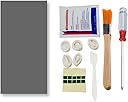
PTM7950 40x80x0.25mm 相変化 GPU サーマルパッド
Product ID: 727080803
📏40x80x0.25mm precision size
🔥8W/mK thermal conductivity
❄️Low thermal impedance <0.06K·cm²/W
Desertcart purchases this item on your behalf and handles shipping, customs, and support to Israel.
❄️ Stay cool, perform hotter — the ultimate thermal upgrade your rig deserves!
The PTM7950 40x80x0.25mm phase change GPU thermal pad by JOYJOM features an advanced polymer PCM system delivering 8W/mK thermal conductivity and ultra-low thermal impedance (<0.06K·cm²/W). Designed for high-performance integrated circuits, it ensures superior heat transfer and long-lasting reliability. The package includes all necessary tools for professional-grade installation, making it the perfect upgrade for gamers and professionals seeking optimal cooling efficiency.


| ASIN | B0BRJB8JNX |
| Amazon 売れ筋ランキング | パソコン・周辺機器 - 29,409位 ( パソコン・周辺機器の売れ筋ランキングを見る ) シリコングリス - 52位 |
| Amazon.co.jp での取り扱い開始日 | 2023/1/11 |
| おすすめ度 | 4.4 5つ星のうち4.4 (878) var |
| ブランド | JOYJOM |
| メーカー | JOYJOM |
| 同梱バッテリー | いいえ |
| 商品の重量 | 68 g |
| 商品モデル番号 | PTM7950 40x80 |
| 梱包サイズ | 15.29 x 10.49 x 2.9 cm; 68 g |
N**N
シンプルに良さそう
事前情報通り、やはり貼り付けについては苦心しました。 CPUに直で貼るよりも、クーラー側に貼る方が作業しやすいのでは ないかと思われます。冷蔵庫で冷やすと剥がしやすく、スマートに 作業できます。 冷却性能については全く不満ありません。 CPU温度をそれとなく終日監視してみましたが、高性能グリスと 比較しても突発的な急上昇を抑える印象で、今のところは個人的に 理想的です。 これは体感の話となりますが、本格運用前にCPUベンチで70~80℃ 位まで上げて10分間保つなどの馴染ませをすると、より性能が安定 した? 気がします。(相変化素材の特性を鑑みて……) CPU:14600K クーラー:be quiet! DARK ROCK ELITE
A**ー
フィルムを剥がす時に形状が崩れやすいので注意を。
よく冷えます。
V**Y
ok .very good
ok .very good
Y**H
性能は普通ですが、塗り替え不要なのが最高!
使う前に数分冷凍庫に入れておくと硬まって扱いやすくなります。手元に気を付けないとフィルムを剥がす時にパッドが破れてしまうので、慎重に剥がして下さい。性能としては普通のサーマルパッドですね。ただ、塗り替えの必要がないのが一番の利点です。
B**E
very good
good
N**S
good stuff! better than thermal paste!
More than 6 months later, still performing incredibly! put it in the refrigerator for a while before installing for easier installation
注**。
商品の検品して欲しい
敗れている商品が届きました。検品されているのか疑問です。
ん**な
コツは、使用前に冷蔵庫で良く冷やす事。
CPUクーラーを交換するのに、興味が有ったので使ってみました。 普通に冷えますね。下手なグリスよりか良い感じです。 同時にCPU固定金具も同時交換しています。(LGA1700て反るのね…) 以前試したグラファイトは貼るのは楽でしたが効果はイマイチ… まあ~貼るコツとしては、使用前に良く冷蔵庫で冷やしておく事、(星一・二つは、多分これが原因…) そうすれば保護シートを剥がす際に、へばり張り付いてビリビリに破れる事は無いかと… 後、夏場だと冷えている時間は限られていますので、寸法カット・片面保護シート剥がし・位置決め・貼り付けを 素早く行うのが大事ですね。 余談ですが、ペーストタイプも販売している見たいなので、メンテナンスの際は其れを少し足してやれば、 良いのではと思います。(使用直後なのでまだ先ですが…) 剥がすの苦手な人は、最初からペーストタイプを使用するのも良いでしょう。 (こっちは多分温め無いと堅いでしょうね) 詳しくは、youTubeで"CPUグリスに新時代到来!?~相変化素材PTM7950の謎に迫る!~" PCER24さんの動画を 見て頂くと良いかと…これを見て購入いたしました。(笑) 余ったので、GPUも此奴に替えようかなと思いますわ~"K5 PRO"か"U6 PRO"とセットで… ただこの二つ…余り人柱立って居ないんだよね~日本人の(笑) PCER24さん、人柱になれへん?(笑)
L**.
Rendimiento térmico bajo
Es complicada su colocación y el resultado térmico no fue lo esperado a como se mencionaba en los comentarios, sinceramente no obtuve mejoría, mi laptop se sigue calentando y hasta más en comparación con la pasta térmica que tenía antes, esperaba mejores resultados por ser un producto sobrevalorado y además de un precio elevado y tiempos de espera súper largos
A**S
Hohe Grafikkarten Temperaturen/Hotspots? Hiermit ist schluss!
Habe mir dieses Thermopad gekauft da meine Red Devil RX 6800 XT immer eine 25-30° höhere Hotspot temperatur hatte als die normale Temperatur. Man muss sagen dass das Auftragen für jemanden der das zum ersten mal macht etwas fummelig ist - ich habe mir extra dafür eine kleine Pinzette zuvor gekauft und für mich war es das auf jeden Fall wert. Nun gut was sagen die Temperaturen nach den Wechsel auf die PTM7950? Cyberpunk 2077 1440P alles auf Max, kein Raytracing - GPU ist Übertakted und zieht ca. 330W. Voher: GPU Temp: 75° Hotspot: 97-105° Nacher:GPU Temp: 70° Hotspot: 85-89 Ich bin wirklich überrascht wie gut Thermopads geworden sind, damals hieß es ja quasi immer nur das Thermopads soviel schlechter seien als Paste, aber diesen Unterschied hätte ich wirklich nicht erwartet. Achtung: Das Thermopad brauch einige Zeit(Bei mir waren es 2-3 Tage) mit Last bis man die wirklich richtigen Temperaturen sehen kann, es muss sich quasi etwas verflüssigen und sich besser auf den Chip verteilen was evtl. etwas dauern kann - allerdings hat man hier den Vorteil das sich die Temperatur nicht mehr verschlechtern wie bei Wärmeleitpaste nach einigen Monaten, für die Langlebigkeit auf jeden Fall top!
K**U
The PTM7950 is incredible and absolutely worth it.
alright, this is a game changer, first of all the packaging was pretty good, i didn't expect the packaging to be so good. The thermal pad actually does wonders, before using the pad, every gaming session, my CPU temps were always 95+ and the performance due to the thermal throttling was pretty awful. I played for an hour after applying the ptm7950 pad, and the temps only touched 81° C. it's ridiculously good, and i do think this is the original one because the packaging and stuff looked pretty premium. totally worth the buy, also my laptop is HP Pavillion Gaming 15 with Ryzen 5 3550H and gtx 1650
J**Y
Cooling performance is great, highly recommended, especially for laptops
Regardless of the reddit reviews about this not being true PTM7950, it works great. This fixed my wife's laptop Dell XPS 15 9500 thermal throttling issue with a 10th gen intel cpu. I can turn intel turbo back on in the BIOS and runs it well below throttling/overheating limits. I was so impressed with the results, I applied it to my other 2 laptops Acer Swift 3 Ryzen 7 and Latitude 7480 also running with lower temps. I plan on applying this to my desktops in the future and hopefully replace paste altogether. Time will tell if it lasts a lot longer than paste. Tip on peeling off the film, stick in fridge for a little while to solidify (I did 5-10min) and use little pieces of scotch tape for pull tabs appy on each side of the cut piece making sure to apply the tape pull tabs to at least one corner on each side. Start on a corner picking/pulling the tape and peel off one side, apply to the die or cpu/gpu, flatten on chip, then repeat for the remaining film by picking/pulling on the tape. Will purchase again.
A**E
This stuff is legit!
I am having a hard time accepting how good this actually is. I have a G513QU gaming laptop which, unfortunately, was one of the serial numbers with the faulty liquid metal solution and after a year or so it had pumped out enough that the clocks were not boosting to nearly the speeds that it was when it was new. I decided to crack it open and replace it myself instead of sending it back to Asus RMA as I know Asus has made it their life's mission to make the RMA process as horrible as possible. I opened the laptop up and took out the liquid metal and the faulty barriers. I prepped the SMDs around the dies for liquid metal and got to the point where I wasn't confident on making my own barrier so I just put paste on it to see how that went - it went poorly. My temperatures were high and clocks were low. I then found out about PTM7950 after doing some research and decided to give it a go. This stuff was pretty hard to work with before I figured it out so expect a trial run before you actually get it right. I bought a cutting mat, measuring tool, and a craft knife to get it done correctly. I measured the dies and then cut accordingly. Getting on was a bit tricky but once you learn to use tweezers to set it properly on the die and lift up from the corners to get the film off it actually is not hard to work with. Once it was on I put the laptop together and was shocked at how good my temperatures were. I added some spacers to increase the mounting pressure and with those plus the PTM7950 I am getting better temps than I did with the original liquid metal application. Now, obviously the increased mounting pressure is doing some work here but I had that going with the normal paste and my temperatures weren't even close to as good as with the PTM7950. Now, my clocks boost to max speed and even though the CPU is designed to boost to 95c and hold it actually only get to about 92c which is absolutely bonkers. The GPU is doing great as well and there is zero throttling on the laptop. I was able to pass a 20 minute time spy stress test which I was unable to do with the paste application. This stuff is absolutely amazing. One last thing to note. I did two applications where one had the PTM7950 completely covering each die and the next I uses a bit less because there was a lot of pump out meaning that there was too much used. Well, covering the full die was better as I guess the pumped out bit can catch heat coming off the sides and pipe that to the heatsink so I would definitely cover the entire surface area of the die if you're doing direct die cooling. One last thing, in the videos of people using the actual Honeywell PTM7950 the pads are a bit thicker (0.25 vs 0.2 mm) and the colour is blue versus the grey of this. I was skeptical that this isn't PTM7950 because of that and I don't know what it actually is but it cools significantly better than good thermal paste so I am guessing it is a knockoff but still the same formula. A bit expensive but totally worth it.
Trustpilot
1 day ago
2 days ago