We remain fully operational. Our teams are working around the clock to ensure your deliveries continue safely.

DOWNLOAD THE APP


Customer Services
Copyright © 2025 Desertcart Holdings Limited
DOWNLOAD THE APP


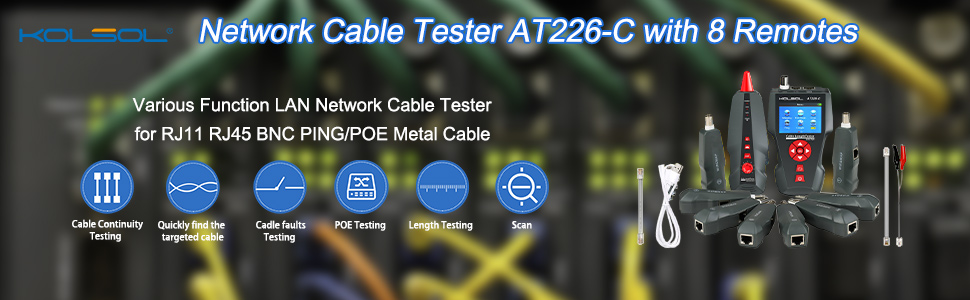
⚡ Empower your network mastery with NOYAFA’s all-in-one cable tester!
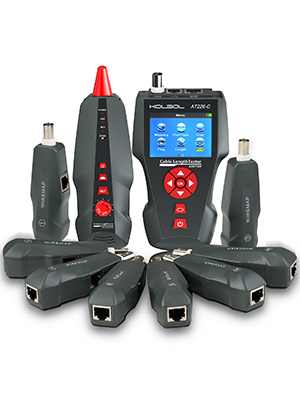
The NOYAFA NF-8601W is a professional-grade network cable tester designed for Ethernet, telephone, and coaxial cables. Featuring PoE voltage detection, PING network performance testing, and cable length measurement, it supports RJ45, RJ11, and BNC connectors. With 8 remote identifiers, a bright color LCD, and data import/export capabilities, it’s built for long-term, precise troubleshooting in complex network environments.


| ASIN | B06XMXQQYT |
| Item model number | NF-8601S |
| Manufacturer | Noyafa |
| Package Dimensions | 27.41 x 20.29 x 9.5 cm; 1.02 kg |
H**H
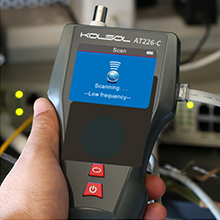
Really good, but there are cheaper options. I think the main competitors would be the F-488 and NF-8108. They have similar features but without the nice screen. For at home use, where you may never use it again after getting your setup to work, I’d probably consider getting one of those $40 options, but I had work buy this for troubleshooting at work knowing I’ll be using this 1-5 times a year for 10 years. I’m a noob at Ethernet stuff, so I can’t really evaluate the nerdy side of this. I really just make ethernet cables, and need them to work right, and sometimes they don’t and I am not sure why (It’s is almost [okay, it was my fault once] never the cable’s fault, but I need to rule that out). But I really like this one I think it’s worth the extra money if you are going to use this long term. I watched a YouTube video before buying this, so I didn’t read the instruction manual, and it pretty much all made sense. Here’s what I like that I don’t think you’ll get all of this in the cheaper units. First of all, the units (Feet/Meters) are remembered after the device is turned off, I wasn’t sure if this would be the case or not, many other units report not remembering, so I was pleased to see that this one remembers. Second, the length seems accurate out of the box. I had an Ethernet cable on a spool, the cable lists the footage on it, so it was within a foot of 118 feet. I used the alligator clips on 2 wires and it seemed off at first, so I calibrated it, but I realized it will give different readings based on whether you put them on twisted pairs or non-pairs. The out of the box calibration I think was right for twisted pairs. Know that you are getting something that is super imprecise. This is just helpful if you have 2 wires, one short and one long, and it will tell the difference. Also, if a wire gets cut, you can tell if it was cut far intot he run or not. It doesn’t replace a tape measure, or the feet markings on the cable. Also, everyone I see tries to calibrate with short wires and of course that will throw it off. If it’s one 1 inch on a 1 foot cable, and you use it on a 120 foot cable, that’s 12’ off. But I don’t know what it’s measuring, but it clearly uses a formula that converts something electrical (resistance?) that is only loosely correlated to length. So you need a long wire when calibrating to help average out variances in the wires. But in the end, it will never be very accurate. They let you save 9 calibrations. Probably for different types of cables because of the correlation between wire type and length. Third, the rechargeable battery charges slow, but in my opinion that means the battery will last a long time (both in terms of run time, and in charge/discharge cycles). I really didn’t like the idea of 9volt batteries, they always seem dead when I need to use the device. Plus, they cost money, plus I don’t want to maintain a stock of them. So rechargeable is great. I would probably take a star off for the slow charging if you could not use it while charging, but you can use this while charging, so charge time is no big deal. Fourth, 8 remotes are awesome. I happen to need it for a job with 8 ethernet wall jacks in a cabin, and I need to trace them out, so this is perfect. When I mapped a wire, it told me I was using remote 8, and that’s great (each remote has a number on it). This way I can walk once through the house (memorize or right down what number I put in each room) go to the mechanical closet, and map out all 8 of them. Fifth, it has settings, in particular the auto-off time. I want auto-off, but I might not want the manufacture’s auto-off, so it’s nice to adjust. Sixth, it can test ports by sending packets. It can make the lights blink too. I haven’t tested this yet, but I have had a terrible time with our network witch hang ports stop working. I plan to use this to confirm a port is dead or not, I don’t thin cheaper ones have this option. Seventh(s), the screen is bright, easy to understand, and simple to use. The buttons are rubbery and have a satisfying click. I think if I dropped it the buttons would not break. The screen is the main reason I got this. It’s just so much clearer to understand compared to those old fashioned “alarm clock” screens. My complaints are minor: I don’t understand the RJ5 ports or the warning sticker on the side. I probably should read the manual, but if some function doesn’t work, I’ll just switch to a different port, but there are three ports for RJ45s. I expect this not to be a problem over time, and “main” is helpful for a noob like me, just start there. But the screen is digital and could provide some help on which port to use with a software update. For the sticker, I won’t put POE into any port but the POE port. I don’t know if it’s trying to tell me more than that. I don’t have any POE right now, I got this unit for the future. But the ‘scan’ function (for the beeper remote) works in the main port and the scan port. So I think the only use of the scan port is if you want to test a cable without using a remote. On the beeper, you have to press and hold the power button too to get it to turn on. It still won’t work though, because next you have to press set. No idea why the beeper is not set to the default when you turn it on (the tester is, the beeper is not). When you turn the beeper on, it’s set to “nothing” (I guess?) and then you press set to change it to the first setting which is low frequency (which is the default on the main unit). There is no memory for scan settings on the tester or beeper. Thankfully another commentor said this already so I knew, but you really need to know: PRESS AND HOLD THE POWER BUTTON TO TURN IT ON (no need to hold for off, just for on). After it’s on, the screen will time out, and you can hit any button, no need to press and hold. The beeper also requires a press and hold to turn on. It’s a little annoying when messing with them, but in real world use, it keeps them from being turned on accidently over and over in a bag, and then dying. I do wish it came in a pouch with a strap I could put around my neck/shoulder. But since I don’t do a lot of this stuff, this will be fine. The holder it comes with is in the video, it’s a portfolio style. I also wish the charging port was USB-C but I know that costs more and this device was probably designed a long time ago. I’d probably pay an extra $10 for USB C for the convenience and durability.
V**M
Muito eficiente
D**N
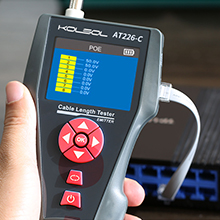
Scan mode works fine, though at 1st you need to set the probe every time you turn it on??? I guess if you lost one or the other they could be replaced. The PoE is really helpful when dealing with different PoE standards like Ubiquiti where different pins are energized. The ping works, and you can set the IP/subnet manually. The pinout tester works well. I did notice the length tester is not to reliable. I calibrated it to a 1' patch cable, a 12' cable, and a 25' cable. I thought setting a known length would calibrate the resistance to the copper from end to end and save it, then the device would interpolate or extrapolate the length of the copper from that point. I was expecting accuracy to the inch, but it wasn't even accurate within 8'. I don't use length often so it's not s deal breaker but just FYI if that is important
B**R
funtionality is quite good. battery management is terrible. both units failed after two years. charge port and battery issues. plus new version still using old style USB charge port. if item allowed to install your own 9V batteries. would completely solve their charge/battery issue. this will likely prevent me from buying another one.
R**N
All the features of the more expensive units out there, but it was the cable tracing function that really surprised me. The sensitivity button doubles as a synchronized volume dial. Turn the device down and the unit gets quieter but less sensitive to false or random signals. All of the other functions (PoE, scan, ping, flash) are amazing at this price as well as the simplicity of design. The eight (8) included receivers are a nice touch but probably not necessary unless you do installations. Cable mapping is interesting...when the main unit and receiver complete the scan for continuity and pin-mapping, the remote device starts to beep. The whole package is just well designed and a great bargain for such an intelligent device. The included manual is informative albeit in need of deciphering from time to time. Overall, a great product and value. Rich
Trustpilot
2 months ago
1 month ago