Buy anything from 5,000+ international stores. One checkout price. No surprise fees. Join 2M+ shoppers on Desertcart.
Desertcart purchases this item on your behalf and handles shipping, customs, and support to Israel.
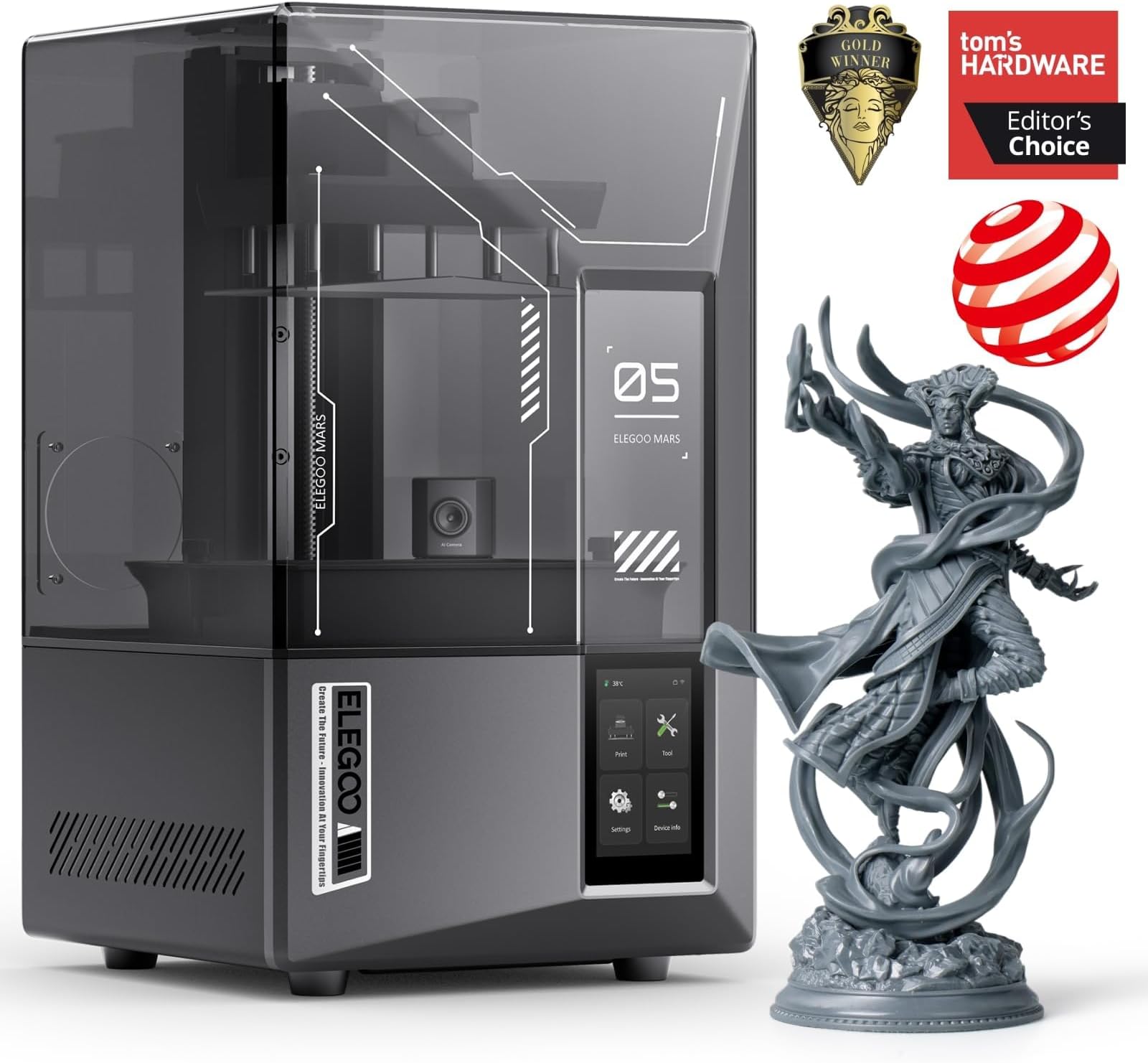
🚀 Elevate your 3D printing game with precision, speed, and smart control — print like the future depends on it!
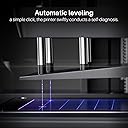
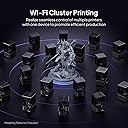
The ELEGOO Mars 5 Ultra Resin 3D Printer features a 7-inch 9K mono LCD with 18μm XY resolution for ultra-fine detail, a rapid 150mm/h print speed enabled by innovative tilt-release technology, and smart AI-driven monitoring to prevent print failures. With automatic leveling, resin detection sensors, and WiFi cluster printing, it offers a hassle-free, professional-grade printing experience ideal for both beginners and advanced users looking to boost productivity and print quality.


| Brand | ELEGOO |
| Color | Black |
| Compatible Devices | Personal Computer |
| Customer Reviews | 4.2 out of 5 stars 321 Reviews |
| Item Weight | 8.8 Kilograms |
| Material | ABS, Aluminum , Polycarbonate |
| Product Dimensions | 10.23"D x 10.55"W x 17.77"H |
R**N
Dicemaker's Perspective.
I bought this printer back in August and wanted to really run it through its paces to make sure that I was happy with it before writing a review. I'm not someone who prints miniatures, I'm someone who makes 3D printed dice masters. I'm still learning, so please take my review with a grain of salt. I typically use a fast brand of resin, since my prints need to be extremely precise. This printer is honestly, largely stress-free. I'm graduating from a Mars 2 Pro, which served me well, but was beginning to show its age. The good: - No adjustment screws for the print head / bed. None. It's a latch that clips into a metal arm, and it's very solid. I don't know why we didn't do this earlier - no more messing around with hex wrenches. If you're someone who liked that, you will not like this. Personally, my RSI-ridden hands are grateful. - Build quality is excellent, anything that matters is made of metal. The outer shell is plastic, which is fine. - Slightly larger touch-screen that works well with gloves on. - Temperature gauge! Nice! (My office runs cold, so this is good to know for me.) It is in Celcius though, so those of you used to using Freedom Units may struggle. - Wifi - actually kinda great? No juggling USB keys either, you can send prints from the slicer. Nice! - ChituBoxPro, surprisingly, is okay to work with! It has some quirks, and I always run my prints through UVTools to make sure they're solid before I print. - Record your prints, see where they fail (this is particularly helpful to me, so I can go back and review exactly when and why a print might not have gone well.) - Resin vat is held on with two long screws that go all the way through the frame of the resin vat and down into the body of the printer. - Tilty vat, supposedly nicer on the FEP? - Came with a resin catch to put on the printer while you unload prints. Very nice. Surprisingly useful, and your printer doesn't get covered in resin drips. - Textured bed. :) This isn't necessary, but it's a nice upgrade over the Mars 2 Pro's smooth bed. - You probably won't need a magnetic build plate. It's a nice to have, but I haven't had issues with the bed. The Neutral: - The hood / lid is not hinged like the Jupiter, which would have been nice, but I guess it's saving a bit of space, so that's okay. - Chitubox sometimes drops information from models and the supports aren't always where you think they are. It's workable, I just wish it were friendlier to other slicers. - The vat has a billion screws on the bottom, just like the Mars 2 does. I haven't had to replace the FEP yet, but I'm dreading that a little. - Replacement parts, including the screen and FEP are a bit on the price-y end. I don't mind, the rest of the printer is hassle-free, so it's a compromise I'm willing to make. - Not sure about the fast vs normal printing speed. I use normal, because I need my models to be perfect. The not so great: - If you're looking for a printer where you can adjust every single setting to an obsessive degree, this may not be your printer. Chitubox Pro allows for a decent amount of customization in how your settings go, but you will have to hunt and peck through the settings to find them because they're not readily apparent. - Doesn't want to talk to other slicers easily. YMMV, I'm still new at all of this. - Camera is uh, below the vat. So... if you're like me and you print models that are no larger than about 2 inches high, you won't really be able to see most of it. I think you can extend the camera upwards but then you're looking at the top of the build plate, so ...? - ChituBoxPro only takes encrypted CTB files, which you can work around using UVTools, but keep in mind if you're an open source advocate that this file format is ... mmm. Sub-optimal. Important stuff: - Remember to take the lens cap off on the camera. My silly self did not, and was confused as to why there were no pictures on my camera. Oops. -You will need to use the BETA version of ChituBoxPro, not the regular one. The regular one doesn't include the Mars 5 Ultra yet. I imagine it will within the year. - If your prints are failing, check your resin settings and check to make sure your environment isn't too cold. I had bed-adhesion issues below about 15C. My office gets super cold, so I had to close some vents to get comfortably into the range that my resin preferred. VERDICT: If you're someone who's making dice masters - which is all I can speak to - this is a great printer for the price and it's treated me very well. Any time I've had issues with my prints, it's because my model was actually broken, or I didn't support the model well enough, so basically user error, not printer issue. SCORE: 4.5/5 - Great printer, somewhat unfriendly to anything outside of the CHITU ecosystem, great for beginners with its simple setup and assembly.
Z**.
Worth it
To start off, I’m a complete beginner to 3D printing. Back in high school, we did some basic 3D design and printing, but it wasn’t to the level that 3D printing is at now. The printers we had were older models that could only use certain filaments, and the technology wasn’t as advanced. I didn’t get into 3D printing seriously until recently, and I’m still learning along the way. So, you might be wondering: why am I talking about the Mars 5 Ultra when I’m a newbie? Well, I’ve been exploring 3D printing because I have a small business on eBay, and I wanted to add more product options to my listings. I started researching 3D printers online and quickly realized that there are so many options out there. I was particularly drawn to resin printing because it offers a level of detail that filament printers simply can’t match. If you’ve ever seen a resin print up close, you’ll know what I mean. The fine details are incredible. I also found that resin printers tend to have more predictable print times, which was a huge factor for me since I’m running a business and need consistency in my workflow. Of course, I’m not saying that resin printing is better than filament printing—it just has more of the features I was looking for. Another thing that’s worth mentioning is that I bought this printer with my own hard-earned money. I didn’t get it for free, and no one’s paying me to say nice things about it. So, everything I’m about to share in this video is my honest opinion, based on my own experience with this printer. So, why the Mars 5 Ultra? Let’s talk about the Mars 5 Ultra for a moment. I’m going to keep calling it the M5 Ultra because saying "Mars 5 Ultra" every time is just too much! M5 Ultra—much easier, right? Now, why did I pick the M5 Ultra? Well, to be completely transparent, marketing played a big role in my decision. I didn’t know much about 3D printers at the time, but I saw an ad that talked about all the amazing features, like the 8K screen, the tilting vat, and the laser-etched build plate. I thought, Wow, this looks like a high-tech printer that could handle everything I need and more. I also noticed it had a lot of positive reviews from other users, which definitely influenced my decision. One feature that really stood out to me was the self-zeroing build plate. If you’re new to 3D printing, one of the most annoying things can be manually leveling the print bed. It’s just a hassle, and if you don’t get it right, your prints can fail. The M5 Ultra takes care of that automatically, which is such a relief. Now let’s talk about the pros of the M5 Ultra First of all, this printer is FAST. The tilting vat really helps with that. Instead of having to pull the print off the FEP after each layer is cured, the vat tilts and essentially peels the print off by itself. This minimizes the time spent on each layer and speeds up the whole printing process without compromising quality. I was honestly amazed by how fast the prints came out while still maintaining excellent detail. Another great thing about this printer is the camera feature. It has a built-in camera that lets you monitor the print remotely. This is fantastic, especially if you have a busy schedule or need to leave your printer unattended. Imagine being away from your printer and being able to check on your print from your Laptop—that level of convenience is something I really appreciate. It even supports time-lapse recording, which is perfect if you want to show off your print process to others or simply keep a record of your prints. Just be understand that if you want to get the most out of the camera arrange prints so short this are in so it does block the view. The M5 Ultra also comes with a 3-month subscription to Chitubox Pro, which is a huge bonus. If you’re not familiar with Chitubox, it’s a slicer software that makes it easy to prepare your 3D models for printing. The Pro version gives you access to more advanced features, like better support generation, advanced model manipulation, and more control over the print orientation. It’s definitely a tool I’m still learning to use, but I can already tell that it’s making my printing process a lot smoother. Let’s talk about the sensors and diagnostics One thing that stood out to me is the printer’s ability to run self-diagnostics. If something’s wrong, the M5 Ultra will let you know. It also has resin sensors that detect when you have too much resin or too little resin in the Another thing I like is how easy it is to adjust exposure times. The resin I’m using right now is Elegoo’s 8K resin. It’s a little picky when it comes to UV exposure, which means it sometimes requires longer curing times to properly stick to the build plate. the M5 Ultra made it really easy to tweak the exposure settings. I think it’s great when companies make things like this simple and accessible, especially for beginners like me. Now, let’s talk about the cons. No printer is perfect, and the M5 Ultra has a few things that could be improved. First, I’m not a fan of the lid. While it does a great job keeping fumes inside the print chamber and blocking UV light, it doesn’t have any hinges. So, whenever I need to open it, I have to take the whole lid off, which can be a bit annoying. And if you’re working in a small space like I am, it just takes up more room than I’d like. Another small issue I have is with the resin spout. The spout for pouring the resin is rounded instead of having a sharp edge. This might seem like a minor thing, but when you’re working with resin, you want to avoid spills and messes. A sharper spout would make it easier to pour the resin neatly and avoid making a mess. Last issues it the camera don’t get me wrong it is a great feature to have, but easy to block it with a large print, or the low res screen makes it hard something get whats going on. Expectionlly when most of us us heavy curtain to block out any sun light that can potentially ruin prints. Final Thoughts So, those are the main pros and cons of the M5 Ultra, at least from my experience so far. Overall, I’m really impressed with the printer. The print quality is fantastic, and the features, like the tilting vat, self-leveling build plate, and remote monitoring, make it incredibly user-friendly. I’m excited to keep printing with it and will definitely update this review after a few months to see how it holds up over time. Right now, I’m still in that “honeymoon phase,” but I’m looking forward to seeing how it performs once I get into the regular, day-to-day printing routine. I am very excited to try Elegoo other products.
A**N
Expectations exceeded
I rarely leave reviews unless a product is either a complete disappointment or completely blows me away. This printer absolutely falls into the second category. I’ve been printing miniatures and models nonstop since unboxing it. The setup was ridiculously simple. I leveled the unit with the adjustable feet, connected to WiFi, updated the firmware, ran the self-calibration, poured in the resin, and started the test print. No tweaking exposure times. No dialing in layer thickness. No endless troubleshooting. It just worked — and the results were impressive right out of the gate. The 9K resolution is on another level. Standard FDM printers simply aren’t in the same league when it comes to detail. FDM definitely has its place, but for printing and painting highly detailed miniatures, I don’t see myself going back. This is my first resin printer, and it has completely earned my trust in the brand. The only issues I’ve had were user error — mostly related to slicing and adding supports before exporting files. That’s just part of the learning curve with any hobby, and honestly, it’s been pretty painless. “Oh, that failed? Add a little more support here and there.” Problem solved. The included three-month subscription to Chitubox Pro has been great. The auto-orient and magic support tools make prepping models quick and easy. I can splice and support a model in minutes. And if a print does fail? Cleanup is straightforward. Remove the build plate and scrape it clean, run the tank clean cycle, drain the vat, peel off the cured layer from the screen, refill, and you’re back in business. Overall, this printer exceeded my expectations in every way.
L**S
DO NOT BUY!!!
Do not buy this machine, I bought this machine a year ago, i tried multiple times to print something with no luck, i tried everything and followed every instructions with no luck, it irritated me so much i gave up. now after a year, i tries it again, this time i made sure i did everything right, cleaned the plate, made sure it was somewhere with no light etc, i started it, waited 5 hours, and nothing printed. The problem i was facing was that nothing would stick to the plate no matter what, so it would always fail after the first layer. Once i tried scraping the resin from the plastic base, THE PLASTIC RIPPED OPEN! Going all over the machine and into the electronics I have no idea what went wrong with my 3D printer, maybe the UV lights were faulty from the beggining, or maybe i used it wrong, idk. But this machine has brought me nothing but problems, in theory it sounds nice and fun to make 3d prints, but this has been nothing but a nightmare, also the plate is really small, you cant even print a cup on it. Also amazon is asking for wifi and cleaning detail, Wifi works great, and cleaning sucks now that the plastic ripped and resin went all over the machine. If you decide to buy this, i wish you luck, hopefully it works for you.
N**R
Amazing
Awesome printer. It does need plenty of space and ventilation. So make sure you have enough of both!
J**B
Excellent printer. Questionable QC. Horrible support response time.
18 month update: The printer works great now. My workflow had to be adjusted to account for the quirks, like not being able to print from a thumb drive. No big deal. However, a new issue has popped up. The paint on the vat has started to peel. Not scratch. Not chip. Peel. Like a bad sunburn. Elegoo said this was not normal and asked me to send the info they needed to send a replacement. Radio silence for a week. Elegoo QC and customer support strike again. I still recommend this printer, but keep in mind the glacial pace of Elegoo support and consider having spare parts on hand so you aren't sidelined like me. Time to buy another vat. Hopefully Final Update: Putting it up top here and updating my rating according. All previous review information is staying here unchanged. This is an excellent beginner printer. It really is. It doesn't get five stars from me because of the abysmal tech support response time and what appears to be a QC problem. They replaced the lemon with one that appears to be working correctly. It's still failing to lift the plate during a print when working from the USB drive, but it prints fine from internal storage. I can live with that. In the final analysis, this is a good buy and recommended. Just do not hesitate to contact tech support if a problem arises. Previous review follows: I bought this Mars 5 Ultra after the screen on my previous Mars 4 failed after only two weeks. Buying another Elegoo product was a mistake. Yes, it prints great when it works, but the thing almost never works. I get maybe one print out of ten. Along with the frequent errors pictured here, the build plate often fails to lift during a print and never rises out of the vat no matter how long it prints. I've been in contact with tech support, but they reply to my emails maybe once every 24 hours if not longer. I've only had this thing for three weeks. Avoid, avoid avoid. UPDATE: A week after contacting tech support, the printer is throwing new and interesting errors. It decided the vat was too full even when it was only half full. Then it decided to freeze up and become non-responsive ten layers into a print. UPDATE 2: It has been 27 days since I first contacted Elegoo through their official Discord server. 17 days since my first email reply from tech support. After a very slow email exchange over nine days, tech support offered to send the parts so I can repair the machine myself (and void the warranty in the process). Customer support offered to replace the machine (I accepted the offer). It has been a week now since they said they'd send a shipping label. Not a peep out of them since, and still no shipping label. They dragged this process out so long the Amazon return window has closed. Now I'm stuck with an expensive paper weight that sometimes acts like a resin printer. Lesson learned.
M**M
Ultra Game Changer!
I love this new printer! OMG, the game has been changed! After using a Mars 2 that I got used from a friend for 6 months, switching to this new 5 Ultra was an entirely new experience! Obviously the print quality is dramatically different on even the most simple prints. But the heated tank, the way it dips, the wireless ability to send a print, the camera! So many things are an absolute life changing experience! Well print life at the least. The wide range of resin available to me now is also amazing. I used to print multiple copies of things to be sure I had the pieces I needed, not anymore. Everything that has come of this new printer so far has been perfect. Oh! The drip tray! A genius level inexpensive accessory that is SO helpful keeping the printer clean! I’m absolutely in love with this new printer!
L**E
My first resin printer
Amazing Printer. I love high-quality stuff and wanted something that performed as well as my X1C Bambulabs. This one is quite comparable in terms of simplicity of use and plug-and-play. The quality is phenomenal; the attached photo is quite blurry. It looks much better in person. I had a few problems, but all were user errors or poorly formatted files. Here's what I learned in the last 48 hours: 1. Check if your model is making complete contact with the base. I had a model pre-supported that was slightly rotated (<1ø) and was having all kinds of adhesion problem 2. Use the calibration cones and perform the multi-exposure test to find the sweet spot for exposure time. Do this for every resin or layer height you use. 3. Cones of calibration have a Success side (Cones should touch) and a failure side (a side where the cones SHOULDN'T touch). 4. Instead of two bottom layers, I'm using ten layers and getting much better results and adhesion. 5. Dig holes in your hollow models so the resin can escape to prevent layer separation. 6. Don't use IPA to clean your FEP. Instead, grab a little piece of support, put it in there, and use the `Clean Vat` function to solidify the bottom layer, peel it off, and remove all the little bits of cured resin. 7. With the VAT loaded and wearing a glove, use your index finger to feel the FEP for any cured resin (little bumps). If in doubt, unload and check. 8. the official ELEGOO discord is a great place to start if you have technical issues. 9. Make sure to get the air purifier. The resin has a powerful odor. I always wear a gas mask and will buy an air purifier.
S**G
One of the best purchases ever
Just got into 3d printing and oh man, never knew what I always missing. Print quality is fantastic. So easy to use that even an absolute beginner like me learnt how to use it within an hour. It hasn't stopped printing since I have gotten it!
B**D
Excellent printer for beginners
Excellent printer, but I'm just getting started in resin printing. The test print came out flawless! It was delivered quicker than I expected too.
R**S
Excelente para uma primeira impressora
A impressora é excelente e não precisa de um setup inicial complicado para já sair usando. Excelente para quem está começando e a qualidade da impressão é muito boa. A única ressalva é que devido ao uso da resina fotopolimerizável, o lugar de uso da impressora deve ser bem pensados para que os voláteis produzidos pela impressora não prejudiquem a qualidade do ar da sua casa.
I**O
Excelente impresora
Muy buena impresora, la sacas de la caja y puedes empezar a imprimir
N**E
Love it!
First time ever using any type of 3D printer, I am super impressed with how user friendly this printer is. My only complaint: the prints are hard to remove from the plate (i learned that pouring boiling water on the build plate helps release the print) I purchased this printer for jewelry prototype printing, I am excited to see all the creations I make with this printer!
Trustpilot
1 month ago
1 month ago