Desertcart purchases this item on your behalf and handles shipping, customs, and support to Israel.
🚀 Unlock Multi-Gig Power & Coverage — Because Your Network Deserves the Future Today!
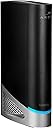
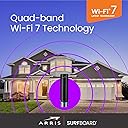
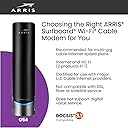
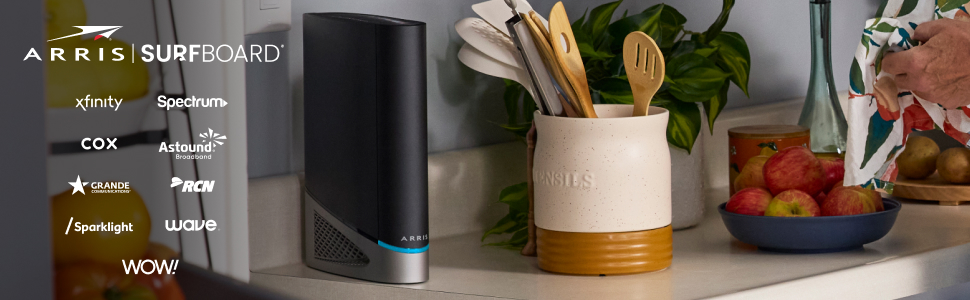
The ARRIS Surfboard G54 DOCSIS 3.1 Multi-Gig Modem & Wi-Fi 7 Router combines ultra-fast 18 Gbps internet speeds with next-generation Wi-Fi 7 coverage up to 5,000 sq ft. Featuring four 1-Gigabit and one 10-Gigabit Ethernet port, it supports major ISPs like Xfinity, Spectrum, and Cox. Designed for professionals demanding reliable, high-performance connectivity, it also helps you save on rental fees by owning your modem.


| ASIN | B0CF7L4D4N |
| Best Sellers Rank | #278 in Computers & Accessories ( See Top 100 in Computers & Accessories ) #5 in Modem Router Combos |
| Brand | ARRIS |
| Built-In Media | ARRIS SURFboard G54 Cable Modem, Power Supply, and Quick-Start guide |
| Color | Black |
| Compatible Devices | Gaming Console, Personal Computer, Printer, Security Camera, Smart Television, Smart Thermostat, Smartphone, Tablet Compatible Devices Gaming Console, Personal Computer, Printer, Security Camera, Smart Television, Smart Thermostat, Smartphone, Tablet See more |
| Connectivity Technology | Wi-Fi |
| Customer Reviews | 3.6 out of 5 stars 273 Reviews |
| Data Transfer Rate | 18 gigabits_per_second |
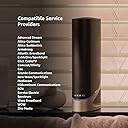
| Internet Service Provider | Cox, Spectrum, Xfinity |
| Internet service provider | Cox, Spectrum, Xfinity |
| Item Dimensions L x W x H | 4.65"L x 10"W x 12.44"H |
| Item Weight | 3.1 pounds |
| Manufacturer | CommScope |
| Maximum Downstream Data Transfer Rate | 10000 megabits_per_second |
| Maximum Upstream Data Transfer Rate | 10 gigabits_per_second |
| Mfr Part Number | G54 |
| Model Number | G54 |
| Modem Type | Cable |
| Number of Ethernet Ports | 4 |
| Number of Items | 1 |
| Number of Ports | 5 |
| Product Dimensions | 4.65"L x 10"W x 12.44"H |
| UPC | 850030172204 |
| Unit Count | 1 Count |
| Warranty Description | 1 year manufacturer |
J**Y
Modem/router
Easy to setup and maintain. Works with many providers. You do have to reboot about once a month. People don't realize that this is something that should be done anyway.
R**N
G54 buyer beware
I was looking for a multi gig modem/router combo since upgrading my internet. Had zero issues before buying this combo and I just wanted to be able to take advantage of our new speeds in our home. This has to be one of the most garbage modem router combos I’ve owned. WiFi range= trash. Some days it barely extends 10ft Ethernet connection= frequent disconnections. Interrupts gaming and video calls every 30minutes. After updating firmware and using for a few months this thing is total junk and a huge waste of a consumers time and money. I shouldn’t have to deep dive into how to fix my internet after one month of ownership and outside the return window. Buyer beware on the G54
P**Y
Always connect 6 Ghz for fastest speed.
Was able to setup the modem without any issues. However for someone who is not tech savvy the setup may not be easy. Also the modem configuration has a option "Split Mode" which splits all the frequencies. This is super important feature as I was migrating from an older modem. So someone who is not tech savvy might have difficulties. The phone app is average and is not that useful. However once setup I am very happy with the speed, which is why I bought the modem. A important thing to notice when I selected the 6 Ghz frequency that is when I got the fastest download speed on speedtest. For 5 Ghz and 2.4 Ghz the speeds were slower. 5 Ghz speed was around 450 Mbps and for 2.4 Ghz it was around 300 Mbps. So to get the fastest speed device must be connected to 6 Ghz channel. I might need to add an booster as 6 Ghz signal is weak, but it gives the desired speed.
S**Y
Solid connection
The previous three modems we've owned have been made by Arris, and very solid and reliable. So my expectations for the G54 were very high, especially considering that the cost is one of the most expensive on the market for a combo modem wifi router. It is very easy to hook up, with a power cord, incoming comm cable, and then whatever you decide to add for direct connections. The automation within this hardware is the most advanced that we've experienced. This will auto reset, and do a number of different steps (many which are beyond my comprehension) to ensure the connection is solid and to maintain accessibility. In testing the other wifi signals in our area, there is no interference or competing signals at the WiFi 7 range. Even for the lower ranges, the G54 is excellent about placing our signal in low use channel. All that to say, I've enjoyed this device for the last several months, and now feel like it was worth the cost since we've had excellent coverage ever since the initial connection was established (and sorted out with our provider).
V**K
Returned it- Very Poor Wifi and Connectivity issues, useless and Not refund my Money in time
Update as of 12/24/2024. I had returned and dropped-off at UPS on Nov 19th, I still have not received my refund of $637.04. Theses guys are crooks, holding on to the money and not returning my money fast enough. It was supposed to be refunded before Dec 24. Now the updated the date of my refund to Jan 10th 2025. Also notice this product has 19,300 review. I cannot see reviews of this product Arris G54; its mostly other older Modems like SB8200, etc. This seller and Amazon have been very crooked on this one. ----------------------------------------------------------------------------------------------------------------- This may good look on Paper, but very poor experience and quality; and is not well supported by Xfinity also. Steady Connectivity is an issue and does not have instructions to set it up. Even if you are Techie its still very hard to work with this and the indicator lights was not working at all to indicate the connection status. It showed a steady blue while the Xfinity tech support said it not online and connected. we tried 4-5 time but same results. Also this is way over price for the quality and speed. I returned this back to Amazon, relaced this with a Netgear CM3000 Modem form BestBuy. my Xfinity service is 2gig down/300 mbps up; I get 2.4 gig down and 350 up on the ethernet and wifi7 gives me up to 1.1 gig down and 350 up, using a Deco BE1100 Wifi router. Stay away from this Arris G54; other Arris products I have used in the past have been easy to install and rocky steady.
B**C
Excellent product, dismal documentation and support
I replaced my Xfinity modem/router combo with this unit. First, note that the Arris app is rated at 1 out of 5 with almost 1000 responders! I've never seen such a poorly rated app, but I learned that the terrible rating is richly deserved. It is completely useless. First, you have to contact your internet provider to get your new modem "recognized/approved/permitted" before you can get anywhere. In my case the QR codes, when scanned, showed "no useful information". My advice is just hook up your new modem to power and the internet, get it approved by calling your provider, then call Arris support and have them guide you from there. With Xfinity you can get the modem approved manually using the Xfinity app but I needed help from Arris support to do it. Calling Xfinity is a genuine nightmare so take your choice. I've tested my speed with the new unit and it is about twice as fast as the one I was renting from Xfinity, so I think the unit is good but be prepared for an ordeal getting it working, esp if you're using Xfinity currently. This is an early review; I'll update after more time with the unit. Update: After 5 days of use I decided to return the unit. The wifi signal was much weaker than my previous Xfinity unit, the unit would drop connection at least once daily, and there was considerable lag in connecting whenever a device tried to connect. Sadly the Xfinity unit was much more effective.
B**M
Met my expectaions!
A bit pricey, but really does work well!
D**R
Not Worth The Spend
Poor signal quality in a 2,500 Sq. ft. home. Definitely a step down from my Motorola MG8702. The 8702 would still be in use if it hadn't started dropping devices and packets after 5 years of heavy usage. Anyway, back to the WIFI throughput. 1st - There is an XBOX One 25 feet, line of sight, from the gateway and throughput dropped from an average of 400Mbps to 60Mbps with the switch to the G54. 2nd - Devices, like my reef tank controller workstation (on the 1st floor) no longer connect when the WNIC previously had 4 bars of signal strength, 40-50ms ping response, and no packet loss issues. 3rd - The app does not sync device naming customization with the console interface. In fact, not much syncs between the console and the app which seriously impacts streamline configuration. Also, the app and the console have different configuration options from one-another making it a struggle to verify all settings. 4th - The logs do not work at all. I have tried using the app and 3 different browsers (Edge, Chrome, Brave) on 2 different workstations with no luck. Power cycle did not resolve the issue as noted in troubleshooting. 5th - (My own fault) No VLAN segmentation, or advanced security options available. My network consistently hosts 44 - 50 devices at any given time The guests range from computers to mobile to TV to IoT, and not having the ability to segment these systems to their own VLANS is insane for a solution that costs more than $500. Needless to say, I am less than impressed with the functionality of the ARRIS G54 Gateway and will be seeking another solution in the near future. Live an learn. Ohhh something positive... The wired LAN works great... For the single attached device.
Trustpilot
4 days ago
2 months ago