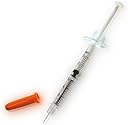
Liquid Pro
Product ID: 49332918
Details
- Brand
- Power connector type4-Pin
- Voltage12 Volts
- Wattage32 watts
- Cooling methodWater
- Compatible devicesDesktop
⚡12V optimized power compatibility
🔥32W thermal conductivity
🧪Ultra-thin 1g precision application
🔥 Stay Cool, Perform Hot – Liquid Pro Delivers!
Liquid Pro by Coollaboratory is a high-performance thermal paste designed to optimize heat transfer in CPUs and GPUs. With a compact 1g metallic formula, it supports 12V systems and delivers up to 32 watts of thermal conductivity, ensuring your hardware runs cooler and more efficiently under pressure.
| Asin | B001PE5XAC |
| Best Sellers Rank | 271,711 in Computers & Accessories (See Top 100 in Computers & Accessories) 354 in Thermal Paste |
| Brand | Coollaboratory |
| Compatible Devices | Desktop |
| Cooling Method | Water |
| Customer Reviews | 4.4 4.4 out of 5 stars (484) 4.4 out of 5 stars |
| Global Trade Identification Number | 04260157580022 |
| Item Weight | 1 Grams |
| Manufacturer | Coollaboratory |
| Manufacturer Part Number | LIQUID PRO |
| Material | Copper, Metal |
| Model Number | Liquid Pro |
| Number Of Items | 1 |
| Power Connector Type | 4-Pin |
| Unit Count | 1.0 count |
| Voltage | 12 Volts |
| Wattage | 32 watts |
User
Great but potential for damage based on users application.
Saw a huge drop in temperatures on an Aorus X5V6 CPU using this. Combined with undervolting ( not underclocking ) i saw my temperatures drop from 100c and throttling to never getting above 70cWould highly recommend but only to those willing to risk hardware as this will destroy any electronics you get it on wrong. Also avoid putting it onto any aluminium IHS.The reasong behind this is down to it being a gallium based material so will over time break through the oxide layer and amalgamate with the aluminium. Once it has done this it dissolves a crystal structure in aluminium making it extremely brittle.
User
Exceeded expectations. See tips and tricks below.
I've got two computers where I used this. One has an i7-4790K and the other is an ultrabook with i7-3517U.I delidded the 4790K and replaced the stock Intel TIM (thermal interface material) and replaced the Arctic Cooling MX-4 I had used between lid and cooler and the max temp went down by 10C at idle and a whopping 20C at max load.The ultrabook has a 3517U and a GT 620M on the same heatpipe and I think overall temps went down by about 5C under max load. For idle it is difficult to say as the fans cannot be manually configured but I got a lot more silent periods (0 rpm of 20% of time to 0 rpm 30%-60% of time) when the fans weren't running (which was my intention to begin with).This TIM also behaves in an unusual manner: the thermal conductivity is really high so you'll actually see a lot more fluctuation. Before delidding my CPU I saw roughly smooth changes in temps, with a polling rate of 10Hz I could actually see the sinusoidal waveform. With this TIM the material sucks heat away so quickly that I don't see the proper waveform, but rather, I just see small spikes. Looking at CPU temp right now at idle it fluctuates between 32C and 37C all the time (average being around 34C) even if there are seemingly no changes in load. This is most likely just the Coollab TIM reacting very very quickly to individual heat bursts produced by short chains of uneven load cycles in the CPU.In both usage cases a very significant improvement. Tips and tricks:1) Before using product for the first time, _pull_ the piston. Over time the piston gets stuck and if you push it straight away you can accidentally spill some 5ml-10ml in one go.2) Use very little. I found that for a small die (notebook mobile GPU) only even 1ml can be a lot. If used on a large CPU lid, you may need up to 5ml if the lid is very large.3) The included cotton swabs work really well for spreading the TIM. Sweep gently until TIM is evenly spread. Don't press hard so that the swab won't needlessly soak in the TIM. Do not attempt to do the "line" or "pea sized dot" as those only work for paste-like TIMs.4) If different materials are contact surfaces, apply material based on surface material, not component, in this order: silicon die -> copper -> other metals (such as steel lids on CPU). DO NOT USE on aluminium. The TIM likes certain metals more than others and for example CPU lids (steel) are really difficult to spread on, so just apply straight to cooler (copper).Thanks Coollab for making my life so much cooler!
User
Good product and definitely brings the temps down
Good product and definitely brings the temps down,Application was extremely difficult, not to mention the cleaning part too!But that's the pay off I guess,Be warned it can be difficult to clean and apply!
User
Just buy it, JUST BUY IT!!
Totally amazing piece of kit. I had been doing a lot of research before buying this one. And I must say I am extremely impressed with Liquid Pro.On my Alienware m14x the CPU was around 70c and GPU 92c on load extremely hot, close to burnout! after I put liquidpro on them the cpu averaged 40c and the gpu 55c! A HUGE loss, typical Dell for putting rubbish Thermal paste on though.Things to note with this stuff though:1. You only need a tiny amount to cover the cores (literally the side of a tiny water bead) - a tiny amount will spread over the whole of the core no problem.2. When covering the cores, use a cottonbud (Q tip) and gently spread it, it is like magnesium so be patient.3. If you put it on your Core fans, make sure that you put it on copper plated fans only. This stuff will corrode aluminium4. Don't get it anywhere else apart from the core, if you get any on the chips use the syringe to suck it back up. It will come easily, but dont try to dab it out, LiquidPro is metallic thermal paste meaning it will potentially short circuit things like chips that it touches. So be extra careful.5. After it is spread, make sure you put the fan vertically down on it. Don't slide it into place as this may move the paste causing you larger problems in the future.Other than that, If you are considering getting this stuff. Don't consider just get it. It tops all the other pastes out there. Also my research has shown that Pro is better than the Ultra so get this instead :)
User
It's good stuff - at least my PC hasn't overheated and ...
It's good stuff - at least my PC hasn't overheated and it's only fan cooled, so it must be doing something right - but it's very messy, tends to splurt out fast and the needle is extremely sharp at the tip, so be careful when applying it. When it tells you to use a small blob, it means it; you get vastly more than you could conceivably need in the syringe, plenty enough to do a practice application before you squirt it onto your £300 processor anyway.
User
you need a fine sanding block
This is dangerous stuff, because it stays liquid and is electrically conductive and adheres to anything metal, so motherboard components are at risk. To remove it afterwards, you need a fine sanding block, which it comes with. If you have to over-clock, then this is one of the best. There is a warning about it damaging aluminum heat sinks.
User
Very Impressed
After reading reviews on this stuff I decided to give it a try.As there is the right way of applying this stuff It's advisable to carefully read the instructions as preparation is important. There also is a video on youtube to show you how to apply the liquid metal onto your cpu.First I removed the cpu from the mother board encase I spilled some and possibly causing a short circuit. After cleaning and preparing my i7-860 cpu I applied the Liquid metal using the cotton bud supplied, which took a few minutes.I then cleaned the die on the corsair H60 and installed the cpu.Before I bought this Liquid metal I was using Artic silver 5 and took a note of the idle and 100% temps using CPU-Z and CPUID Monitor.My i7 860 was overclocked from 2,8 Mhz to 4.3 Mhz and Idle Min 41c idle and 67c Max stressed at 100% for two minutes Ambient temp 23cUsing Coollabratory Liquid pro at the same settings I was reading 38c idle and 61c Max stressed at 100% for two minutes Ambient 23cPretty impressive set of results and much better than I expected. Note the Artic silver was pretty much cured over the last 5 months.Going to try this on my laptop's T9900 cpu next.
User
Rubbish doesn't apply well.
The silver component doesn't attach well to the cpu, you have to remove all grease and then make sure that the surface is able to bond with this, which I found very difficult. Instead it would bond to my finger and when passing my hands. It appeared to bond to the applicator I was using more so than the CPU or block.I found ARTIC MX-2 8g Thermal Compound much better for application and cooling the same CPU.
User
20° to 30° degrees Celsius difference under load on air!!!
Holly cow does this work!!! Delidded my aging 3770k in an effort get more performance out of it for today's games and not be so much of a bottle neck for my GTX 1080 purchased in November (got really lucky with this one as I managed to find one at $499 usd at my local computer store even if it was only the Asus turbo and not a better card with a a better cooler).Before delidding and at clocks of 4.6ghz with 1.370 volts I was hitting 90°c while running prime 95 torture test.After delidding and using the same voltages and clock. I barely manage to hit 70°c while runing prime95 torture test.All this while monitoring my temps for several hours using realtemp utility to monitor each core. Asus AI suit monitor however, for what ever reason was giving me lower temps. 75° to 85° when running prime 95 before the delid, and now displaying 50° to 55° while running the torture test after delid. Both utilities running side by side all on a 3770k in an Asus p8z77-V mother board with latest BIOS. I don't know which is the more accurate one, but the temperature difference is definitely worth the delidding if done properly. I should perhaps also mention I achieved all this with a Hyper 212+ with dual fan push pull configuration. I wasn't thinking of over clocking heavily when I purchased this CPU and would run it at 4.2 which is why i don't have water cooling, but with recent gaming titles and current hardware prices my current gaming set up turned out to be somewhat future proof and have only needed to upgrade my GTX 680 to the 1080 to be able to enjoy the recent titles with out too much of a bottle neck. Overall i'm happy with this product. I know there is much better hardware out there today, but with the current prices this set up will hold me over hopefully until prices either drop to close to MSRP or some revolutionary game comes out which is completely unplayable with my current set up.I also forgot to mention, I used Arctic silver 5 between the Hyper 212+ and the head spreader since the 212+ does not have a full copper contact base and it is mentioned several times in the Liquid Pro literature that this product is not recommended to be used in direct contact with aluminum.
User
Un Refroidissement Glacial ! 🥶
J'ai acheté cette pâte thermique pour mon processeur AMD Ryzen 3950X avec un NH-D15 et franchement je suis à 37° au repos et en utilisation intense 50°, le top du top mais pas facile à appliquer, en fait j'en ai mis un peu mais avec les cotons de tige fournie les étaler n'est pas si facile, faut avoir la technique !J'ai réussi à l'étaler grâce à un mouchoir en papier blanc lol mais sinon 10/10 elle est excellente et je la zieutais depuis un moment et franchement pas déçu du tout !
User
pasta termica liquida metálica
Funciona de maravilla, muy costosa pero pues mejor invertir en esto y no en un nuevo CPU/GPU. que por cierto, en el primero me bajo 20 grados y en el segundo 30 grados, una chulada!, recomiendo complementen bajandole el voltaje al cpu.
User
Großartig!
Das ist schon der Hammer das Zeug. Mein Laptop Lenovo y70 touch, hat immer den Lüfter laufen und bei mehreren offenen Programmen wird es auch schon mal etwas geräuschvoller. Wollte sowieso mal die gesamte Kühlung nach ein paar Jahren Benutzung reinigen und dachte mir, auch gleich mal die Wärmeleitpaste zu erneuern. Habe mich dann etwas informiert, mir ein paar Videos angeschaut, wie man das Flüssigmetall aufträgt, und schritt dann zur Tat. Sicherheitshalber bedeckte ich alle Kontakte, die einem Kurzschluss durch das Flüssigmetall ausgesetzt sein könnten mit Nagellack.Nun habe ich noch Wärmeleitpads über der CPU und GPU auf die Pipes doppelt (3mm) aufgeklebt, sodass da auch noch mal Wärme auf das idealerweise Aluminiumgehäuse abgeleitet wird.Und siehe da: Mein Lappy schnurrt nur noch leise vor sich hin und ist kaum mehr hörbar.Absolute Empfehlung!
User
works on xbox x
Used on xbox x. Worked perfectly. You need to use a bit more than you expect. When applied, make it look like a perfect mirror finish. if it looks rough and blotchy, then you have not put enough on.Silenced my xbox, fan no longer runs at full speed ever.
Trustpilot
3 weeks ago
2 days ago