Desertcart purchases this item on your behalf and handles shipping, customs, and support to Israel.
🚀 Elevate your home network with AI-powered speed and coverage — don’t get left buffering!
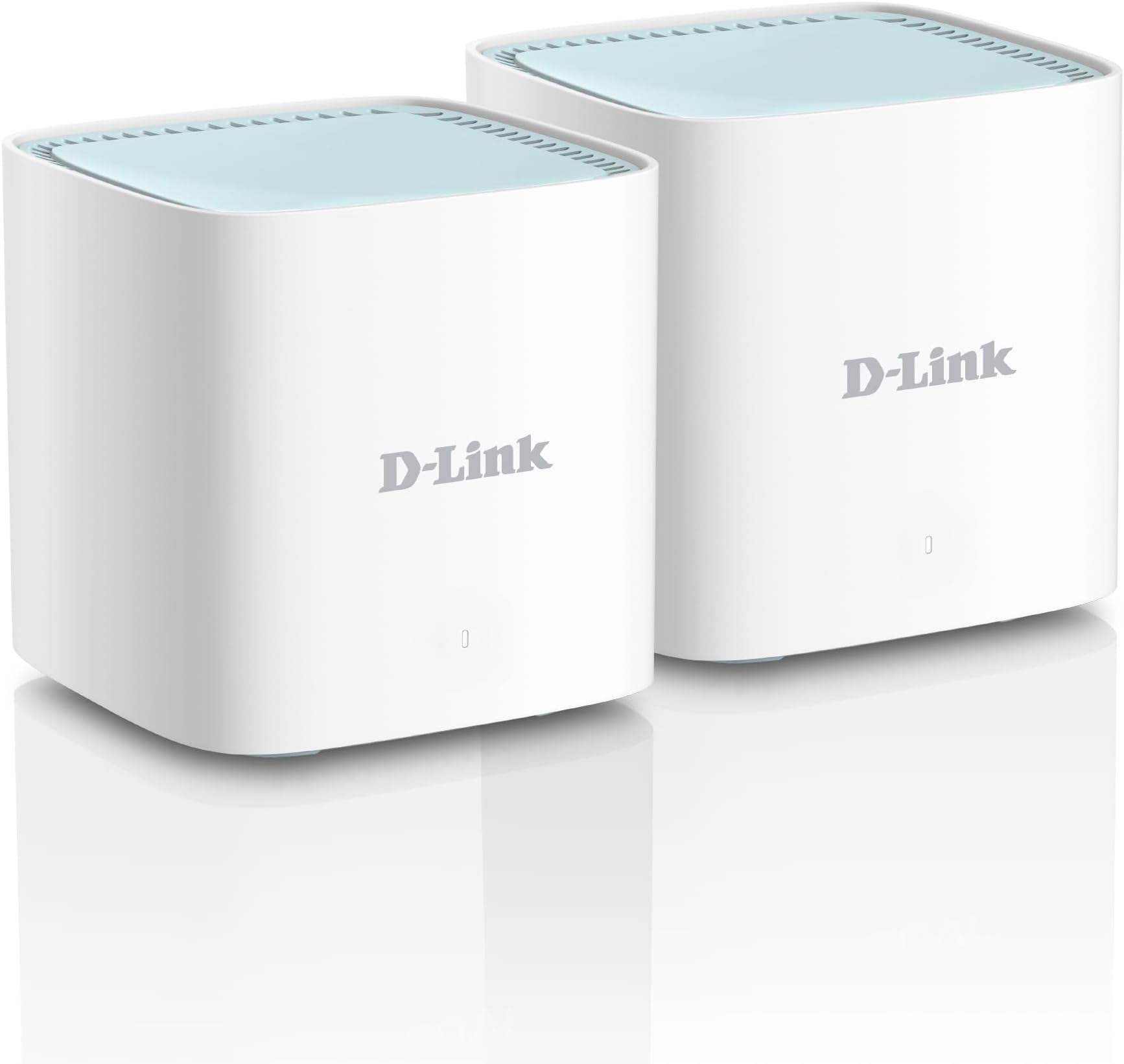
The D-Link M15 WiFi 6 Mesh Router 2-pack delivers up to 1500 Mbps dual-band speeds and covers up to 4000 sq.ft with AI-powered mesh technology. Featuring intelligent optimizers for channel selection and traffic prioritization, it ensures stable, fast connectivity throughout your home. Control your network effortlessly via voice commands or the dedicated app, while advanced WPA3 security and MTCTE certification keep your data protected. Ideal for professionals seeking seamless, future-ready home WiFi.


| ASIN | B09ZZR4YPS |
| Antenna Location | Home |
| Best Sellers Rank | #1,355 in Computers & Accessories ( See Top 100 in Computers & Accessories ) #3 in Whole Home & Mesh Wi-Fi Systems |
| Box Contents | 2 Pack Of M15 Mesh Router, 2 Power Adapter, Cable, QIG |
| Brand | D-Link |
| Brand Name | D-Link |
| Colour | White |
| Compatible Devices | Laptop, Personal Computer, Smart Television, Smartphone, Tablet |
| Connectivity Protocol | Wi-Fi |
| Connectivity Range | 4000 Square Feet |
| Connectivity Technology | Wi-Fi |
| Control Method | Voice |
| Controller Type | App Control, Voice Control |
| Country of Origin | Taiwan |
| Coverage | Whole Home, Up to 370 sqm (2-pack) / 500 sqm (3-pack) |
| Customer Reviews | 3.7 out of 5 stars 148 Reviews |
| Data Transfer Rate | 1500 Megabits Per Second |
| Frequency | 5.00 |
| Frequency Band Class | Dual-Band |
| Has Internet Connectivity | Yes |
| Importer Contact Information | D-LINK (INDIA) LTD Plot No U02B, Verna Industrial, Estate, Verna, Goa 403725 |
| Is Modem Compatible | No |
| Item Dimensions L x W x H | 22L x 16W x 8.3H Centimeters |
| Item Type Name | D-Link M15 AX1500 Eagle Pro AI Mesh Wi-Fi 6 Router |
| Item Weight Unit of Measure | 200 Grams |
| LAN Port Bandwidth | 10/100/1000 |
| Manufacturer | D-Link, D-Link Corporation, D-Link Corporation. No 289, Xinhu 3rd Road, Neihu District, Taipei City 114, Taiwan, R.O.C |
| Manufacturer Contact Information | D-Link Corporation, D-Link Corporation. No 289, Xinhu 3rd Road, Neihu District, Taipei City 114, Taiwan, R.O.C |
| Manufacturer Part Number | M15 |
| Maximum Upstream Data Transfer Rate | 1500 Megabits Per Second |
| Model Name | M15 |
| Model Number | M15 |
| Number of Ports | 2 |
| Operating System | RouterOS |
| Other Special Features of the Product | Access Point Mode |
| Packer Contact Information | D-Link Corporation, D-Link Corporation. No 289, Xinhu 3rd Road, Neihu District, Taipei City 114, Taiwan, R.O.C |
| Security Protocol | WPA/WPA2 -Personal, WPA2-Personal,, WPA2/WPA3 – Personal (WPS not supported), WPA3 |
| Special Feature | Access Point Mode |
| Unit Count | 2 Count |
| Warranty Description | 3 Years |
| Wi-Fi Generation | WiFi 6 |
| Wireless Communication Standard | 2.4 GHz Radio Frequency , 5 GHz Radio Frequency |
| Wireless Compability | 2.4 GHz Radio Frequency, 5 GHz Radio Frequency |
A**I
Best WIFI6 upgrade!
One of the best and value for money upgrades to my old WiFi. Punches through concrete walls and has table wireless backhaul for my internet connection. Good IPV6 support. app support is good, easy to setup and use UI. AI optimisation features are useful and full support for DFS bands. I would wholeheartedly recommend this product! One of my friend has deployed about 15 aps in his house with rock solid performance throughout.
V**A
Worst Experience
Bad experience with set up and APP , the range is half of expected , bad build quality , frequently resets on its own and loses connection with other nodes in the mesh . Better go with tp-lino decos , that's what I'm using right now .
A**R
Great Product
I had Wi-Fi reach issue on the first-floor rooms as the modem/router was placed on the ground floor. Even on the ground floor the signal strength was dropping in some rooms as the modem was placed in a designated place which was towards the corner. After little research, I zeroed in on D Link M15 which instantly solved my problem. Not only the signal strength improved in all the places on the ground floor, but I also found significant improvement on the first-floor hall and the rooms. The mesh router is superb. No more drag and frame freezing during video calls.
V**H
Confusing Setup but Good Performance
Initially, I faced a lot of problems while setting up the mesh Wi-Fi. Later, I realized that it connects through the main router provided by the internet company. The device comes with an Ethernet cable, which needs to be connected from the main router to the mesh unit. After plugging it in and setting it up properly, the Wi-Fi started working fine. In the beginning, it was quite confusing because there are no proper step-by-step videos available on how to connect it correctly. I had to reset the device and set it up again to make it work. I would suggest that the company should provide a clear installation guide or video, because many people may think it’s just a simple Wi-Fi device that starts working instantly, which is not the case. Mesh Wi-Fi setup can be confusing for first-time users Range: Good coverage across floors once set up properly Quality: Overall build and performance are good Appearance: Simple and clean design. Security: Feels secure with stable connectivity Value for Money: Worth it after proper setup, but setup process should be easier
R**H
Product and supporting app
Eagle pro AI app not supportive. Every time try to sign in its keeping buffering.signal strength is low. Router gets heat very soon.
D**H
D'link m15 good as of now.
Good one but its quite early to tell, as its installed only 2 to 3 days on 13th July 2026 alone it's delivered. So till now there is no issues.
S**I
Great Product, super easy setup
Guys in this price you are getting a WiFi 6 mesh router that too 1500mbps speed, i don't think there is any brand near this price, the setup via app is super easy you just scan the QR code below the product follow 3 setups and you are set, you only need to keep your internet id & pass handy.. once you set your primary device the secondary device you just place wherever you desire plug it in the socket and turn on wait for few seconds and it auto detects and connects with your internet.. the AI functions are crazy you can limit users, the connection is always seamless, the wifi optimisation is perfect, you have complete control via app. No need to keep changing your SSID to 5ghz to 2.4ghz it automatically detects and provide uninterrupted connections to devices, I have already tested on 20 devices connected at ones.. and I faced no loss or lag.. highly recommend you all to buy this without a shadow of a doubt.
D**A
Strongly recommend not to buy
one of the worst routers money can buy, disconnects every other second, router gets turned off automatically and is very unstable
Trustpilot
2 weeks ago
1 week ago