Buy anything from 5,000+ international stores. One checkout price. No surprise fees. Join 2M+ shoppers on Desertcart.
Desertcart purchases this item on your behalf and handles shipping, customs, and support to Israel.
🎥 Elevate your command center—because your workflow deserves the ultimate control hub!
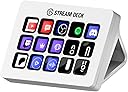
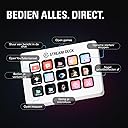
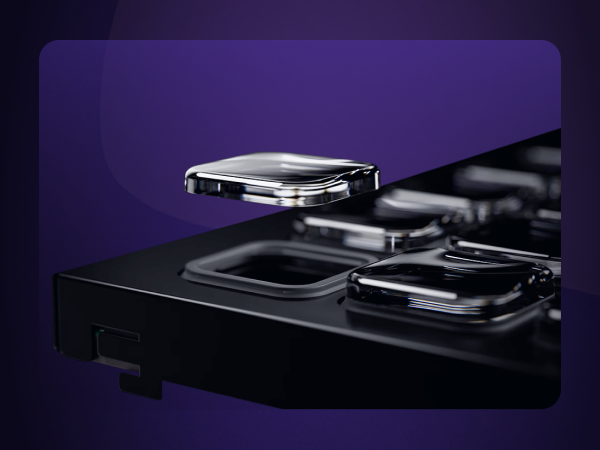
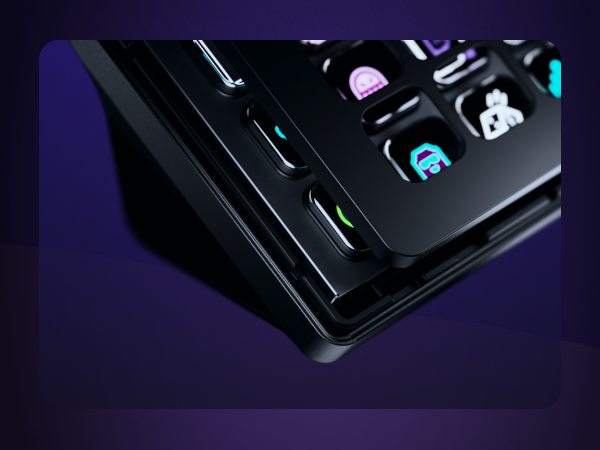
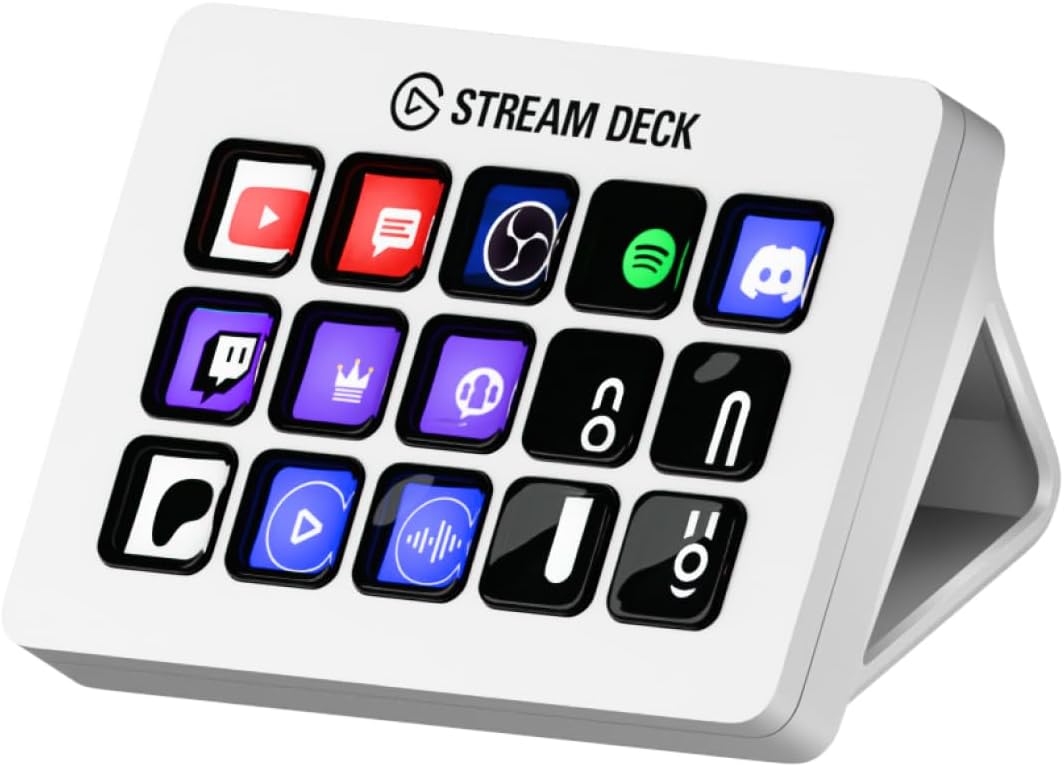
The Elgato Stream Deck MK.2 White is a compact, USB-powered studio controller featuring 15 fully customizable LCD keys. Compatible with both Mac and PC, it enables instant triggering of actions across popular apps like OBS, Twitch, YouTube, and more. With powerful plugin support and multi-action capabilities, it transforms complex workflows into seamless, one-touch operations—perfect for streamers, creatives, and professionals seeking to boost productivity and command their digital environment with style.


| ASIN | B09RMXK59C |
| Additional Features | Backlit |
| Antenna Location | Office |
| Best Sellers Rank | #167 in Video Games ( See Top 100 in Video Games ) #41 in PC Accessories |
| Brand | Elgato |
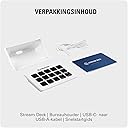
| Built-In Media | USB Cable |
| Button Quantity | 6 |
| Color | White |
| Compatible Devices | PC |
| Compatible Operating System Family | Windows |
| Connectivity Technology | USB |
| Customer Reviews | 4.8 out of 5 stars 2,291 Reviews |
| Enclosure Material | Plastic |
| External Testing Certification | Não Aplicável |
| Hand Orientation | Ambidextrous |
| Item Dimensions L x W x H | 4.65"L x 3.31"W x 0.98"H |
| Item Weight | 0.15 Kilograms |
| Keyboard Backlighting Color Support | Single Color |
| Keyboard Description | Gaming |
| Keyboard Layout | QWERTY |
| Language | English |
| Manufacturer | Corsair |
| Mfr Part Number | 20GBA9901-wt |
| Minimum Required Operating System Version | Windows 10 |
| Model Name | MK.2 |
| Model Number | 10GBA9911 |
| Number of Keys | 15 |
| Number of Sections | 3 |
| Power Source | USB Powered |
| Recommended Uses For Product | Office |
| Special Feature | Backlit |
| Style Name | Stream Deck White |
| UPC | 840006654209 |
| Unit Count | 1.0 Count |
| Warranty Description | 2 year manufacturer |
R**Z
The BEST of the BEST!
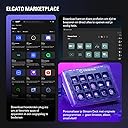
First, this is my third one that I bought... So that's means that this product is top quality. You can do anything with this... Just watch videos in YouTube to have some ideas. I'm using it as a video editing, TV Playlist for my TV network... You can create profiles, for example: When I open DaVinci Resolve, all the buttons change with the shortcut that I use, same thing on Premiere and so on. I thing that 15 buttons are enough, because you can create profiles, folder, pages, multi-action buttons, etc... So you have infinite buttons... You just have to be creative to organize it... As you can see in the video, I create 5 profiles on the top buttons, and all 5 profile have the same on the top, so I create like a static menu. Remember, this not only for streamers... This will work for everything! For office, graphics designer, video editing, gaming... Yes, you can customize the button with a shortcut or keyboard keys. You can use it to control the volume, smart lights, also you can use IFTTT. Very easy to use, they have a Store where you can downloads profiles, static and animated icons and plug-ins... Most of them are free! Works with PC & Mac, also they have a Stream Deck App for iPhone and Android, but you have to paid monthly to used it. This change and improve my productivity 100%! I also create a profiles with funny sfx to make my co-workers laugh! 😅
N**S
Must have! GO GET IT!
I’m so happy i finally caved and purchased this. It’s such a game changer for my streams. This is a must for any type of streamer. Easy to use and set up, most everyone has a seamless integration with Elgato. Love it!
W**H
If you're on the fence, just do it, I did and don't regret it
So been using this for a little over 7 months and didnt want to write a review until I had given it a run and honestly can say that I couldn't use my PC without this. I have set up custom buttons to do everything I need while on my pc, I stream a little hear and there so I have an entire page for my OBS, I have shortcuts to websites I use daily, I even set up macros to restart and shutdown my pc so if I have to leave I can just press a button and out the door I go. Pros: Simple to use Software is straight forward Learning new things for it is easy Makes using my computer seamless Cons: Anti slip bottom not so grippy most of the time The last isn't a read con per say more just annoying but has no effect on the actual device and won't hinder my review. Gonna use a little longer and look at upgrading to a newer model with more buttons.
E**N
Good device.
got this for my wife when she started streaming. I am jealous. I have the old one, and while the function is the same, I love that hers is much more stable than mine. Mine is rather easily knocked off of its stand, and hers does not. I cant even remember if this one is actually a stand, or just attached. Either way, huge improvement. Works as it should.
T**L
My new Stream Deck
My new Stream Deck is a game-changer for streamers and content creators! Intuitive controls, customizable buttons for any task, and lightning-fast response make content management easier than ever. Starting streams, switching scenes, controlling audio, and even integrating with chats—all at my fingertips. An essential tool for maximum comfort and productivity!
E**E
So Convenient
A very convenient tool to have. The compatibility across different apps is incredible. Able to monitor my pc's performance or able to start up apps or mute my mic. Got this one in white so I could pass my black one down to my husband, so he absolutely loves his "new" stream deck too. Able to adjust brightness to your liking and the buttons are very soft and quiet
R**S
Love the features but hate the price a bit
I’ve been using this for a couple weeks now and I get why people swear by it. Once you actually set it up properly it becomes one of those tools you didn’t realize you needed until you have it. I mainly use it for workflow stuff, launching apps, switching between tools, controlling audio, quick shortcuts for repetitive tasks. The customization is where it really shines. You can basically map anything to these keys and the visual icons make it super easy to remember what does what. It’s especially useful if you’re juggling multiple programs at once. The integration with things like OBS and other apps is solid too. Even outside of streaming it speeds things up in a way that feels pretty natural after a few days. That said, the price is what keeps this from being a full 5 stars. For what it is, $150 feels a bit steep. It’s great once you’re using it but it’s definitely one of those purchases where you hesitate before clicking buy Overall though if you value efficiency and like optimizing your setup it’s a really cool piece of gear. Just wish it was priced a little more reasonably
D**0
A Game-Changer for Streamlining Workflow and Multitasking!
The Elgato Stream Deck MK.2 White has completely transformed the way I work and multitask. From the moment I set it up, I was blown away by how much easier it made my daily tasks. The customizable buttons allow me to program everything I need—whether it’s launching apps, switching scenes, controlling audio, or executing complex macros—all with a single press. The build quality is fantastic, and the white design is sleek and modern, blending perfectly with my setup. The responsive LCD keys are not only visually appealing but also incredibly functional, providing a clear, tactile feedback that makes navigating through tasks feel effortless. Since incorporating the Stream Deck into my workflow, I’ve noticed a significant boost in my productivity. I can easily juggle between programs, manage my stream, and execute commands without losing focus. Whether you're a streamer or someone who just needs an efficient way to manage multiple tasks, the Elgato Stream Deck MK.2 is a must-have tool to simplify and optimize your workflow. Highly recommend!
F**K
Geweldig
Geweldig! Je went er wel snel aan en ik gebruik hem voor van alles en nog wat
E**A
Using it for almost a year and love it
I have been using this steam deck for almost a year now and still love it as much as the day I bought it. I play a lot of games which require emotes and repetitive commands and this is the perfect way to cut my time in half, allowing me to focus more on gameplay and less time on typing out what emote I want to use. I can have pages for multiple situations and it is so easy to customise and set up the function of each button. I find that 15 keys is the perfect amount for me, the Steam Deck is big enough to give me plenty of keys to set functions to, and small enough that it does not take up a lot of room on my Deck. Also, the app that complements the deck is also very easy to use and there are multiple videos to help you out if you ever get stuck or confused on how to do a certain thing.
M**N
MUITO BOM
TOP
W**L
PC環境のQOLが上がった
イヤホンとスピーカーのワンタッチ切り替え アプリの起動やマクロ等色々使えて便利です 買ったらまずファームウェアのアプデをしてから拡張機能をダウンロードしましょう 旧バージョンだと拡張機能がろくに使えないので
J**Y
Une fois utilisé ... on ne peut plus s'en passer
Acheté le modèle précédent ( en noir ) au départ pour servir de boîte à boutons pour un cockpit de Simracing, l'usage s'en est vite augmenté pour de la bureautique .... lancement de programmes, accès direct aux sites internet favoris et usages de plus en plus variés grâce aux diverses applications disponibles chez Elgato ( notamment ) ..... Défaut du mk1 ( câble USB soudé sur la carte interne du Stream Deck et sujet à des faux contacts avec le temps par manque de blocage du câble à l'intérieur ) Afin d'éviter un changement de place trop fréquent ( bureau - Cockpit et vice versa ), l'achat d'un 2ème s'est vite fait nécessaire. Ce MK2 a l'avantage d'avoir un câble USB à brancher via une prise de l'appareiln donc nullement sujet aux faux contacts et changement possible si nécessaire avec le temps ) et un support moins fragile et pratique que celui du ( appelons le ) MK1. Choix du blanc cette fois ... juste un goût personnel et une meilleure différence entre les touches non paramétrées noires et la couleur du support. Utilisation facile à comprendre puis à appliquer .... avec l'habitude, on finit par élargir son usage à d'autres utilisations que celles de base. Appareils durables ... le précédent a 4 ans d'usage tous les jours et il fonctionne toujours impeccablement, sauf le câble qu'il faudra penser à ressouder .... ce qui ne sera jamais le cas de ce nouvel MK2
Trustpilot
4 days ago
1 month ago