Desertcart purchases this item on your behalf and handles shipping, customs, and support to Israel.
🚀 Scan smarter, not harder—your mobile office just got an upgrade!
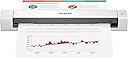
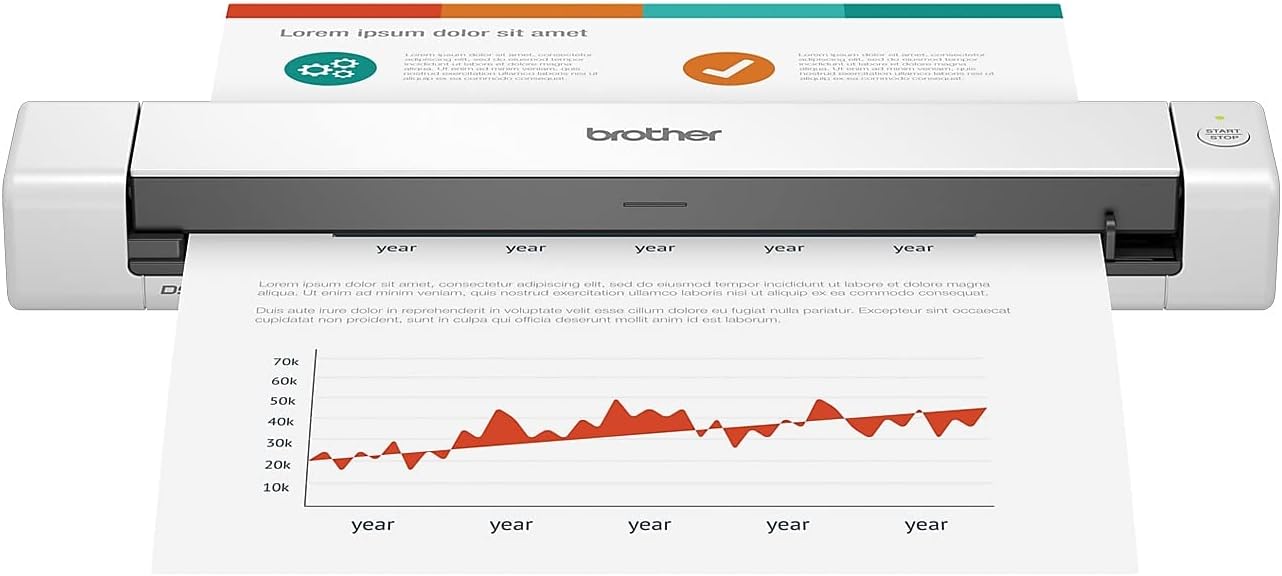
The Brother DS-640 is a compact, ultra-portable mobile document scanner delivering fast 16ppm color and B&W scans. Powered via USB 3.0, it supports multiple platforms and advanced image optimization features including OCR and bleed-through prevention. Perfect for professionals on the move, it fits easily in bags and enables seamless scanning to PCs, networks, and cloud services.


| Asin | B083R36CY4 |
| Best Sellers Rank | #4,863 in Office Products (See Top 100 in Office Products) #4 in Document Scanners |
| Brand | Brother |
| Built In Media | Item |
| Color Depth | 48, 24 |
| Connection Type | USB |
| Customer Reviews | 4.3 4.3 out of 5 stars (6,426) 4.3 out of 5 stars |
| Greyscale Depth | 8-bit |
| Item Dimensions D X W X H | 1.99"D x 11.9"W x 1.45"H |
| Item Type Name | Mobile Scanner |
| Item Weight | 1 pounds |
| Manufacturer | BROTHER |
| Media Type | Business Card, Embossed Card, ID Card, Laminated Card, Plain Paper, Plastic Card, Receipt |
| Minimum System Requirements | Supports Windows, Mac® and Linux® environments and TWAIN/WIA for PC/ICA for Mac/SANE drivers.‡ |
| Model Name | Compact |
| Optical Sensor Technology | CIS |
| Resolution | 300 |
| Scanner Type | Business Card, Document |
| Standard Sheet Capacity | 1 |
| Unit Count | 1 Count |
| Upc | 012502657477 |
| Warranty Description | 1-year limited warranty |
| Wattage | 2.5 watts |
User
Quick and convenient scanner
I hardly leave reviews but this thing really impressed me. It scans documents really fast and the quality of the scans are absolutely fantastic. It is surprisingly small.For my basic needs this thing is perfect. Scanning one page at a time could be an issue if you need to scan a ton of documents all at once but for my usage I will be scanning a few things at a time pretty randomly so this is not much of an issue for me. It works perfectly well with my MacBook Pro M5 using an Apple USB-C to USB-A adapter. I do wish this scanner came with USB-C but not a deal breaker. One cable from my computer powers the scanner so that is a bonus.The driver was a quick download and it works flawlessly.
User
I love to scan, man
I actually love this thing. Mine does not do dual sided scanning. The software is good. It’s small and very portable. It’s not WiFi enabled but I don’t really need that, would be nice, but it costs more. Good value. It only jams when you try to do too much with it. For the money it does a great job.
User
Glowing Review ~ 2.5 Years Post-Purchase
I purchased this scanner about 2 and a half years ago and it continues to work flawlessly... This is impressive as I admittedly purchased this portable on-the-go scanner for a very different task - to digitize all the documents in my filing cabinet from the last 30 years. The initial wave included around 5000 documents soooo no question it has paid itself off.To be honest, at this point, there isn't much I haven't tried feeding through this thing - credit cards, sparkly greeting cards, supplement cardboard box packaging, etc. so I'm continually impressed it hasn't broken. When theres an issue (feeding documents too quickly, a paper jam, etc) the indicator light blinks red and, as far as I know, to remedy this you lift the top portion and close it... I've had to do this many times (which is not to say it malfunctions often) but each time it sounds/feels like the act alone should break the thing.The only bummer to me is the scanning length limitation. While the width limitation is a given due to the physical dimensions of the scanner, the documents are fed through and each individual scan is limited to around 14". That is, it stops feeding through at a certain point and if the item hasn't cleared, you get the red indicator light and the image isn't processed.Other things I like:+ the cord is detachable+ I was able to download and operate the supporting software on my dinosaur 2011 mac air+ the software has a continuous feed feature to scan multiple documents in a row (without having to interact with the software between pages)
User
Works As Advertised
Shipping was good. Received in 10-days (international). Purchased to scan legal length documents. Plug & play. Insert USB cord into PC for power & function. Software downloads quickly. Scans quickly. No jams. Image quality is good. Small size is convenient. Disconnect & put in box for next time. There were 2 app options offered as add-ons. I liked the PDF app. Rides on Adobe Reader (free reader) & has sufficient manipulative options for home use. Licensing is relatively inexpensive when compared to Adobe Acrobat & other office oriented software. Product will store scans on SD but I have no need to do so. I also have no comment on durability as it is too new to rate. In summary it was a good purchase for me to supplement my laser printer that only does 8.5 by 11 inch scans so product does what I need it to do for the right price.
User
great for single (slightly/occasional multi) page scans
Works great with the associated software and drivers (you'll see people complaining that the software doesn't do XYZ specialty feature, but it works for the average user perfectly fine). You can scan as many pages as you want, but it gets tedious if you're doing more than say 5 pages with much regularity since you're loading them one at a time. It's a great product for what most people probably use it for. If you do a lot of multi-page scanning with regularity, you'll want something that feeds from the top.
User
Scans nice when it works, but tends to blue screen on Windows 11
As other's have mentioned, this scanner can result in frequent blue screen events. When it does work, it scans well. I scanned a total of 3 documents, each time, I experienced a blue screen on Windows 11. What happens, is that if you leave it connected after the scan, Windows seems not to like that, and retaliates with the dreaded blue screen. And that's only about a minute or so after you scan something, so if you have another sheet queued up to scan, you'll be out of luck. On the third instance of this, my machine complained badly after the blue screen, and on reboot, went into safe mode, and took a few minutes to boot, when normally it boots in about 20 seconds.Pros:1. Scans well if you can get past the blue screen that frequently happens.2. The resolution can go quite high, but it's finicky and makes you change other settings each time you scan.3. It's fast and impressive4. It's compact, easy to tuck out of the way into a desk drawer5. It would be almost perfect if not for the blue screen issue.Cons:1. Tends to blue screen on Windows 11, as others have mentioned.2. The On/Off button is sensitive and finickyOverall, this device is completely unacceptable, I did not find any fixes or upgraded drivers on the Brother site.I purchased this scanner, but tucked it away, still in it's box for while before using it, so the return window has closed. $100 is not a lot for a scanner, but still, that's a nice chunk of change to loose on a defective item. I intend to contact Brother and request a complete refund, siting the multiple mentions of blue screen events here on Amazon. I'll update this post as that process proceeds.
User
I love this mobile scanner
This has worked so good for me and when it scans the documents you can see it so well. This is everything
User
Compact, Works Great, Flawless
This little scanner is really a good machine. It fits in my laptop - backpack and has been flawless for nearly 5 years of ownership and monthly use.
User
Space saving.
Good replacement for my flat bed scanner. Easy to setup (just connect cable) and takes very little space on my desktop. Document feeding takes a bit of practice and can be difficult if the document is not flat.
User
Muito bom
Excelente, estou comprado o segundo
User
Very convenient for shared work spaces
A lot faster than expected. Very happy with it. Would definitely buy again.
User
Excelente equipo
Me ayudó a resolver y reemplazar el otro equipo que llegó al final de su vida útil, una buena oportunidad y calidad de equipo, hasta el momento muy bien,Solo que la semana pasada pasada estuvo más barato del precio adquirido hace dos semanas
User
Mobile Document Scanner
Assumes that power from your notebook is only located on the left side of the computer. USB is on the right side of the device. Aside from that, it is quick, responsive and the one tap shortcuts to folders on your computer are a dream to set up and operate. Recommended.
Trustpilot
4 days ago
2 weeks ago