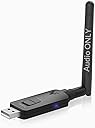
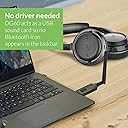
🎶 Elevate Your Audio Game with Avantree DG60!
The Avantree DG60 is a cutting-edge USB Bluetooth 5.0 audio adapter designed for seamless audio streaming from PCs, laptops, Macs, PS4s, and Nintendo Switches. With a remarkable range of up to 164 feet and aptX Low Latency support, it ensures high-fidelity sound without lag, making it perfect for music lovers and movie enthusiasts alike. Easy to use with a plug-and-play setup, this adapter is your gateway to wireless audio freedom.


| ASIN | B07W5DDZQN |
| Brand | Avantree |
| Color | Dark Grey |
| Compatible Devices | Keyboard, Mouse |
| Connector Type | USB |
| Current Rating | 1 Amps |
| Customer Reviews | 4.0 out of 5 stars 328 Reviews |
| Item Dimensions | 3.78 x 3.46 x 0.91 inches |
| Item Weight | 0.8 Ounces |
| Item dimensions L x W x H | 3.78 x 3.46 x 0.91 inches |
| Manufacturer | Avantree |
| Mfr Part Number | BTDG-60-BLK |
| Model Number | BTDG-60-BLK |
| Number of Items | 1 |
| Number of Ports | 1 |
| Package Quantity | 1 |
| Unit Count | 1.0 Count |
| Warranty Description | Warranty - 12 months (extend to 24 months with product registration) | Extensive Support: Chat, Email, Phone, Online Clinic, Video Tutorials, FAQ and Registration - avantree.com/support |
D**5
Strong signal, easy setup.
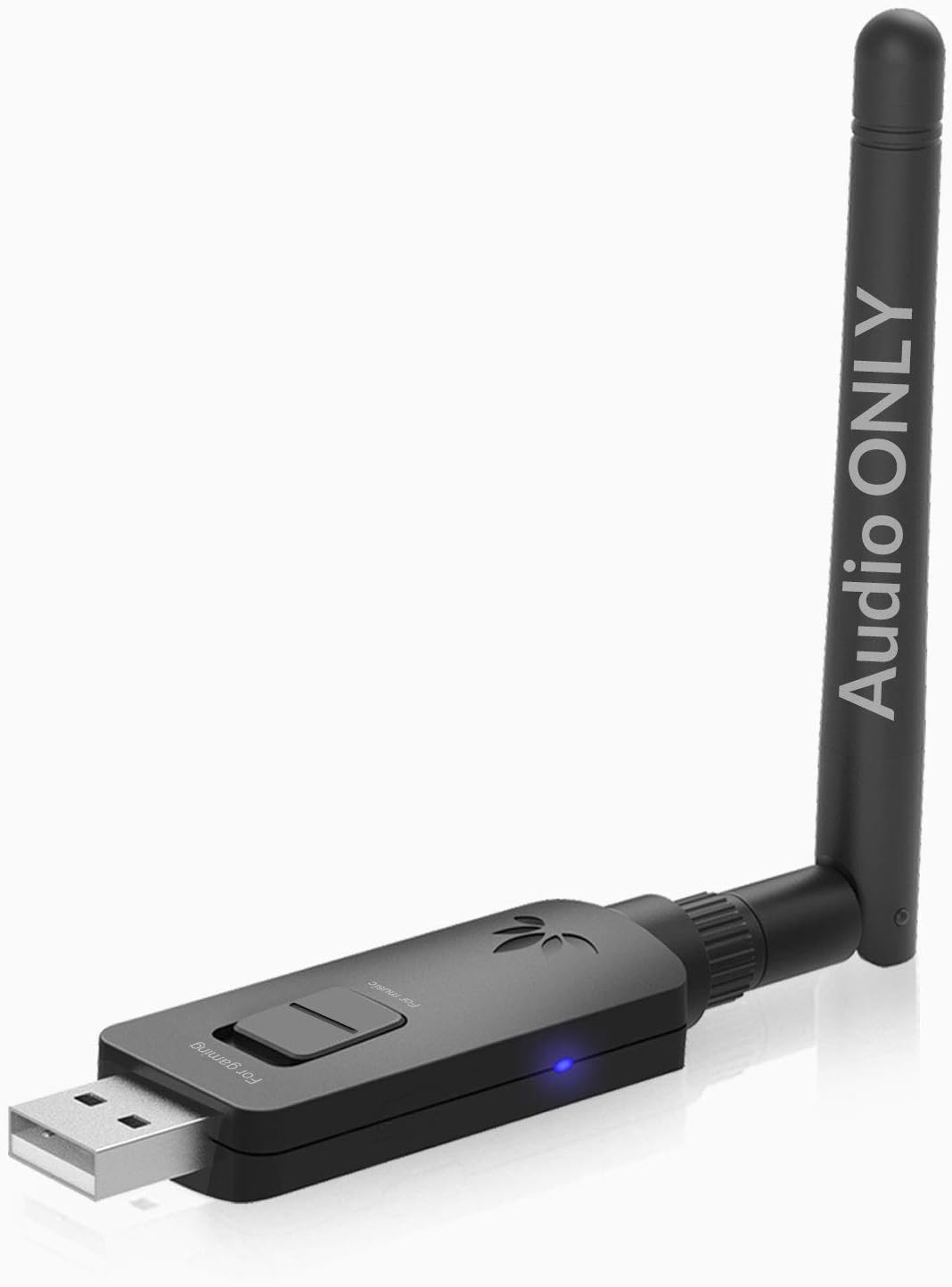
My first endeavor to wirelessly transmit audio from my tower PC to my traditional Hi-Fi stereo. I selected this unit based on solid reviews and long distance rating. I am transmitting from the basement to 1st floor and have no issues. The unit is easy to setup and pair. It remembers paired devices after being powered down or otherwise disconnecting. One button control and a single sliding switch to choose between standard paired transmitting mode and broadcast mode. Dual LED indicator confirms pairing mode or paired connection. Comes with an extension cable which allowed me to comfortably run the wire from my PC to the top of my desk. Unit sits upright in the desk with no external support. If desired, you could put a small square of 2-sided tape or hook & loop to mount this to a vertical surface. My Win10 machine recognizes the transmitter as an external sound card with no additional drivers. Streaming through WinAmp with ease. From a sound standpoint, I think this sounds better than my 20 year old CD player, but audio “details/dynamics” have more to do with the DAC on my BT receiver. However this transmitter holds up its side of the connection with a strong signal. No drop outs or stutters. A solid value for my application!
A**R
Great Product
To my surprise this turned out to be a really great product with a company that has fast and great customer service. The product has a very throughout instruction manual. I have air pods and I used a usb 4.0 dongle but still experienced audio to video sync lag when watching videos, so I wanted to find a USB 5.0 dongle of some sort to see if that would help with the lag/latency issues. This device is not a dongle, but acts like a sound card that transmits audio from your computer. The range is great, the connection is great, the sound quality is great and most I notice no video audio lag on most videos I watch now( and this is using air pods that don't even work with the low latency aptx). I am really impressed. I did have an issue, for some reason with air pods gen 2, when adjusting volume, there is a lag with the volume to be adjusted, so when settings your volume from 40% to 60% it'll take about 5 seconds for it to register the volume change. To remedy this I just leave my volume around 70% and just adjust the volume within what ever video i'm watching. Customer service was really good about communicating with me about this and they are working on a fix. But for two wireless air pods, I am impressed that this device does such a great job with them. Even when turning on your mic on your computer, the device automatically changes the airpods to mic mode on the computer. Oh, also, this is a strong blutooth device, meaning, if you have your air pods connected to your phone or other apple devices while this device is plugged in and on, this device will have priority and disconnect you from other devices. So I just unplug the device so this doesn't happen. Overall, this has been a good experience. I recommend this device. There are very very few blutooth 5.0 adapters of any type out there. This one works, just know that this is made for audio only, but the audio is really nice.
C**N
Good for Audio
I'm someone who wanted to also use this device while gaming, not just higher fidelity audio. It was somewhat confusing how this device works with chat/calls, so I will do my best to explain now that I have one. Broadcast mode seems to only sync up with Avantree headphones, which I don't have. Bluetooth mode has two different settings: Audio mode and Talk mode: Audio Mode: My current headphones only support Aptx (not Low-latency or HD), but this device does support older Aptx-only headphones as well. The audio sounds great. The range is solid, and getting everything connected was easy. This is the mode that most people are probably wanting to buy this device for as will provide better audio quality than standard bluetooth (if you have the right headphones). Qualcomm has an aptx website that will list all of the device that support this technology. Talk Mode: Talk mode will turn on automatically when you open a program that uses the microphone (Like skype or a game with chat enabled). You can also enable/disable talk mode by double pressing the button on the device. Talk mode seems to disable the aptx functionality. Since my headphones don't support low-latency or faststream, everything sounds pretty terrible in talk mode. I am able to chat with the built in microphone on my headphones, but the game audio sounds muffled and echo-y. I also tried a phone call with my wife and that didn't sound too great either. A lot of bluetooth headphones don't have great built in mics, so that could be contributing, but the audio running while in talk mode is pretty annoying. I don't think I could game and chat with someone at the same time which it sounding like that. The device will also automatically switch to talk mode whenever you open a game and you have to reach over and double tap the button to switch it back, which is also not super convenient. I may end up just buying an external microphone because I like the high quality audio that this provides. However, if you are wanting to just use the build-in mic on your bluetooth headphones, I would say that I would recommend just buying a standard bluetooth dongle.
S**E
nice concept, user interface could be improved, some interop issues
This product supports many codecs, which is both blessing and curse. This is all controlled by a single button that must be double tapped before and after the headphone/headset is connected. You need to recognize a color and flashing sequence to decode the mode. So, why is this important. My primary use case is for a headset, using the Conambo aptX HD headset. If I power it up in the correct order, making sure the right color is blinking and then double clicking the button to switch to headset mode, it works great. Problem is if I don't do that setup right, I can run into issue. First, there seems to be some interop issue between the two. The light will go solid white, indicating Low Latency, Faststream codec. The headset does connect, but audio is significantly delayed (multiple seconds) and distorted. This mode does not work even though it negotiates it.. However, the aptx HD (blue) seems to work fine. If you get the right power up order, you can get it into aptX-HD mode (3 blinks) and works perfect for great audio. I suspect this works well with their products. But, third party bluetooth products can be a headache. Of course, if you want to talk with the headset, you need talk mode, which is double clicking to get the fast blinking. Again, in this mode, works great. Problem is that you need to know order of pluging in, turning on to get the right modes. Instead, it would be much better to have a slider switch where I can preselect modes. Then, when I plug it in, I can immediately go to headset mode without button fiddling.
N**I
Solid when it works, when it works
When this device worked it was great, but it was nowhere near worth $40. It would often not register to my device without manually unplugging and re-plugging-- the button on top does nothing. When I would disconnect from a chat on my headphones, the entire sound on the device would stop working without unplugging and plugging it back in. Thankfully I have my desktop out enough that I could put it in an accessible place... where it was now at high risk of being broken by anyone who walked by. If this were the $6 cheapie nub I find here, I could tolerate it, but for $40 I feel ripped off. I will say this-- when it worked, the audio quality was good and the range was excellent, and did feel worth the payment. I could go nearly anywhere in my house with my PC running and hear through my paired headphones. But overall? Do not bother.
A**R
Stunningly good
This is the only bluetooth USB adapter I'm going to buy. I've bought tons of cheaper, more compact ones, which work OK for quite a few devices, but my Bose 35's hate them. Constant stutters, no matter how close I was. I purchased a much more bulky transmitter setup for around $30, and it helped somewhat. The DG60 works flawlessly and sounds amazing. The build quality is good too. I absolutely love the fact it's not setup as a bluetooth device in the OS, and instead has an intuitive multi button interface on the device. It was completely plug and play and was up and running in about 20 seconds. I can't speak for the broadcast functionality but it sounds awesome. The only problem is, I can already think of where I might need another around the house... Absolutely worth it, forget the other transmitters.
O**E
Fast and easy set up, great sound.
I recently purchased the Sony WH-1000XM3 wireless headset. I wanted to use them mostly with my PC but seeing they are Bluetooth, I needed to add a transmitter. I searched the internet and only found a couple suggested devices. Not wanting to add a Wi-Fi card with Bluetooth to my console, I went looking for a USB based transmitter. I originally purchased a Fiio unit but connecting was very difficult and I couldn't get it to work. More searching on the net and I found the Avantree DG60. It even has aptX HD! Instructions were very straight forward. Plugged into the USB port, double pressed the Multi-Function button, turned on the Sony headset and put it into pairing mode. Within less than 10 seconds I heard the notification that the pairing was complete. A quick sound check and bam! I'm connected in aptX-HD! Sound is good but not LDAC. A comparison to the sound quality from my phone isn't as good but very close. In all fairness I didn't compare the same music in the same format so that may play a part. All in all, a very easy set up with good sound quality at an affordable price.
T**A
Works with Win10 better than ANY simple bluetooth USB device
The drivers for bluetooth from Microsoft were causing me all kinds of problems and my headset and Airpods Pro were useless on my computer. This sound system that uses Bluetooth does NOT use the bluetooth drivers and looks like a speaker or microphone. Avantree has done an excellent job handling the work of pairing and switching between a stereo speaker on bluetooth or a headset mono sound and microphone. Bluetooth is incapable of more than two channels so you have to pick and this device works great for both. No more dropped syllables or mic quitting or speakers sounding garbled. Plus they have TOP QUALITY support. The best I have had in 20 years. I am changing this from 5 start to 3 after a year. This works great with ONE device. I find it is almost impossible to use with a Bose Color II speaker, Airpods Pro, and an Aria Pro 90P headset. The DG60 seems to get stuck on one device and I have to clear the bluetooth memory every time I want to switch a device. Sometimes it will not pair until I clear both devices and re-pair. I'm tired of spending 5-15 minutes every time I switch a Bluetooth device fiddling around with pairing and connecting. When I go from the Bose speaker to the Aria Pro headset the mic in the headset will not work until I clear the bluetooth memory in the Bose speaker. One device this is great but after that it will be troubles.
F**S
Signaal met aptx hd/low latency erg slecht/haperig
Ik heb een bluetooth headset van sennheiser die ik wou koppelen met de DG60 maar wanneer hij gekoppeld is, is het geluid soms haperig. Met een normale bluetooth dongle is het geluid dan misschien iets minder scherp maar de stabiliteit is een stuk beter. Ik raad dit product niet aan.
E**.
Works as intended
I bought this product to use it with my Sony WH-1000XM3. After some days of use I can tell that: - The connection is very stable, and it works up to 50ft as advertised. - There is almost no connection lag while using AptX HD - haven't tried yet with AptX LL. - Switching to "Voice" mode doesn't require pressing the hardware button most times: as soon as an application requires the microphone, the switch is done automatically. It will also switch back to "Music" mode after the application has been closed. - All the headphone controls works well in Windows, even the volume is correctly synchronized with the headphones.
N**A
NO es un adaptador Bluetooth; es una tarjeta de sonido USB con conexión Bluetooth...
La descripción del producto es un tanto confusa, ya que no se trata de un adaptador bluetooth, sino de una tarjeta de sonido USB que se conecta con auriculares o altavoces vía su propia conexión bluetooth. Dicho esto, emplea codecs de alta calidad, y hay una diferencia notable entre conectar vía el bluetooth integrado del ordenador y hacerlo mediante este dispositivo, siempre que los auriculares estén preparados para dichos codecs. Mi uso es un tanto peculiar, ya que lo empleo con un auricular Plantronics Voyager para hacer videoconferencia, y no tanto para música; pero la calidad del audio es notablemente superior (el Voyager está preparado para audio HD y se nota). Para poder hablar hay que hacer unas pulsaciones en el dispositivo, lo que es algo incómodo y tiene un efecto negativo en la calidad del sonido recibido, aunque sigue siendo mucho mejor que conectando directamente con el bluetooth del portátil. El alcance es considerable, lo que me viene muy bien para poder moverme mientras hablo sin riesgo de que se corte la conexión. Aparte el gran tamaño del dispositivo y lo incómodo de las pulsaciones para el modo “hablar”, el punto más negativo para mí es la desconexión aleatoria del auricular, no muy frecuente pero si muy molesta ya que, como digo, lo empleo para trabajar; tarda unos segundos en reconectar y lo hace por si mismo, pero es problemático.
A**Y
Excellent, very long-range and dependable Bluetooth 5.0 audio adapter
Great range and easy to connect. Best bluetooth adapter I have had for audio. I have had no problems whatsoever with this adapter. I saw two reviews in very bad english that thrashed this adapter and my experience with it so different that I doubt the sincerity of those reviews. Are they from competitors?
A**I
Fait le job
Il est facile de vérifier que le délai audio est réduit par rapport à une transmission normale ent bluetooth 4.0 normale. Là c'est parfait pour synchroniser TV, video, Bluray, console de jeux etc. C'est tres bon car le délai audio réduit correspond au délai d'un video projecteur HDMI ou bien d'une TV LCD, le tout est donc synchro. La qualité aussi est en hausse, on passe de quelque chose de granuleux (bluetooth 4.0 non aptX) à une qualité comparable a un bon mp3. à ne pas confondre avec une qualité CD non compressée, ce que le aptX n'est pas capable de faire. La transmission depuis un mac est du 48khz, 16bits. Pour une qualité maximale il faut veiller à avoir le volume à fond sur la source et à régler le volume au final sur l'ampli. En rélant le volume à 1% (cas extrême pour test) on entend très clairement la dégradation de qualité. (ceci n'arrive pas avec des matériels 24 bits). Ce qui est dommage c'est qu'il perturbe un peu la sourie bluetooth qui est reliée au mac en utilisant le BT interne, fallait s'y attendre, le son reste parfait, la souris saccade un peu, rien de rhédibitoire.
Trustpilot
1 month ago
3 weeks ago