Desertcart purchases this item on your behalf and handles shipping, customs, and support to Israel.
⚡ Power Your Productivity with the Ultimate 9-in-1 USB-C Hub!
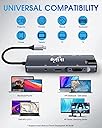
The ikling USB C Hub is a robust 9-in-1 adapter designed for professionals who demand seamless multi-device connectivity. It supports 4K HDMI output, VGA, Gigabit Ethernet, dual USB 3.0 ports with 5Gbps transfer speeds, SD/MicroSD card readers, and 100W power delivery. Compatible with MacBook Pro and most USB-C devices, it combines premium build quality with portability, making it an essential tool for modern multitasking and high-speed data workflows.


| ASIN | B07TVSLDND |
| Additional Features | Play, Plug |
| Best Sellers Rank | #649 in USB Hubs |
| Brand | ikling |
| Color | Grey |
| Compatible Devices | MacBook Pro or USB-C devices, LG G5, V20, HTC 10, U Ultra, acatel Idol 4s, Lumia 950/950 XL, Huawei Mate Samsung Galaxy s8/s8 Plus, Note 8, HP ENVY/OMEN/Spectre Laptop Series, Lenovo Yoga 900/920, 720, Thinkpad S2, XiaoMi Air 12.5/13.3, DELLXPS13,XPS15, ASUS U306UA,U4100, ROG Chromebook TabPro S, Matebook, Scanners, Hard Disk Drive, Projectors, Modems, USB Flash Drives, MP3 Players, Televisions, Keyboards, Gaming Consoles, DVD Routers, Monitors, Speakers, Printers, Tablets, Headphones, Digital Cameras, Dashcams, Smartphones, Card Readers Compatible Devices MacBook Pro or USB-C devices, LG G5, V20, HTC 10, U Ultra, acatel Idol 4s, Lumia 950/950 XL, Huawei Mate Samsung Galaxy s8/s8 Plus, Note 8, HP ENVY/OMEN/Spectre Laptop Series, Lenovo Yoga 900/920, 720, Thinkpad S2, XiaoMi Air 12.5/13.3, DELLXPS13,XPS15, ASUS U306UA,U4100, ROG Chromebook TabPro S, Matebook, Scanners, Hard Disk Drive, Projectors, Modems, USB Flash Drives, MP3 Players, Televisions, Keyboards, Gaming Consoles, DVD Routers, Monitors, Speakers, Printers, Tablets, Headphones, Digital Cameras, Dashcams, Smartphones, Card Readers See more |
| Customer Reviews | 4.3 out of 5 stars 10,670 Reviews |
| Data Transfer Rate | 5000 megabits_per_second |
| Hardware Interface | USB |
| Item Dimensions L x W x H | 6.77"L x 3.62"W x 0.87"H |
| Manufacturer | ikling |
| Mfr Part Number | FX-1818 |
| Model Number | FX-1818 |
| Number of Items | 1 |
| Number of Ports | 9 |
| Operating System | macOS |
| Special Feature | Play, Plug |
| Total USB Ports | 3 |
| Total Usb Ports | 3 |
| UPC | 798825414101 798825414088 798825413111 |
| Unit Count | 1 Count |
| Warranty Description | 1 year |
D**6
Review of Ikling USB C 9-in-1 Port Hub
It seems to be working fine. Still have a few ports to test. I wanted something inexpensive now so, later on, I could spend more money on a Thunderbolt 3 (40Gbs) capable hub. Hopefully, when I need that kind of speed prices will have fallen and Thunderbolt 3 (40Gbs) capable hubs will be smaller and more portable. Your hub had all the ports I wanted and otherwise fit the bill. Thanks! Update 2/7/20: After my first review uploaded around 1/20/20 (which I posted to qualify for the free gift from Ikling – more about that later) I’ve had some time to do a more comprehensive review. Here it is: Review of Ikling USB C 9-in-1 Port Hub (referred to as the hub): My computer is a HP Spectre x360 13-AC023DX (Purchased May 2017) The box the hub it comes is premium, even has a magnetic latch. The fit and finish of the hub is excellent with a mostly metal case. I hooked a device up to every port and let it run for a while, the hub gets warm but not hot. Windows recognized every device hooked to the hub even when I plugged in an additional non externally powered USB 3.0 4 port hub to one of the USB 3.0 ports of the hub. These items were plugged into the additional hub - Logitech USB unifying receiver (wireless keyboard and mouse), 128GB flash drive, external hard drive, USB C phone cable charging my phone a LG Stylo 4. All worked fine. I copied files between them including the hub’s built-in microSD & full-size SD card readers which was also successful. The HDMI, VGA, the audio ports of the hub worked as described in the manual. The HDMI & VGA ports display the same thing but I could extend (create one big display across two monitors) my laptop’s built-in screen to either one of them. My HP laptop displays this dismissible warning – “HP recommends using an original power adapter from HP” when I plugged in the hub for pass-thru power. The understanding is that HP laptops do this unless an original power adapter is plugged directly into a USB C port. The hub still charges and does everything power-related correctly. The only problems I have had were not related to the hub’s functionality at all. Ikling offers a free gift, one of which is this same hub. To receive it you had to register the warranty and submit a review of the product which ends up as an Amazon review. I thought I had done all that correctly on Ikling website but I guess not, since I never received it. Anyway, Ikling finally got my email and sent me an email on what I need to do now to get my second hub. Two hubs would be great. One for home and one for the travel bag. Pros and Cons of the Ikling USB C 9-in-1 Port Hub: PROS 1. Inexpensive, especially with the free gift. 2. Works as advertised. 3. Well built. 4. Small and portable. CONS (Nitpicks, really) 1. Could use a 2X as long, detachable connection cable. 2. Could use one more USB 3.0 port 3. Could use one more USB C port with 10Gbs data throughput. 4. Poor translation of manual. In the future I will test the second hub, of course. Do more extensive tests on both hubs with the ethernet port and all ports where speed is a concern and file transfers are possible. This is dependent on acquiring the necessary tool to test speed etc.
T**P
Product & Seller was Top Notch: See Review
My review of this product is truly 5 stars from the product to the service. It started as a order that unfortunately never came due to Amazon logistics meaning the package was either lost or damaged in route. Naturally I was bummed as I use this for business, a day later a representative from the store named Martina asked politely, ( they didn't know either, Amazon just sent it back to them) "what was the reason for the refund and how could they do better? " Right away I was impressed, because well let's be honest how often do you get effort like that these days? Or a follow up question like that because someone in customer service & business actually cared? That great business. From there I explained , well I don't really have any feedback since it never got to me which was no fault of their own, accidents happen. However after Martina heard that and it was Amazon's call to return the item or deem it "undeliverable", Martina issued me that refund immediately, and sent me out a free unit rush delivery for the time it took away from my work being I paid for rush delivery initially and was on a deadline. I would have bought this regardless being I am familiar with the brand, however not a option , Martina insisted on making it all right. Martina was a pleasure to speak with and truly cared about my experience and had complete pride and confidence in her store and products. So thank you Martina, you went above and beyond in a unfortunate situation and made it a positive. Very rare these days , to any customer looking, I will say I would not hesitate to do business with this seller/store. Look at any of my reviews, I am a straight shooter good or bad and this was all good. Now, as far as the product goes , well its is 100% as advertised! I put this type-c hub to the test . The package you can see shows the time and care that went into the presentation and just says quality. The box was sturdy and strong with a magnetic lip and the device itself comes with a nice travel bag, typically these things come in a beat up cardboard box at best , not this one. In what I do I immediately put this hub to the test , it doesn't indeed put out 4K@60fps, the type A ports are indeed 3.0 as I tested the data transfer rate and it worked well , even the the ethernet port which typically does not hold up to its rating came as close as possible I got a steady consistent 780mbps down & 750mbps up which is impressive for a hub. It has a nice firm graphite feel to it , it definitely could handle a drop or few and is well made. The 3.5mm headphone jack works great and I opted for the VGA version for backwards compatibility being VGA is pretty much obsolete these days. The point is the product is great and works very well . They offer different variations to your needs but in my opinion you can't loose. They are priced very fair and with stuff like this you pay for what you get. Granted my situation was a tad different but I will be doing business with Martina in the very near future. At the end of the day go with a store/seller that has pride in what they do and actually offers a great product. As far as I am concerned this was a great encounter and urge anyone to not only give these guys a try but its nice that you can trust they have quality products that they stand behind. I know this is a long review a hub BUT,I felt it was deserved, it was that good of a product and great experience with the store & Martina. I hope someone finds this helpful in their choice or making up your mind on a buy. Best of luck!
N**.
Poor Handshaking When Coming Out of Sleep Mode - Need to Reset Monitor and USB
I was excited about having ability to have two monitors HDMI through docking station. But this thing is extremely finicky when coming out of sleep. The HDMI monitor will not recognize unless you go into Graphic Options to reset or re-initialize it. The USB mouse and keyboards do not automatically work again. I find I have to unplug and replug the USB receivers back in. I tested same setup with a different docking station I purchased at the same time. That one has no problem with my laptop connecting to monitor coming out of sleep. I do not have to unplug and replug USB receivers. When docking to laptop already turned on, the HDMI to monitor will sometimes not start. I go into Monitor options and the HDMI (Monitor 2) sees my monitor and even has the right monitor model showing. But it just won't show my monitor as extended or duplicate monitor until I have to go into Graphics Options (in my case Intel Graphic Command Center) and then the monitor turns on. Again, never have to do this with other docking station I purchased. I waited too long to realize this sucks compared to the other model and it's too late to return. I would recommend spending a few more dollars for the other brands. *** January 29, 2024 Update *** After doing some research, I find that shutting down my laptop, then unplugging the USB-C connection, then holding the power button for 15-30 seconds for turning laptop back on, then proceeding to normal login and finally re-connecting USB-C enables my laptop to start recognizing both HDMI ports on the docking station. I found this solution on two separate web forums. Neither gave a reason for what went wrong and what the steps above do to actually fix the issues. I am just happy it works. I confirm I've done this once to get it work. And did it again a few weeks later when the issue with not recognizing monitors re-appeared. Changing my rating to 4 stars now.
M**S
A must have- the only USB C Adapter I would recommend
Firstly, I have to say that I have tried several USB C Adapters, several namely from Anker: a trendy brand of adapters and computer accessories. Yet still, none of them come close to this product. When I first bought this, I instantly appreciated the build quality of the product. The durable aluminum case keeps the adapter cool and protected while being extremely light for its size. I do wish the whole thing came in black as what it appears to be in some photos, but its space grey matches perfectly with my 2019 Macbook air. The USB cord itself seemed to be a little less sturdy than the case but has not proven to be an issue in and of itself (although I do not recommend sharply bending its cable as I could see that becoming a problem.) One genuine gripe I do have with this product is that when plugged in, it stays pretty much locked inside your device but still seems to be able to shift a little, which is kind of unsettling but, so far has not affected the functionality of the ports. Speaking of functionality, each of the adapter's ports have proven to be completely functional and very useful for my case (including the underappreciated VGA port). One thing that is weird, is that when the headphone jack on the adapter is being used, my Macbook believes that it's mirroring or projecting on a second display (even when the VGA and HDMI are not being utilized). This is fine for me because I usually project my computer anyway, but I could see why someone might find it weird. With the purchase of this product through amazon comes not just an adapter, but the access to ikling's fantastic customer service. When I started to have issues with my product after the 30-day return date from amazon, and indicated that within my first review, ikling did not hesitate to rectify the situation and send me a replacement as soon as possible, which is priceless if you rely on this product as much as I do. Overall I am sincerely satisfied with this product, and would definitely recommend this for anyone that is looking for a UBC adapter, especially MacBook air users.
E**F
Technical review: Good feature set
= Summary = Its just works; and its among the cheapest hub you can find with this feature set. Drivers should not be necessary on common computer operating systems. The only quirk is the audio jack requires HDMI output. The hub does not have a sound card; it only converts HDMI audio to analog. = Specs = 4 x USB 3.1 Gen 1 Ports with support for USB 2.4A fast-charging -- 2 USB ports are assigned to card reader and gigabit ethernet -- 500MB/s (~450MB/s actual) max speed of all devices (card + ethernet) and USB ports combined 5V 3A total power (this is the limit of on-board power converter) HDMI 1.4 (with HDCP) + VGA (10-bit up to 1080p) video converter HDMI 2-ch audio DAC 2 LUN card reader (shows up as two separate drives) for SD and Micro SD cards up to UHS-I (104MB/s max) Gigabit ethernet with energy efficient features = Technical Details = The hub consists of wedged shaped aluminum tube with the taller side featuring the video ports. A circuit board is suspended inside by plastic inserts that also serve to align and cover the gaps in each port. The two end caps are press fitted into the tube without any additional adhesive. The hub may fall appart if dropped but should be easily reassembled. The hub disassembles easily by popping off the plastic cap over the ethernet port. The board inside then slides out without effort. The cap on the cable end can be removed to complete disassembly but is not required to full access the board. The USB-C cable is wired to the board through some form of displacement connector and secured with adhesive. The shielding on the cable is also ungrounded thus add minimal functional. Fortunately the cable is short enough it should have minimal effect on signal reliability. There is also a shroud that resembles a strain relief but should not be relied upon to alleviate stress on the cable. Durability is certainly far less than a moulded cable. However, the cable is terminated similarly to hand crimped ethernet and typical stress on the cable should not affect reliability with repeated use. All major components, other than the DAC, are older but from recognized manufacturers. All features useable out-of-the-box without additional drivers on most current computer operating systems. The DAC (connected to the 3.5mm jack) appears to be a clone of a Cirrus Logic CS4344. However, its unknown if it provides similar performance. The hub is wired with 2 of the 4 USB-C high speed lanes assigned to USB and the remaining lanes assigned to Display Port. This means USB operates without compromise while DP is limited to 2 lanes. This means higher bandwidth operation such as 4K 60Hz is not possible. The on-board 3A DC converter should supply ample power to all components. There should be no issues operating all ports simulatenously assuming low power USB devices are used. = Technical Features = The USB hub supports 2.4A fast charging; thus charging a single device quickly maybe possible. However, the hub itself is limited to 3A so charging multiple devices at high speeds will not work. The HDMI output is limited to HDMI 1.4. But all non-3D HDMI display modes within the spec should be supported. VGA output works in both widescreen (16:9) 1080p and 4:3 UXGA Card reader functions simultaneously with both Micro SD and full size 2-Ch DAC functions requires output from HDMI. It converts HDMI audio to analog 2-ch output. Ethernet uses both link detection and EEE to conserve power both when idle and while operating. Shorter ethernet cables/connection should result in less heat generated. Ethernet also supports various wake functions. = Components = GL3510 4-Port USB 3.1 Gen 1 Hub Controller EP9632G Display Port to HDMI + VGA Converter RTL8153 USB Gigabit Ethernet Controller GL3224 Memory Card Reader 434C 2-Ch DAC TD1583 3A DC/DC Converter XT25F16B (16Mbit series 25 SPI NOR flash)
D**M
Multiport incudes both USB-C in and out, so you can charge your device while using the multiport
I run a home network for myself and four other members. Network consists of ethernet cables and hubs, and WiFi. Pretty much everyone in the home runs two or more devices each, consisting of cell phones and tablets, plus four laptops and a desktop, a color laser printer and three or four TV's on ethernet or WiFI. So the WiFi is pretty crowded, and when I get on it on my tablet, I often get delays. So I was looking for a device to enable ethernet access, as ethernet can run at gigabyte speeds and seldom encounters delays. And I only have a single port (USB C) on my tablet. So I was looking at devices that have USB-C to ethernet capability, and then decided to upgrade to this multiport model. What I particularly like about it is that it has both USB-C In and USB-C Out, so I can still charge my tablet while am hooked to the ethernet. For such a multiport capability, I consider the price to be very economical. I like it, it works well, and I highly recommend it. EDIT: (5Jun23) When I use this multi-port USB device on my Samsung Galaxy Tab S8 Ultra, I can't initiate the Ethernet port if the USB charge cable is already active. I have to first disconnect the charging cable, then initiate Ethernet, and then I re-can activate the charging cable. EDIT: (27Nov23) I tried the HDMI port on this hub. First tried it on my Samsung Galaxy Tab S8 Ultra, which only has a USB-C port for both in and out signals. Tab S8 screen popped up on my 43" LG monitor, cool as hell. Tried that with my cell phone, which also only has a USB-C port, with no success. Bottom line is USB-C to HDMI works with devices that support screen display USB-out
G**1
Definitely works!
Ha broken the screen to my galaxy flip phone & this helped me get all my files back.
A**R
Classic "You-Get-What-You-Pay-For" -UPDATE
Update: Since writing this review I have found out some things about this hub that make it even worse. The biggest thing is that there is a lot of reports going around that using this and other can brick your laptop, especially Macbooks, and especially when using the power passthrough. Based off the build quality, I'm not surprised. On top of that, in the months since I keep geting emails from random addresses asking me to take the review down in exchange for my money back. Nothing about improving the product or doing a recall or anything, just "take the review down please." I reached out to the seller to verify if it was coming from them because again, coming from addresses I've never heard of before, and was not given a straight answer, just told to "follow the instructions." Reached out to Amazon to report the seller, never heard back on anything. I'm not going to shut up for 30 bucks when these things could destroy somebody's computer-which could cost thousands more-under the worst of cases and barely works under the best. DO NOT BUY!!!!!! Original review: Definitely portable but really light and kind of cheap feeling the cable doesn't make a very firm connection and sometimes pops out completely, but often pops out enough to disconnect your hard drive or anything else in the hub from the laptop. The power-in is a great feature for Macbook users but if you use it while doing any kind of audio work, say with an interface, it generates a bunch of disk noise. Also, not a huge deal but if you use the HDMI and VGA outputs at the same time, it just duplicates the second display for both. Overall, it might be ok for casual use for but anything beyond that that requires more connections, look for something else.
Trustpilot
1 month ago
1 week ago