Desertcart purchases this item on your behalf and handles shipping, customs, and support to Israel.
🖤 Power Your Play, Own the Edge
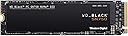
The Western Digital 1TB SN750 NVMe Internal Gaming SSD is a high-performance M.2 2280 drive designed for gamers and PC enthusiasts. Featuring PCIe Gen3 x4 interface and 3D NAND technology, it delivers blazing read speeds up to 3,470 MB/s. Its exclusive WD BLACK dashboard with gaming mode optimizes performance, while the 1TB capacity offers ample space for games and files. Built for durability and backed by a 5-year warranty, this SSD is ideal for custom builds and upgrades, including compatible Mac systems.


| ASIN | B07M64QXMN |
| Additional Features | Portable |
| Best Sellers Rank | #584 in Internal Solid State Drives |
| Brand | Western Digital |
| Built-In Media | SSD |
| Cache Memory Installed Size | 1 |
| Color | Black |
| Compatible Devices | Desktop, Laptop, NAS |
| Connectivity Technology | PCIe Gen3 x4 NVMe |
| Customer Package Type | Standard Packaging |
| Customer Reviews | 4.8 out of 5 stars 9,541 Reviews |
| Data Transfer Rate | 3430 megabits_per_second |
| Digital Storage Capacity | 1 TB |
| Form Factor | M.2 2280 |
| Global Trade Identification Number | 00718037865393, 10718037865390 |
| Hard Disk Description | Solid State Hard Drive |
| Hard Disk Form Factor | 2.5 inches |
| Hard Disk Interface | Solid State |
| Hard-Drive Size | 1 TB |
| Hardware Connectivity | PCI |
| Hardware Platform | PC |
| Installation Type | Internal Hard Drive |
| Item Dimensions L x W x Thickness | 3.15"L x 0.87"W x 0.09"Th |
| Item Type Name | Solid State Drive |
| Item Weight | 9.07 g |
| Manufacturer | Western Digital |
| Media Speed | 3000 |
| Mfr Part Number | WDS100T3X0C |
| Model Name | WD Black |
| Model Number | WDS100T3X0C |
| Number of Items | 1 |
| Read Speed | 3430 megabytes_per_second |
| Special Feature | Portable |
| Specific Uses For Product | Gaming |
| UPC | 718037865393 |
| Warranty Description | 5 year limited manufacturer warranty |
J**N
A future-proofing upgrade for my Mac
My wife and I have a 2015 Macbook Air. It still runs great and has plenty of life left in it. But after several years of trying to work with the 128GB SSD that it came with (across two user accounts), we decided recently that we need to upgrade the SSD in hopes of future-proofing it a bit. Reading up on our options led me the route of buying an M.2 SSD and an adapter that'd let me install it in my Mac, rather than having to accept the Apple/OWC surcharge for a drive with the original SSD's form factor. I liked what I was seeing with the specs of this SSD and decided to try it out, given my very good past experience with WD HDDs. Installation of both the adapter/SSD and a fresh copy of macOS 10.15 was a breeze. Black Magic benchmarks this drive at roughly 1350MB/s read and write, which is understandable given the bottleneck of this Mac's older PCI interface. But performance is still super snappy, and we have had zero issues with this upgraded setup so far. Sure, this drive is built with way more capability under the hood than what we'll ever use, but I'm totally ok with it considering how little we paid for it vs. buying an OEM/OWC replacement. I can imagine that if you're running a newer Mac/PC with a more current PCI interface that can take advantage of the additional read/write ability of this drive you'll have an even better experience. Regardless, if you happen to be a Mac user looking to upgrade your compatible MacBook Air (even if it's a relatively older one like ours), you owe it to yourself to check this drive out.
J**N
Almost 6 years tons of use and no issues
I bought it in like 2020 of late of August? So far it’s been going strong it’s currently June 16 2026 I’ve used my SSDs and Hard Drive a ton I bought and built my PC on January 1st of 2020 I’ve put in 7,000+ hours on just steam games and I’ve easily put thousands of hours on other stuff over these years from school work to YouTube to parsec etc. Great SSD I bought it new for like 100$? Obviously prices nowadays are crazy but this things lasted me a while still no issues.
N**E
Great older NVME SSD!
I got this to put the Windows drive into the M.2 slot instead of on a SATA SSD, to gain a little more life out of a PCIe Gen 3 system. I've only had it installed for about a week. So far it has resulted in faster bootups, and faster program and browser response. I got it because it was a highly-rated NVME and because it had DRAM cache as well. Recommend.
C**P
A Good Balance of Performance and Cost
So far this drive has been great. It’s fast and has plenty of space for all my games. Installation was easy and the price seems fair. I will buy this drive again or one or their newer models in the future.
Z**X
If given the option, always go for Solid State over HDD.
I'll make this review short as I really don't have much to say. On my previous computer, which was a Walmart prebuilt, I had a 1TB WD Blue 7200RPM for pretty much everything; OS, storage for media, installed programs, you name it. And while it's a decent enough hard drive, it took FOREVER for the PC to boot and for programs to start up. So when I built my current PC, I decided to go for Solid State as even the worst SSDs are four times faster than the best HDDs. I read about NVMe and was intrigued by the aspect and decided to spend the $228 for this product (I bought the 1TB drives because I like to futureproof) and I will say decisively that I will never go back to HDD if I can help it. NVMe is like Solid State on steroids, it's much faster and definitely the best choice for the OS, your favorite programs, and any Mulitplayer games. I installed Windows 10 on it and startup, including the motherboard startup, takes around 5-8 seconds, a far cry better than the 2-3 minutes on my HDD. Programs start up fast, games start up fast, and it is RAID compatable if you set it up in the BIOS UEFI. All that for a drive the size of a stick of gum. If your motherboard has the option for NVMe, DO IT. You won't regret it.
D**N
Good quality
Bought 2 to uses as RAID 0 boot drive 6 years ago, no issues and still over 90% of life left
S**T
Great Value If You Have A Good Heatsink
Been using this for a month and it's works well and the speed is great. The only main issue that I have is overheating. I thought I didn't need a heatsink to use this ssd but I was wrong. This ssd runs 50°C when I'm idle at the windows start screen and runs even hotter to 60°C to 70°C when running a game off it. Sometimes it throttles and because I have windows on it, it causes my pc to force restart when it throttle too hard. It's very rare that I'm force to restart but it is annoying when it does happen. The price to performance is great but you NEED a heatsink to avoid issues with overheating.
W**T
Incredible speeds at incredible prices!
I have been using a 7200 RPM 1TB hard disk drive for years now and I finally decided to get a new M.2 SSD. I didn't think it would be that much better but it's incredible; I can load DCS: World and X-Plane 11 in less than 2 minutes when it would take 10-15 minutes with my old HDD. Also I've never seen my PC boot up so fast! The SSD itself came in a minimalistic yet protective packaging that easily came out and installing it was a breeze. The only thing I wasn't a fan of is that I had to reinstall my operating system to make this SSD my boot drive but I would have to do that for any drive so no points taken off there! Overall I would HIGHLY recommend this; blazing fast load times and easy installation, not to mention being nearly $50 cheaper than an equivalent Samsung drive make this a very good choice if you're looking for a new M.2.
T**S
Phenomenal Drive, would buy a 2TB one as well.
Without a doubt this 1TB Ministick is the best bang for buck NVMe you'll ever get... as a boot drive. 1 Terabyte isn't a lot but it's enough to keep important things on it or things that require fast load times. Windows will boot up in sheer seconds and all of your games will open 10x faster than on any HDD on the market. As for why its the best drive in my honest opinion for most things when it comes to dollar per performance, well its because its an M.2 at just under the price of other standard NVMe drives. All it sacrifices is just a little bit of speed, and the best part about that is that speed does not matter at all for m.2 drives unless your working with a RAID setup. So as a boot drive or as a standard loading screen bypasser, this is the best drive you could ask for. For general storage and transfers, this thing is also an absolute beast but if you want the best of the best and feel little to no down time, even with decently full storage, you may as well just pay the extra $80 bucks for a FireCuda. Overall, this thing is insane and its one of the best purchases i've made when it comes to PC part acquisition.
E**I
سريع للألعاب
من أفضل الذواكر للالعاب بعد الاستخدام فرق جدا بسرعة التحميل لها برنامج تعرف حالة الذاكرة و الحرارة و السرعة
T**M
Kan det bli bättre?
Super bra och snabb
P**.
Para el que tenga Laptops de Lenovo Legión funciona perfecto!!
El producto llego en embalaje de bolsa, enrollado con papel de burbujas, tuve mis dudas de saber si venía golpeada la caja pero no, todo muy bien por DHL y Amazon. La instalación para nada difícil en mi laptop Y540 17", tenía temor de que no aceptará 1Tb pero sin problema lo detecto desde el inicio. En mi caso preferí instalar el windows 10 desde 0 pues tenía problemas con tanta cosa instalada, pensaba que tendría que buscar todos los drivers de nuevo pero el mismo Windows y la app de Lenovo Vantage hacen el trabajo por tí, solo tienes que checar bien que busquen todas las actualizaciones y las apps que te recomiende bajar Microsoft de su tienda. Por el otro lado, los que prefieran, hay una opción para clonar el ssd m.2 solo que OJO, aquí aplican 2 casos: 1° Para los que ya tengan un m.2 de menor capacidad instalado, estuve investigando y tienes que comprar un adaptador para volver memoria extraíble el m.2 nuevo para poder clonar tu sistema y datos, puesto que necesitas tener el viejo y el nuevo conectados. 2° Si tienes tu sistema en tu disco duro y deseas pasarlo al m.2, solo lo conectas, inicias tu Windows normalmente y checas que reconozca la nueva unidad, en caso de que no lo haga, ve al administrador de discos y checa que la moría no diga espacio sin asignar(busquen en YT, ahí explican como hacerlo). Y posterior a eso, registren su producto en la página de westerk digital, descarguen el software de controlador memoria WD Black SN , (no descarguen otro, solo el compatible con el m.2) al instalar ese software se detecta la memoria y ahí mismo hay una opción para clonar todo de manera segura por medio de Acronis (checar imágenes de mi reseña) y obvio, si tienen más dudas, vayan a YT ahí hay muchos videos que explican como usar el software de clonación correctamente. Terminado esto sigo con la Review del producto, anteriormente tenía un m.2 de 256gb el cual pedí al configurar mi laptop en la pag de Lenovo, por las apps que necesito y deseo aprender para mi trabajo necesitaba más almacenamiento, por eso decidí comprar está memoria, así que prácticamente no eh notado mucha diferencia puesto que la anterior era una Samsung ahí dejo una revisada del Software Crystal Disk Mark para que vean la capacidad de lectura y escritura que me da, supongo que debe dar ligeramente más puesto que no la tenía conectada a la corriente, aún así creo que al ser laptop, se limita la velocidad máxima a la que puede leer y escribir datos, aún así, es más que la que daba mi ssd anterior que apenas llegaba a R 2700 MB/s y W 2300 MB/s. En fin, muy buena compra, satisfecho con el producto a pesar de las limitaciones de mi hardware, ahora a a disfrutar ese TB extra!
A**R
SUPERB random IO. Good value.
Absolutely love the performance of this drive. I have it fitted in a PCIE adapter fitted within a dual-xeon server that has 144GB of RAM. The server is now10 years old, so pretty slow by today's standards, yet this thing allows me to host online technical training for half a dozen guys, with each of them accessing several Virtual machines simultaneously. I run up to 25 VMs simultaneously, with two thirds of them hosted on this single drive. The machines run absolutely beautifully from this drive, with six guys performing major software installation and configuration on 12 Windows server VM's simultaneously. There is just no slowdown with this thing, it absolutely rocks! I can literally start 16 VMs Simultaneously (mix of server 2016/2019, and SUSE Linux) from this SSD, and they are all quick to boot, and really responsive thereafter! I bought the PCIE BE version without heatsink, as my server only has. PCIE V3 bus, and I fitted a simple M.2 low-profile Aluminium finned heatsink myself, which instantly brought under-load temperatures down by 15 degrees. These heatsinks were about £8 for a pack of four from Amazon, complete with adhesive pads.
Trustpilot
3 weeks ago
3 days ago