

Desertcart purchases this item on your behalf and handles shipping, customs, and support to Israel.
💼 Upgrade your laptop storage game—because one drive is never enough!
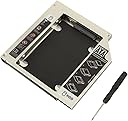
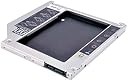
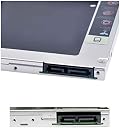
The 9.5mm Optical Bay Hard Drive Caddy by Witamy transforms your laptop’s optical bay into a high-speed SATA 2.5" SSD/HDD enclosure, enabling effortless dual-drive setups. Compatible with 99% of laptops featuring 12.7mm DVD bays, it offers a cable-free, driver-free installation backed by a one-year replacement warranty—perfect for professionals seeking reliable, expandable storage on the go.
| Asin | B07CJXSRKG |
| Best Sellers Rank | #59,658 in Computers & Accessories (See Top 100 in Computers & Accessories) #138 in Internal Hard Drives |
| Brand Name | Witamy |
| Colour | Black |
| Compatible Devices | Laptop |
| Country Of Origin | China |
| Customer Reviews | 4.2 4.2 out of 5 stars (467) 4.2 out of 5 stars |
| Enclosure Material | Plastic |
| Hard Disk Form Factor | 2.5 Inches |
| Hardware Interface | Solid State Drive |
| Hardware Platform | laptop |
| Manufacturer | Witamy |
| Network Connectivity Technology | SATA |
| Number Of Items | 1 |
| Number Of Packs | 1 |
| Supported Devices Quantity | 1 |
| Unit Count | 1 Count |
| Warranty Description | One Year Replacement Warranty |
User
Perfect
Loved it, arrived came in perfect condition. Delivery time was more than a week, that I have rated in Delivery feedback.Ordered 12.7mm Caddy, it came with 5 Screws and a small Screw Driver. Same can be used to open up the laptop. It didn't take more than 5 minutes to install.Just connect the 4 screws on the SSD or HDD from back, and put it inside the CD drive area. it will fit into SATA Port. Outer CD Drive Plastic tray can be placed in same Caddy just like push fit, so your laptop look remains same.Installation was very easy, and it is working great. There is also a light which is supposed to be ON when Caddy drive is in use, but in my case it is lighting permanently.
User
Does the task
At first you have to sure about your DVD writer's form factor, whether it's 9.8 or 12.8 mm; you can do that by measuring it's width.Now, after receiving the product, it was well packaged and delivered as promised. No surprises, it's Amazon, full marks.Now the caddy, it is well built and goes in swiftly in DVD writer's socket. While going in you can't expect the same fluency like DVD writer because it's aftermarket product.It attches your HDD with no problems whatsoever. Read/ writer speeds are also decent. Overall good to go.
User
Great but....
Good product, few problems i encounteredi.when you try to insert your sata ssd in it it will be very tight ( i thought i got defective product) but don't worry just push harderii. Plastic cover doesn't fit well (but not a problem with functionality as the plastic piece is only outer cover for looks)Recommended 👍
User
Recommended product
Good quality and compatibility. Just do check , if your laptop supports 12.7 mm or 9.5 mm (measure ur disk drive by scale ) and checkout as per .
User
ok product
Not much good quality but gets job done.
User
Best
Best caddy for the pc user
User
Fits perfectly and easy to install
This is very low budget item compared to other similar products. Very light weight and easy to install. I got it for Rs 199 only.Pro's1. Light weight2. Perfect size to fit inside laptop3. Excellent to install 2nd hard disc4. New well packed item deliveredCons1. Not as such to mention
User
Worked perfectly with 1TB Toshiba hard disk in HPElite Book
I bought this for my HP Elite Book 8460P laptop. Wanted to upgrade my laptop with new 1TB Toshiba Hard Disk .PROS---------1. I bought the 12.7 mm version and fit perfectly in the above mentioned model of laptop.2. The product is as per the description, aluminum body (good for dissipating heat) and as shown in image.3. Philips head screw driver and four screws are included.CONS---------1. The instructions were not detailed nor precise.2. The "Caddy latch" is placed inside (front left) and should have been convenient if it was placed externally.3. There is no light indication that the hard disk is running.Tip:When i initially installed my new 1TB Toshiba Hard Disk (5v 1Amp) it was not detected and the icon for the new hard disk did not appear.It required formatting. But since the icon was not visible in my computer, Open "Disk Management", here the new volume will be visible and after formatting to the required format (preferably NTFS) the new volume will be visible in "my Computer" or "This PC".I kept the caddy latch in the normal position.I copied Data from my external HDD (USB 2) to this new caddy drive and achieved speed of more than 32Mbps.
Trustpilot
2 weeks ago
1 month ago