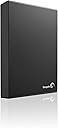
💼 Elevate your data game with storage that works as hard as you do.
The Seagate Expansion 4TB Desktop External Hard Drive (USB 3.0) delivers massive, reliable storage with ultra-fast USB 3.0 connectivity. Designed for professionals needing quick, plug-and-play access to large files, it features a sleek matte black finish, whisper-quiet operation, and compatibility with both USB 3.0 and 2.0 devices. Perfect for expanding your desktop storage effortlessly while maintaining a cool, quiet environment.
| ASIN | B00834SJS0 |
| Additional Features | Portable |
| Best Sellers Rank | #459 in External Hard Drives |
| Brand | Seagate |
| Built-In Media | Seagate® Expansion™Desktop Drive USB 3.0 2TB USB3.0 |
| Cache Memory Installed Size | 2 |
| Color | Black |
| Compatible Devices | Desktop |
| Connectivity Technology | USB |
| Customer Package Type | Standard Packaging |
| Customer Reviews | 4.3 out of 5 stars 7,129 Reviews |
| Data Transfer Rate | 5000 megabits_per_second |
| Digital Storage Capacity | 2 TB |
| Enclosure Material | Aluminum, Glass, Or Ceramic |
| Form Factor | 3.5-inch |
| Global Trade Identification Number | 00763649039373 |
| Hard Disk Description | External |
| Hard Disk Form Factor | 3.5 inches |
| Hard Disk Interface | USB 3.0 |
| Hard-Drive Size | 2 TB |
| Hardware Connectivity | USB 3.0 |
| Hardware Platform | PC |
| Installation Type | Plug In |
| Item Weight | 2.1 pounds |
| Manufacturer | SEAGATE |
| Media Speed | [EST] Several hundred MB/s |
| Mfr Part Number | STBV2000100 |
| Model Name | Seagate Expansion |
| Model Number | STBV2000100 |
| Number of Items | 1 |
| Special Feature | Portable |
| Specific Uses For Product | Personal |
| UPC | 763649039373 |
| Warranty Description | 1 year limited warranty |
A**G
Solid Construction and Performance at a Great Price!
So far, I don't have a whole lot of time spent on this specific external hard drive. (received it 10-15-2014,). However, I will update this review as I use it. Keep in mind that so far, this review is based off of first thoughts and may or may not change as I use the product. Out of the box, the hard drive is packaged very well, so you can expect it to handle the abuse of shipping, not to mention Amazon adds its own packaging which helps even more. The hard drive has a very solid feeling build to it. The cables are of good quality and fit snugly into the external hard drive. This hard drive is extremely quiet, you wouldn't be able to tell it was on unless you saw the light or felt the drive spinning. I have also noticed that this hard drive doesn't produce very much heat, at least it stays cool to the touch. Keep in mind that I have mine in my basement which is consistently between 57-65 degrees F depending on the time of year. I bought this expansion hard drive specifically for my Xbox One. I plugged it into one of the rear USB ports on the Xbox One and the drive was detected instantaneously. It has a blue light at the back indicating whether or not it is on. It turns on and off with the Xbox One, so you don't have to worry about the drive running all of the time. It shows 2.7 TB of available space which is my only gripe so far. I am not sure where the 300GB is from the advertised 3TB, but either way, I don't see myself needing to add another one in the near future. It is matte black, so if you are using for an Xbox One like I am, it matches perfectly. I will try to install Halo: Master Chief Collection on the hard drive to see if there are any problems with data transfer for gaming. I would expect that everything will be fine since it has USB 3.0. Update 11/12/14 I have officially downloaded Halo: Master Chief Collection to this hard drive. So far, I have yet to run into any problems whatsoever. The game runs smooth, loading screens are short, and the drive still runs cool even after hours of continuous play. I found out that if data is being accessed from the external hard drive, the little blue light will flash. If the light is solid, the hard drive is on but isn't being accessed. Update 01/03/2015 I have now been using this external hard drive for a few months. I got an ACL reconstruction on the 2nd of December which means that I had nothing but time to play games. I was using this hard drive for 8-10 hours a day between myself and my fiancé for about two weeks. I have zero problems to report on this drive. When playing matchmaking on the Halo 5 beta, I always load the game faster then my friends do by about 10 seconds. I am not sure why that is, but my point is, you definitely do not have to worry about data transfer speeds using this hard drive. I still couldn't be happier with my purchase.
Z**Z
A great drive, but several gotchas
This model doesn't provide any setup software or encryption that you'd normally expect in purposed backup external HD like Mybook or similar. However, if you are looking for the bang for buck storage, Expansion is an economical solution but you need to do a little homework to set it up and insure a long life. Pros $34.50/TB as of this writing for 3TB; 4TB, 1TB or 2TB cost more per TB Excellent quality build Added software can be downloaded from Seagate.com USB 3.0 electronics takes care of compatibility with the "Advanced Format" model ST3000DM001 used internally. Truecrypt recognized the drive and easily formatted it for whole partition encryption. You can find the full specs for the drive at Seagate.com to predict is lifespan and how to use it optimally No issues accessing the drive from Windows: Vista64, Vista32, and Win7 Tested to 100 problem free hours, 1TB transferred and confirmed intact For basic diagnosis Seagate's Seatools will be able to perform standard tests USB 3 cable and universal power supply, 100V-240VAC, 50-60Hz, supplied. Cons The drive was not configured to sleep out of box. Download "Seagate Drive Settings" software to check all settings and set it to sleeps as soon as you needed; its default is 15 minutes but was not engaged until you use the software. By reducing uptime, you prolong the disk life and keep it cool. The drive is passively vented from the bottom, but by design the drive is made to sit bottom down. This obstructs the holes. Its better to let the drive sit on its side and to keep the vent holes open towards the room, left unobstructed. The status light is on top of the unit, so if laid bottom down, it faces up. On a desk you can't see that light; it better off again, letting the drive sit on its side, with the LED facing you You must confirm the LED status lights are engaged, to insure you can use it to diagnose what the drive is doing: rhythmic periodic blue flashing = asleep; solid blue = drive in ON but no data access; intermittent flashing, drive is being accessed. You won't notice its activity out of box. If the LED malfunctions or isn't set correctly by the software you can check the status of the drive by picking it up with your hand and slowly and gently twist the grasped drive with your wrist. As the drive spins, and very quickly at that, it acts like a gyroscope, so you can feel if the drive is at top speed [ maximum resistance to twisting is during full data access], if it has variable speed capacity [weaker torque than during data access], or is off [no resistance, same as if the power were unplugged], to confirm the LED status lights. Its not easy to open the chassis. Its a plastic shell ontop of the aluminum case that uses snap closures. There is a video on y o u tube that shows how this done.
G**C
Got it working correctly on Windows XP! Here is a way to solve any freezing and hanging in Windows Explorer.
This review is for the Seagate Expansion Desktop Drive 3 TB (STBV3000100). There is still hope for Windows XP SP2/SP3* users who are having problems accessing or using this drive. I've had this unit for a month now (initially re-formatted it to NTFS 4096K allocation size, then set it aside for later use). I almost decided to return this unit today after plugging it in and discovering I couldn't access any partitions and Windows Explorer started freezing up, forcing me to hard reboot. I thought this unit was defective until I booted into my other Windows XP partition (which has SP3) and found everything working just fine. The problem is NOT: -Having to delete the USB drivers in Control Panel > System > Device Manager, and let them automatically re-install on reboot. (If you need to update your USB drivers, find your Motherboard's model number, go to their website Support section, and download and install their latest Chipset drivers (i.e., Intel) for your operating system.) -Having to install Windows XP SP3 (if you are using XP SP2). -Having to change the drive letter. -To do with disabling 'Allow the computer to turn off this device to save power.' in Device Manager > USB Root Hub > Power Management. -To do with improperly using Safely Remove Hardware feature (although you should always use this). The solution that worked for me is as follows: If you use Windows XP SP2, make sure not to format it in a Windows XP SP3 environment. I initially formatted to NTFS allocation size 4096K, but I just went back to NTFS Default (which should also be 4096K) while in XP SP3. If you need to backup any files left on the drive, try plugging it into another computer (assuming your unit still works, but the point here is you can be easily misled into thinking your unit is defective if you only have one computer to test it with). The solution is to delete all the partitions on this drive from a computer that can access it, safely disconnect it, reconnect it to the computer it initially froze on** (it should work now that the partitions are gone), and then format it using Disk Management in XP SP2 (if you only use XP SP3, it should still work, but the point is that if you also use XP SP2, you need to format it while in XP SP2, not SP3). >>WARNING>> Here are detailed instructions on what to do, but be warned that formatting drives is risky and requires special attention. You could easily delete the wrong partition and lose all your other data! Get help from a more computer savvy person if you are not sure what you are doing. To Delete the partitions: 1. Right-click on 'My Computer' and select Manage. 2. The Computer Management window should pop-up. 3. On the left tab, select Storage > Disk Management. 4. Stretch out the window if too compact. 5. Select the correct drive: i.e., Disk 2, Basic, 2794.51 GB, Online (Disk 0 is probably your main hard drive, DO NOT select that!) 6. Right-click the partition you want to delete (usually has purple = primary cover bar) and select 'Delete Partition.' 7. Repeat until all partitions are deleted. It should be one black cover bar now that says 'Unallocated'. To Re-format the drive: 1. Safely disconnect the drive using the taskbar feature: 'Safely Remove Hardware.' 2. After you manually remove or reboot, it should automatically shutdown. 3. Bootup the operating system you want to use and plug her in. 4. Go back to Computer Management. 5. Right-click the box '2794.51 GB, Unallocated' and select 'New Partition..' 6. Click Next. 7. Select Primary Partition (you can create up to 4). 8. Enter the size in MB you want for this partition. Example: 953860 MB ~ 931.50 GB. 9. Assign a drive letter. 10. Format file system: NTFS; allocation unit size: Default; turn on 'Perform a quick format'; avoid file compression. 11. Finish! Give about 15-60 seconds for it to finalize. Your external drive should now load properly whenever it is plugged in! It works for me! Other thoughts: -Many people do not realize how fragile and sensitive these units are! Handle them like expensive glassware and they will serve you well for many years. -Whenever I want to keep the unit turned off, I rather unplug the power cable (only after it powers down!) than the USB cable (as the 3.0 end seems somewhat flimsy). -If you still have problems getting your unit to work, and can no longer return it, consider removing the black plastic casing and salvaging the hard drive itself. It can be used like any other internal hard drive and will be much faster (not limited by USB interface). There are videos on You-tube on how to do this if don't mind the time and effort. Make sure you discharge all static electricity from your body before handling such components! *SP2/SP3? Service Pack. ** Assuming you don't have viruses or other crippling issues with your operating system.
A**Y
An Excellent Product
This was a snap to set-up... I just plugged it in my USB 3 port and and was able to start using the drive straight away. I really like the USB 3, it makes transferring files fast and easy. The drive doesn't seem to run particularly hot (so far), not even that warm. It's also very quiet. Just for kicks I plugged it into a Mac Mini, which was able to see the drive, but this drive is NTFS, so you'd need to format it for use with a Mac. I plan on using this with a PC so that won't be a problem, just wanted to point out that this needs to be formatted for use on a Mac. Overall, I'm very happy with this product. This Seagate is a speedy drive. To gauge how fast it is, I did a low tech stopwatch comparison of data transfer rates via USB 3.0 for both this Seagate Expansion drive and my Western Digital My Passport 2 TB USB 3.0 Portable Hard Drive -WDBY8L0020BBKNESN (Black). I transferred the same 7.13 gigs of data - first to the WD and then to the Seagate. The results: Western Digital My Passport: 3 min. 3 sec. Seagate Expansion drive: 2 min. 1 sec. The Seagate was hands down faster. The Seagate is also significantly less expensive. But there are other considerations. The Seagate enclosure is significantly larger than the Western Digital (because it houses a 3.5" drive compared to the Western Digital's 2.5" drive) and the Seagate requires a 12V AC adapter to run while the Western Digital runs off of the USB port (at 5v). Of note, both drives are nearly silent - you would need to put your ear to them to hear anything. Also, both drives have activity LEDs. The bottom line, if you are looking for a fast and cost effective expansion drive, this Seagate fits the bill. The price to performance ratio is definitely there. Just be ready to plug it in someplace. If you're looking for true portability and are willing to pay more for it, there are other 2 TB options. If you are wondering if USB 3.0 is worth the upgrade - my Seagate 1TB USB 2.0 expansion drive took nearly 6 minutes to transfer the same data.
R**N
SEAGATE Expansion 3TB USB drive. Just What I needed.
After going through days of pages of Hard Drive Information I decided to go with this drive. I needed a drive to hold my media, for the media player. It has served the purpose well. It is silent, fast and has not failed with my continuous testing and frequent accesses. The USB plugs into my XP based computer with the 1.0 USB. The computer accesses the information with no problems. Speed is down because of the USB connection but the only time speed would be a concern is when copying or backing up so it is of no concern at all. I would like to mention about all these complaints about heat problems. I don't have any heat problem at all. I was concerned when I noticed all the reviews about heating up, getting hot, etc etc. I suppose this could be a problem, the venting of the ext box is not the best. How I beat the heat was simple. I noticed that the rear of the unit had vent holes in the panel. The bottom of the case also has vent holes. The case is made to lay flat down on the desk. With the postions of the vent holes, the heat won't get out easily so you will indeed see heating. Though SeaGate will state that the temperatures remain within safe limits. The simple rule is HEAT RISES. Placing the unit on its front panel will align the bottom panel vent holes to the side and the rear panel vent holes to the top. The heat rises and the drive is running very coolish, feels slightly warm to the touch. Get a couple of those book end holders and sandwich the drive (being careful not to block any of the vent holes) so it cannot fall down. If you are going to use a couple of these drives, put some kind of spacer between the drives so it can get air to move the heat out. Note that the plug-ins will be at the top of the drives. Access times for the media player are more than adequate. I would also recommend this drive for your back ups. But then you should keep two copies of all crucial back up information anyway. All Hard drives are mechanical and all mechanical things will wear out, or fail, in time. My experience with this drive, so far, has been nothing short of very good. Good luck with your shopping
J**B
Slow With High Failure Rate
I purchased this product (3TB) on 2012-12-01 and it died a slow painful death on 2013-09-17 to store media files for my HTPC. On the positive side, it was inexpensive and easy to install. On the negative side, despite the USB 3.0 interface, data transfer was always slow and it didn't last a year. It started out with Windows 7 intermittently saying it didn't recognize the device and freezing when watching media files. Seeing the writing on the wall, I began the process of transferring the data to an internal 2TB. This was a long slow arduous process because of the amount of data corruption. If I didn't have coding abilities, I am not sure how long (or if) I would have been able to get the data off since each time it would freeze and require unplugging and plugging back in. Fortunately, I was able to recover 95% of the data before it died completely. I am still in the return process which hasn't been the most pleasant experience either. I go through the website and see there are 3 options where two of them require me to give Seagate my credit card info - no thank you, I will choose option 1 (return the drive to us at your cost and we will ship you a refurbished one of equal or greater capacity with a warranty of 90 days or the remainder of your current warranty - whichever is longer). I get an email confirmation with the shipping instructions and then I read the fine print: You can't use packing peanuts nor bubble wrap. You have to put it in a static shielded plastic wrap etc. If you fail to do this you void your warranty. I decide I will change over to the "pay us $10 and we will ship you a replacement drive along with prepaid return shipping". Turns out there is no way to do this on the website. Call customer service and wait for 12 minutes and 17 seconds before Sarah answers (I assume she spells it with an h - she was pretty cool like that). I don't ask for any favors like not having to pay anything at all - just please convert the RMA over to the prepaid option (so I can re-use the shipping material and only have to pay $10). She explains that she will need to cancel my order first and that it will take up to an hour before the system will allow another order to be created but sometimes there are problems so please call back if there are. I almost cut my losses and purchased another product but for $10 I will happily delay the pain and misery that will ultimately befall me for a few more months (I am anticipating it to fail on Valentine's Day - just as my wife as I sit down to watch a romantic comedy and 2 weeks after the warranty has expired). TL:DR It is inexpensive but you get what you pay for and the warranty process will having you crying in the fetal position
M**S
What's not to like? (If it works with your computer)
I really have no complaints about the drive itself. It's everything it claims to be. It stores large amounts of data, it can retrieve that data very quickly (espectially if your computer has a USB 3.0 port), and doesn't get so hot that you wonder if it's going to melt. So why a four-star rating? *(See edit below) Because, for whatever reason, it may not actually work with your computer. I used this to backup my media collection on my Linux desktop, then carried it to a friend's house to watch some movies. Their TV wouldn't recognize it as a USB device. Their Macbook wouldn't detect it, either. We did get it to work under Linux on a different laptop that was set up to dual book Linux and Windows. (It would presumably have worked on that laptop under Windows, but we didn't try it.) On the other hand, my $35 Raspberry Pi had no problem with it. Go figure. I don't know if the problem is with using USB 3.0 on devices with only USB 2.0 ports (although USB 3.0 is supposed to be backwards-compatible, and the RPi's USB port is 2.0) or if those devices had a problem with the size of the drive. Either way, you should be aware that this drive might not work with you computer, even if it's not a problem with the drive itself. *** EDIT: I've changed my testing to five stars. After a bit of poking around, I discovered the file system identifier was set incorrectly. I don't know if the drove shipped like that or whether it was something I did inadvertently. However, after fixing this (using either fdisk or ntfsfix -- I don't remember which -- on my Linux laptop) the drive works fine on every computer I've plugged it into. I would recommend Windows users format the drive before you start using it just in case. Other than this easily remedied (if not entirely obvious) issue which may very well have been my own fault, this has so far been a great drive.
R**Z
Working so far. Great spacious drive!
So far so good. I've been reading a lot of bad reviews for the smaller drives, but mostly positive reviews for the 5TB version. So far the drive has been a great weight off my shoulders as I've nearly maxed out the 3 1TB drives I already had. I do have some worries though. It's not loud, yet as a spinning drive it's not quiet either. I'd expect that. But what has me worried is the occasional quiet ping sound. I'm not sure what that is. Maybe it's the head snapping back into neutral position? I've heard other drives this happens to and it sounds more like a knock than a light ping. But as to why it's snapping back to its neutral position, that worries me as that can often signal that it's trying to prevent data loss because of some sort of physical problem (typically you get this on MacBook laptop spinning drives in the case of a drop, on others there's a physical scratch on the platter). I hope I'm wrong. Another is the sound it makes on occasion where it sounds like a tiny floppy drive making a large read or write action. That buzzing sound. It's not loud and it's not long. Just sometimes a short buzzing sound that gets my attention. Not sure what that is, but it puts in mind that I should buy another 5TB hard drive ASAP from Western Digital or a Drobo that I can put my old drives in to back the data up. Other than that there seems to be no other downside. It works as expected, it's fast (as fast as USB 3.0 over 2.0 can be), faster than my old portable Seagate 1TB USB 3.0 drive, and spacious. I'm glad I bought it. It's just a few tiny problems that might not be problems that worry me. For all I know that's how ultra large format drives sound and I'm worrying myself too much. Edit: I just realized that the buzzing sound was the couple of pens I had inadvertently set on top of it. They were rocking back and forth loosely on top of the drive and whenever there was a lot of activity in the drive those two pens would buzz against each other. lol Ok, so that's solved. Also, and I might be speaking too soon, the pinging is gone. I dunno what I did. Maybe it was running JDiskReport on it to see what files were taking up the most space? You get it to read the entire drive and the pinging stops? I dunno.
K**H
Works great with WiiU!
I use this hard drive to provide extra storage for my WiiU console. It works perfectly for this. The 1GB of storage should be plenty of space to download and save games. Installing the hard drive was very easy; it was just a matter of plugging it into the WiiU via USB and turning the console on. The hard drive was automatically formatted to whatever storage format the WiiU prefers, and it was ready to go within a few minutes. The games I've downloaded from the eShop since purchasing the drive seem to boot up quickly, and I haven't noticed any lag or anything like that while the WiiU reads data from the drive. It's nothing fancy, but this drive does exactly what I hoped it would, and I'm very happy with it.
H**Z
Auxiliar en mi laptop
Muy necesario para guardar archivos de videos
C**Y
Easy to setup, Decently Fast
This external hard drive by Seagate is one of the cheapest and best external hardrives you can get. I bought the 4 Terabyte model and managed to fill up about 2 terabytes worth of games. The speed I would venture to say is one of the best for an external harddrive that is connected via USB and have had it for 3 years with no issues. It does tend to make a lot more noise when using but that is standard for external hardrives. It is still fairly quiet despite the fact.
P**O
Seagate Expansion 4TB para Xbox One
Funciona bastante bien para Xbox One, siendo una de las opciones más económicas para respaldar datos de juegos en esta consola, tomando en cuenta otros productos de otras marcas de la misma capacidad. Incluye conector USB y adaptador de corriente alterna. El producto fue entregado en estado impecable.
T**M
I am happy with it so far
The item's packaging is well designed. The clear shrink wrap protects the tightly packed paper box from water or moisture damage. Inside, plastic wrap further protects external hard drive. Also included are one 100-240V 50/60 Hz AC power supply for a North American wall outlet, and one USB 3.0 cable. The item was shipped in Amazon's standard corrugate brown box with paper cushion, which provides adequate protection and privacy. Once plugged in, the notebook computer, running Windows XP, takes about 5 seconds to recognize the drive. The usb 3.0 cable is compatible with my USB 2.0 outlet on the computer. A gentle click indicates the drive starts. A little blue light means it's on. The noise level is almost undetectable, even when my notebook is off. Very little heat come from the drive. After 8 hours of continuous running, it feels comfortably warm to the touch on the top surface. The drive is quiet and fast, certainly compared to my Maxtor 200 GB external drive and slightly to the Iomega 1TB external drive both connected to my desktop, running Windows Vista. I am quite happy with this purchase. For moderate home data and media backup purpose, this drive is plenty. It does what it's supposed to. No surprise, good or bad. I give it 4 stars out of 5.
Trustpilot
1 month ago
4 days ago