Desertcart purchases this item on your behalf and handles shipping, customs, and support to Israel.
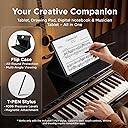
🖋️ Elevate your creativity and productivity with the tablet that feels like paper but performs like a pro.
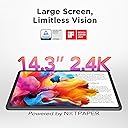
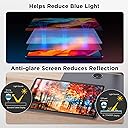
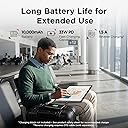
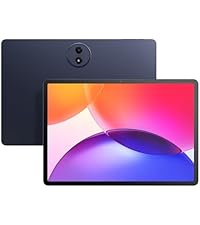
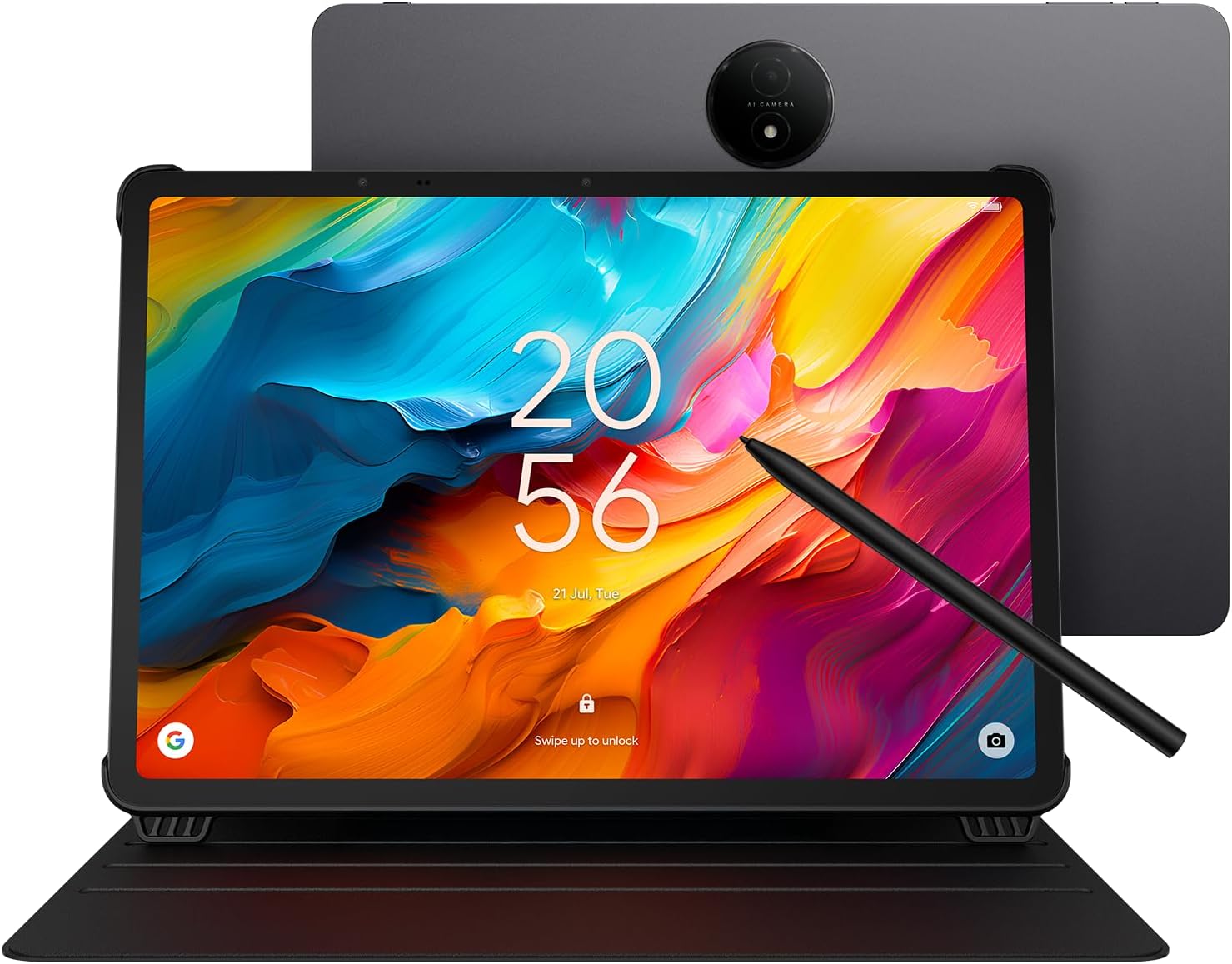
The TCL NXTPAPER 14 is a 14.3-inch Android tablet featuring a 2.4K NXTPAPER 3.0 paper-like display designed to reduce eye strain with anti-glare and blue light reduction. It includes a 4096-pressure-level T-PEN stylus for precise input, powered by a MediaTek Helio G99 processor with 8GB RAM and 256GB storage. The tablet boasts a robust 10,000mAh battery with fast and reverse charging, dual front cameras, and a quad stereo speaker system. Its slim, durable metal design and versatile screen modes make it ideal for professionals, creatives, and multitaskers seeking a premium, eye-friendly digital experience.


| ASIN | B0FLP554CZ |
| Aspect Ratio | 16:10 |
| Battery Average Life | 10 hours |
| Battery Capacity | 10000 milliamp_hours |
| Battery Cell Type | Lithium Polymer |
| Battery Power | 10000 milliamp_hours |
| Best Sellers Rank | #3,669 in Electronics ( See Top 100 in Electronics ) #75 in Computer Tablets |
| Brand | TCL |
| CPU Model Number | Helio G99 |
| Camera Description | Dual front cameras (13MP + 5MP), 8MP rear autofocus camera, 2K video support |
| Color | Gray |
| Compatible Devices | Stylus |
| Configuration | 8+8GB RAM, 256GB Storage |
| Connectivity Technology | Bluetooth, Wi-Fi |
| Customer Reviews | 4.4 out of 5 stars 414 Reviews |
| Display Refresh Rate in Hertz | 60 |
| Display Resolution Maximum | 2400 x 1600 pixels |
| Display Type | LCD |
| Generation | 1st Generation |
| Graphics Description | Integrated |
| Hard-Drive Size | 256 GB |
| Hardware Interface | Bluetooth, USB Type C |
| Human-Interface Input | OCR, Touchscreen with Stylus Support |
| Included Components | Flip Case, T-PEN Stylus, TCL NXTPAPER 14 Tablet, USB-C Cable |
| Item Dimensions L x W x Thickness | 8.74"L x 12.69"W x 0.27"Th |
| Item Weight | 1.83 kg |
| Lithium-Battery Energy Content | 39.86 watt-hours |
| Manufacturer | TCL Communication Ltd. |
| Memory Storage Capacity | 256 GB |
| Model Name | TCL NXTPAPER 14 |
| Model Number | Helio G99 |
| Model Series | NXTPAPER |
| Native Resolution | 2400 x 1600 pixels |
| Number of Items | 1 |
| Operating System | Android 15 (Upgradable to Android 16) |
| Operating System Family | Android |
| Other Special Features of the Product | All-Day Power with Extra Utility, Paper-Like Viewing Experience, Powerful Performance & Productivity, Stylus Support, Versatile Screen Modes |
| Processor Brand | MediaTek |
| Processor Description | MediaTek Helio G99 |
| Processor Speed | 2.2 GHz |
| RAM Memory Installed | 8 GB |
| RAM Size | 8 GB |
| Rear Facing Camera Photo Sensor Resolution | 8 mp |
| Screen Size | 14.3 inches |
| Set Name | TCL NXTPAPER |
| Size | 256GB |
| Specific Uses For Product | Creative, Professional, Entertainment |
| Style Name | elegant |
| UPC | 889063533669 |
| Unit Count | 1 Count |
| Video Capture Resolution | QHD 1440p |
| Warranty Description | 1 Year Manufacturer |
| Warranty Type | Limited |
| Wireless Compability | 802.11ac |
| Wireless Technology | Bluetooth, Wi-Fi |
B**S
Delicious Piece of Tech
Took me all of 20 minutes to fall completely in love with this delicious piece of tech. Opening the box, it was clear this thing was handled with care - TCL tape on every seam - easily cut away to reveal handsome packaging. Similar to buying a phone, you just feel like something new and special awaits you. The unit came 50% charged so I was able to jump right in and play. Setup with my existing Google account was instant - right in my very familiar android world. From the jump, the screen clarity is what really impresses - just a soft gorgeous filter of light - easy on the eyes, and exquisite color separation. I immediately installed a couple familiar apps: Kindle and Spotify. The touch screen was responsive and the has a matted paper quality that is a bit alien to the touch in an electronic device, but a total delight - feels akin to turning pages. I opened Kindle to do some daily morning reading. At this point, I used the side button (which I had read about in reviews) to change to black/white paper mode - absolute game changer! Everything in antique black and white - and I'm not certain, but the interface even seemed to be slightly more responsive in this mode. For the ultimate test, I went outside to continue reading. Sun shining bright on an 80 degree summer morning, and although there is a bit of natural glare on the screen, I could 100% read the screen at any angle without much manipulation. I then went back to color mode with the easy push of the side button (awesome!). Jumped into Spotify and was delighted to turn the device 90 degrees in portrait mode and see an entirely new layout of Spotify to my eyes (1st Tablet). I am learning some tunes for a little music project and I was able to dive into the lyrics of each song in text size that was very large and comfortable to see. And it connected to my home wi-fi and bluetooth speaker with no issue whatsoever - quick and easy. My plan for this little device was to setup on my piano music stand so I can watch videos and pull up lyrics, music, tab and have enough real estate to see things with clarity. This device will ABSOLUTELY do that job and SO much more. The reviews prior to my own are spot on. This thing is a technical marvel at the price point. My only CONs would be as follows: the charging cord is C-type to C-type. I was expecting one end to be USB - so you're on your own in the charging department, but this seems to be the direction of tech these days anyway - so not a shock. The other is the lack of a back button. I'm just not used to that. Seems you swipe up from the bottom to get back to home, but I'm still a little fuzzy on how that works. It's a learning bump for me that I will overcome in time. Other than those two VERY persnickety items, I adore this tablet. I have a house full of TCL televisions and this piece of tech is even more impressive. Absolute walk-off home run of a purchase for my needs. As a small side note, I had seen a lot of music folk chatting about this tablet being a window to escape the I-Pad and their proprietary boondoggle. I've always been an Android user and for exactly the reason that lead me to this particular device. Android CAN get a little wonky depending on what you're doing, but I find the device and cost flexibility very attractive.
A**I
Superb choice for active musicians, whether we're on a budget or not
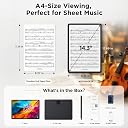
As a professional musician, I adore this tablet. Its intuitive interface allows for quickly learning the android platform for those of us who are working on escaping the apple ecosystem. There are multiple sheet music software apps that perform extremely well (honestly better than the iPad native software so many people in my industry are beholden to), and the battery life seems to be superior to the iPads I've used in the past. With consistent daily practice sessions I have only had to charge this tablet twice in the near month I've owned it. Its screen provides a very paper-like experience in pretty much every way I need even when in full tablet mode, and as a leftie writing on this device is cleaner and more predictable than writing on an iPad. Something that makes this device truly unique is that with a push of a button the tablet can go into colored paper mode, which has been the best for me as a musician who struggles with looking at a screen due to eye problems. In color paper mode, the music looks nearly identical to orchestral score quality physical paper. The screen size ratio is nearly the same as A4 paper, which for those of us who want or need our music to be full-sized, this tablet is ideal. I much prefer this screen in every way over the industry standard iPad. The bluetooth and wireless connectivity are reliable and wifi speed is solid as is the speed of the processor. Pedals connect with ease. The tablet works well off both traditional wifi and mobile hotspot wifi, which is a convenient workaround to the lack of normal cellular activity. The storage capacity is a good value for the price, and the tablet arrives with google software suite (including google drive) preinstalled, which enhances storage space and connectivity amongst devices across platforms. The tablet also charges really quickly, and the usb-c charging port feels sturdy; not flimsy like old lightning ports of apple products. The tablet as a whole is the right mix of light enough weight to be practical despite the 14.3" screen size, but heavy enough to feel secure. And it looks sleek enough to confidently bring to a gig without worrying about looking unprofessional. The case it comes with is really basic, but sadly there's not a lot of 3rd party case options for this tablet. But that it comes with a case at all is a nice feature and the case is both serviceable and convenient, just kind of bland. Would love to see TCL or a third party come out with some nicer case options. The stylus it comes with is comfortable in the hand and does everything I want it to do as someone mainly using this as a music reader tablet. For folks coming out of apple land, the lack of tap to turn on (like an Apple Pencil) might be a temporary minor inconvenience to adjust to, but the side button on this stylus is easy to reach without adjusting one's grip and is also just the right amount of responsive. I was hesitant to buy a tablet for several years because of the limitations and cost of the industry standard iPad Pro.... This tablet is a premium option at a budget price point, and if you're a musician on the fence about going digital due to the chokehold apple has on our industry, definitely give this thing a try. I'm an oboist who is notoriously not a fan of technology in my craft, and this has fast become one of my favorite tools beyond my instruments themselves. I'm genuinely so glad I got this one over the competition.
J**D
This is a surprisingly good large Android tablet at a good price
Happy with the purchase, and a bit surprised at how well it works so far. The large size makes it easy to read documents, the "paper" modes are a nice addition, and the battery lasts for hours of use. I was able to install an email program (not Google) and it worked right away. Other Playstore apps work on it too (I have a few favorites to install). The cover is also nice, although I don't know why the included a felt-loop stylus holder - the magnetic attachment is great; maybe the loop is for those who don't want to use the case. A couple of things to note: 1) the description says the device works only with the stylus. This is not exactly correct. Finger touches work, and I was able to quickly connect a small Bluetooth keyboard (which makes emailing much easier). 2) However, attempting to use a small plastic pointer and an old PDA stylus did not work for me, so perhaps that is what TCL means about working only with their stylus. 3) The device works with stylus, fingers, or BT keyboard with or without a screen protector. The pointing accuracy is best with the stylus, of course. 4) Although a spare stylus tip is included it seems likely that replacements will be needed over time. I hope TCL makes them available at a reasonable price. 5) Due to the inability to use an alternate stylus, I hope TCL also makes spare stylus pens available a reasonable price too. 6) I purchased a screen protector (I use them on all my touch devices) and noticed that the camera "bump" and two other sensors along the edge of the screen made it impossible to get a perfect fit. This is not TCL's fault, it is more likely due to the rather rigid screen protector. And it does not affect functionality - the slight detachment is outside of the actual screen area. However, it seems possible that the slight separation could get snagged and detach over time. A Zag protector (if available) would undoubtedly do better. I'll leave a comment about that on the screen protector review (not a TCL product) 7) Related to the previous point: the screen protector attached well to the screen (I use rubber gloves and a small rubber squeegee to apply them smoothly), but when the power is off there is a "ripple" effect that appears to be inconsistencies in the screen protector plastic itself. I tested with all three paper modes of the TCL, and with power on the ripple is not noticeable. Note: these are definitely *not* air pockets between the glass and the protector, but rather, appear to be inconsistencies in the protector film itself. Annoying but not a serious problem for the TCL. 8) It would be nice if the TCL had a smart card or microSD slot. For simply viewing PDFs and such, 128 GB may be fine, but with a few apps installed, another 128-256 GB, on microSD, would be a very welcome addition (and Android already handles SD devices, so this amounts to a small case change, a small PCB change, and a $0.50 connector. I hope TCL will consider adding an SD slot on future releases. After a few days use I'd buy this again. Nice design, really easy on the eyes, surprising screen mode "paper" options, good battery life, and it was delivered fast and *very* well packaged. Five stars.
D**G
Perfect for reading e-books.
Really great Android tablet. Best size for reading e-books. Fantastic display. Comes with stand and rechargeable pen. Probably great for drawing but I am not an artist, just an old man who needs a large screen to read. Cons: Speaker sound tolerable but not great, no keyboard, no slot for micro SD card, no earphone jack (needed as antenna for radio app). Must use bluetooth devices.
G**M
Samsung needs to take notes
First off, YOU SHOULD HAVE A TOP QUALITY CHARGER AND USB CABLES IN YOUR LIFE. I will tell you why later. If Samsung copied this Screen Finish on their entire lineup, they would own all of the market. I'm not kidding when I say this matte finish really makes this screen look better when consuming media around the house. Almost a surreal effect. HUGE and useful real estate btw, and not as heavy as other Mid grade XXL tablets. The pixel density is great, do not get yourself fooled a 1080p on a 14inch or greater Tablet matters. You will see the pixels. The extra resolution is needed. That said I think the fact it is a LCD helps soften the most harsh pixelation as it looks amazing and really gives Movies that Pleasant viewing experience. The Pen Lag is there, not the worst but you're just taking notes with this response time, and the pen is not intuitive, there is a reddit post of people just trying to figure out how to use it. Ask me how I know... The builtin storage Capacity is kind of a non question for me as I stream my data through Media Streaming services and Plex home server. So all the apps to do so barely take a lick of space. Also what this is advertising for (books) those don't take any space. The charging and battery run time is gonna be a thing for those who are use to Apple and Samsung battery magic. Now not bad by any means, but watching a 2 hour movie will run your battery 30% using the Speakers. Granted it's pushing a larger screen and quad speakers. Speakers.... they match the vibe. They will be enough for media. There is no glowing review on them. They will be beat by every Bluetooth speaker because you simply can not get a great sound stage on these form factors. There is a Volume Plus mode if it's not loud enough but you will try it once and never again dear god that was horrible. TCL remove that feature because you're asking for warranty claims. My testing shows PEAK 24watt charging speed at 2.5a/9.6v which is confusing given its supposed to be a battery Economy mindful chipset with the Hellio G99 that's found in other mid grades like the Samsung S9 Tab FE. Cameras are unremarkable and to be honest I would of taken a downgrade on the rear for a flush camera. Just enough to make sure a once and awhile QR code that's needed to be scanned is clear enough. Selfie cam is..... there. UI is vanilla Android, I immediately ditched it for my Launcher of choice so No opinions past that. In all. A great Deal. Tablet is great. Case is useful. Pen is a dud.
I**T
First update installed unremovable bloatware
At first things were going well. I liked the screen, the tech in general. It was responsive and looked good. There were a few annoyances to sort out in settings. Then it prompted to "finish setting up", to install updates. When it was done there were about half a dozen new icons for things I didn't want on the desktop. The only one that could be deleted was the LinkedIn app--which is an insane thing to push on any device, but at least it could be removed. The rest of the apps couldn't be removed at all. At best they could mostly disabled and reduced to a minimal install, but I believe each was over 100MB of wasted space. That's over half a GB devoted to having things on my machine that I don't want and didn't ask for, and don't trust to not be secretly phoning home. When I'm not allowed to remove something, it makes me suspicious of why I'm not allowed to. What I do know is they aren't integral to the operating of the tablet. Even if it wasn't obvious from what they were, they weren't there when the device first booted up and it was running just fine without them. Additionally, perhaps most importantly, it declares a willingness to push bloatware the end user is forced to host on their machine post purchase. It's bad enough when a device comes with apps you can't remove that are there when you first boot them up, but doing so as part of an update crosses a significant boundary. It's an invasive pattern of behavior. I will not tolerate it, and I encourage others not to tolerate it either, especially since many of these apps are given fingers into your account by default.
D**S
Complete, Affordable, Multi-featured Large Android Tablet
This tablet is capable of doing a lot. I bought it to replace an e-ink tablet that was slowly dying. I primarily bought the tablet to use when singing with the Mobilesheets app. Turns out that this tablet is faster than my old tablet, and is easy to make notations in the music because of the included pen. The best part is the cost. I paid about 1/3d of my previous tablet. I love the size, the speed and the features. I use the tablet for reading, music, email, etc. Less expensive than a similar sized Apple tablet, and much less expensive. Pen and cover were included. Well worth the money!
E**.
Awesome size, battery, and options
I first looked at this because I saw a video and thought it couldn't be true. Then I came here and saw great reviews. So I got it. And I wasn't another one. My main reason was sheet music, and it's awesome. Huge screen, long battery life, and different screen modes. But it's also great for games, movies, and with a keyboard and mouse it almost replaces my laptop. I definitely recommend getting this.
M**.
Muy buena tablet para practicar dibujo, leer y revisar tus archivos básicos como de diseño
Cumplió muy bien con lo que queria, sobre todo para practicar dibujo digital de forma básica, gran pantalla tanto en tamaño como calidad. Obviamente hay mejores tablets, pero si encuentras esta TCL de oferta vale mucho mucho la pena para cosas básicas y una que otra que requiera alta potencia.
J**H
TCL
Quite a good tablet. Big screen, 👍.
I**A
Buena tablet, relación precio calidad.
Buena tablet con relación precio calidad, tiene algunos bugs pero nada grave, eso si la pantalla está excelente, y la batería dura mucho, yo si la recomiendo.
C**G
No charger !!!!
There is no charger !!!! It is supposed to include a 33W charger.
Trustpilot
2 days ago
1 month ago