We remain fully operational. Our teams are working around the clock to ensure your deliveries continue safely.

قم بتنزيل التطبيق


معلومات عنا
حقوق الطبع والنشر © 2024 Desertcart Holdings Limited
قم بتنزيل التطبيق

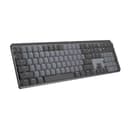
⌨️ Elevate your workflow with silent power and seamless style
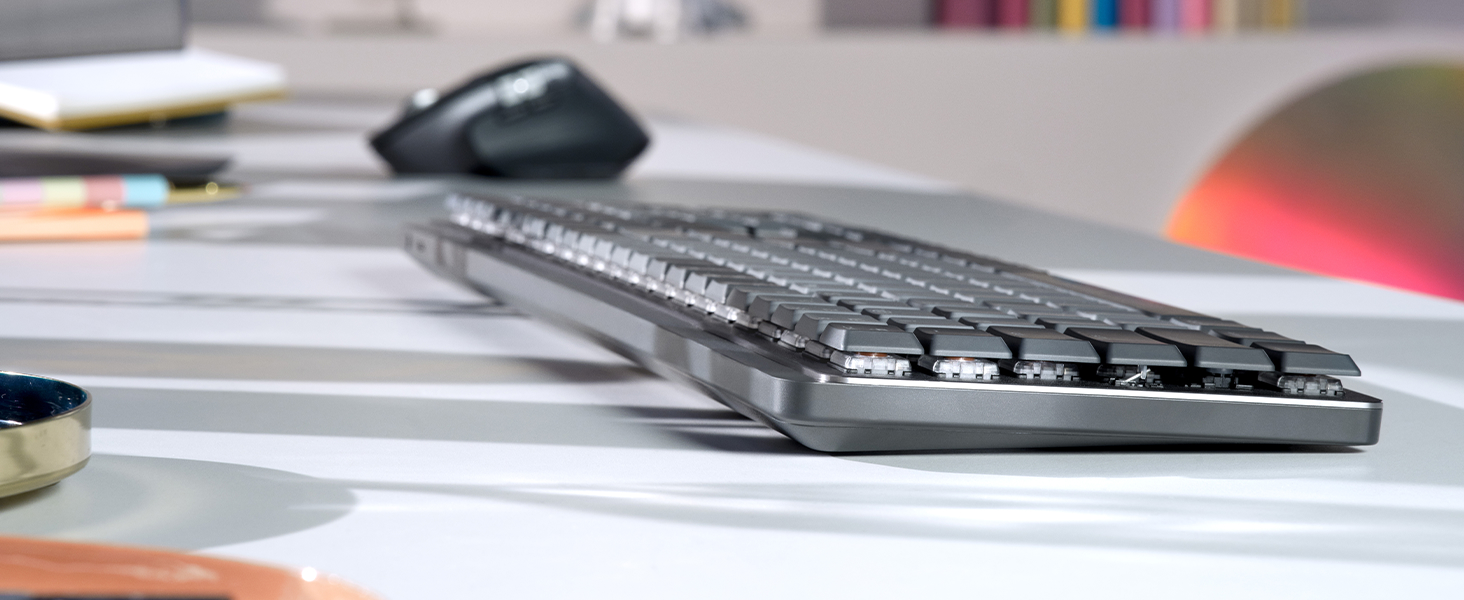
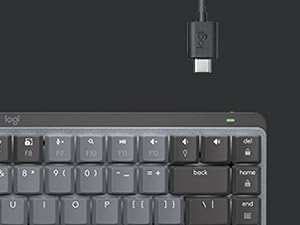
The Logitech MX Mechanical Keyboard combines quiet tactile mechanical switches with a sleek low-profile design and smart backlighting. Compatible across multiple OS platforms, it supports multi-device Bluetooth connectivity and fast USB-C charging, delivering up to 15 days of battery life. Crafted with recycled materials and a durable metal graphite finish, it’s engineered for professionals seeking precision, comfort, and modern versatility.











| ASIN | B09LK1P1RD |
| Antenna Location | Office |
| Best Sellers Rank | 51,374 in Computers & Accessories ( See Top 100 in Computers & Accessories ) 776 in Keyboards (Computers & Accessories) |
| Box Contents | Logi Bolt Receiver, MX Mechanical Keyboard, USB Cable, User Documentation |
| Brand Name | Logitech |
| Button Quantity | 78 |
| Colour | graphite grey |
| Compatible Devices | PC |
| Connectivity Technology | Bluetooth, USB-C |
| Customer Reviews | 4.2 4.2 out of 5 stars (1,451) |
| Enclosure Material | Metal Aluminium |
| External Testing Certification | Não aplicável |
| Global Trade Identification Number | 00097855174659 |
| Hand Orientation | Ambidextrous |
| Is Electric | No |
| Item Dimensions L x W x H | 46L x 15W x 5.1H centimetres |
| Item Weight | 1.13 kg |
| Keyboard Backlighting Color Support | Single Color |
| Keyboard Description | Mechanical |
| Keyboard Layout | QWERTY |
| Manufacturer | Logitech |
| Model Name | MX Mechanical |
| Model Number | 920-010547 |
| Number of Keys | 104 |
| Number of Sections | 7 |
| Power Source | Battery Powered |
| Product Features | Rechargeable |
| Series Number | 920010547 |
| Style Name | Touch (silent writing) |
| Switch Type | Mechanical |
| Theme | RGB |
| UPC | 097855174659 |
| Unit Count | 1.0 count |
P**H
Lovely Product - but US layout not clear in product description
Product is excellent, but be aware this is a US layout keyboard. If you want a UK layout (or European) you need to look for this specifically on Amazon.
P**S
Does not state that this is a US keyboard layout (on sale in the UK)
This is a US layout keyboard on sale in the UK... but no mention of that on the description.
Y**N
It's taking a little getting used to the slightly different arrangement of some keys but man... overall, this keyboard KICKS TAIL!!! I love how it lights up, I'm always working in low light or the dark and my eyes aren't what they used to be so I just can't tell you how much of a difference it makes. I also feel like the key symbols won't/can't wear out because they're backlit. Typical keyboards have letter and words wear off over time, but I don't see how that's possible with this keyboard. It's not a "gamer keyboard" it's just a great basic keyboard with all the functions you need. Keystrokes feel amazing! Not sure how to describe but when you're typing it just feels really nice. A real quality built product and worth every penny. I'm considering buying another before they don't make them anymore... LOL Oh, the battery lasts forever on this thing too. You can turn it OFF when you're done for the day and you can set the keyboard to pair/work with multiple computers (even have keys configured differently if you like). The backlight shuts off when you remove your hands from the keyboard or stop typing for about 5 seconds, but its got this really cool "motion detection" feature that once you put your hands over the keys again or start typing it lights right back up! I'm telling you if you're in the market for a new BLUETOOTH keyboard and are willing to pay a little more for a NICE one... this is the board to have!!! I really love it. I'll give you the 1 thing I didn't like about it as I began using it... The FUNCTION ROW of keys has no space above the NUMBERS or Number pad, etc. So it's super easy to hit the wrong keys sometimes. I'll often go to use the "home" key and end up hitting the key to switch between machines, or the biggest one is the "lock" key the farthest top right key over the number pad's "minus/dash" key. I often go to hit the "minus/dash" key and end up locking my windows (having to sign in again). HOWEVER, using the Logitech software that is used to configure the keyboard I was able to just disable that lock key. I don't need a KEY for that anyway. When I want to lock my Windows session (log out) without shutting down, I'll just do it the normal way with my mouse (Start > Power > Lock). No big, been doing that forever anyway. Anyway, this keyboard is awesome. Especially, once you get used to it. Most times I get a new keyboard and have to get used to the key arrangements and different spacing anyway. Might as well do it with a great keyboard. 😊👍🏻 P.S. I have always been a Microsoft keyboard/mouse kinda guy. I didn't think much of Logitech until I got the MX Master 2 Mouse, which is now also my favorite ever. This keyboard goes with that mouse it's sold in bundles they're of the same product set.
G**Y
This keyboard is pretty amazing. I own a HHKB, and a Pok3r. I build and customize my own keyboards. I bought this mainly because of the Logitech Flow feature. But first, I wanted to talk about the keyboard itself and why I think this is the best office keyboard to date. The build quality is amazing. It's sturdy, and the internals are very tight, which means, no rattling, no added noise or reverbiation. As a result, this is a very quiet mechanical keyboard (I can only speak for the brown switch version). The keycaps are made out of recycled plastic, but they don't feel cheap. They are quite smooth and easy to type with. The typing experience is very consistent and smooth (see type test photo). My typing speed is consistent with my other keyboards, but for me, it's definitely feels much better to type with tactile silent switches compared to my other keyboards. Even though this keyboard is a low profile keyboard, there are flip up feet at the bottom of the keyboard to lift it up a little more to get a better angle if that's what you prefer. The lights are nice, but what makes this keyboard really stand out is when it doesn't use the lights at all. Without the backlights on, this keyboard can do 10 months on 1 charge, which is completely unheard of for a mechanical full size wireless keyboard. I've had this keyboard for a couple of days on the whole time, and by now, my other wireless 60% would have died and required a recharge. There is only one issue with this keyboard which is customization. For Macros, only some of the keys (F Keys and Cursor Targeting Group) can be customized vs what I am used to, which is being able to customize every single key. For customizing the physical look itself such as changing the switches or the keycaps, this keyboard cannot be customized like that. The spacebar doesn't use standard stabilizer stem widths. You can replace every key cap except for the spacebar. You also cannot change the switches unless you know some soldering which is not recommended. As for the reason why I bough the keyboard. I absolutely love it! The logitech flow option allows me to move from my multiple computer setups with only one keyboard and mouse. I often multitask, I have a computer running 24/7 as my "smart tv" as well as my personal laptop, and my work computer. Considering how I can flow through all those computers from one set of mouse and keyboard without having to physically switch the mouse to use that specific computer is absolutely game changing. I feel like I am using one computer, even though they are all completely seperated. Whenever a product can make someone's life easier, is when you know you have something truly revolutionary. For work and every day use, this is absolutely the best office keyboard to date.
D**I
Been using this bad boy for about 4 months. It is top quality and the typing experience is amazing. It is very quiet for a mechanical keyboard, so it is definitely office friendly. I only use it with the dongle and it is super fast. Never tried bluetooth (I heard people complaining about it but I cannot testify). The only thing that can be annoying is the layout. The lock key is top right, and when I type a phone number for example, I often hit the lock button instead of "-" so it locks me out of my session and I need to log back in. I heard of people disabling the lock button. I might try that and use Win + L to lock my session! Also, I heard users complain about the keyboard light closing when inactive, making it hard to use in a dark room. Personally, whenever my hands are close to the keyboard, the light has always been on + the light turn on instantly when you approche your hands and it is turned off. So not an issue I would say.
R**S
I selected the MX Mechanical full size based on already having the MX Master 3S Mouse which I love. I like the bolt receiver and the fact that it works so well. I liked having my mouse connected via bluetooth however when I switched to having a work laptop I needed a docking station and KVM so I went back to the bolt receiver. The MX Mechanical keyboard is very nice with some pros and cons. I have the tactile version. I like the smooth keypress feel however the keypress registers very high at the top of the keypress so at first I was getting a lot of double keystrokes until I learned to be a bit more gentle with the keys. Another pro is that the keycap is not recessed into the keyboard and the way the switch is setup there is a space between the board and the keycap; this means that crumbs that sneak into the keyboard can be cleaned out easily and won't get trapped inside. The backlight is very nice and even and doesn't spill out excessively from the sides of the keys. There are a few cons. There is no space between the top number row and the function keys, or between each of the four groups of function keys, which means I can't press the function keys by feel. By default, the function key is locked on, which means when you press a function key, you are actually pressing it's alternate function like volume up or down, which is backwards to me (why do all new laptops do that too?). Fortunately, with regards to the function key, there is a way to reverse the function lock by pressing FN+ESC so that pressing a function key does not activate its alternate function by default. The other con is that there is no print screen button! I find this very annoying. Instead, you must press FN+F7 (or just F7 if you don't reverse the function lock...). Perhaps there is a way to fix this in Logi Options, but I shouldn't have to figure that out on a $160 keyboard, sorry Logitech. Also, for some reason, I had an issue with the Num Lock key and I think it had to do with the FN key there too. Very annoying. For what is to be considered a "Full-size" keyboard, this should have no need for a function key, or at least it should not for Num lock and Print screen. Otherwise, the keyboard is great and I am very happy with, quirks aside. It works great with my KVM and it works fine on my work laptop which does not have (or the ability to have) Logi Options installed.
L**I
So I just received and began to use this keyboard today. I am pretty blown away by how nice it looks, how good it feels, and just the experience overall. Compared to my previous keyboard, I already like this a fair amount more. For reference, I was using the Corsair k57 RGB wireless. Also a quite nice keyboard, but this has a much more premium feel. It's also much more professional looking, which is why I chose it as I plan to use this in an office environment. Some thoughts below. -The clicks are super nice, I've never used a "clicky" switch with feedback like this before and I quite enjoy it. Probably my favorite feedback I've had from just typing on a keyboard. The various corsair boards I've used in the past I typically chose a quiet and/or a linear switch. -Overall a very nice, professional look. I wouldn't expect any weird looks with a keyboard like this in a professional environment. -Pairing was easy, plugged in the receiver and it instantly connected; no other input needed. Even the sister product to this never did that for me, the MX master 3S mouse. I had a bit of a struggle trying to get that to pair using the included receiver, as I recall. (Otherwise one of my favorite mice, also coming from a mostly corsair brand background). There is also bluetooth pairing, if preferred. (or if the receiver refuses to work, like my MX master 3S.) One minor negative is the backlight. The first problem was even getting the keyboard to light up at all. The keys for the keyboard backlight simply did not seem to function at all, no matter if I had the FN key held or not. Puzzled, I installed logitech's software and looked for options there. No luck. A bit annoyed at this point. Luckily, their software offered me access to an upcoming beta version of their software, "Logitech Options", so I downloaded that to poke around and see if there were more settings there. As it turns out there were. Oddly, they didn't work though. The keyboard refused to light up, the keys meant to dim or brighten it doing nothing at all. As I began a search to see if this was a common issue, the backlight finally came on. No idea what changed. Pretty standard white LED backlights. Lots of pissed off customers on forums about it though. Apparently, Logitech has been pretty silent about the issue. I'd be pissed too, if my $200 keyboard didn't have a functioning backlight due to software issues. With that rambling anecdote, the backlight itself is just fine, about what I expected for a professional keyboard like this. Just clean white LEDs. In summary, a very nice looking, nice feeling premium keyboard. Pretty unassuming in a professional environment. Easy setup. Quite happy with it. Edit: The backlight does not seem to remember brightness settings between use sessions, so if you will get super annoyed or angry about having to hit brightness up each time you use, that's something to consider. Most annoyingly, if the room is deemed "too bright" by the sensor, the backlight will not turn on at all. Understandable, but I'd still like the option.
ترست بايلوت
منذ يوم واحد
منذ شهر