We remain fully operational. Our teams are working around the clock to ensure your deliveries continue safely.

قم بتنزيل التطبيق


معلومات عنا
حقوق الطبع والنشر © 2024 Desertcart Holdings Limited
قم بتنزيل التطبيق
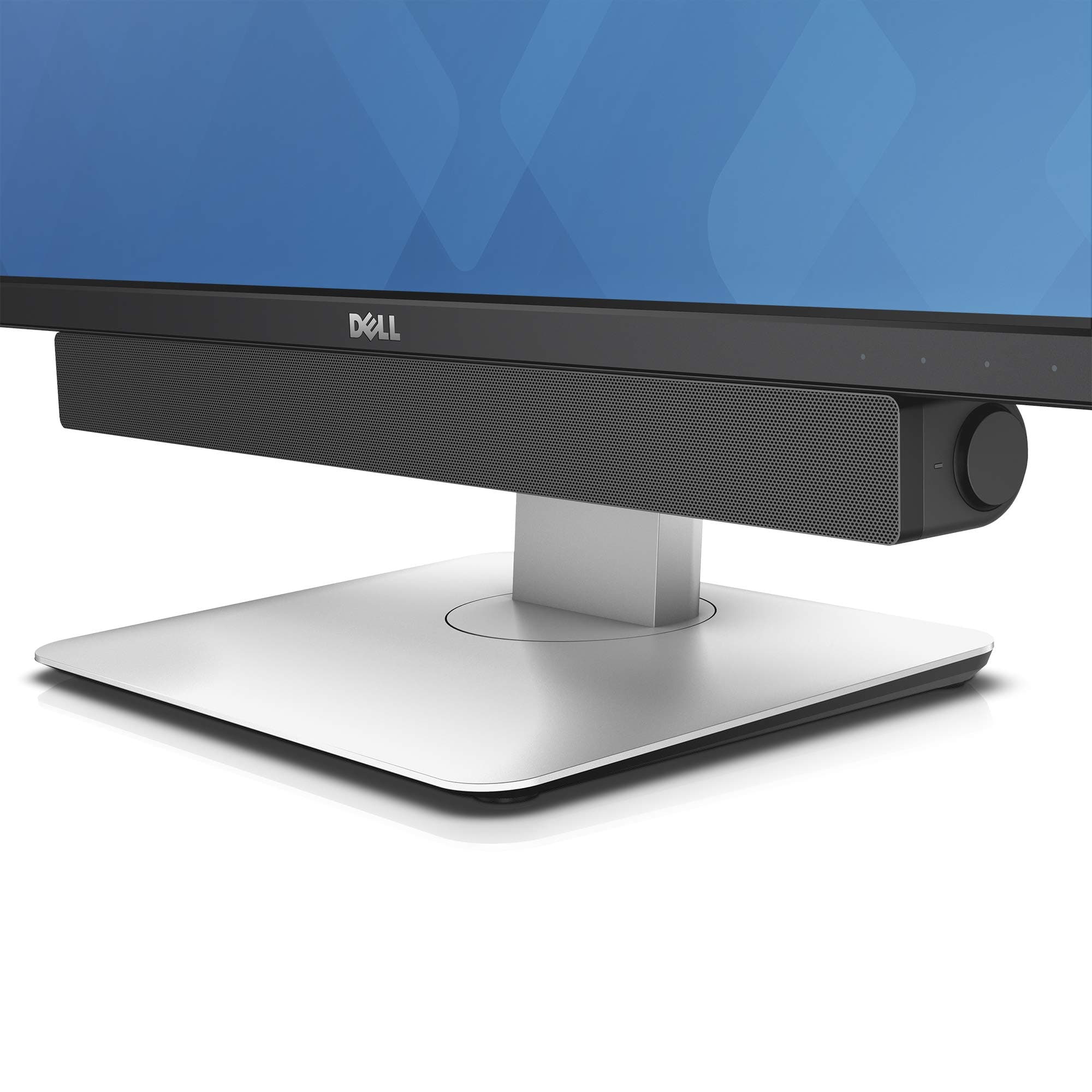
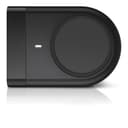
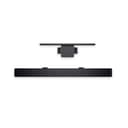
🎧 Elevate your workspace sound without the clutter!
The Dell Stereo Soundbar AC511M delivers clear, stereo audio with a 2.5W output in a compact, USB-powered design. It mounts easily on compatible Dell monitors, eliminating desk clutter and extra cables. Perfect for professionals seeking enhanced sound quality for work, gaming, or entertainment without sacrificing space or convenience.


| ASIN | B07FZY2MJN |
| Additional Features | Lightweight |
| Age Range Description | For all ages |
| Amazon Bestseller | #99,710 in Computers ( See Top 100 in Computers ) #320 in Computer Speakers |
| Antenna Location | For Computers |
| Audio Driver Type | Dynamic Driver |
| Audio Output Mode | Stereo |
| Battery Average Life | 1 Hours |
| Brand | Dell |
| Built-In Media | Sound Bar USB to USB Extension Cable Aux-in Cable Document Soundbar Mount |
| Color | Black |
| Compatible Devices | Laptop, PC |
| Connectivity Protocol | USB |
| Connectivity Technology | USB |
| Control Method | App |
| Controller Type | Corded Electricity |
| Customer Package Type | FFP |
| Customer Reviews | 4.2 4.2 out of 5 stars (2,953) |
| Enclosure Material | Plastic |
| Frequency Response | 20000 Hz |
| Global Trade Identification Number | 00884116311843 |
| Is Electric | Yes |
| Is Waterproof | False |
| Item Dimensions D x W x H | 3.8D x 40.4W x 4.8H cm |
| Item Type Name | Dell Stereo Soundbar (520-Aaot) |
| Item Weight | 454 g |
| MP3 player | No |
| Manufacturer | Dell Marketing USA, LP |
| Maximum Range | 20 Meters |
| Model Name | AC511M |
| Model Number | AC511M |
| Mounting Type | Tabletop Mount |
| Number of Audio Channels | 2.0 |
| Number of Items | 1 |
| Number of Power Levels | 1 |
| Power Source | Corded Electric |
| Speaker Maximum Output Power | 2.5 Watts |
| Speaker Size | 40.39 Centimeters |
| Speaker Type | Soundbar |
| Specific Uses For Product | Personal, Game, Business |
| Subwoofer Connectivity Technology | Wired |
| Total USB 2.0 Ports | 1 |
| UPC | 884116311843 |
| Warranty Type | Limited |
| Water Resistance Level | Waterproof |
| Wireless Technology | Bluetooth |
| Woofer Diameter | 40.6 Centimeters |
斎**明
モニター用の支柱に太さによっては取り付けスタンドが使えないかも
ニ**ス
DELLのモニターU2720QMで使用しました。モニターとはUSBタイプCで接続しました。PCからの音は本体のダイヤルで音量調整できましたが、オーディオ機器からの直接のライン入力では音量調整できませんでした。これは仕様か不良か分かりませんでしたが、ライン入力で使用を考えている方はご注意ください。 音の方は安価なtribitの方が正直よいです。
K**O
使用モニター:dell U2720QM 27 違うレビューに、このモデルには付けられないと記載されており不安になってましたが、問題なく付けられました! スッキリしててスピーカーに無駄なスペースを取られることなく使えます! 音も充分綺麗でダイナミックです。 プロの方でなければ気にならない音質でしょう。トータルで買ってよかったなぁと感じています。 日本語レビューが少なかったので、参考にしていただけたら幸いです。
羽**ぽ
スピーカー入力への配線を換えたりしましたが、ボリュームの調整も出来ず、全然音も出ない。 専用モニターに装着出来るだけの、ただの飾り物にしかならなかったので返品しました。 メーカーの作りも動作チェックも甘過ぎる商品だと感じました。残念です。
し**い
調べてみてもU2720QMに使えるとは書かれていないので心配だったが、接合部のゴムのアダプターを外せば普通に取り付けられる。 音質は、20数年前に買った44000円のミニコンポのスピーカーに及ばないがまあまあ。低いほうもそれなりに出る。 気に入らないのは、ボツンとノイズが結構頻繁に入ること。他の機器のノイズを拾っている可能性があるのでなんとも言えないが、はっきり言って独立系のほかの選択肢をお薦めしたい。音楽を聴く品質ではない。映画やアニメにも窮屈な印象。 メリットは純正ですんなり収まるということだけだ。
T**L
Excelente qualidade de som, fácil controle de volume e encaixe perfeito no monitor Dell, está barra de som fica bem bonita e discreta.
M**Y
Worth for Money
J**.
I was hesitant to buy this speaker for my Dell U2415 monitor based on so many reviews that said it didn't work as advertised (i.e. that it needed both a USB connection for power as well as an aux cable for the sound signal "THAT ISN'T EVEN INCLUDED!!!). Some folks even said that it didn't work with both a USB and aux cable connected. But I wanted a speaker that wouldn't take up any space on my desk and I don't need disco club volume nor thumping base, so I went for it. I figured worst case I'd need to use an aux cable (or worst worst-case it wouldn't work for me at all and I have to return it, but hey, returning stuff is one of Amazon's strengths, right?) So anyway it delivered next day after ordering (the joys of living in a metropolitan area!), I pulled it out of the box and connected the speaker's USB cable into one of the monitor's USB hub outlets and voila, sound was coming out of the speaker even before Skype and all of the other annoying Microsoft bloat-ware had finished starting up after I powered my computer on. Absolutely no setup of any sort required from me on the computer side of things. See the attached picture to this review for how the computer shows the speaker in the audio output section after all is said and done. So easy and I'm running Windows 8 on this machine, for Pete's Sake! Which leads me to wonder; do people not realize that if you plug this speaker's USB plug into one of the monitor's USB ports that the monitor itself has to ALSO be connected to the computer independently via its own USB cord? Even if you don't have your monitor hub connected (or don't have a monitor hub at all), the attached USB plug on the speaker has quite a long cord so hypothetically it would easily plug directly into the computer itself. I haven't tried that, but am absolutely confident it would work just fine. Even better, theoretically, since plugging the speaker into the monitor USB port instead of the computer's means the audio has the extra complexity of going through the USB hub in the monitor. Not that I've noticed any problems at all with that but I suppose if you were doing high data-rate transfers through the hub the sound could take a hit because of it. Sound is perfectly fine, even great, for the size and price of this thing. Again, I don't need disco club volume nor thumping base nor battlefield realistic sound for my application so you may feel differently. Actually I had to lower the speaker, computer, and music app volumes all down to the lower ends of their respective sliders while playing some test tracks since my kid's bedroom is right next to my "office" and the sound output was pretty significant when I first plugged it in. My U2415 has two slots in the bottom of it that were covered up with some glorified tape pieces. Once I pulled the tape off with a mini-screwdriver the two tabs on top of the speaker slotted right into the monitor slots and it looks just like one of the photos Amazon has posted for this item. If you go to Dell's page for this speaker, click on the "Tech Specs" tab, and scroll down to "Compatibility" you'll see a long list of Dell monitors this speaker is designed to work with. I'd guesstimate 2 out of 3 or maybe even 4 out of 5 in that list don't need the included monitor stand mount (the list differentiates which do or don't). Mine was one of those that don't so I can't speak to people's issues with the monitor stand mount, but I'm wondering if their monitor is even on that list at all.
C**N
Barra de sonido que se adapta perfectamente al monitor mediante unas pestañas o a la barra del pedestal del mismo mediante accesorio incluido, se tienen las dos opciones, en mi caso monitor Dell U2415. Buen sonido, sin exagerar, pero mucho mejor que si viniesen los altavoces integrados en el monitor. Excelente calidad de materiales.
ن**ن
ممتازة لكن يجب التأكد انها تركب على شاشتك قبل الشراء
ترست بايلوت
منذ شهر
منذ شهرين