


🎯 Level up your setup with precision, power, and style!
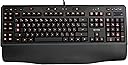
The Logitech Gaming Keyboard G110 is a feature-rich, ergonomic mechanical keyboard designed for serious gamers. It offers customizable RGB backlighting, 12 programmable G-keys with up to 36 macros, integrated USB audio ports, and a high-speed USB 2.0 hub. The Game Mode Switch disables disruptive keys to keep you in control, making it a perfect companion for immersive PC gaming on Windows.
| ASIN | B002RRLQIO |
| Additional Features | Backlit, Ergonomic |
| Antenna Location | Gaming |
| Best Sellers Rank | #66,080 in Video Games ( See Top 100 in Video Games ) #2,967 in PC Gaming Keyboards |
| Brand | Logitech |
| Built-In Media | USB Cable |
| Button Quantity | 104 |
| Color | Black |
| Compatible Devices | PC |
| Compatible Operating System Family | Windows |
| Connectivity Technology | USB |
| Customer Reviews | 4.2 out of 5 stars 645 Reviews |
| Enclosure Material | Plastic |
| Global Trade Identification Number | 00097855062123 |
| Hand Orientation | Ambidextrous |
| Item Weight | 3.3 pounds |
| Keyboard Backlighting Color Support | RGB |
| Keyboard Description | Ergonomic |
| Keyboard Layout | QWERTY |
| Language | English |
| Manufacturer | Logitech, Inc |
| Mfr Part Number | 920-002232 |
| Minimum Required Operating System Version | Windows 10 |
| Model Number | 920-002232 |
| Number of Items | 1 |
| Number of Keys | 12 |
| Number of Packs | 1 |
| Power Source | USB |
| Recommended Uses For Product | Gaming |
| Special Feature | Backlit, Ergonomic |
| Style Name | Contemporary |
| Switch Type | Mechanical |
| Theme | Gaming |
| Total USB 2.0 Ports | 1 |
| UPC | 097855062123 778889410691 |
| Unit Count | 1 Count |
| Warranty Description | 2-years limited hardware warranty |
R**D
Solid keyboard
I've had this keyboard for about 3 weeks now and so far I have no complaints about it. There were some features that I was looking for in a keyboard that I couldn't really find elsewhere (did research/comparing for about a week or two). I've been using my OEM Dell keyboard for about 7 years and it was about time I got a new keyboard since I game 20+ hours a week (mainly MMO's). Here were some features I was looking for: Quiet key typing: My OEM Dell keyboard was extremely loud when I was typing and I wanted to get a keyboard that was quiet. I couldn't find many reviews about the noise level of typing but there were some and it was enough to convince me to get the G110. I looked at the Illuminated Keyboard (also from Logitech) but after hearing about how it had ghosting problems and me being a gamer, that was not going to cut it. This keyboard isn't super quiet, so if that's something you're looking for, you may want to consider something else but I feel like it's quiet enough. Back legs/tilt: This feature was a pretty big deal for me. My OEM Dell keyboard had really high legs and I've become accustomed to them and it wasn't something I wanted to give up. Many user reviews say that the legs make a very small difference in height and sadly, they were correct in that. However, I've gotten used to the lower profile and I feel like I type faster because of it. No idea why that is or it might just be my imagination for all I know, but it is something to think about if you want really high legs. No LED screen: I know, many of you may wonder why I don't want an LED screen. The main reason is the cost; it costs about $50 or so for the LED screen (comparing it to G15). There aren't many options from Logitech with the no LED screen option and to be honest, I think it is a feature that is redundant. It's nice to be able to see the power/RAM consumption but is it really necessary? At least, is it worth $50? Media options: I know media options are pretty much standard in many of these higher end keyboards but recall I was using an OEM Dell keyboard so I didn't have this option. I have only used the buttons with Windows Media Player so I can't say if it works for any other programs unfortunately but I have no complaints with its functions. Backlighting: This feature was pretty low on my list to have (I know, call me crazy). However, after having this keyboard for a while and having the option to play games in the dark, I have come to appreciate it. It comes in blue, red, purple, and a pinkish/fuchsia. I normally use red now because it stands out a bit more since the blue is of a darker color and blue on black just doesn't stand out very well. The red stands out pretty well though, I haven't used the purple or pink/fuchsia but it is brighter and closer to white. As others have said, the backlighting for some of the keys are not completely lit but unless you're OCD about things like that, it really isn't that noticeable unless you're looking at where you're typing on a consistent basis, and even then, it's usually on keys that aren't used regularly (functions keys, tab, caps lock, etc.). The one thing that is important about the backlighting on this keyboard is that it is almost necessary to have it on all the time if you are using the keyboard. The reason why I say this is because the letterings on the buttons are of this clear plastic color and not white like a standard keyboard so it makes it a little difficult to see the keys even in a well-lit room. I tried not using the backlighting when I first got it and it just didn't work out for me, so just keep that in mind. G Keys: This was also a feature that was pretty low on the list (you must really think I'm crazy now). The reason why I say that is because I find it very awkward to have to reach over to the left hand side of the keyboard to press a key. As some of you may know, playing an MMO usually requires you to use WASD to move, it doesn't make much sense to have any important keys on the G-keys. It does pretty well for non-immediate keys though (like mounting or trade 'spams'). Outside of gaming, the G-keys can be assigned to open a particular program; I have one key set to starting up Microsoft Word for when I need to type up a paper, another key to change font type and font size, and another to double spacing so 3 keys get me started working on my paper that would normally be a hassle to set up. I read many reviews from previous users and they have complained about small(er) keys. That was a huge concern for me when I read it and it almost killed it for me but after looking at other keyboards, they more or less received the same comments (all except the Illuminated Keyboard which was not a gaming keyboard). However, after getting the G110, I hardly notice the difference compared to an OEM keyboard at all. I mean they are slightly smaller but it is not enough to affect my typing. In fact, because the keys are a bit smaller with a lower profile on the keyboard, I feel like I am typing faster (and with less noise). There are two things I do not like about this keyboard, both of which are negligible. One is the USB port that is in the back. This USB port is utterly useless. Some reviewers have said this as well and I didn't get the keyboard for that reason anyway, but if you're thinking about getting this keyboard because of the USB, don't. I stuck my flash drive in there and it said it did not have sufficient power to read it. If it can't do that, why is it even there? The second thing I did not like is the palm/wrist rest. Now, I have never been the type of person to use one even on my old keyboard but I found the palm rest to be detrimental to my typing. The palm rest raises the overall height of your hand and therefore increases the distance between your fingers and the keys. Furthermore, the space bar's profile is already very low as it is, with the palm rest, I cannot hit the space bar comfortably. But again, it is something else that is optional so I can't really ding them for giving me a useless piece of plastic. On the upside, the material that they used for the palm rest feels pretty nice. Overall, I am still adjusting to the keyboard a bit because of the placement of the ESC key; I was always used to having my hand on the side of the keyboard when hitting ESC but I am unable to do that now with the G-keys there. I would definitely recommend this keyboard to just about anyone who isn't looking for something extremely fancy and/or is on a budget. I'm glad I went with the decision to get this keyboard because I don't regret it and if for whatever reason this keyboard craps out on me in the future, I'll probably get another G110.
J**N
[Insert very catchy title for keyboard review here]
I just got this keyboard yesterday. I'm not going to write a whole book about how the quality is, or what I like about it. -"Rubberized" Keys make for easy typing, you can feel the keys go down just about the perfect amount necessary. -Easy unpacking. -No confusing instructions -Has a USB for a mouse (My G500 fits perfectly, responds perfectly) Warning: The instructions say not to put in an iPod, or MP3 in the keyboard, since obviously it's low voltage. The Audio: It works great, just plug your mic in, makes the quality seem better (Basically turns it into a USB headset.) There are mute mic and mute headset buttons, along with a volume control, and a mute all (for speakers) button. Media controls on the top right make it easy, they do what they're supposed to do. The only somewhat issue I have, is that I have a speaker setup with a subwoofer that I sometimes listen through. My setup is Computer -> Mini HDMI through my graphics card (460GTX) -> M220VA-1 VIZIO -> Headphone port on the VIZIO -> Speakers. To now use my speakers, I must press the "Gear" button on they keyboard (I'm pretty sure this disables the 'fuctionality' of profiles in it, turns off the lights atleast) and unplug not only my headphones, but my mic as well. This is a bit inconvenient, but eh. I can just directly plug in my speakers to my keyboard I guess. The "instant macro" recorder and mappers are great, but a bit hard to get used to. I don't look at my keys when I type, I instead pay attention to my screen. I tried to tank on WoW with this keyboard for the first time yesterday, mapping my Swipe+Maul keybindings to G8. My hands kept getting misplaced, taking G1 as my ESC key, and Capslock as my WASD. I then tried a few alternatives to this, placing the same macro (during the fight, that's how fast it is to map these) to G10, and that seemed a bit better. The keys are very nice. Most gaming keyboards have too short of a backspace, this is perfect, just like my previous old Media keyboard. Shift, Enter, Alt, Ctrl, Capslock, Tab are all very ... "targetable". The Windows key lock is very useful, prevents you from accidently windowing (Although, I still do manage to do it sometimes in Pvp when changing targets and jumping at the same time on a hunter) (not this keyboard's fault, a fault of my own.) Overall, I'm very happy with this keyboard, the lights look nice, although some parts of the words on the keys aren't fully illuminated (Honestly, how long are you looking at the keys for?) It just takes some getting used to, re positioning your hands due to the G keys.
D**N
Great Keyboard for Gamers
I really like the G110 keyboard. I have to admit that I wanted an ergonomic back lit gaming keyboard, but there are none to be found. So I settled on the G110. This keyboard worked just fine out of the box. I gave it 4 stars because the 0 key (zero key - top row) was sticky. As in, hit the key, and it repeated 0000000000's until you unstuck the key. I pulled the key out and noticed it was defective - there is a pair of clips under the key that holds it into it's socket. The zero key had a broken clip - thus causing it to tilt every so slightly in its socket, and binding the key and causing the repeating 0000000's. I fixed this by filing down the edges of the key and bending the remaining clip so that it sits in the socket straight and stops binding. This cured the problem. However, for a new keyboard I shouldn't have to "fix" it. I suppose I could have returned it, but after fixing the key, I didn't want to spend time packaging and money shipping it. The backlighting it nice. Using the included software you can program the 12 extra "game" keys to whatever you want. The software came with some game profiles but I didn't use them - I fly X-Plane and so I programmed my own key commands. You can set the backlighting to any combination color of red and blue. I would have liked a "white" backlighting but the LED's that light the keys are only blue or red. You can program the memory keys (top left corner) to change the backlighting, and I have them set to Red, Blue and soft Purple. The backlighting looks great in Red, and you can change the intensity from bright to dark (or even off). In my room, Blue and bright Purple colors are hard to read, so I mainly stay with the Red backlight. The keyboard itself feels nice. It's quiet and the keys have a nice light feel. I bought it mainly for night gaming, and in this aspect it works well. They keys themselves feel about 1-2mm smaller than a typical keyboard. It took about a week to get used to the slightly smaller keys. I sometimes hit a game key (G4 and G6) by accident when going for Esc or Tab. This will be cured once I use the keyboard more often. You could very well use the keyboard in everyday circumstances. It does in fact type nicely and has a great feel. However, because the keys are a tiny bit smaller than typical, you might have to adjust your hand position or fingering so you're not hitting extra keys by accident. If I was looking for a "regular" keyboard I would not choose this one because of the slightly smaller keys. In fact I'd have chosen an ergonomic keyboard. But for a gaming keyboard, the G110 works perfectly. Overall, I'd say the keyboard is great as a gaming board. It has 12 extra programmable keys, the backlighting works nice and it's quite bright. The keys feel nice and are quiet. If the keyboard didn't have a sticky zero key when I opened the box, I'd have rated it 5 stars. If you're looking for a regular keyboard, then you might want to look elsewhere (the Logitech Wireless Illuminated keyboard for example) but for gaming purposes, I wanted the extra programmable keys. And this keyboard fit the bill nicely. I cannot tell you about mechanical keyboards and quick key press rates or anti-ghosting because I didn't buy this keyboard for those features. I wanted an inexpensive, backlit, quiet game keyboard. The G110 fits all those requests.
L**E
beautiful keyboard purchased 2 of these and after 5 years ...
beautiful keyboard purchased 2 of these and after 5 years they have still never failed me, love that you can adjust the color of the backlight STAR RATINGS: Each product is carefully reviewed in an unbiased manner. Star ratings are earned, never given. 1 Star: This product is not worth your time. There may be something wrong in the product details or description, it does not live up to what it is advertised as or made extremely low quality. I would tell my friends, acquaintances, and strangers that they shouldn't use their hard earned money on this product. 2 Star: This is not a great product at all. It has mistakes in the product details or description and does not live up to what it advertises or normal customer expectations. It is still now worth the money. 3 Star: This is a neutral rating. I could take it or leave it. It met the product description and details for the most part but isn't something I am ever likely to order again. It could have some really cool features, An awesome looking design, Or maybe it’s just a killer deal. But overall the price of the product is not worth it. 4 Star: I like this product. This item has met all expectations, The design is sound, The build is great and the product does what it was made for. It’s a great product that i can recommend buying. However it didn’t completely wow me. It does what it is supposed to do.This is what most products fall under. 5 stars: Wow! This item is amazing, I absolutely love it, it is an exceptional, impressive product. Not only does it meet all expectations but it’s a product that’s well made (designed, formulated, composed, etc) and lives up to the product details and description. It exceeds normal consumer expectations
J**F
AMAZING FOR THE MONEY
I love this thing, I wanted to go with the G19 having owned the G15 but this is as nice just with a few less toys added on. Very LARGE which I love I have big hands and this is super comfy, fast and resposnive as all hell with a very long cord allowing for perfect placement on any sized desk. I love the volume control on the keyboard and the software to make it run well with my custom computer makes the integration seamless. The color changing backlit display is really cute, not really needed but my gf likes that when she sets it to her profile the keys are pink.... please dont judge me it keeps her off my back. Its pretty bright but could be brighter I wont lie if your close to your monitor it tends to be hard to adjust especially if your room isnt well lit like at night time and the keys tend to "blend in" even at the max setting but not a big deal as, if your seriously considering this keyboard you probably don't need to look at the keys that often to tell when your hands are and where you need to strike next. Feels pretty solid like I said very fast and very large, on smaller men and girls it might be too wide and if you dont have alot of desk space be prepared as this badboy is massive, I love to watch movies on my computer and it has buttons preset and built in just for that "pause, FF ect.... just above the volume wheel which again is a nice little feature. Three Macro Profiles with a total 12 keys or you can do what I do if you really need the "extra macros" and just swap between one of the three profiles if your "hardcore' but I find 12 is more then enough for any reasonable human being. I like it and I would buy it again
C**R
G110 - First Subpar Logitech Item I've Used
Let me start out with saying that I normally love Logitech products; I've had very few issues with them in the past, and the quality is usually fairly good. However, this doesn't seem to be the case with the G110 keyboard. When I removed the product from it's packaging, the first thing I noticed was the cheap, sub-par wrist rest that came with the keyboard. Right now as I'm typing this review, I can feel a flex where my wrists are at. The back lighting is a nice touch, or rather it would have been if they had put more thought into it. The first thing I noticed after plugging in the keyboard, was the fact the backlights were not evenly lit. The prime example of this is the "gaming mode" switch. When it's disabled, it is extremely dim. You would pretty much have to have no other light source in the room to even see if it was lit. The moment you slide it over to enable it, the light shines through more, but it is still fairly dim. And this problem goes for most of the keys as well, they're all pretty dim, and there is no way to turn up the brightness. The USB port is nice, but not without it's own problems. I put in my thumb drive and copied some files, no problems there. I connected my Moto Droid, and it gives the "not enough power" message, which is disappointing. The volume wheel is a nice idea, but poorly executed again. You will have to sit there and roll up or down for a few seconds to get any significant change in volume. The on the fly macro recording feature is nice however, and I had no real complaints there, and the software used for customizing profiles and setting up macros wasn't too shabby either. As for the keyboard layout, my main problem is the lack of space between the G Keys and the rest of the keyboard. Since I touch type, I usually have a good idea where my keys are going to be at on a keyboard. When I first started typing on the keyboard, my fingers kept getting lost, and it was such a nuisance. After some time (about thirty minutes of typing) I was able to get used to the positions of the keys. For the size of the keyboard, I was expecting bigger keys. I was let down there, but it's not much of a problem as I've been using laptops for that last few years. Overall, the product is an OK product. It's not great, but it's not bad. If you need lots of macro keys and on the fly macro recording and don't mind some quality issues, I'm sure you'll love this keyboard, but if you're an every day computer user who does a bit of gaming on the side, move on, as this keyboard won't suit your needs.
C**T
Has all the bases covered for World of Warcraft
This is based off play in Mists of Pandaria, World of Warcraft, with a Warrior, Death Knight, Mage, Druid, and Paladin, most classes being played as tank, with the paladin being a tank/healer depending on the time of day and the mage dps. I have a Naga mouse, so plenty of buttons at hand, but I really needed to upgrade my keyboard. There were a list of features that I needed to make the keyboard viable for my needs: 1. Affordable 2. A space between the F4 and F5 keys(some keyboards have this some don't, I prefer it as I use F3 and F4 as my less often used cooldowns and can more easily find them without looking by judging their position close to the space.) 3. Keys to the left of the "~" button. They call these "macro" keys, but what they do for me at least, is add extra reachable keys in my spell area. 4. Extra USB port on the keyboard itself(convenience issue) 5. Backlight for the keys 6. Decent user reviews. There are quite a few keyboards out there, and there is something to be said for the tactile feel of pressing the keys, the weight, the wrist rest, but to me these are arbitrary differences, and I'm not a subtle person, and truth is, I probably couldn't tell the difference in a blind taste test. I don't use the volume controls on these things, and most often I don't use the software. This one is affordable, has the wide spacing of the F keys, has the extra buttons where they need to be, has usb port on the device, and it backlit. Very few keyboards, imo, meet all those needs. It plays just fine for WoW, and now I finally have a spot to bind my Dragon Roar without clicking it. Note, with the Naga mouse I have plenty of buttons, so I'll often bind one ability to a number of buttons so I don't have to remember which one is where, I just hit an "area" of buttons, which makes the ability more "twitch" based. I don't know much about ghosting on a keyboard, and it probably has never affected me, nor ever will. Get this, it'll improve your play because of the extra buttons.
D**R
DOA, USED NOT NEW Amazon and Fedex Fail...
I was extremely excited for this keyboard from Logitech based on the other products I have purchased from the before. I have many other Logitech products including but not limited to headsets, all of the other mouses I own including the new G600 that I love. All of the other products are great. I play mmo's and was looking for something with the hard switch to disable the windows key. Initially when I ordered this product (NEW) on July 23 they did not have in stock. Amazon notified me that the product had shipped on August 3rd. The product arrived very beat up at my local post office Via FedEx. At the sight of the box alone I new the product could not have survived the shipping process. Needless to say when I opened the Amazon box not only was I right about the sight of the box being damaged, but also I came to realize that Amazon had shipped me a USED PRODUCT. What the heck? The interior white box that the keyboard was in (inside of the shipping box) was definitely used so when I opened it I started to inspect the keyboard. The serial numbers were scratched off and there was black Sharpie Marker blacking out the codes on the back (I was pretty freaking pissed at this point). I started to look for and then realized there was not a single manufacture booklet inside of the box. NOT A THING. Just a keyboard in a very damaged box with scratched out serial numbers and sharpie marker all over it (not to mention some random blue glue looking slime on a couple of the keys). I said to myself what the heck, I will forgive Amazon if the thing works properly and let it slide as they have always done my other orders (excluding this one)correctly thus far. I plugged it in on my main computer and was waiting for lights to come on or software to start loading (because there was NOTHING in the box). I waited ... nothing happened... I tried it on 2 other computers (at work) and it was the same result. Dead on arrival! The keys, the lights NOTHING WORKED! As I continued trying to get this keyboard to work I realized that the keyboard itself seemed very cheap. The F and J key little nubs where you rest your fingers were almost non existent (how am i supposed to know where my fingers are Logitech? Is it not the point of gaming equipment to have ease of use?). Maybe they were just worn down from the first owner of the product. I have the package in the mail heading back to Amazon and they are supposed to send me another one. I will give this keyboard a chance if the next one is in good condition and everything is in working order. At this point I feel I've been screwed. I will update give a technical review / update if all goes well...
S**D
Best keyboard I've owned so far.
This might be the tenth keyboard I've owned in this lifetime and it sure is the best so far. I really enjoy the back-lit keys and the fact that you can change the colors is a nice touch even though I never use it. It has all the great features a gamer wants like programmable keys, lock for the Windows key, USB and 1/8 audio jacks and sound controls. I especially love the sound control because the volume knob is a scroll wheel instead of the typical 2 buttons (+/-). The keyboard also feels sturdy and has a standard setup for the keys, the programmable ones being all on the left. Many companies have tried to organize keys in some kind of gaming-optimized scheme but in the end, I always prefer the classic.
M**U
Great keyboard
This is an amazing keyboard. The software that comes with is is quite nice. After the software is installed it searches your system for games that are already on and automatic profiles are already configured for those games. The keyboard has many choices of colors that you can adjust. The only drawback on this keyboard I found is the legs are a bit short on it and if they are put on a hard table top the keyboard tend to slip and move all over the table. So a bit of rubber on the table and that problem is fixed. The keyboard takes getting used to since the game keys are on the left of the keyboard but probably one of the best gaming keyboard out there. The built in soundcard is quite a nice feature and the extra USB port on the keyboard is superb for a wired gaming mouse. Worth buying I love it.
W**T
Great for gamers
I have been very happy with this keyboard and am glad I didn't pass on it while it was on sale. The keys have a good feel and are well spaced, the extra controls are well placed and designed. The programmable "G" keys are great for any game where macros are used and the ability to program them on-the-fly makes them much more useful. I love the backlit keys since I tend to play games in the dark and the function to customize the colour of the backlight to your macro settings makes sure you always know which macro set you currently have selected. The accompanying profiler program makes configuring and customizing the keyboard easy. My only complaint is that the USB port on the keyboard doesn't provide enough power for me to use my Logitech F510 controller through it but that isn't a huge problem since I can plug it into my tower just as easily.
J**E
Just fantastic
I REALLY like this keyboard. The touch of the keys is perfect and the extra controls very handy. I love the the volume control is a wheel and not volume up/down buttons, makes it easier to use. The macro keys have been useful as well and I love the enable/disable windows key for games. My only caution is that it's a little wider than a standard keyboard and just barely fits in the keyboard tray for my desk. If you're planning to use it in a desk with a keyboard tray, check the measurements first.
C**E
good keyboard
It's a little longer then most basic keyboard but the onboard buttons to stop windows minimizer and control for music is a bonus plus if u lack a usb headset u can use the keyboard which helped me a great deal. the g1 to g12 keys are usefull though i havn't used them overly much myself. The best thing about this keyboard is the lighting makes playing in the dark easy.
Trustpilot
1 week ago
1 week ago