We remain fully operational. Our teams are working around the clock to ensure your deliveries continue safely.

قم بتنزيل التطبيق


معلومات عنا
حقوق الطبع والنشر © 2024 Desertcart Holdings Limited
قم بتنزيل التطبيق
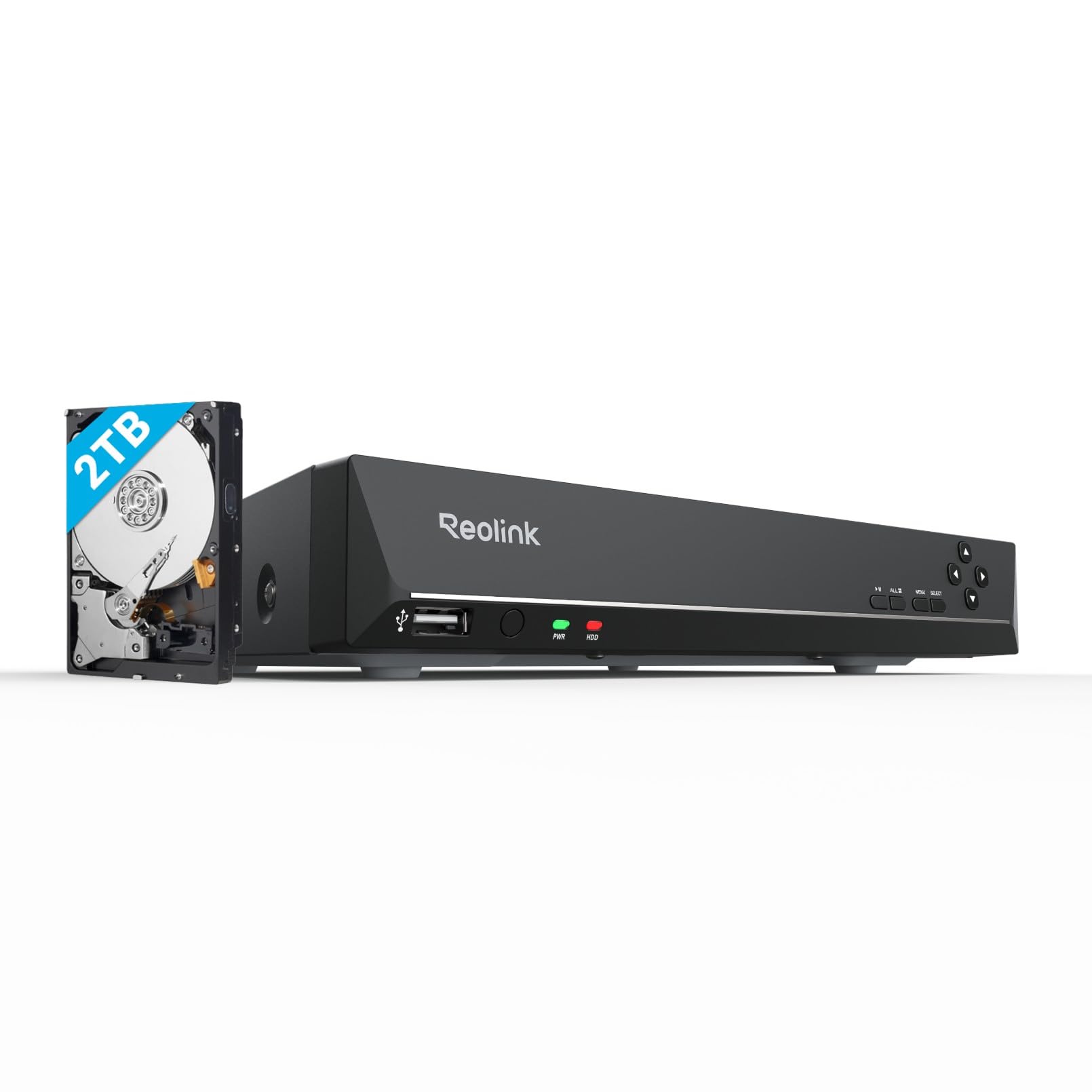
🔒 Elevate your security game with seamless 4K surveillance—because peace of mind is non-negotiable.
The Reolink RLN8-410 is an 8-channel 4K PoE NVR system featuring plug-and-play setup with a single cable for power and data. It comes with a pre-installed 2TB hard drive supporting continuous 24/7 recording and can expand storage up to 6TB. Compatible exclusively with Reolink cameras up to 12MP, it offers local and remote access via apps and browsers, real-time motion alerts, and supports simultaneous management of up to 8 cameras, making it ideal for professional-grade home or business surveillance.





| ASIN | B07DHBYRCH |
| Best Sellers Rank | 16,858 in DIY & Tools ( See Top 100 in DIY & Tools ) 5 in Surveillance Video Recorders |
| Guaranteed software updates until | unknown |
| Item model number | RLN8-410 |
| Manufacturer | Reolink |
| Product Dimensions | 26 x 23 x 4.1 cm; 2.91 kg |
S**S
NVR Channel Box Review – Efficient, Reliable, and User-Friendly
The NVR Channel Box is an essential hub for managing multiple IP cameras in a surveillance setup. It supports multiple channels—typically 4. Installation is generally straightforward, with plug-and-play compatibility for most IP cameras. The user interface is intuitive, offering easy navigation through live views, playback, and settings. Video quality depends on your camera specs but is typically clear and smooth with 1080p or higher resolutions supported.The box often supports remote viewing via apps or web browsers, making monitoring accessible from anywhere. Storage options vary—usually supporting multiple HDDs for extended recording times.Ideal for home or business security, the NVR Channel Box offers dependable multi-camera management with useful remote access features. Definitely value for money and the speed is great. Everything connects with WiFi.
D**M
Constantly Changing Product
Some reviewers commented that this machine only has ONE playback speed. It has MANY playback speeds now. See my captured screen image. I imagine that many of the reviews here may well refer to earlier versions of the product. I had to update the firmware in this NVR in order for it to be compatible with the RLC-822A cameras that I bought at the same time. The fix is easy once you find out that you need it. (Refer to the Reolink website of course.) That update made the user interface completely different. Generally it works fine whether you work direct from the NVR to a monitor, or via the PC APP or via the smart phone App. Each interface is a little different. The PC interface is perhaps the most convenient and almost as comprehensive as the direct interface. I found that on the PC I can see all 4 camera views at the same time, but only in low-res. If I switch to single camera mode on my PC, I can see any one single camera in glorious 8K vision (and sound!). Applies to both live and playback. The Windows PC interface I suggest has not been programmed that efficiently, it's very slow to load and slow to respond sometimes. My iPhone app is much quicker. Quite often the Windows playback just stops and I have to give it some sort of kick to get it restarted. After the initial set up you don't need to go near the NVR, so it can be hidden away in a closet along with all the cables that it attracts. Everything is controlled from your own PC. The 2TB that comes with the NVR is enough for 6 days continuous recording of my 4 x 8MP cameras. You have the option of replacing the internal HDD with a 6TB SATA HDD, or you can plug in an external 6TB SATA HDD via the eSATA port. You'll need to buy a suitable SATA HDD designed for surveillance AND an enclosure to put it in. The enclosure will supply the power it needs and also the eSATA interface to the NVR. Note that "SATA" is not quite the same as "eSATA", that's why you need the enclosure. Note also that you cannot connect an external HDD via the USB port. I'm just reviewing the recorder of course, you'll need to buy separate cameras, cables, crimping tool, conduits...etc. At the time Amazon gave a decent discount for adding the cameras to my basket at the same time as the NVR. (i.e. the discount is real...not a con!)
E**D
The Heart of your poe CCTV system just add more TB's
A must have alternative to cloud based home CCTV systems. If you want a doorbell of floodlight camera but don't want your data held on someone else's servers. A Reolink system is what you need. No subscription needed and you control who has access to the footage. Easy to use operating system and easy setup for poe and wifi cameras. Connect it to your router and you can access all your cameras wherever you have an internet connection. unfortunately the 4TB HDD only stores just over a week of footage with 7 cameras connected. It is easy to replace the HDD with 2 8TB drives and now stores over a month worth of footage before rewriting. I have a Logitech wireless keyboard connected with a trackpad on it and it makes navigating the menus easy. I 3d printed some brackets I found to mount it to the wall to keep it out of the way. I only really use the nvr directly when adding cameras as the windows and android apps are so much more convenient and it allows you to hide the nvr out of the way.
S**O
Reolink Products. High end, excellent build, functionality & email responses. NVR first class
I have four Reolink cameras. All worked out of the box. Excellent picture. Easy to set up on mobile, PC and tablet. Following initially unnoticed vehicle damage to a wall, I reviewed the playback and sadly, it had been overwritten on the SD card. The motion detection 'sees' rain and we've had a lot of that! My first reaction was to position a C1 Pro looking through a window. Rain on window pane seen as motion! Night vision infra red reflects of the glass burning out the picture. Switch off the night vision and wow. The motion detection is excellent seeing a cat 20 metres away through the window because security lights switching on are seen as movement and provide a better picture than night vision. Rain is still an issue so, try I thought I'd try an NVR8-410 using two mains powered wi-fi cameras. Uncertain as to how to set this system up as the NVR is primarily marketed as POE device. I can't find an ON switch. To set it up, I connected it to my wi-fi network by plugging it into the router, plug in the supplied mouse, connect to a spare input on my monitor and power it up. Answer a few questions, log in to my network, pause puzzled at the screen asking to initiate the hard drive so ignore this, click next and there, listed' are my two cameras. Fantastic. Tip from Reolink: they need to be logged in to the NVR so scroll right to find the 'hidden' log-in boxes. 30 minutes total and there are my cameras. Still learning how to use the software but it seems easy enough. It really is very good indeed. I can recommend their products unreserveably
F**O
E' il mio primo NVR (non le prime video camere) ma mi sembra un ottimo prodotto. e' di dimensioni abbastanza contenute, nessun rumore. facile da configurare inizialmente. Ma richiede comunque un po' di tempo per capire il tutto. ho dovuto settare il flag per il discovery automatico delle camere. ho comprato 3 video camere e si sono collegati automaticamente, ma solo dopo che ho cambiato la configurazione. il sistema non richiede nessun cloud e nessun pagamento aggiuntivo. si possono visualizzare le registrazioni sul disco anche da remoto. si puo' estendere lo spazio su disco aggiungendone uno esterno o penso cambiando quello interno, volendo. L'applicazione reolink su telefono (o PC, anche se ancora non provato su PC) si gestisce tutto e si vedono anche le registrazioni salvate su disco (playback). Bisogno scegliere playback dal channel dell'NVR e non dalla video camera direttamente (necessita sd card su camera) . Si possono creare account per altri utenti (senza dare loro la possibilita' di configurare il device), sulle singole video camere o sull'NVR. Inizialmente occorre collegare l'NVR ad un monitor o TV ma dopo non e' piu' necessario. si gestisce tutto su telefono. avendo comprato le video camere posso dire che i prodotti reolink sono molto curati nei dettagli e di ottima qualita' di costruzione. sono rimasto impressionato. l'unica cosa che e' al pari di altri prodotti (e non cosi' superiore) e' la qualita' di immagine delle video camere. molto buona ma ho video camere Arlo che non hanno tutti questi led infrarossi visibili ma alla fine si vede, forse, anche meglio, o comunque siamo sullo stesso piano. Pero' la flessibilita' di montaggio e la cura neinsettagli e' migliore per le reolink! ottimo prodotto che consiglio vivamente a meno di particolari requisiti
C**N
Conforme à mes attentes
B**6
This is an upgrade to replace my old system, I got this one as I can also install my 4tb HDD from my old system for a total now of 8tb. The software is great, and easy to use. I was unaware there are so many new features for recording these days. It just does everything well.
M**I
Ottima qualità, consente di realizzare con telecamente stesso marchio un ottimo sistema di videosorveglianza.
C**N
C'est le second que j'installe, très bon produit, facile à installer et très fiable dans le temps... Je recommande...
ترست بايلوت
منذ 4 أيام
منذ 3 أسابيع