
Desertcart purchases this item on your behalf and handles shipping, customs, and support to Israel.
🔥 Own the fight with the ultimate Tekken 8 pro controller 🎮
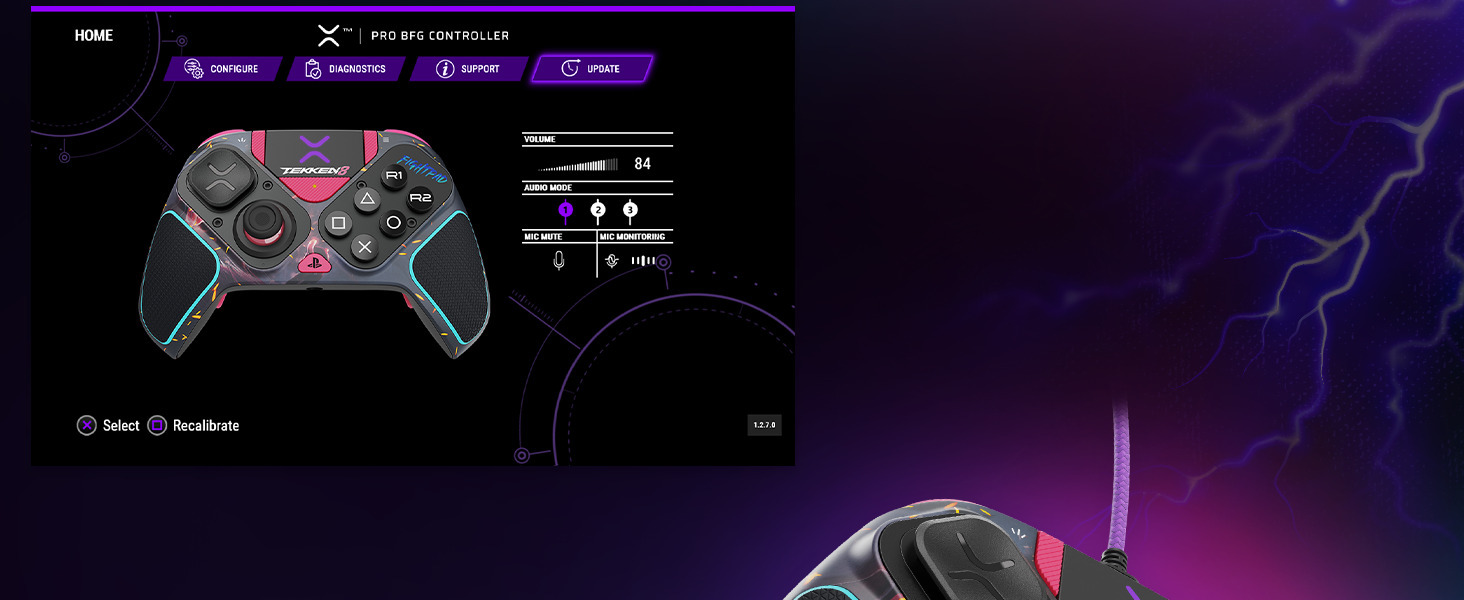
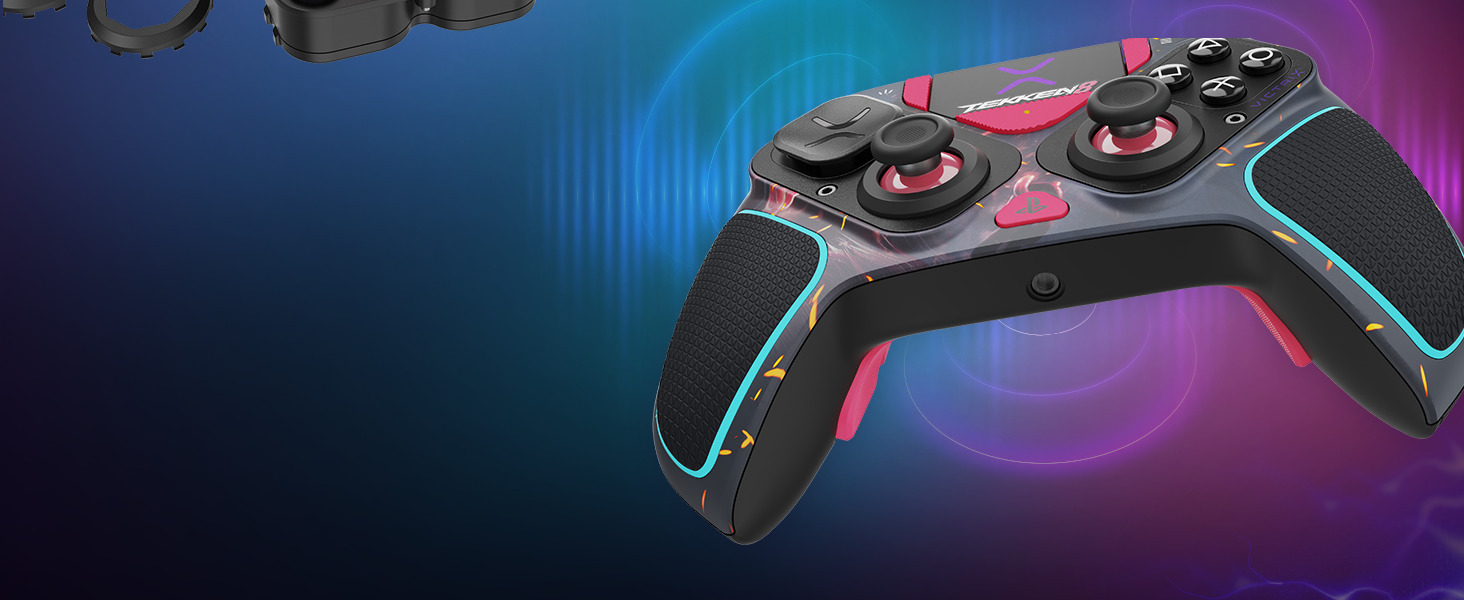
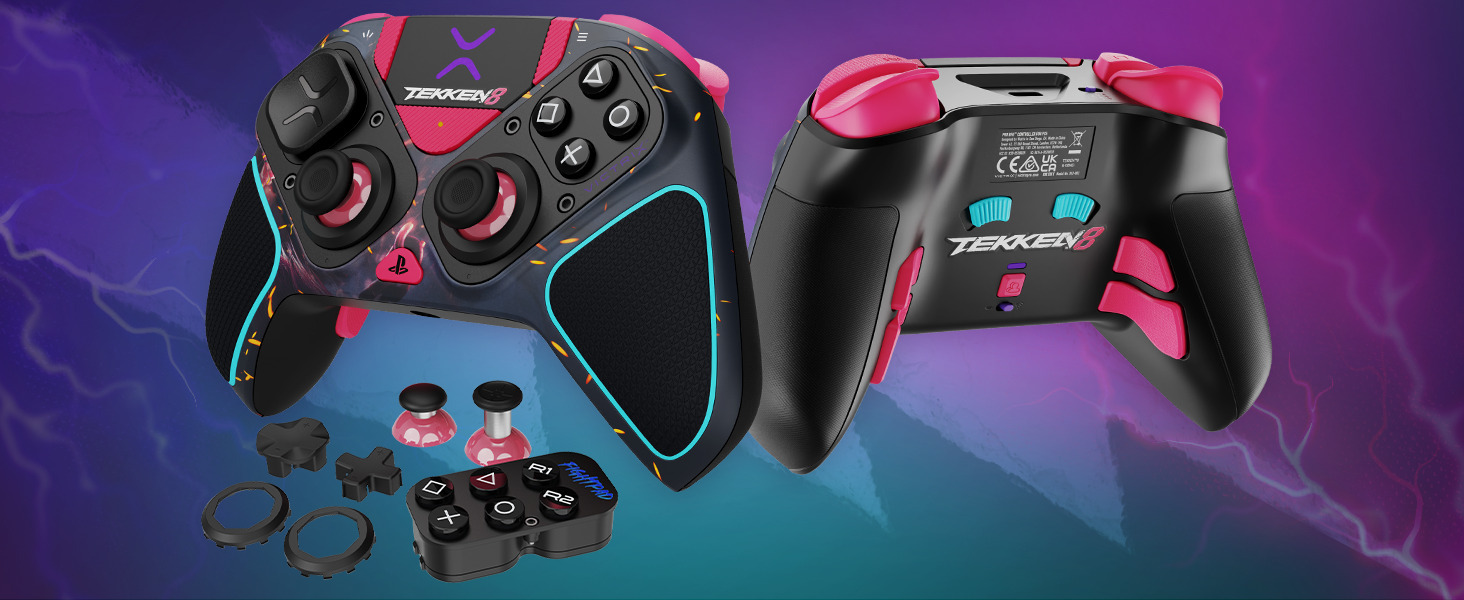
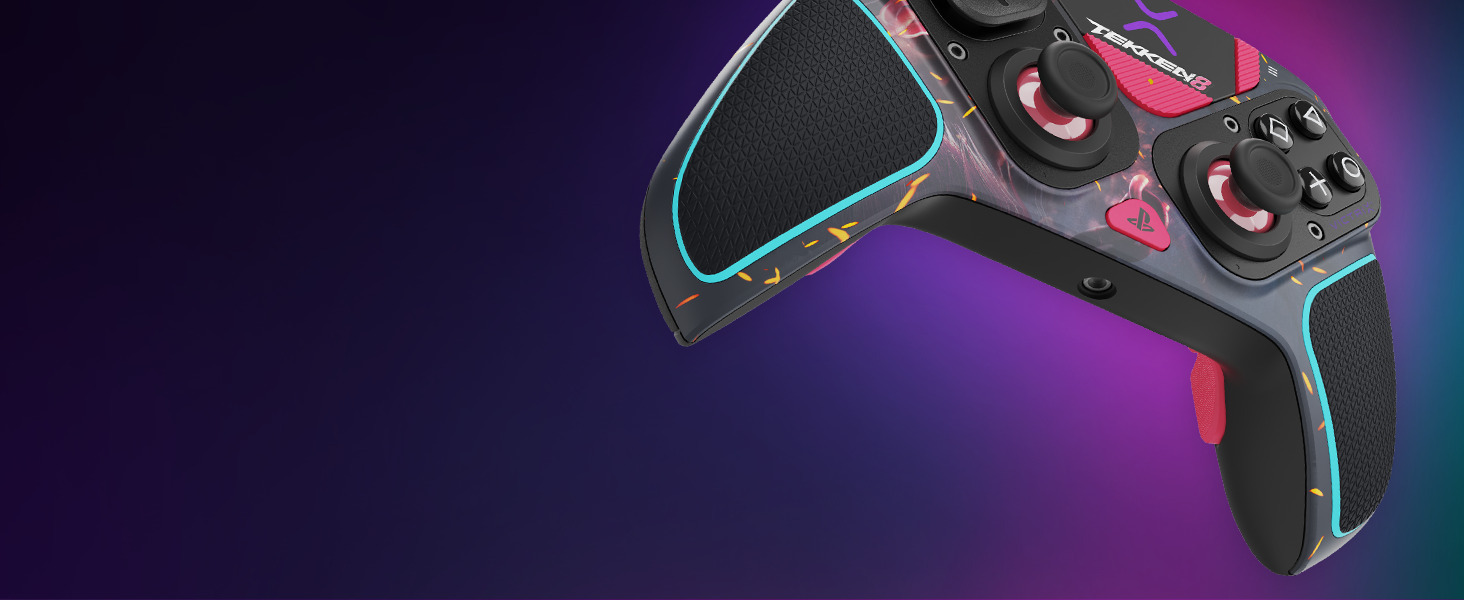
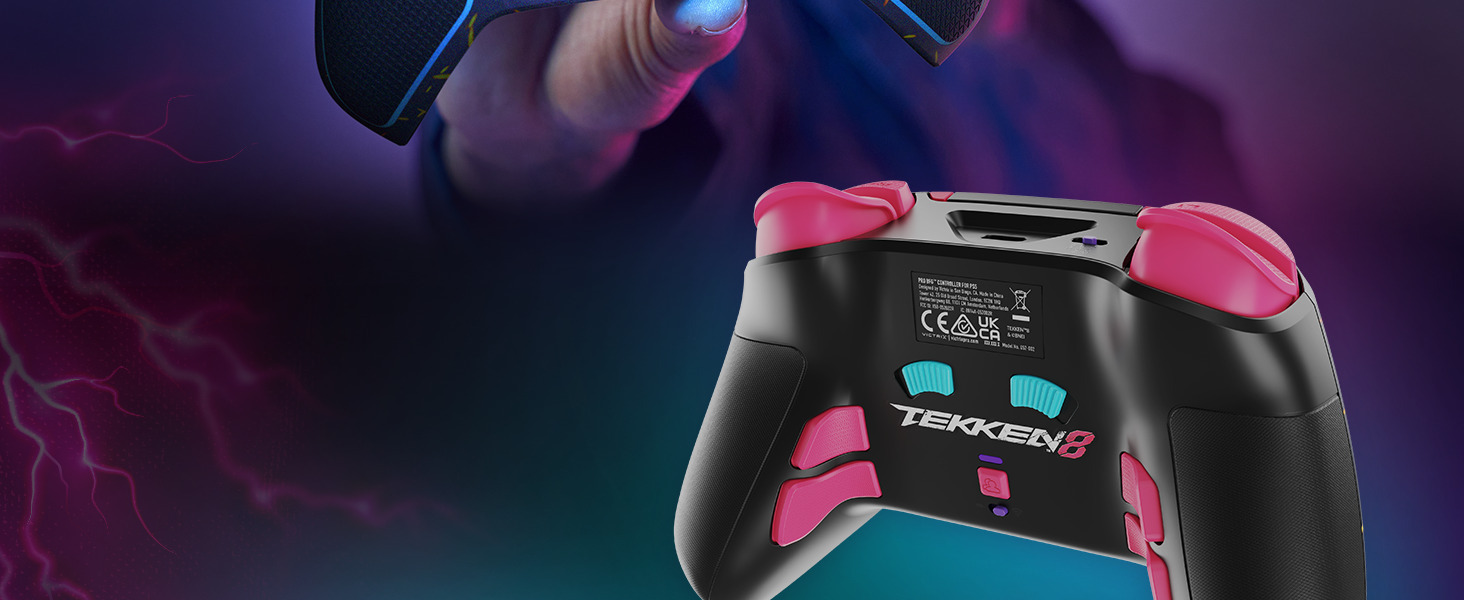
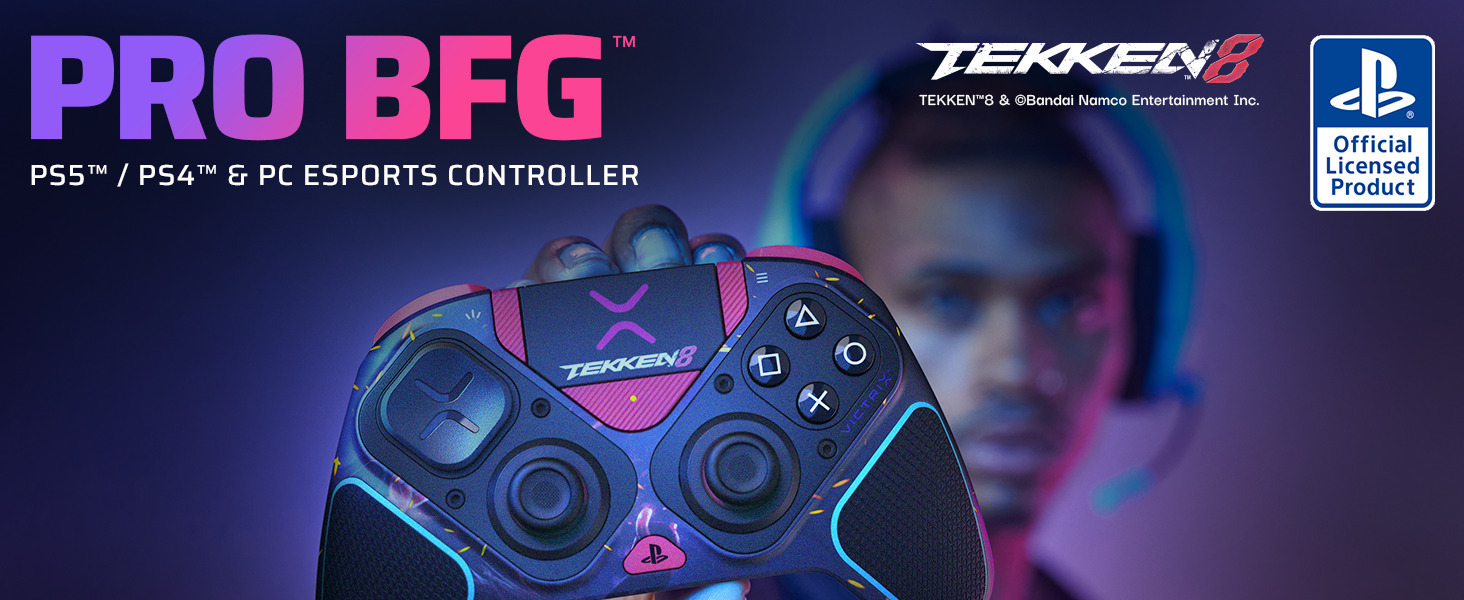
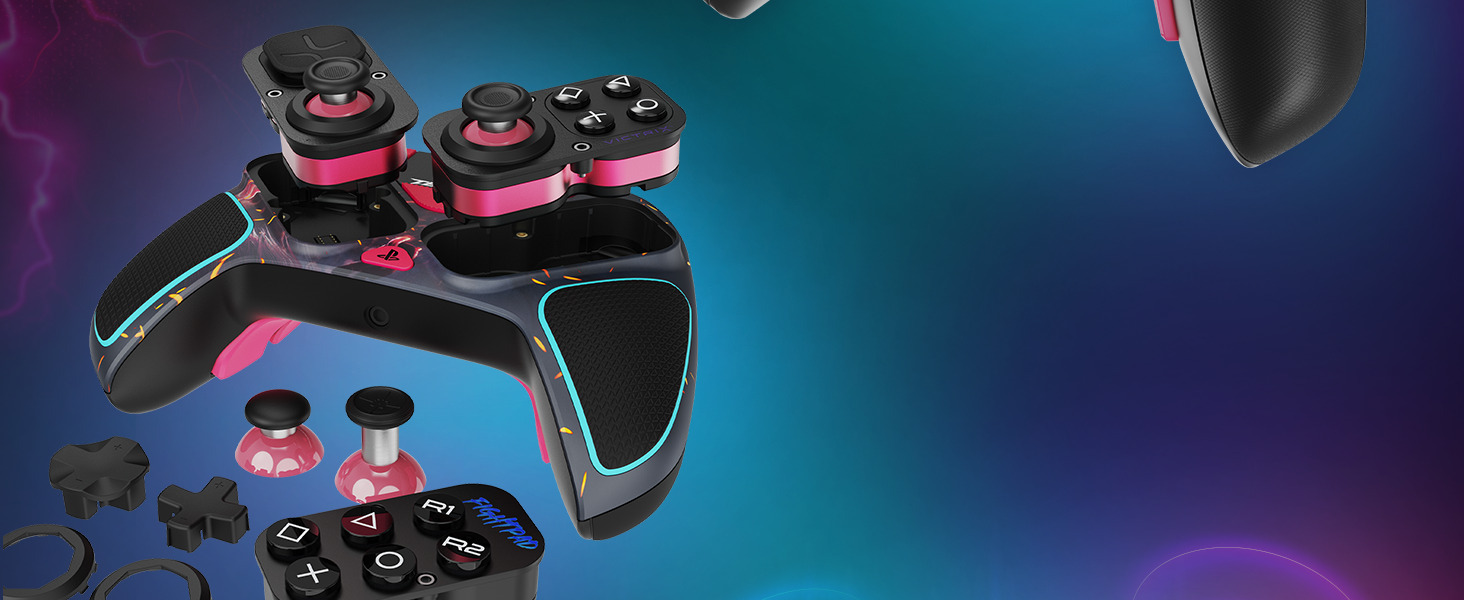
The Victrix Pro BFG Wireless Gaming Controller is a premium, officially licensed Tekken 8 edition designed for PS5, PS4, and PC gamers. Featuring 17 programmable buttons, four interchangeable modules including a 6-button fight pad, and Sony 3D audio with customizable EQ, it offers unparalleled modularity and precision. With patented Clutch Triggers™ and multi-profile mapping, it delivers lightning-fast responsiveness and tailored control. Wireless or wired connectivity and a sleek Tekken 8 design make it the new standard for competitive gaming.


| ASIN | B0D7WYPB3V |
| Additional Features | Ergonomic, Headphone Jack, Wireless |
| Best Sellers Rank | #1,670 in Video Games ( See Top 100 in Video Games ) #45 in PlayStation 5 Controllers #121 in PC Game Controllers |
| Brand Name | PDP |
| Button Quantity | 17 |
| Color | Tekken 8 |
| Compatible Devices | PC, Playstation 4, Playstation 5, Windows |
| Compatible Video Game Console Models | Sony PlayStation 5 |
| Connectivity Technology | Bluetooth |
| Controller Type | Gamepad |
| Customer Reviews | 4.2 4.2 out of 5 stars (3,991) |
| Global Trade Identification Number | 00708056073633 |
| Hardware Platform | Gaming Console |
| Item Dimensions | 3.58 x 7.87 x 7.87 inches |
| Item Highlight | PlayStation, Sony 3D Audio, 4 Mappable Back Buttons, Interchangeable Thumbsticks & D-Pads, Hair Triggers & Paddles, Tekken 8 |
| Item Weight | 298 g |
| Manufacturer | PDP |
| Manufacturer Part Number | 052-002-TEK |
| Model Name | Victrix Pro BFG Tekken 8 |
| Model Number | 052-002-TEK |
| Package Quantity | 1 |
| Power Source | Battery Powered |
| UPC | 708056073633 |
| Warranty Description | Performance Designed Products, LLC (“PDP”) warrants to the original consumer purchaser of the product that our product will be free from defects in materials and/or workmanship for two (2) years beginning from the date of original purchase of the product. If a defect covered by this warranty occurs during this period, PDP at its option will repair or replace, at no charge, any part that PDP determ… |
R**N
Best controller for me!
Absolutely love this controller. Having larger hands it feels great. I like the fact you can adjust the layout of the stick and button with a simple tool it comes with. Plus the other accessories like the fightpad and stick rings for a more accurate control when it counts. I like the fact that if you wear out the stick, you don’t have to buy a whole new controller and the replacement sticks are not that expensive. The triggers are adjustable and very responsive. Sometimes they feel a bit too responsive and takes a bit to get use to. This is definitely a step up from regular controllers. Very well made and sturdy. The storage case is great for keeping accessories together and protecting your controller when not in use. I do like the programmable back buttons so whatever game you play you can adjust them accordingly. This controller has lasted longer than any controller I have ever owned. They have definitely helped out my gaming experience and would recommend them to anyone wanting a better controller.
O**R
Best tourny controller I've seen in a long while
So I'll start with the best and main feature: The modular face. I can't stress how awesome this thing is for players like me that struggle to find button/dpag/analog setups that work for the way we like to play. For example, I play claw style, so having the 6-button option is a must. Need to go back to play a game where 4-button makes more sense? No problem, just swap the pieces, which is super easy. And those units can be flipped, so for instance, I like the dpad in the top-left most position (by default, that's where the analog stick is, like what you see in the picture), so I simply flipped it. When I'm playing, I also hate having the analog stick in the way, again, no problem, just pops right off (and you get extras). This modular feature is important because if you play enough, eventually buttons and dpads go out. For a long time, I was using the Hori FC4 (original design), which was a great controller and fairly inexpensive, but the one drawback was that it broke down pretty fast. Pro players that use the dualshock will tell you they replace them every several months, at most. Although I haven't seen it yet, I have to imagine that Victrix will sell the face pieces separately, which will eventually not only give players like me the ability to easily and cheaply replace wornout components, but it opens the door for more designs for those pieces in the future. Otherwise, it has a bunch of other premium features. You can go wired, which for many of us is really important, and the wire is nice and sturdy. Same with the case for the controller and all the various pieces to it. It has a built-in feature to program (or turn off) the back-grip buttons, and multiple profile options, so even though there is an app that allows for more input customization (which is also a rad feature), you don't need that to do some basic input customization. It also has built-in trigger stops, which is amazing, and a tournament mode to disable your system buttons and the touchpad. The pad has a nice, heavy weight to it, too. Before I got this thing, it was clear it was designed for tournament play in mind. The question I had was whether the dpad(s) would be any good. I use the old, basic, Nintendo cross-style and so far it's working really well. All of the other features, too, are highly-desirable when in a tournament setting, and they function great. But, they went beyond that to ensure that if you want to use it like a normal, casual controller, you clearly can. So I'll say that at this point it seems the wait was worth it, but I'll end with a caveat: This isn't a casual controller. The price tag should probably tell you that, but I can easily see certain people being disappointed with this thinking it's going to be good for casual use. You really have to be thinking about a competitive setting to see the value you're getting with this pad's features. This controller is comparable in quality to something like the Razer Wolverine v2 but has way better features for competitive play and practice, yet the Wolverine is $70 more. I've used the Victrix for casual gaming already and I can tell you it works great there, too, but unless you're taking advantage of all the features that a non-competitive game *isn't* going to use, then this is probably too expensive. Ultimately, a fantastic controller. EDIT: The Victrix Control Hub now works with the BFG, so that eliminates one criticism I had. Now the only thing left for them to address is replacement parts for the modular pieces. This could be make or break though: I've asked them about this and for now even requesting parts directly is not an option. The clock is ticking on that because when everyone starts to have breakdowns, no one is paying for a brand new BFG when a piece that should be really replaceable can't be replaced. That's going to wreck this thing's reputation.
Z**Y
My Everyday Play
I bought this controller to play fighting games, and not for the six button fight pad, but for the circular dpad. At first, I found it a lot more sensitive than the DualSense and I really didn’t like it. But the damn thing was expensive, so I kept forcing myself to use it, and I eventually adjusted. For the first few months, I used it strictly for fighting games, but I ended up using it for other games at a steadily increasing rate, mostly because I’d forget to charge my DualSense and didn’t want be attached to a cord (This thing pretty much always has some charge). So, I’ve had my Victrix for a year now, and it’s become the only controller I use (Well, not totally true, on especially lazy days, I’ll use the DualSense to turn my PS5 on). I love this controller. It feels great in my hands, and I like the shape and weight. It’s got all these features and customizable options, and I don’t really use any of them. I have the circular dpad in the upper position, both sticks down, I keep the shoulder buttons set at full movement (don’t use the stops), and I disabled the back buttons cause I kept accidentally pressing them. Why in the world did I buy this thing if I’m not going to use it to its full potential? Hell if I know, I had money to burn, and now it’s my favorite controller. So the Victrix is perfect for me, but I can say with certainty that will vary on a person by person basis. There’s no haptic feedback, no rumble, doesn’t make noises at you, and, as mentioned, it can’t be used to turn the PS5 off and on (The lack of these features no doubt contributes to the robust battery life). But I personally don’t care about any of that. That said, many do. To each their own. Mine happens to be this.
J**W
I wanted to love this controller so hard....
As someone who plays a lot of PC games and a fair amount of playstation games but doesn't own an XBox I thought this controller would be perfect for me. It had the best of both worlds. It was modular. I didn't play fighting games, but the option for the modular fighting game pad was still there. Trigger locks. All the bells and whistles. But I soon found out that all the sparks and lights and glamor distracted me from the features in a controller I would be missing the most. (I'll get to those in a bit). My controller arrived and I opened it up and the first thing I did was rotate the left side so it was in a standard Playstation layout. I wanted to become more familiar with it so I spent a bit of time with it disconnected from my PC. When the time came, I wanted to do everything right. So I went to the Victrix website and looked up the installation instructions. (it only comes with a qr code to the instructions and not an actual instruction manual). I made sure my computer was up to date with all the latest Windows 11 updates. I downloaded their app as the instructions say to do. Then I connected the wireless dongle and hit the PlayStation button in the middle of the controller to power it on. The suspense was unbearable. I heard the sound of a new USB device connecting to my computer and I look at the Victrix Control hub on my computer monitor...Only to see an Error. I thought, "well, I'm a systems analyst and I'm sure it's a quick fix. Let's see what google says." I googled the error and find that Victrix has a registry edit to fix the problem that seems to be some kind of driver conflict with the Generic drivers steam installs for controllers. I close out of all my applications including the Victrix Control Hub, disconnect the controller, run the .reg file, verify it applied where it says it will in the registry, Open the controller hub app. connect my controller, turn it on aaaaaaaaaaaaaaaaaand same error. "Could Not Connect". After looking at reddit posts and other forums I come to find out that the only way to install the firmware is in a windows 10 computer. That it doesn't work with Windows 11 out of the box. Some forums suggested starting a hyper-v windows 10 box to install the firmware and at this point I submitted a ticket to Victrix to get their recommendation instead. After 2 days of not hearing back from Victrix and also finding out this controller didn't have haptic feedback, rumble, or hall effect, I was done with Victrix and this over priced, over glorified, over hyped controller and decided to return my purchase to Amazon because it was no longer worth it for me to settle for something I didn't want for features that were sub par to me and my gaming style for the premium price that I paid. I would have been happier with the PlayStation Dual Sense Edge controller and that's what I was trying to avoid, as I realized that the PDP Victrix Pro BFG was only adding modularity to their controllers while taking away the features I can't go without. It's not even bluetooth. I mean COME ON. $180 for modularity on the most basic controller you can buy. You might be saying,"oh but the trigger locks and the tactile mechanical switches." What good are those things to me if I can't be more immersed into game play. I don't like troubleshooting new products out of the box. I troubleshoot for a living. I get paid good money for it. If Victrix wants me to troubleshoot their controller out of the box, the controller should be free. To me this controller is worth less than half the price it's being sold for. I started out rating this with 3 stars. But as I started to write, I kept taking stars off because to base your reputation on over hyped hardware with broken software and a lack of features is a garbage business model and I won't play along. It's been 4 days now. still no reply from Victrix about the controller even after I returned it. I'm sure it works with Playstation 5 just fine. But it says PC in the name and it should stand behind that support just as much as it stands behind the console compatibility. I don't recommend this controller to anyone. not even for modularity sake. There's better options out their and their cheaper. Unless you play fighting games to win money and tournaments (the only feature that other controllers didn't have), steer clear of this controller. Save yourself the headache.
J**.
Works perfectly
Awesome to the max and as described. Shipping was quick and came in well packaged in great quality and condition sold at good price and looks good too.
T**N
Extremely Responsive, but for Average to Small Sized Hands, like most controllers today sadly.
The Good: This is by far the most responsive, decisive controller I've ever purchased, with excellent remappable buttons for all buttons and triggers, not just the typical 4 buttons, Triangle, Circle, X, and Square PS style, or A, B, X, Y. The 2 triggers used for driving games (Rocket League) can be adjusted to the level of depression as well, which makes dribbling in Rocket League much easier (I play Rocket League Primarily). The joysticks are extremely easy to move, making sharp turns the fastest I've ever been able to accomplish, which is very important in Rocket League to cut off the ball, or turn fast when close to the ball. The included accessories and case are top notch. The dongle for PC eliminates the need for Bluetooth pairing, which is a great plus, as pairing Bluetooth constantly and issues with that is eliminated as well. The Bad: The thumb grips on the control sticks could use a more rubbery surface to prevent thumb slippage while maneuvering fast, this is a problem with almost all controllers really on the market. Also, the controller is made for small to average sized hands sadly, as that's the biggest issue I have with it. I have very large hands, and the ends of the grips end in the middle of my palms versus a full grip that the Sonicon controller which is much larger than a standard PS4/5 controller that fits my hands superbly. If the PDP Victrix Pro BFG was made at least 1/3rd larger in size, it would accommodate the hands of more people, particularly adults who would be the primary purchaser of such an expensive controller, but well worth it due to the GOOD that I previously mentioned. I'd gladly pay 50 dollars more or even higher for a larger controller exactly like this present one. I hope other companies follow Sonicon's lead in making controllers larger, as smaller controllers with back paddles that can be remapped are out of place for those of us with medium to larger sized hands. Overall: This is easily the best controller I've ever purchased, even with it size issue, I'm learning to place my hands to make it work. Grip extenders do not work sadly, as the shape of the grips being angular rather than round, do not fit and come off shortly after applying. Perhaps they could make a version with the ability to extend the grips by an add on would help solve the problem for large handed individuals, but that wouldn't address the buttons being smaller or the placement of the back paddles which would still be out of place. The real solution would be to make this same controller, just in a larger size for big handed individuals. Till someone does address this issue, like Sonicon did (my previously favorite controller due to its size and responsiveness), I'll have to deal with the current market's limitations on their smaller sized controllers. Update: It's JUST TOO SMALL! I cannot adapt to this tiny controller built for children obviously or small adults. Playing Rocket League I'm constantly backflipiping due to the buttons being too close together for my larger than a child's sized thumb. Very frustrating trying to make it work, but in the end, this controller is flat out too small to use effectively for an adult, unless you have puny hands and fingers. The search for an adult sized excellent controller for Rocket League continues sadly. On to the next.
B**T
Do Not Buy! Great Controller, Bad Company
Update: PDP claims they lost my return in a move across the country, because they were acquired by Turtle Beach. They eventually did provide me with a new device, and it works perfectly fine. I would give this a 4 or 5 star review as a product on it's own (It's a little expensive, but it works and feels great, so it's between a 4 star and 5 star product), BUT I still don't trust PDP, who refused to do anything to apologize for sitting on my product for over a month other than "Oh, lost everything in a move we didn't tell you about, let's redo the entire RMA process so we can get it into the new system and get you a return". It took them another 2 weeks after starting that process to get me my controller, so my controller spent 6 weeks effectively not existing. They refused to extend my warranty, offer an advanced replacement, or even a discount on some other product, and even refused to apologize or take any responsibility for the "Unavoidable" delay. Overall, I still would recommend staying away, as I don't trust them to actually honor their word or take responsibility for anything. I wish I had returned the product, even if I still enjoy using it and find it's one of the most comfortable controllers I've ever used. I love this controller. I want to recommend it to people so much. But I just can't. Why? Note: When you first install this controller on PC, you want to make sure Steam is entirely closed, and there is a registry key you can download from PDP's website that will fix a compatibility issue that Steam can cause by how it grabs controller data and the drivers it installs. Simply closing Steam entirely (including the minimized task bar program) and ran that update, the firmware update ran fairly smooth, though I did have to turn off and on the controller manually a few times (flip the mode button from cable to wireless and back would force the reboot). Not the most intuitive process, but it worked. I got this controller in mid-June to use on PC, and after doing a bit of troubleshooting, I got it to update the firmware, and got everything working, or so I believed. I had occasional issues that I chalked up to game issues due to games not dealing with the controller changing types after the game boots. Given I'd had issues with my old PS4 controller doing the same thing, it didn't seem like a controller issue. Eventually however, I found the issue. When the left trigger travel setting was at it's shortest, the left trigger could lock down and not reset, meaning I had to pull the button back out to stop it from pressing. If the travel was further back, it would not lock up. My controler either arrived with this issue or developed it within days, as within 10 days of recieving it, I filed a warranty claim with PdP. I've attached a video of what it was doing. It took PDP over a week of back and fourth for them to accept the claim, figure out it wasn't a software configuration issue nor me not knowing how to change the trigger throw distance, and then allow me to prove I purchased the product (they needed me to send my receipt to them 2 different ways). They then had me ship my product to them before they would send a replacement, which took another week because it was shipped via UPS Ground. It is now 12 business days since they said they received my defective product and they sent out my replacement, but I have no evidence that they ever sent out the product and their support has stopped responding. Their website lists a phone number, but the number is always "temporarily offline, please use our online service". So nearly 2 months after owning this product, I have actually been able to use it for less than 2 weeks, and I have been waiting for PDP to stand by their product and replace it for over a month. I am currently looking my legal option to get my money back and will be filing a complaint with the FTC, BBB, and local consumer protection services if they don't get back to me by the end of this week. About the controller itself? Well: Pros: - Buttons Feel Amazing - All the buttons feel amazing, but in particular the fight pad buttons are a delight to press, and feel like a high end mechanical keyboard with a tactile and clicky response. - Ultra-low latency - Wired or wireless, I had no controller latency of note. The controller felt very responsive. - Customizable feel - I like being able to flip the left stick/D-Pad, and the different D-Pad options were nice. I love their diamond shapped pad, it's amazing to use and feels accurate to me, but I could go with a more rounded option or more Nintendo style D-Pad if I wanted to, as I know some folks prefer that. - Easy to program - The back buttons are easy to program or disengage once you figure it out. You can save 3 different configurations, and assign them to other buttons very easily. They also aren't in an easy to accidently press location, though you do need to watch your grip and adjust to the bottom buttons. - Software was unobtrusive - Once I got the software loaded, it was great for checking out the settings and testing the controler, but it didn't need to be running in the background to do anything, so no additional system overhead by having it. - Overall Feel - The controler has some weight to it, but was not heavy. It weighed about as much as my old PS4 controler. No haptic feedback, but I hear it's lighter than the current XB or PS5 controllers because of that. But it felt comfortable to hold with or without the cable for extended gaming sessions. - Solid Battery life - I could get 3-5 days of gaming on the battery if I was good about turning it off when I wasn't using it, and 2 if I wasn't. So, about 20 hours of gaming on the battery on wireless. But since I could charge it when using it wired, wired was also great. - Comes with a lot of good extras - The Case is nice, the optional sticks and buttons are great to have, and the case holds the wireless dongle, the cable, and the screw driver. The cable was quite long, likely 10ft/2m (not sure exactly which) and high quality as well. Cons: - Software only on the Microsoft Store - Honestly, I hate using the Microsoft store. Why not have it downloadable on their own website? Other than maybe cheeping out on the traffic. - Can't program macros to the bottom buttons - At least I haven't figured out how, and it doesn't appear to allow that. The bottom buttons much be either disabled (you can disable them individually by mapping them to themselves), or mapped to another button press. For some games I'd love to map them to something else like a key press, or in a few cases, I'd love to map them to the Crouch/Run button and remove that from the stick press, but it's not an option. I'd be fine if the software needed to be open to support Macros as well, but there appears to be no support for this. - Not Hall Effect sticks or Official Replacement - I mean, for something this expensive, it would be nice to have Hall Effect analog sticks, or even a purchasable replacement. Not only does there not appear to be any official purchasable replacement sticks/buttons of any kind. There are unofficial options out there for cheap at least, but there shouldn't have to be. - No Haptic Feedback - I get this was designed to be light, but I am amazing at how engrossing the haptics on the PS4/PS5 controllers can be, so it's a shame they're missing, but this isn't unusual for this style of controler. - PDP feels like they're more likely to scam you than support you. I've used support from ASUS, MadCatz (several times, they were great), HP, MSI, and several other PC/Tech companies before. PDP has been the absolute worst company I've ever dealt with in the warranty field. See my above story as to why. What I would like to give this controller? A 4 star review for being overall a great feeling controller that's missing just a few features to be a 5 star and a solid recommendation in general. What I feel forced to rate them due to PDP is a 1 star. Maybe they'll make things right, but right now I've been scammed out of my money and don't even have a broken controller to show for it.
A**2
Would recommend (Thoughts and tips)
Hello everyone: I bought this controller in late July (it is mid December as of me writing this), I mainly bought this to play shooter games, primarily Modern Warfare III and Warzone on Playstation 5, and It has served me incredibly well, the back paddles and button locks still work phenomenally 6 months out and I have still yet to have any sign of stick drift. All of the accessories work perfectly from the extra sticks to the fight pad. I chose to use the XBOX configuration as a person with bigger hands and it is really comfortable. My only complaint is that when using the wired mode, you must turn on the console first, then unplug the controller and plug it back in if you leave it plugged in, THEN you turn on the controller. Aside from that, that is my only gripe and it is minimal. As for the tips: Definitely use the thumbstick attachments if you choose to play shooter games, and if you want to buy Kontrol Freeks, make sure to buy the XBOX ones because the thumbstick pad radius is smaller than Playstations. The backpaddles are easily customizable with the button on the bottom and you can also get extra customization with the controller personalization on both the console and PC. I have not used the wireless connection, I prefer the wired version and there is little to no input delay but I have noticed the best performance when plugged into the front USB port on the console and it does not work with extended external USB ports from my testing. Hope all of this helps, I think this controller is well worth the money, even if it seems expensive, it is an investment well worth making in my opinion. Thank you for reading!
D**S
Amazing gaming controller, professional grade for sure!!
You want an ultimate customizable PlayStation controller? Look, no, further, this thing is amazing. It is so worth the purchase price. Adaptive triggers adaptive buttons mapping on the back, or you can use it as a regular controller. It's got a donggle just plug it in NGO I think you can actually run on the PlayStation with just Bluetooth, it does have it. I actually think I have it hooked up bluetooth.Now that I think about it, but i'm not a hundred percent it comes with a screwdriver. You can change it to xbox settings.If you want flip the buttons to the other side, you can change the other buttons for fighting games.It's amazing!!
A**M
Amazing product
I have been using Sony DualSense controller with my PC for a while, and I was considering buying DualSense Edge, but I didn't for two reasons: 1- DualSense was will known for stick drift issues and I am not welling to have issues with a controller with that amount to pay (even though the stick can be changed to a new one with the Edge). 2- It has only two extra buttons at the back. Victrix amazed me with the built quality, and the design. Reviewers claim that it is light weight that feels cheap, I didn't feel that at all. It needs some time to get used to it since there are extra buttons, and it feels different in the hand compared to PS DualSense. The four buttons at the back gives you the choice for more customizations. I play Rocket League and it helped me to gain back ranks that I lost before due to extra buttons at the back (faster speed flip for those at the community & and ability to boost and drift at the same time). I totally love it, but I definitely need more time to get used to it perfectly. Drawbacks are: 1- The need for the USB dongle for wireless communication. 2- A bit noisy clicks. 3- Track bad didn't work for me as a mouse. Overall, definitely worth the price I've paid for it.
T**S
Great options!
it feels solid, and very good control and reaction times..
I**N
Poor wireless connection
Controller keeps disconnecting! Terrible!
C**A
Muy bueno
Me encanta que cuente con 4 botones configurables en la parte inferior a diferencia de los 2 con los que cuenta el dualsense edge, la batería dura mucho más tiempo porque vibra y me gusto que los joysticks se pueden desatornillar y girar para colocarlo como uno prefiera, cuenta con otro adicional para los juegos de pelea como el mortal kombat.
Trustpilot
3 weeks ago
2 months ago