🖨️ Print smart, save smarter — your home studio’s secret weapon!
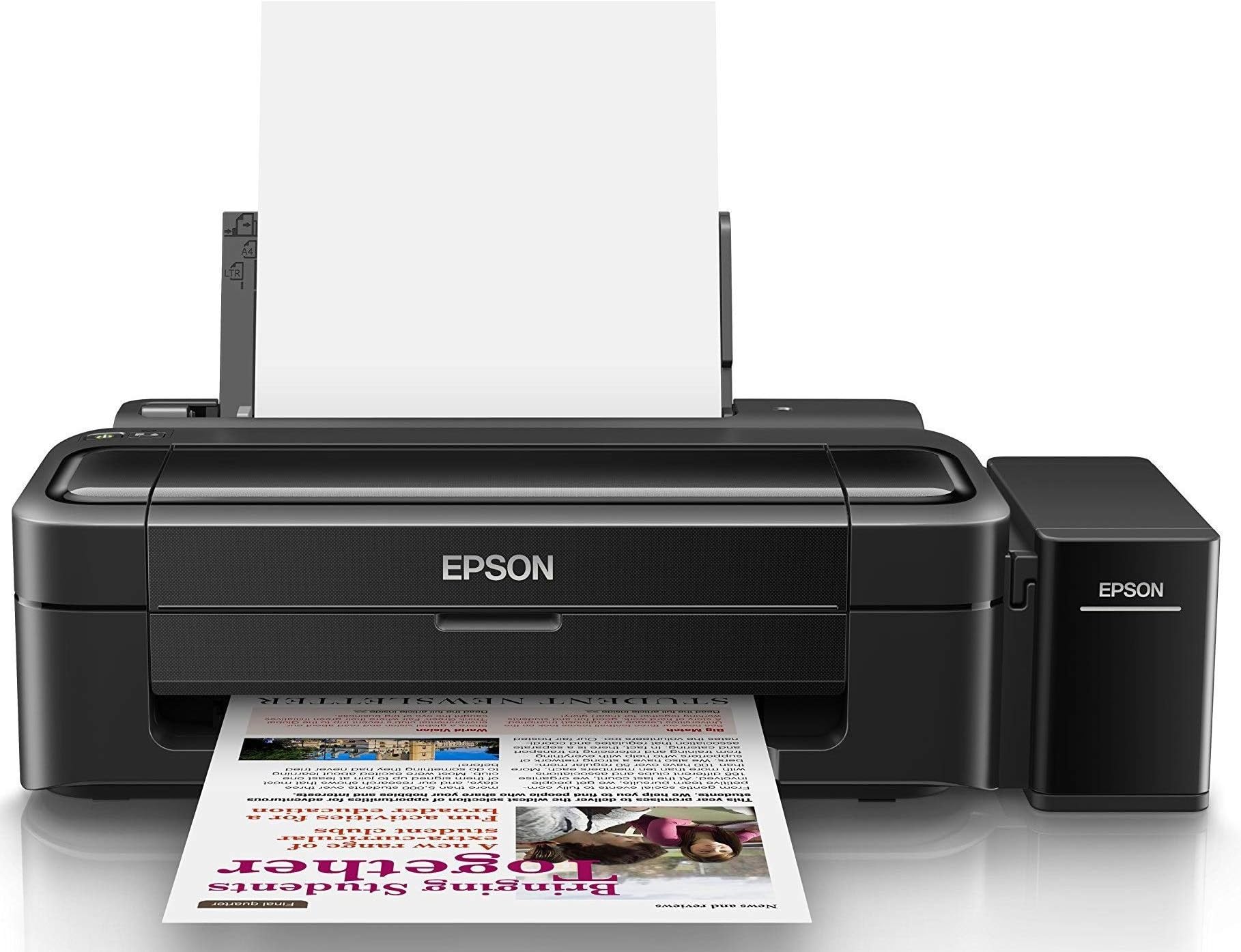
The Epson Ecotank L130 is a single-function color ink tank printer designed for home and small office use. It offers ultra-low-cost printing with high-resolution output (5760 x 1440 dpi) and supports A3 paper up to 256 gsm. Compact and lightweight, it connects via USB 2.0 but can be made wireless through compatible routers. Compatible with both Windows and macOS, it delivers up to 5000+ color prints per refill, making it an economical and reliable choice for quality color printing without the hassle of cartridges.


| ASIN | B00WP39JLG |
| Additional Printer functions | Print Only |
| Are Batteries Included | No |
| Best Sellers Rank | #835 in Computers & Accessories ( See Top 100 in Computers & Accessories ) #10 in Inkjet Printers |
| Compatible Devices | PC |
| Compatible cartridge | T6641 (Black), T6642 (Cyan), T6643 (Magenta), T6644 (Yellow) Ink Bottles |
| Control Method | Touch |
| Controller Type | Hand Control |
| Country of Origin | Philippines |
| Customer Reviews | 4.2 4.2 out of 5 stars (4,039) |
| Date First Available | 28 April 2015 |
| Dual-sided printing | No |
| Duplex | Manual |
| Generic Name | Printer |
| Hardware Interface | USB 2.0 |
| Importer | M/S EPSON INDIA PVT. LTD 12th FLOOR,THE MILLENLA, TOWER A, NO.1 MURPHY ROAD,ULSOOR,BANGALORE-560008 KARNATAKA STATE |
| Included Components | Ink Bottle - T6641 (Black), T6642 (Cyan), T6643 (Magenta), T6644 (Yellow) |
| Ink Colour | Black |
| Item Dimensions LxWxH | 22.2 x 13 x 48.2 Centimeters |
| Item Height | 48.2 Centimeters |
| Item Weight | 2 kg 690 g |
| Item Width | 13 Centimeters |
| Item model number | L 130 |
| Manufacturer | Epson |
| Max Copy Speed (Black and White) | 27 ppm |
| Max Input Sheet Capacity | 150 |
| Max copy resolution black-white | 5760 x 1440 dpi |
| Max copy resolution colour | 5760 x 1440 dpi |
| Maximum Black and White Print Resolution | 5760 x 1440 dpi |
| Maximum Colour Print Resolution | 5760 x 1440 dpi |
| Maximum Media Size | A4 |
| Model Series | L130 |
| Net Quantity | 3 Count |
| Number of Trays | 1 |
| Operating System | 8 . 1,Vista,Windows Xp |
| Output sheet capacity | 30.0 |
| Packer | Lima Technology Center, Lipa City, Batangas, 4217, Philippines |
| Print media | Paper (plain) |
| Printer Ink Type | Ink |
| Product Dimensions | 22.2 x 13 x 48.2 cm; 2.69 kg |
| Sheet Size | A4 |
| Specific Uses For Product | Enterprise, Home, Office |
| Total USB Ports | 1 |
| Wattage | 9 Watts |
T**T
THE BEST SINGLE-FUNCTION PRINTER FOR YOUR WIN AND MAC, WITH “OPTION” TO CONNECT WIRELESS AND CLOUD
REVIEW AFTER 6 MONTHS OF USE: Oh this printer is stupendous!!! It deserves an 8 star!!! I printed a photo last week (on Epson gloss paper) and it came 100% studio quality. Well, thats enough for me! I can now make posters at home, without spending extra bucks in a studio. Love it. buy it!! ---------------------- Let me first say, that the 5-star rating I have given is not because L130 is the best feature-packed printer in the market, but rather it was the “exact” printer I wanted per my technical requirement, specification, and budget---after a 2 month research. I am going to give a very detailed review, with some myth-busters. Yes, I see a lot of wrong Q&As and reviews that I would like to bust with my honest review on day-3 of my purchase. Home use, not for bulk or fast printing–This printer is a pure home or small business/shop use. Do not expect paper capacity beyond 40-50 (75 GSM) in the input tray. Print speed is fast enough for home and shop use. If you are looking for more paper capacity, super-fast printing, regular photo paper printing, well then invest in a more feature-packed costlier printer. For a home, student, shop purpose L130 is stupendous! I am yet to try on a photo paper, but that is “extra” start if I get a decent print. If not, I’m happy the way it is. Single-function is what you need today–Everyone has a decent smartphone that can scan and PDF documents using the camera. Free apps like Adobe Scan, Google Scan, CamScan, etc. can scan documents, align them, auto-correct colors, and will save you an extra 3-4K by buying a single-function (print only) printer. I see many reviews saying L130 is bad because it doesn’t scan! As it says, its a single function printer; it cannot scan. It’s an ink tank–If you do not want to fall prey for the ink cartridge scam, you need to go for an ink tan printer. Yes, ink tanks (like the L130) are a little expensive than inkjets cartridge printers, but in the long run, ink tank gets you the best return on investment (ROI). Inkjets are available for 2k and does max of 50-60 color prints. Making you buy another cartridge for 1.5k every 60 color prints. L130 can yield you 5000+ color (and 4000+ monochrome) prints in just one refill. The printer comes with 4 sets of colors, and technically you do not have to worry for a few months/years without an ink change. Compact for the desk–In its compact state (when trays are inside), the depth as less than 30 cms., making it ideal for any normal shelf/cabinet. Input trays also fits a 1 ft tall shelf. As needed, retract the trays to place the papers. See photos as it is easier to understand that way ;). By far, this is the most compact ink tank printer I’ve seen. Loves Apple as much as Windows–This printer works smoothly (including installation in under 3 minutes) in Windows 10 and macOS 10.14 (yes, Mojave too!). Many reviews and Q&As indicating L130 doesn’t support a Mac. Well, sorry wrong informers… it does support a Mac and all you need is to go to Epson’s website to get the right driver. Make it wireless if you have the right router–L130 is a non-Wi-Fi/non-wireless USB printer. A few years back, when I upgraded my W-Fi router to a dual band AC model, I went for a router with a USB port and with an inbuilt print server, though I never used that functionality till date. That decision came to use now! Yes, if you have a router with print server (and USB port), you can connect L130 to the router and use it wireless! One additional step beyond Epson’s driver setup is that you will need to install the router’s print utility/driver. Simple application you have to download from the router’s website and you have a USB printer that you can print directly from a PC/Mac connected to the WLAN. Take it to the cloud–Okay, now that you have realized that this is a print-only, home use, Mac friendly, and wireless “capable” printer, do you want to take it to the cloud? Meaning do you want to print from anywhere in the world? Well, folks, it is possible with some extra steps. As mentioned in my above bullet, if you have a router that has a print server and a USB port, make it connect to your WLAN. Once connected, register the printer to your Google Chrome account. Once registered, share the printer with any other Gmail accounts so that they too can print. For example, in my case, I registered my L130 in my Google account account using Chrome, and shared it with my family members’ Gmail ID. Now all of them can print from their Android, iOS, Amazon Fire, PC, Mac, from anywhere on the planet---as long as their devices and the printer at home is connected to the Internet. Well, that me after the third day of use, but 2 months or research. Good luck Amazonians! ---------------- 2024 update, Since I misused the gadget I had to get another one. No fault of Epson. Interestingly, I bought the very same model again after 6 years. No other printer does a better job. And nope, I am not paid or sponsored ;)
P**Z
Nice
Nice product, worth the price
N**.
GOOD PRINTER FOR COMMON USE AT HOME AND OFFICE BUT WITHOUT SCANNER
Very good single function color printer with best quality printing. + Good printing quality in b&w and color even on regular paper, Professional Quality on Photo Paper. + Any Ink is compatible + Easy functioning, easy to handle, for best result must download proper software. + Easy maintenance. Some good video are available on YouTube which can guide you in any problem to printer. - Must use twice in week to keep it running, if not many issues like jamming of Inks, quality of printing can occur. - Not included scanner is somewhat surprising. Many low budget printers are available with scanner. - We have to take care about filling of Ink, cleaning head etc regularly through software etc. - No 2000 0r 3000 copies as claimed. It consumes ink very fast then you can think, resulting in higher cost per print. They explain this as it depends upon your graphics etc.... bla...bla...bla... but again good quality printer.
A**S
Excellent Printer for Home Use - Cost-Effective and High-Quality Prints!
I recently purchased the Epson Ecotank L130, and I’m extremely satisfied with its performance. The ink tank system is a game-changer, offering cost-effective printing with a high yield of pages. The print quality is sharp and vibrant, perfect for both documents and photos. It's very easy to set up and use, making it ideal for home use. The ink refills are affordable, and the overall maintenance is minimal. I highly recommend this printer for anyone looking for reliable and budget-friendly printing!
H**A
Faulty Printer delivered by Seller
Hi Printer is faulty and does not switch on. It seems the seller has provided faulty product. It's noticed that while delivering product seller did not give any shipping detai6and bill with printer. When called ESPON customer care, got to now incorrect mobile number and email id updated. Tand the warranty was already started 3 months ago for printer though I bought on 31st Aug. Now printer is not switching on. I strongly believe this seller is not reliable and have done something wrong.
ترست بايلوت
منذ 3 أيام
منذ شهر