We remain fully operational. Our teams are working around the clock to ensure your deliveries continue safely.

قم بتنزيل التطبيق


معلومات عنا
حقوق الطبع والنشر © 2024 Desertcart Holdings Limited
قم بتنزيل التطبيق

🚀 Power-packed mini NAS for the productivity elite
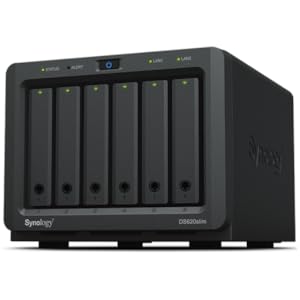
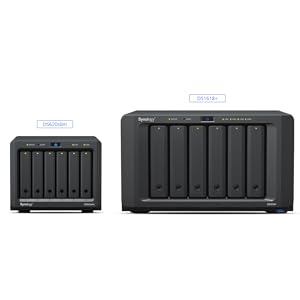
The Synology DS620slim is a sleek, metal 6-bay NAS designed for professionals who demand high-speed, secure storage in a compact form factor. Supporting 2.5” HDDs and SSDs, it delivers over 220 MB/s read and 190 MB/s write speeds, powered by 2GB DDR3L RAM expandable to 6GB. With advanced Btrfs snapshots and real-time 4K video transcoding, it’s the ultimate desktop or rack-mounted server for seamless file management and media streaming.
| ASIN | B07V6CC4M2 |
| Batteries Included | No |
| Batteries Required | No |
| Brand | Synology |
| Compatible Devices | Server |
| Customer Reviews | 4.4 4.4 out of 5 stars (140) |
| Date First Available | 20 July 2019 |
| Hard Drive Size | 30 TB |
| Hardware Interface | Ethernet |
| Item Dimensions LxWxH | 17.5 x 15.1 x 12.1 Centimeters |
| Item Weight | 1 kg 400 g |
| Item model number | DS620slim |
| Manufacturer | Synology |
| Material | Metal |
| Model | DS620slim |
| Model Name | DS620slim |
| Mounting Type | Tabletop |
| Net Quantity | 1.0 Count |
| Number of items | 1 |
| Product Dimensions | 17.5 x 15.09 x 12.09 cm; 1.4 kg |
A**O
Bello veloce, stabile, ottimo.
D**E
時間を指定して、パフォーマンスと静音のバランスを調整できるので、設置場所に応じてうまく調整するといいかもしれません。 後継モデルが出ることがあれば、拡張ユニットへの対応と、2.5インチ専用の拡張ユニットの発売もぜひ検討していただきたいなと思いました。
L**G
I purchased this NAS because we had a bunch of old external 2.5" drives sitting unused. Rather than plugging each one in individually to back up our data, I figured we can put 4 of them into a NAS so we can access the files at any time (and across devices). My purpose for this NAS is to have a central repository for family photos and videos, and potentially put all movie files on the NAS to stream to our TVs via Chromecast. My set up consist of 2x 1TB drives and 2x 500GB drives. One of the 1TB drives was a thicker variation, but it fit in the drive bay without any modification to the NAS. I set up the drives using the default configuration, which put all drives into one volume using SHR (Synology Hybrid Raid), giving me 1.81TB of total storage space. For this set up SHR allows for one drive fault tolerance, meaning if one drive fails, you can replace it with no data loss. For me, this data protection is a good tradeoff for having less available storage space (ie. 3TB with no data protection). So far, all I've done is upload files to the NAS using the web interface, which is a simple drag/drop. For photos, there is a utility called Synology Photo Station Uploader. The difference between straight dragging and dropping photo/video files onto the NAS versus using the Photo Station Uploader is which system generates the thumbnails and preview images. Using the Photo Station Uploader uses your computer's hardware to generate these files, which is much quicker because hopefully your computer's specs are much higher than the NAS' CPU/RAM. The only thing is, the Photo Station Uploader software isn't very stable, and will fail to upload all selected files. For example, you will select 50 files to upload, and it will upload maybe 30 of them, and give you an error for the other 20. Then you'll have to select the same 50 files and upload them again, which you select to skip files that have already been uploaded. This time, it may only upload 10 of the remaining 20, so you'll have to repeat the same exercise again to get the remaining 10 uploaded. Other than that, I haven't really run into any other issues, but at the same time, I haven't spent much time with the system other than uploading files. Once I get the movie streaming set up I'll update this review.
C**L
Works very well, however, upgrading from an old Synology NAS may require you to reset your settings. However, what makes this NAS so great is that it can actually take 16gb of memory. More than actually supported, if you find the right set of RAM sticks.
S**N
Setup is easy but be aware this supports the laptop format hard drives not the large desktop sized 3.5 inch ones which are a bit cheaper per drive.
ترست بايلوت
منذ 3 أسابيع
منذ أسبوعين