Desertcart purchases this item on your behalf and handles shipping, customs, and support to Israel.
🎮 Dock, Charge, Play: Elevate your handheld gaming setup to pro-level performance!
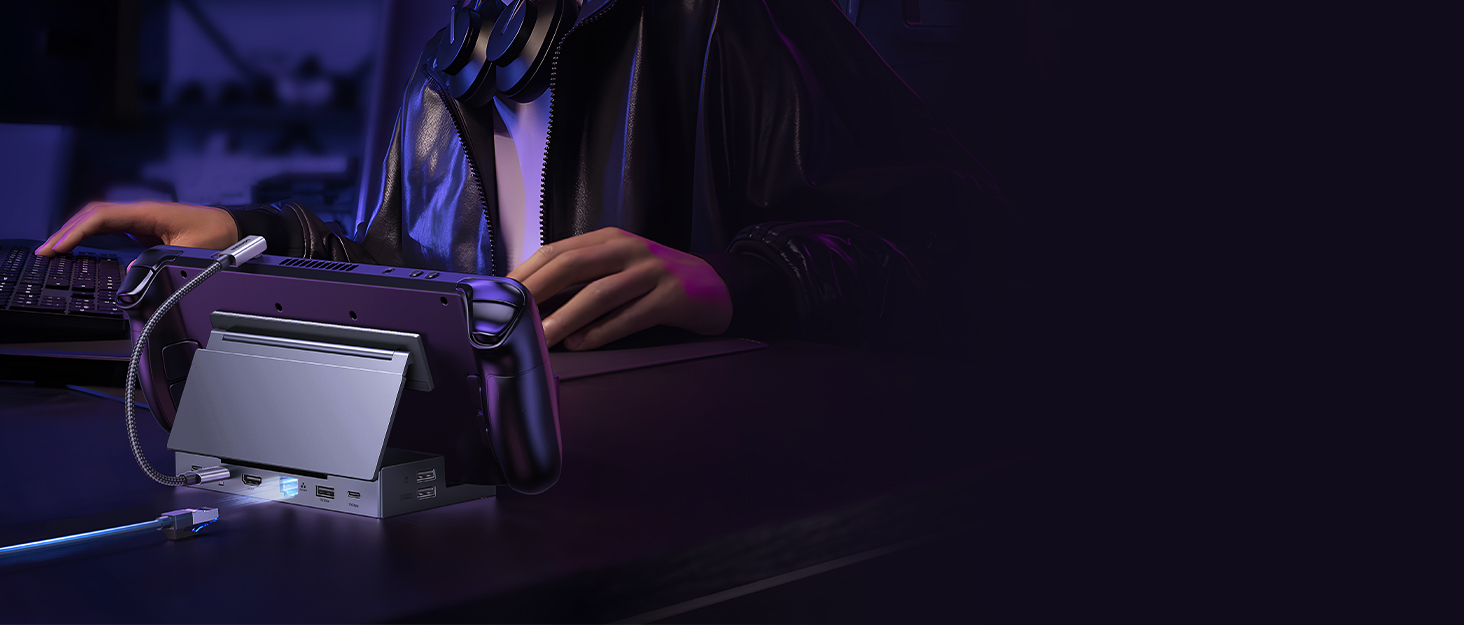
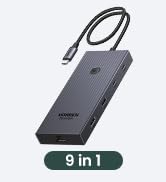
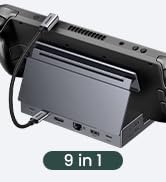
The UGREEN Steam Deck Dock 9-in-1 is a sleek, foldable USB-C docking station designed for handheld gaming consoles and USB-C devices. It features a dual-panel adjustable stand that enhances heat dissipation, dual USB 3.2 Gen 2 ports with 10Gbps transfer speeds, 4K@60Hz HDMI output, and 100W power delivery for fast charging. Compatible with Steam Deck, ROG Ally, Legion Go, and more, it transforms your portable device into a desktop-grade gaming and productivity hub with versatile connectivity including Ethernet, SD card readers, and multiple USB ports.


| ASIN | B0CR6JND4M |
| Best Sellers Rank | #668 in Computers & Accessories ( See Top 100 in Computers & Accessories ) #60 in Laptop Docking Stations |
| Brand | UGREEN |
| Color | grey |
| Compatible Devices | Legion go, ROG Xbox Ally, ROG Xbox Ally X, Rog ally, Steam Deck |
| Customer Reviews | 4.5 out of 5 stars 2,636 Reviews |
| Hardware Interface | Ethernet, HDMI , MicroSD, USB, USB Type C |
| Input Voltage | 100 volts |
| Item Dimensions L x W x H | 5.79"L x 3.35"W x 1.1"H |
| Manufacturer | Ugreen Group Limited |
| Mfr Part Number | 25869 |
| Model Number | 25869 |
| Number of Items | 1 |
| Number of Ports | 9 |
| Product Dimensions | 5.79"L x 3.35"W x 1.1"H |
| Total Number of HDMI Ports | 1 |
| Total USB Ports | 4 |
| Total Usb Ports | 4 |
| Unit Count | 1 Count |
| Warranty Description | 24-Month Warranty |
| Wattage | 100 watts |
A**.
Solid Dock for Asus Ally X
I use thing for my Asus Ally X. It has worked very well! Honestly you could use this for any laptop with a USB-C port. It charges my device while I play and basically turns it into a console like experience. I do have the DBrand Killswitch case on my Ally X and it doesn't fit perfectly into the allowed spot, but i can't really DOCK it for that (soon what I did there) because it is mainly for the steam deck. I just put the kickstand behind the part that moves up so it can get airflow and it works great (shown in photos). It also can pack down kinda flat to fit in my bags for traveling! It comes with a USB-C cable to plug into your device as well. Ive traveled many times with it and it's still my main and only dock so it's proven durable enough for someone who tosses things in the bag and rushes out the door. It's made from lightweight aluminum as well. Overall I love it, it's easy to use, plug and play and offers plenty of IO for the typical gamer or even a laptop user as it has micro SD and SD card slots!
A**.
Get this Dock
This dock is probably the best PC dock that I have, and I have used a lot. First off the quality is outstanding. It is all metal where it counts, and has soft rubber where it meets your device. The IO is great, it has 3 USB A, ports, 1 USB C, a SD and Micro SD reader, HDMI, and ethernet. The type c cable to the device is detachable and LONG so you could use this for a handheld, mini PC or a tablet, it folds flat for easy storage, and finally looks nice on my desk. I use this with my Legion Go and it turns it into a regular desktop PC. I have used this with my sons Steam Deck and it worked well with that as well. I got this on sale for 40 bucks but it is easily worth the 50 or 60 dollar asking price. On a side note, if you are on the fence about getting a gaming handheld, just do it and get a dock like this. The Legion go screen makes a great second monitor for Spotify or Discord and you can make a really slick setup that takes up very little space and also allows you to play on the couch.
N**.
Works with Nintendo Switch?!?! Now I'm buying a second one.
This is my review about 1 hour after opening the dock. So far it's fantastic the ports all work wonderfully and it fits my steam deck with my jsaux case perfectly. One thing not listed anywhere is that it surprisingly worked with my switch oled. Using usb devices and Ethernet all worked on switch and now I will be buying a second one to replace my living room tv switch dock. Would definitely get when on sale cause for the price its perfect. Just make sure if you are using your switch on this dock ONLY use the official nintendo power cord. The switch is very picky about power and i wouldn't want to risk it by using a steam deck cord.
H**M
Best Steam Deck Dock available! (Perfect for iPad too)
This dock is perfect for anyone with a Steam Deck! I purchased the Valve/Steam dock with the Deck itself and though it does work well, this Ugreen Dock offers all the features from the Valve/Steam Docking station *with the exception of the DisplayPort-Out, but you gain an extra USB-C port as well as micro and standard SD card slot. The back plate is also exactly the support I want in a Docking Station for devices like the Steam Deck. I also have a Skull & Co. grip case on my Steam Deck and it still fits perfectly with the adjustable backplate (unlike with the Valve/Steam Dock). I specifically seeked this feature out when looking for an additional Dock and this Ugreen one accommodated my Steam Deck (with case) very well. I was also seeking a docking solution for my iPad Pro 11inch and this also works seamlessly! The backplate supports the iPad very well (though unsure about the larger model). If you use a Steam Deck as well as a USB-C iPad regularly, this option is perfect! Especially for travel! As it is compacts into a portable, easy to manage rectangle. Couldn’t recommend enough. Will definitely be purchasing more Ugreen products.
A**.
A great, versatile, sturdy dock and hub.
This feels high quality compared to all the other docks I've tried. The back support is adjustable, so you don't put all the weight of the device on the bottom of the system/screen. There's nearly every port you could ask for, so that even if you used it for a usb hub, it's great. I tried it with my Steam Deck and it was perfect. I attached a drive with Batocera to the dock, so if I want to boot into that for emulation or lightgun games, I can just boot into that instead when docked. Yes, the lightguns worked perfectly through the dock, as did a mouse and keyboard. I tried it with my Samsung tablet using the Samsung Dex software and it worked great. The only problem I had with this was an issue with Android where I was playing a video with 5.1 audio and there's no way in Android to configure exactly how you want the audio transferred, so the sound only played on two channels, my rear channels. Aside from that, the tablet apps worked well. When I saw this dock was available, I was ecstatic because I'd been looking for one for a while that was better designed. This one is perfect. I have no complaints. Edited after the honeymoon period: It's still a great dock, but there are a few things I wish could be changed. It'd be very nice to have a front accessible usb port or two at the front bottom of the dock. When the Steam Deck is docked, it's a little bit awkward reaching in behind everything to use a usb port. Also, the usb cable it comes with to plug into the Steam Deck is not positioned perfectly, so you have to kind of twist against the cable every time. Pretty minor complaints overall.
S**G
Best Steam Deck Dock i have found and Used.
Top Teir Dock, HDMI Out+ Ethernet+ USB HUB and Stand and Good Cabling included a righ angle short USBC cable for a tidy look for a Deck or Tablet. It a Strong durable if a light plastic., Charges to Full withing hours. Best Home for a steam Deck. BONUS No God Awful LEDS.
S**V
Versatile Docking Station with Strong Performance
Rating: ⭐⭐⭐⭐⭐ Review: The UGREEN Steam Deck Dock 9-in-1 is a reliable choice for handheld gaming setups. The adjustable stand ensures proper heat dissipation, and the solid build makes it great for long-term use. ✅ Fast Data Transfers – The 10Gbps USB 3.2 ports allow smooth performance, making file transfers easy. ✅ Sharp Display Output – The 4K@60Hz HDMI ensures clear visuals when connected to a larger screen. ✅ Consistent Power Delivery – The 100W PD charging supports ROG Ally’s 30W Turbo mode effectively. ✅ Multiple Connectivity Options – With Gigabit Ethernet, USB-A & USB-C ports, and SD/TF card slots, this dock covers key gaming needs. While the included cable could be longer, it’s a minor issue that’s easily fixable. Overall, the UGREEN Dock is a strong addition to any Steam Deck or ROG Ally setup, delivering functionality and convenience at a great value.
J**R
DO NOT BUY: It cannot do 100W and it cannot write/read at USB 3.X speeds
Pros: Not to expensive, has a mix of USB 2.0 and 3.1 ports (Update: the USB 3.1 ports run at USB 1 speeds do not buy), can do 4k 60z over HDMI, and can act like a 4k HDMI dummy plug for steamlink (read update: the only thing this dock can do is act as an HDMI adapter, and even that requires you to mess around in settings to get it to scale correctly) Cons: Ethernet Port is very finicky and some cables will not clip in properly, thus fall out if the dock is looked at the wrong way. Also, Despite what the listing/UGREEN says, this dock CANNOT do 100 watt PD. I tried 2 different chargers, a 100 watt and 140 watt respectfully; and 3 different cables in a menagerie of combinations and the dock is incapable of outputting 100 watt PD to the host device, hard stop. I emailed UGREEN support about this, and they said the unit was defective and I had to go through amazon to get a replacement. I then did this, and the replacement dock has the same issue. Best guess, the dock takes a few watts off the top to power the USB ports, and when they say "PD 100W" in the listing title and "100W Fast Charging: Supporting up to 100W power delivery,"; what they mean to say is "Dock can accept 100w PD in, which it can output at 85W (or some number less than 100)". Either that or both the docks I got are defective; regardless I'm keeping the dock because it ticks enough boxes/I have it now and don't want to waste anymore time on what should have been an easy purchase. update: I went to move some files around and the write speed for my drive plugged into the dock are in KB/s maxing out at 3 MB/s before crashing back down to 0. Plugged those same drives directly into my computer and I am seeing write speeds in the 300 MB/s. This dock is utter trash and a waste of time.
P**K
Simply a great product
Really great performance. I have connected my Asus ROG Ally X to this Dock. Performance wise really great. I could connect Wired LAN to get full speed of my internet connection (500MBPS), connection to my 4K TV was seamless & no frame rate issues. By the way, I have used Ugreen LAN cable, HDMI cable too. Overall it was very satisfactory purchase.
T**I
UGREEN is best in the market
I have been buying UGREEN products since almost 3 years. Every single product i bought from them is just fascinating in terms of quality/price ratio. UGREEN has simply overrun Anker because of much cheaper price for same quality and as well as the variety of super practical and innovative products which no other brand produces. I have been searching all over Amazon as well as internet for a docking station for my android tablet under 150 euros and every single docking station had controversial reviews in terms of quality, compatibility or connectivity. Even those docks above 200 euros had similar reviews. Now i came across this brand new product and of course the only brand that makes such top quality and still super cheap and minimalistic docking station is UGREEN. The docking station is thunderbolt compatible and plug and play. It works with android, windows as well as iPhone and steam deck. For Mac i don't know because i dont have one. Tips for power users: 1- make sure to buy a real USB-IF certified uplink cable from a reputable brand ( i recommend Cable Matters). I recommend at least 20gbps/100w usb-c cable but 40gbps/240W thunderbolt compatible is better. 2. Buy a good quality HDMI cable with the latest version. If you want to use HDMI for longer distances (more than 3 meters) you have to buy expensive Fibre-optic HDMI cable so you don't have latency during display porting. 3. Buy a top quality power cable as well as a reputable real charger with at least 65W but 100W is recommended. Buying a top quality charger is very important. Make sure to buy from a famous certified brand and no cheap no-name generic charger with fake wattage. Electricity is the life in all of your devices and you should never spare money on cables and chargers. 4- Peripherals are just simply plug and play. I recommend 2.4G mouse and keyboard wireless peripherals. 5. Buy a good shielded ethernet cable for lowest latency if you game or work online. Double-shielded is minimum but 4 shielded is recommended. 6. If you use ethernet cable for internet in your dock and use android, you have to activate developers options and enable USB debugging and set the debugging mode to Data Transfer/Charging (NOT charging only) otherwise you don't get internet on your android device but if you do this you have low latency internet with charging alll from the uplink cable. I have an amazing OnePlus Pad 3 tablet with 144hz display refresh rate and now because of this amazing docking station i can play games on GeforceNOW ultimate tier with the latency of 12, which is unbelievable coming from a docking station. The price of this docking station is under 50 euros but has the worth of at least 250 euros. Definitely a big recommendation for ANY gadget/gaming enthusiast.
C**Y
Great
Birthday gift for my son. Quite happy with the purchase.
M**O
Good Docking Station
I highly recommend this docking station for users who want to enhance their gaming experience on handheld devices, offering reliable performance and seamless connectivity.
N**R
良い商品です。
機能性に満足、拡張機能はありがたい。
Trustpilot
1 month ago
2 weeks ago