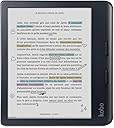
📚 Color your reading life, waterproof your adventures!
The Libra Colour eReader features a 7-inch glare-free Kaleido™ 3 color E Ink display with dark mode, 32GB storage for thousands of eBooks and audiobooks, and IPX8 waterproofing. Ergonomically designed with customizable reading settings and made from recycled materials, it offers a premium, eco-friendly reading experience for professionals on the go.


| ASIN | B0CZXX465Z |
| Battery Average Life | 4 Hours |
| Best Sellers Rank | #2,101 in Electronics ( See Top 100 in Electronics ) #14 in eBook Readers |
| Bluetooth support? | No |
| Brand | Kobo |
| Built-In Media | User Manual |
| Color | Black |
| Connectivity Technology | USB |
| Customer Reviews | 4.4 out of 5 stars 2,912 Reviews |
| Display Technology | Electronic Ink |
| File Format | Epub,Epub_3,FlePub,Pdf,Mobi,Jpeg,Gif,Png,Bmp,Tiff,Txt,Html,Rtf,Cbz,Cbr |
| Human-Interface Input | Buttons |
| Item Height | 16.1 centimeters |
| Item Weight | 7.05 Ounces |
| Manufacturer | Rakuten Kobo |
| Memory Storage Capacity | 32 GB |
| Model Name | Kobo Libra Colour |
| Native Resolution | 1264x1680 |
| Night vision | No |
| Other Special Features of the Product | Adjustable Front Light, Anti Glare Screen |
| Processor Speed | 2 GHz |
| Screen Size | 7 Inches |
| UPC | 681495009671 681495009473 |
| Warranty Description | Manufacturer Warranty |
T**L
Kobo Libra Color is Worth Your Money
How do I love thee? Let me count the ways. I’m so glad I bought the Kobo Libra Color—it’s a product that’s on par, if not better, than the Kindle. One feature I absolutely love is the page-turn buttons; they add such a satisfying, tactile experience. It’s also incredibly lightweight and easy to handle. The color display is another highlight—it really enhances my reading experience, making it feel more like holding a real book. The battery life is excellent, and I find myself using this e-reader more than my Kindle now. Adjusting the screen brightness is also much more intuitive compared to the Kindle. Overall, in my opinion, this is the superior option. I’m so glad there’s a great alternative to the Amazon brand. The ironic part? The Kobo Libra Color is actually priced cheaper on Amazon than on the Kobo site!
D**A
Better device, and service environment
Better than my Amazon device, any day of the week. It's not locked down, and it has buttons! It has more features, it's easier to borrow from my library, I can cloud upload anything I want via Google. Build quality feels good. No creaking sounds, no "ghosting" on the screen, the larger than average screen, and it turns pages faster than I could with a book
E**E
Kobo E-Reader is the best device for reading e-books
The Kobo is the best device for reading e-books in my opinion. Its strengths include a wide variety of font choices, allowing me to customize text for optimal comfort and readability. The device’s wide edge design makes it easy and comfortable to hold (especially compare to Kindle e-reader or iPad mini). It has an impressive battery life, letting me read books without frequent recharging. However, there are some limitations. It does not support e-books from Kindle or Hoopla, and compatibility with Libby can be inconsistent. Pros: • Extensive font customization options • Comfortable wide-edge design for easy handling • Long-lasting battery life Cons: • Incompatible with Kindle and Hoopla e-books • Occasional issues with Libby e-book support
S**H
favorite ereader
absolutely love this ereader. I have the B&W clara 2, and love that one as well. the Libra Colour feels more alive when i'm reading. the screen hasn't given me any issues so far, except once or twice that "gradient" has shown up; it isn't as big of a deal as i thought it would be. it is minor and hardly noticeable. for brightness, i have had zero issues. it has the lovely warm setting too and both are bright. i can read at night or during the day just fine (i am younger and have great vision, but my mom can also read just fine and she is postmenopausal w/glasses). The ereader has survived a couple knocks off the furniture from my cats, being lugged around in backpacks around town, in cars, and on planes. no scratches or anything. the buttons are wonderfully fun to use and navigating the settings is easy. i absolutely LOVE the google drive connectivity, it makes work so much easier. all in all, highly recommend this ereader. my only issue is that crumbs can get stuck in the lip (but the lip also gives it that book feel) and a good blow with canned air clears it out.
L**N
Pretty good if you're comfortable with the compromises
Been using Kobo devices since the Aura One Limited Edition however this is my first 7 inch device from them. Overall, I think this is a fairly solid ereader and will make some people happy and others less so. Also a disclaimer, I did have to return and replace the ereader as the first one I received had a pinhole defect in the screen. Something to keep an eye out for. Let's start with the compromises: - The screen is inherently darker as the color layer of the Kaleido 3 tech sits on top of the regular B/W layer. You are more likely to use the front light more often and usually at higher levels than you might be used to in most indoor settings. - The color layer also adds a certain grain or screen door effect to the overall image that some might find off-putting, especially those who are coming from Carta screen devices. - That grain can also cause a moiré effect in some B/W content, primarily manga from what I've personally experienced, where you will see rainbow banding. It will happen at varying levels depending on the book, either from barely-existent to technicolor dreamcoat. There is an option in the reader settings that *might* reduce the effect but it achieves this by blurring the image and it won't totally get rid of it. Not sure it's worth the trade-off still. Now the good: - The SoC is pretty snappy, page turns are pretty quick. Impressive even with full color pages. - The page turn buttons are satisfyingly clicky. Libra 2 owners are probably used to this but my last device being the Kobo Sage which has terrible, mushy buttons, this is a godsend. - Large battery. This probably being a side effect of Kobo expecting users to use the frontlight more. It clocks in at 2050mAh. A large increase over the Sage's piddly 1200mAh. - Libby support by way of Overdrive. This has always been a killer feature for me. Unfortunately this is dependent on where you live and if your local library supports it. - A Libra with stock Google Drive and Dropbox support! - Pretty light and comfortable to hold in different orientations. - Repairability. Kobo has partnered with iFixit to provide replacement parts for sale and repair guides so hopefully I can get some decent mileage out of this ereader. Unfortunately I'm not really an annotator and as such, don't have the stylus so I can't comment on those features exactly, but being able to have some color choice on the highlighter is still a useful feature. Same with the audio book function, I tend to listen to them on my phone since it's more convenient.
J**Y
It is great
I really like the buttons on the side, I can read with a lot of confort and being with Colour is nice too. Quality is great and I can read any book, not only the ones from one specific book store.
J**L
Great ereader for $
Works well, programed a page turner. Books look great! Manga is awesome! Side loading epub books into it. Great buy for $.
S**I
Dead Pixel Galore!
I will air my grievance early, then get into details: I’ve ordered THREE Kobo Libra Colour 2’s and all three have had dead pixels. After doing some research and reading other users’ experiences, I discovered many, MANY people experiencing the same issue. Some have ordered 5+ devices, all with dead pixels. From what I’ve gathered, there’s a set amount of dead pixels that manufacturers allow per device. If this is true, as consumers, we deserve to be told that!!! There’s only 7 inches of screen. I don’t understand why a flawless display on a NEW device is impossible to achieve. 2/3 that I ordered had large dead pixels near the center of the screen which would’ve been incredibly distracting to see while reading - ESPECIALLY if you’re a user of dark mode! Completely unacceptable. It concerns me that Kobo’s quality control is this lackadaisical. To those wondering, the pixel IS noticeable, especially in certain lighting or angles. I have not gotten used to it with time. Some days I notice it, some days I do not. But I am always aware that it’s THERE. For a new device, it’s a huge letdown. On to the good news… I am a first time e-reader. If you are new to this world as I am, be prepared for a device that feels and responds differently than a tablet. The screen looks a bit different - like a cross of an actual page of a book and a screen. This is much easier on your eyes over long periods of time than a phone. However, the smallest particle of dust or debris will cast a shadow beneath itself, making every imperfection noticeable. I don’t think this is a Kobo related flaw, it’s just a different device than a phone/laptop etc. Everything takes just a fraction of a second LONGER. Powering on/off, turning pages and so forth. The page turning buttons are effective and responsive. You can also turn by swiping or tapping, or modify your settings to only turn the page with one of the aforementioned modalities. You can also change the orientation of your display as you see fit. The device itself is comfortable to hold and fairly easy to travel with. I recommend getting a sleep cover as opposed to a screen protector, which may make the device less responsive to touch. The sleep cover puts the Kobo to sleep every time you close it while also keeping your display protected. The battery life is just okay for an e-reader. It certainly will not live up to the reports of Kindle users who go weeks without charging theirs. I believe I’ve gotten somewhat prolonged battery life by disabling wifi. You can set your bedtime and auto dimming, which automatically reduces white light as your bedtime approaches. I don’t feel guilty about reading late into the night knowing that I’m not further exciting my brain. You can also change the font itself, size, margins and more. You can even download new fonts! I have taken to finding books in epub form on my Macbook and converting them to kepubs with Calibre. It’s seamless and painless. Kepub files will show your progress percentage and hours to completion of your book. You may also subscribe to Kobo plus or use overdrive with your local library. I took to buying my own epub files, as the wait for any well known books through my library’s overdrive are 20+ weeks. I love that you can adjust brightness by sliding along the left side of the screen. It allows you to look up a word in your book without being connected to wifi. I haven’t purchased the stylus, but even without, you can highlight words. The colors are muted but still give the book life! It’s a pleasure to have color, especially in graphic books. I have had it freeze once or twice, but nothing infuriating. All in all, it’s a very capable reader and easy to use. I’m just highly disappointed with the imperfect display.
ترست بايلوت
منذ أسبوعين
منذ شهر