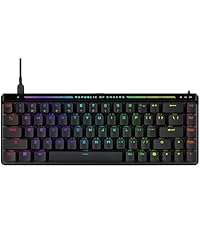
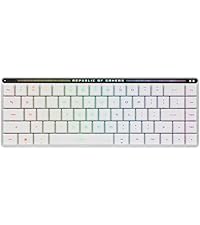
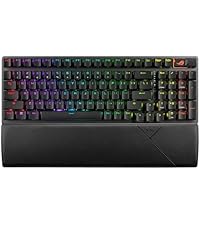
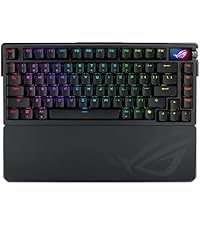
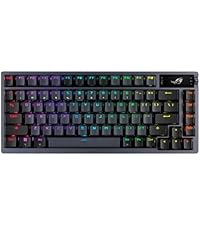
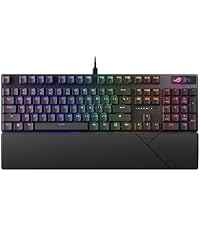
⌨️ Elevate your desk game with the ultimate wireless mechanical keyboard experience!
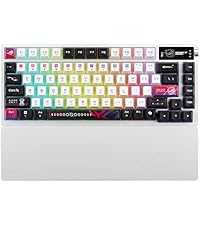
The ROG Azoth Wireless Mechanical Gaming Keyboard is a compact 75% TKL powerhouse featuring tri-mode connectivity (Bluetooth, 2.4 GHz RF, and USB), hot-swappable pre-lubed ROG NX Snow linear switches, and premium PBT doubleshot keycaps. Designed for both PC and Mac users, it boasts a gasket-mounted design with advanced sound dampening for a satisfying, flex-free typing feel. The integrated 2-inch OLED display and multifunction control knob provide real-time system monitoring and seamless control, while the included professional DIY kit empowers users to customize their keyboard with ease. With over 2000 hours of battery life in RF mode and a sleek black finish, the Azoth is engineered for gamers and professionals who demand performance, style, and versatility.


| Brand | ASUS |
| Series | M701 ROG AZOTH/NXSW/CA/PBT |
| Item model number | M701 ROG AZOTH/NXSW/CA/PBT |
| Hardware Platform | PC |
| Operating System | Mac OS, Windows |
| Item Weight | 3.98 pounds |
| Product Dimensions | 12.83 x 5.35 x 1.57 inches |
| Item Dimensions LxWxH | 12.83 x 5.35 x 1.57 inches |
| Color | Black |
| Power Source | USB Powered |
| Batteries | Lithium Ion batteries required. |
| Manufacturer | ASUS |
| Language | English |
| ASIN | B0CP6J59XB |
| Date First Available | December 4, 2023 |
J**R
A Masterpiece in Form and Function – ASUS ROG Azoth with NX Snow Switches
The ASUS ROG Azoth wireless keyboard with NX Snow switches is nothing short of exceptional. From the moment I laid hands on it, it was clear this wasn’t just another mechanical keyboard—it’s a work of art. The NX Snow switches are an absolute standout. They’re crisp, smooth, and incredibly satisfying to type on. Each keystroke delivers a tactile precision that makes everything from gaming to long typing sessions feel effortless and responsive. The sound is subtly refined—not too loud, but with just enough feedback to be gratifying. Build-wise, the Azoth exudes premium quality. The aluminum top plate, OLED display, gasket-mounted design, and included lube kit show how much attention ASUS paid to detail. It doesn’t just look stunning on the desk—it performs like a dream. Wireless connectivity is rock-solid, battery life is impressive, and the customization options through Armoury Crate round out a truly complete package. If you’re a keyboard enthusiast or just someone who appreciates top-tier design and performance, the ROG Azoth with NX Snow switches is worth every penny.
E**E
Amazing keyboard, but no hall effect switches
NOT AFFILIATED WITH ASUS Switches: The sound test provided was with the snow switches, which sound better than some of the custom keyboard I have. The keys are smooth to press and satisfying to play with. Wireless capability: The wireless is absolutely amazing where I can pick it up whenever I want and move it around. I haven't had any latency issues and some tests say the wireless performs better than wired. Case material and durability: It's weight is light, and it's pretty compact with it's plastic bottom and metal top. The reason for the plastic bottom is for the wireless connectivity and surprisingly the plastic feels really nice and seems like it won't break anytime soon. The whole build is dense while being light ensuring durability. Keyboard looks: The case is aesthetically pleasing where you have a graphical design on the back, and the top of the case looks unique with the oled screen. RGB: The RGB is north facing which is not preferred but I personally don't mind. The RGB lighting is bright but I turned it down to save on the battery life. The battery supposedly lasts a month before requiring a charge which I believe. OLED screen: The OLED screen is pretty useless on the wireless mode of the keyboard as you cannot see the stats of your PC, which are only available on the wired mode. You can change the lighting of the RGB, OLED screen, change the volume on the PC, and even change the animation. On the wired mode you get to change what was previously said, and you can display PC stats such as date and time, CPU and GPU temps, a custom animation, and I'm pretty sure that's it. Armory crate: 😒 I hate armory crate. You don't need it to do basic functions on the keyboard, as the OLED screen is more than enough to control it. You need the dreaded armory crate if you want to show a custom animation and I'm pretty sure PC stats too. Armory crate for me has always been a hassle to me for use, as one time I had to completely reinstall windows to even have it install correctly. The full package version can't even install on my PC. Even when installed, the software is super buggy and sometimes doesn't recognize my motherboard. It's been buggy for years. So, why did I return it? I am a competitive gamer that plays a wide variety of games including R6, CS:GO, Valorant, and more. Hall effect switches only really have an effect in CS:GO, Valorant, or any other game that requires precise movements. In Rainbow 6, I notice I play better with the hall effect keyboard as the keys are sensitive and allows me to lean faster and move quicker. Some people say hall effect is a gimmick but I say it's worth it for me. It's definitely not worth it for the average gamer. Alright, here are my ratings for the keyboard: Case design: 9/10 Wireless connectivity: 10/10 Switch feel and sound: 9/10 Durability and density: 9/10 Price: 8/10 (Should be $200 USD) RGB: 8/10 (average RGB) OLED screen: 7/10 (Should display PC stats on wireless) Overall: 9/10! Final remarks: I just love how it looks personally, I might have to buy it again to add to my collection later this year 🙂
T**G
Awesome Keyboard
The ROG Azoth White (Snow Switch) is one of those boards that feels dialed-in out of the box. The Snow switches are smooth, quiet, and have that deeper “thock” sound, while the pre-lubed stabs keep the big keys tight with no rattle. Build quality is tank-like — heavy, no flex — and the white finish with frosted switches looks clean on any setup. The OLED screen and side knob aren’t just for show; being able to check battery, swap profiles, or adjust volume without software is genuinely handy. Add in tri-mode wireless with great battery life, and it’s more than just a color refresh — it’s a polished, premium board that’s ready to go day one.
E**Y
Very Impressed
As a dedicated PC gamer, I've used my fair share of gaming peripherals, but the ASUS ROG Azoth 75% Wireless DIY Custom Gaming Keyboard has taken my setup to a whole new level. This is a well-thought-out product. Build Quality and Design: The build quality is solid and feels incredibly durable. The PBT keycaps are not only high-quality but also give the keyboard a premium, textured feel that’s a joy to type on. The RGB lighting is customizable and vibrant, creating an amazing atmosphere, whether I'm gaming in the dark or just enjoying some downtime. Performance and Comfort: The hot-swappable ROG NX Snow switches are a game-changer. They offer a crisp, tactile feedback that makes every key press satisfying and responsive—perfect for both fast-paced gaming and long typing sessions. The three-layer dampening system does an excellent job of minimizing noise and adding an extra layer of comfort, making the keyboard quiet yet efficient. OLED Display: The OLED display is a nice touch. It’s not just a gimmick, it’s incredibly functional. I love having my system stats, media controls, and other important info displayed right on the keyboard. It adds a level of customization and usability that I didn’t even know I needed until I experienced it. Wireless and Wired Flexibility: The wireless connectivity is flawless. Whether I'm using Bluetooth or the dedicated dongle, the keyboard offers smooth and responsive performance without any noticeable latency. This flexibility is perfect for both my gaming rig and when I want to switch over to my laptop. Battery Life: Great battery life, but I mostly use it plugged in. Overall Verdict: The ASUS ROG Azoth has quickly become my go-to keyboard for all my gaming and productivity needs. It combines fantastic performance, premium features, and a sleek, customizable design. If you’re looking for a keyboard that not only looks great but performs exceptionally well, this is the one to get!
W**C
Ultimate Customization Experience, Exceptional Typing Feel!
After getting the ASUS ROG Azoth 75, I was truly impressed by its build quality and overall experience! As a high-end 75% wireless mechanical keyboard, it meets almost all my expectations for a customizable keyboard. Pros: ✔ Stable Wireless Connection – The low-latency 2.4GHz wireless mode performs flawlessly. Whether for gaming or daily work, there’s no lag or disconnection. It also supports Bluetooth and wired modes, making it highly versatile! ✔ Smooth Typing Experience – The pre-lubed mechanical switches provide an incredibly smooth and quiet keystroke feel, making long typing sessions comfortable and effortless. ✔ Extensive Customization – Comes with an OLED screen that displays battery life, system info, and even customizable animations! It also supports hot-swappable switches, perfect for DIY enthusiasts. ✔ Excellent Keycaps & Silent Typing – The PBT keycaps feel premium and are resistant to oil buildup. Combined with a three-layer dampening structure, keystrokes are crisp and satisfying with excellent noise control. ✔ Ultra-Long Battery Life – A full charge lasts over 200 hours, offering incredible battery performance with minimal need for recharging! 🔋 Areas for Improvement: 🔹 A bit pricey, but considering its build quality and features, it’s definitely worth it. 🔹 OLED screen customization could be expanded, as there’s still room for more creative functionality. Conclusion: The ROG Azoth 75 is a high-end wireless mechanical keyboard with virtually no drawbacks, ideal for those who demand premium typing feel, customization, and stable wireless connectivity. Whether you’re a hardcore gamer or a mechanical keyboard enthusiast, this keyboard will not disappoint! 💯 Highly recommended! 🔥
A**R
F-ing seriously ASUS?!
There is an LCD screen on this keyboard that runs an ASUS ROG branding animation by default, on repeat, continuously. That's right - it doesn't stop. It plays the ASUS branding animation. Then does it again. And again. And again. They want you to KNOW that you're using an ASUS product! Use your computer in a dark room? Not anymore! A full screen of WHITE LEDs continuously reminds you: "ASUS! ROG! STRIX! Amen." Hope you like ASUS Armory Crate, because you'll have to download it to change the screen manually (don't worry, there are plenty more ASUS! branding animations to choose from). It can, in fairness, be set to be dark or to only show system info, but every time you update anything in Armory Crate (system drivers, firmware, etc) it resets to the default ASUS branding (lest ye forget, even for a moment, who your glorious keyboard manufacturer was, is, and shall be, forever, and ever). To anyone familiar with ASUS this will hardly come as a surprise. Their brand-identity shenanigans are sickening and well known. It just makes me sad though. It's the same the same sinking feeling as when Windows begs me to make Edge my default web browser. It just feels bad, and it feels bad every time I use my keyboard. They're not going to stop until marketing tools like this are built into every one of their products. As for the keyboard, yeah it works fine. There are minor annoyances, but nothing that other top brands don't have, like the occasional character doubling while typing and intermittent connectivity issues, but it essentially does what it advertises. The battery seems to take a really long time to charge, like a whole day if starting on a low charge, but it lasts decently long so, I guess, there's something. At least 20% of the price of this thing comes from ASUS' lofty opinion of itself. The high-end keyboard market is ridiculous - manufacturers charge a premium after a certain point, deeming those customers less worthy of keeping their money, as anyone with any sense would never consider spending so much on computer peripherals. For the average guy looking for a premium, functioning keyboard, run. Run far away and never look back. Don't look past the $100 mark. If you want another product that requires firmware updates and will never stop reminding you who built it, then yeah, go nuts, buy it. But I wish I hadn't.
S**T
A bit expensive but still worth it
Great keyboard overall, battery can last for a long time, the tiny screens is very helpful and the color is nice, only things I don't like is the LEDs illumination could be better, I have had cheaper keyboards that would look much much better and probably the worst think, the switches, I got the storm clicky and after a couple months of use they were dying. Besides that, I am very happy with it.
A**R
Great keyboard though get it on sale
To those who want a nice keyboard this is one. The snow keys are what I imagine "creamy" keyboards are the smooth clack sounds. The only negative is the price if you can get a deal on this take it. It is an enthusiastis keyboard its my first ever gamming keyboard. Its heavy and allows you to do alot of things like changing the keys if you want blue switches along with the tools for customization. so in some aspect its almost worth the price but get it on sale for sure.
ترست بايلوت
منذ 3 أسابيع
منذ شهرين