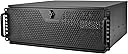
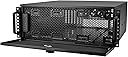
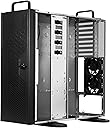
❄️ Chill in style, build with power — the RM44 keeps your server cool and your setup cooler.
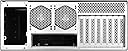
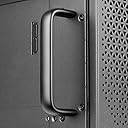
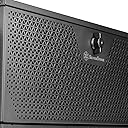
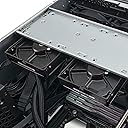
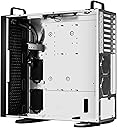
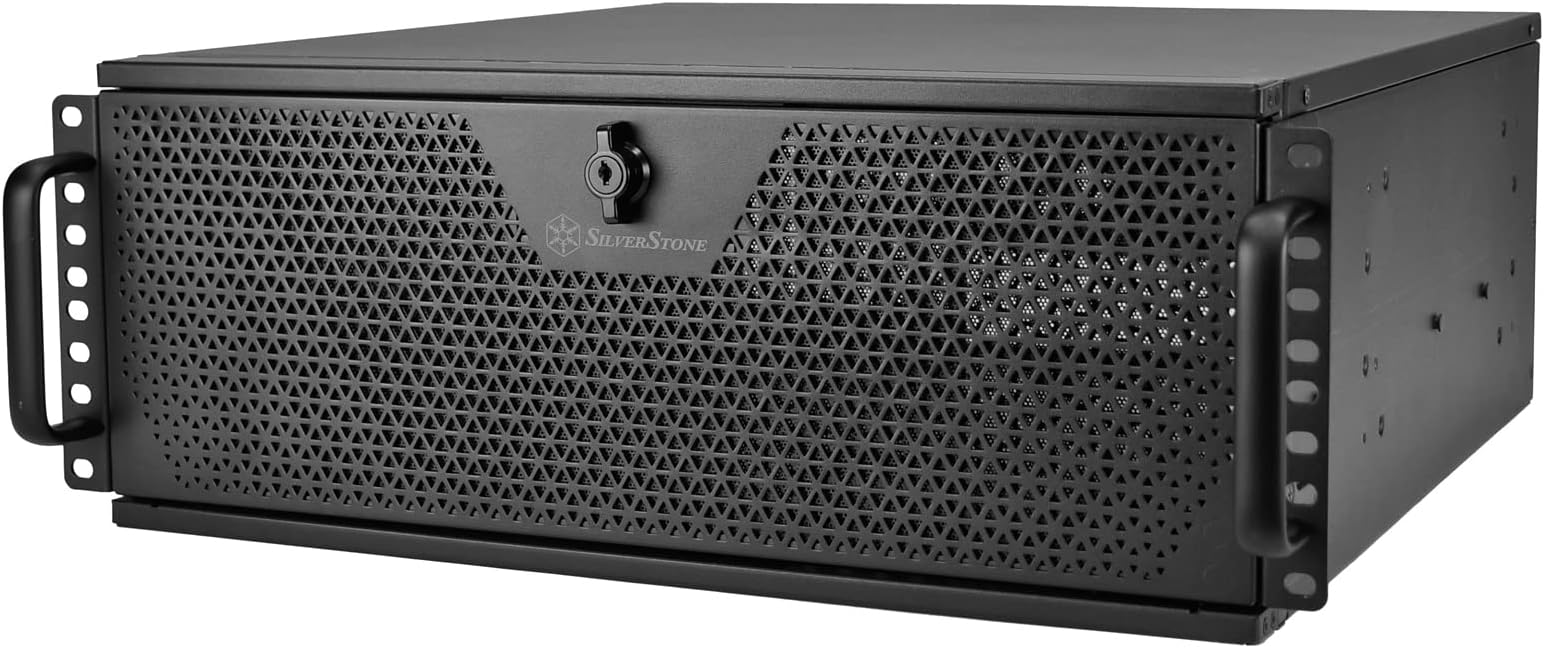
The SilverStone RM44 4U Rackmount Server Chassis is a premium, space-optimized enclosure supporting up to 360mm liquid cooling radiators and large SSI-EEB motherboards. It features 8 PCIe expansion slots, sliding rail mounting for quick installation, and a front anti-theft lock for enhanced security. Designed for both industrial rackmount and high-end home systems, it offers flexible orientation and modern connectivity with a USB Type-C port, making it ideal for professionals demanding high performance, expandability, and reliable cooling in a compact 4U form factor.


| ASIN | B0BFC8FZ8B |
| Are Batteries Included | No |
| Best Sellers Rank | #95,573 in Computers ( See Top 100 in Computers ) #13 in Computer Servers |
| Brand | SilverStone |
| Color | black |
| Customer Reviews | 4.3 4.3 out of 5 stars (46) |
| Date First Available | 13 November 2023 |
| Form Factor | ATX |
| Item Weight | 13.6 Kilograms |
| Item model number | SST-RM44 |
| Manufacturer | SilverStone Technology |
| Number of USB 2.0 Ports | 1 |
| Number of USB 3.0 Ports | 1 |
| Product Dimensions | 46.81 x 43.99 x 17.6 cm; 13.61 kg |
| Series | RM44 |
D**G
Great upgrade 4U case for my home lab cloud server. I needed more room to add a RTX-5090 to this rig, and didn't want to go all the way to a 5U case. To be clear, there is only one 5090 card brand (Zotac) that will fit this 4U case with enough room on top to comfortably fit the 600W connector & wiring. If using another brand, I would probably go with a 5u case. I installed the Zotac Solid OC specifically in this build. Other Zotac models will likely fit as well. The SOLIDs 137mm height is a perfect fit for this case (which specifies a154mm max height). The case came with a number of front GPU support brackets. I used one, and it makes for a very solid mount. The 5090s aluminum frame holes at the front of the card lined up perfectly with the holes in the provided bracket. With the card secured with three screws in the back, and the case bracket in the front, I am confident the card will not come loose when removing/installing this case in my rack. As far as cooling, the case will fit one Noctua NF-A14x25r G2 PWM (140mm) and two NF-A12x25 PWM (120mm) in the front panel. It is tight, but can be done. Use the adjustable slots instead of fixed holes to slide the two 120mm fans far to the left and right sides of the case to leave room for the 140mm in the middle. I loaded this case up with a total of 8 fans (added a custom slot bracket with (2) 40mm fans for a total of 7 case fans and a Noctua NH-D12L CPU cooler w/fan). This configuration provides fantastic airflow and dropped the CPU temp by a solid 20C over the previous 2U case which was cooling challenged even with a Ghost S1 CPU cooler and (4) 80mm case fans.. Overall well made case. Even with a 10G NIC card and the RTX 5090 installed, there is still room to access at least 2 of the SATA 2.5" mounting plates comfortably (no wires/cards in the way). I now plan on adding a couple of large SATA drives in raid mirror as a home network file server and for backups, making this machine even more of a Swiss army knife of a server. This combination of fans is almost completely silent, even with a moderate load. With the fans at 100% it is only noticeable if you are in the same room, but I doubt you would hear it in the next room. Overall very happy with this case. One negative ,but not enough to remove a star, the manufacturer does not sell a set of sliding rails that fits this case in short racks (slightly less than 22" deep). This case uses screwless rail studs to connect the rails, and there is no option for screw on rails. The only rails designed for this case are too long for my rack. I ended up using the Cyber Power 4POSTRAIL, which worked, but is VERY tight when sliding in the heavy duty rack ears on this case. Installer trick, don't lock down the rail mounting screws (just hand snug them). After you slide the case in fully (might take some wiggling), lock the back screws and the bottom two screws in front. This will lock the rails in place with perfect spacing/alignment, then you can pull the case out and lock down the top two front screws.
M**H
As an enthusiast, I've always wanted to take my gaming and computing experiences to the next level by building a high-end home lab or rack-mounted gaming PC. And that's exactly what I did with the SilverStone Technology RM44 4U Rackmount Server Chassis. **Unparalleled Build Quality**: From the moment I opened the box, I was impressed by the attention to detail and build quality of this chassis. The solid aluminum frame, heavy-duty screws, and precision-cut panels all contribute to a sense of premium craftsmanship that's hard to find in other products at this price point. **Gaming-Grade Cooling**: With its support for up to 360mm AIO liquid coolers or radiators, the RM44 is perfect for high-performance builds that generate a lot of heat. Whether you're building a gaming PC or a home lab server, this chassis has got you covered when it comes to keeping your components running smoothly and efficiently. In short, the SilverStone Technology RM44 4U Rackmount Server Chassis is an absolute must-have for anyone building a high-end home lab server or rack-mounted gaming PC. Its unparalleled build quality, gaming-grade cooling, and premium features make it the perfect choice for enthusiasts who demand the best from their systems. IT CAN ALSO BE USED AS STANDARD DESKTOP TOWER CHASSIS!! EDIT: Lowering star rating to 4 stars. Purchased the 4U 20bay chassis and the quality control is just kinda ehh. Some of the 3.5" drive screws did not have threads, one of the two rail slides do not lock in the pulled out position unless forced by pulling super hard (which is not a smart thing to do when ther eare a bunch of spinning disks in the server), and one of the three hotswappable fans came with the connector upside down and the fans connector was jammed down into it and bent out of place. The hotswap fans also can not be adjusted unless you want to unplug them from the hotswap plugs and plug them into the motherboard instead, removing the ability for them to be hotswappable. They are extremely loud and do not recommend using them in the default configuration if the chassis is going to be in the same room as you, unless your someone who doesn't care about noise.
C**L
Took a minute to figure out the instructions but it houses my PC parts very well.
S**S
Beast of a chassis. If you have a massive GPU, you likely won't be able to fit a HDD but you can fit a couple SSDs.
B**Y
I'm giving this chassis a 4-star rating for one reason. I'm using this chassis for my gaming PC in a 15U rack. I have 2 other 4u systems in this rack one is in a Supermicro SC743 chassis and the other is a HL15 from Homelabs. The quality of construction is comparable to both of these more expensive server chassis. Still, it needs one thing that I believe should have been included since this chassis is basically an empty box and is $300+. That is a tool-less design for removing the top panel for access. Both the SC743 and HL15 have this feature. This should have been included considering the cost of the RM44. The other chassis I mentioned are more expensive b/c they each are longer, include more fans, have custom backplanes for hot-swappable hard drives and, in the case of the SC743, came with a PSU. The lid is held in place with studs that slid in to groves in the chassis but it's not as secure as it would be if it included captured thumb screws or a latching mechanism. So the small Phillips head screws are the only thing holding it in place. I change hardware in my gaming PC often, so I don't like having to reach for a screwdriver every time I want to pop the lid off. I've also replaced all the Phillips head screws that were holding the PCI slot covers with thumb screws.
ترست بايلوت
منذ 3 أيام
منذ شهرين