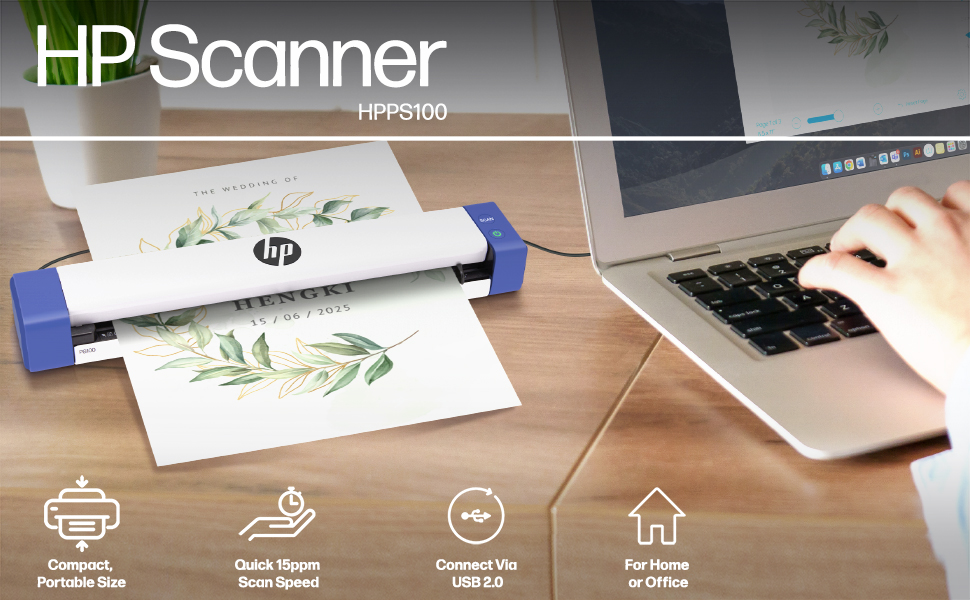
📠 Scan Smarter, Travel Lighter — Your Office, Anywhere.
The HPPS100 is a compact, lightweight single-sided sheetfed scanner delivering 15 pages per minute at 300 dpi resolution. Compatible with Windows and Mac, it supports a wide range of document sizes up to 8.5” x 14” and media types including business cards and photos. Powered via USB 2.0, it includes HP’s WorkScan software for easy scanning, editing, and file management—perfect for professionals on the move seeking efficient, high-quality digitization without bulky equipment.


| ASIN | B0C6NL3HFX |
| Best Sellers Rank | #31,693 in Office Products ( See Top 100 in Office Products ) #35 in Document Scanners |
| Brand | HP |
| Color Depth | 24 bits |
| Connection Type | USB |
| Customer Reviews | 4.4 4.4 out of 5 stars (335) |
| Item Dimensions D x W x H | 2"D x 11.6"W x 1.4"H |
| Item Weight | 3 Ounces |
| Manufacturer | HP |
| Media Type | Business Card, Paper, Photo, Receipt |
| Minimum System Requirements | Windows 7 |
| Model Name | HPPS100 |
| Paper Size | 3.5” x 5” , 4” x 6” , 5” x 7” , Letter (8.5” x 11”), 8” x 10” , A4 (8.3” x 11.7”) , 8.5” x 14”) Plastic cards (standard 3.3.75” x 2.125” or larger) Inches |
| Resolution | 300 dpi |
| Scanner Type | Document, Business Card, Driving License, Embossed Card, Envelop, ID Card, Insurance Card, Photo, Receipt, Text |
| Standard Sheet Capacity | 10 |
| UPC | 843812171991 |
| Unit Count | 1.0 Count |
| Warranty Description | 2 Year Limited |
D**L
Size and great price
Oh this is the best. For a home office that doesn't have alot of room. Great set up, easy as can be. Sharp image.was looking for some exactly like this. Cost very inexpensive. Great product!
B**L
good price for light duty scanning projects
works great for occasional light duty scanning
L**R
Nice scanner, convenient size. Setup through the firewall was laborious (but worth it)
I love my new scanner! I had been needing one for a long time for document purposes, and this one had good reviews for both performance and price. The installation was a massive headache; my firewall/security program would NOT let the driver download through, marking it as a dangerous security threat. I tried many different solutions and none of them worked. I even disabled the security entirely but to no avail. I finally ran across a video where the man said to enter it as a file rather than a program. I moved the file from 'Downloads' to 'Documents' and tried again, and--after over five previous hours of struggling--it reluctantly went through. I kept getting a message from my computer, the same one over and over, about trusting the file from this certain source. Be patient--it flashed about six times with the same message before it finally went through. Just ignore it after you allow the file through/trust it. Once I was on the HP setup site (be sure to type in that extra 's'), it (the site) didn't want to recognize the scanner. I unplugged the scanner from the USB and restarted the computer, and it finally finished the setup. The instructions could be clearer for running and adjusting the files once they are scanned. This is more my fault than the manufacturer as this is my very first scanner. I am still learning the ropes. For example, I ended up using a continuous type scan command, and I ended up with two different documents in one file, one cut off halfway through. As I said, MY FAULT and MY INEXPERIENCE. Overall, it is a good purchase. The machine is small and easily plugs into my USB port whenever I need it. It doesn't take up space sitting on my desk getting dusty. I just put it back in the box when I'm not using it. I have only used it to print documents. It will save your work as a PDF document on your computer. Just let it go to the folder that it wishes. I made the mistake of trying to save it directly to photos and it froze. Once I get some more working experience with the scanner, I will enjoy it even more. I would've given it a 5/5 if I hadn't had the issue with the firewall. It gave this little old lady a fright, I'll tell you WHAT.
B**Y
Worth buying. Good price, installed well on my Windows 11 USB
Easy install, handy scanner, works perfectly on my laptop
B**O
Crashes computer, not user friendly
I’m experienced with scanners, printers, software, and laptops. I’m not at all tech-challenged. This scanner is awful. I’m using it with a dell laptop that is new and fully updated. The first issue I encountered was simply turning it on. Instead of working per instructions, you need to play with different combinations of opening the software first, then plugging in, then turning on, or in different orders. If not done in a certain way, the software doesn’t recognize that the scanner is connected. Then once it recognizes that the scanner is connected, you have to hurdle issues with getting the software to allow a scan to happen. But in case you haven’t become frustrated enough yet, the software will utilize about 90% of your cpu, bogging and crashing your laptop. For frame of reference, I run the full adobe photoshop suite on this laptop and have no issues. That’s a massive suite of programs. So for this silly scanner to hoard working memory on my laptop like this is insane. Assuming you can play with settings enough to get copy utilization low enough to actually scan something, you have to scan one single thing at a time, later combine files if it’s one document, and manually delete each page once done. Then export and save as every time you’d like to start a new scan. The quality is questionable, and because of the above mentioned issues with the scanner software crashing the computer, you cannot use any setting for photo quality. Attempting to scan anything higher than 300dpi immediately causes the computer to crash. I’ve had to force quite and restart the computer dozens of times while using this scanner. I purchased this scanner to digitize a photo’s for my dad’s funeral. I was hoping to use it for scanning important documents and filing family paperwork. I’ve tried trouble shooting several times. I would like to return it, but now I’m outside of the return window. I purchased this a little more than 30 days ago. Because of the difficulties of the last month, it wasn’t on my mind to return it as quickly as I should have. This was a waste of money and caused immense frustration.
D**R
Awesome scanner!
Love this little guy! It works like a champion, easy set up and doesn't take up much space at all, highly recommend!
G**E
Just wants to work :)
Quick delivery. Small foot print, fast scanning. Even works with USB adapters
S**E
Just what I needed
Works great with my laptop and small enough to take with me if Im traveling
C**R
MERCI bien recu hate de m en servir
P**E
parfait: scanne très facilement . on donne un titre. on choisi le fichier de stockage. facile à emporter en déplacement où il peut se révéler très utile.
C**E
I purchased this specifically for scanning receipts. Unfortunately, this scanner does not work at all with long receipts. It constantly returns a "jammed" error and makes you start over. It doesn't even output the partial scan. This also doesn't have any way to adjust its feed, and so if pages are not perfectly square, they drift sideways, even crinkling the edges. The output on these is awful and impossible to fix with HP's proprietary scanning software, which is the only way this thing works. There is a scan button on the unit itself, but I could not get it to do anything. The only way it actually scans is by pressing the scan button in the software once connected.
M**O
Bonjour, je suis satisfait de ma commande et je vous le recommande. Merci à Amazon ainsi qu'au vendeur
D**L
Hard to get ro work, not HP product no driver available from HP. Don't buy
ترست بايلوت
منذ أسبوع
منذ شهر