


🎮 Own the Game with LIGHTSPEED Precision and POWERPLAY Freedom
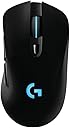
The Logitech G703 Lightspeed is a cutting-edge wireless gaming mouse featuring a 1ms LIGHTSPEED connection, the industry-leading PMW3366 optical sensor, and ergonomic design for extended comfort. Compatible with POWERPLAY wireless charging, it offers seamless wired/wireless switching, advanced button tensioning for superior click response, and customizable RGB lighting with programmable buttons—crafted for competitive gamers and professionals who demand peak performance.
| ASIN | B071S8M8TB |
| Antenna Location | Gaming |
| Are Batteries Included? | Yes |
| Are Batteries Required | Yes |
| Best Sellers Rank | 10,090 in PC & Video Games ( See Top 100 in PC & Video Games ) 317 in PC Gaming Mice |
| Brand | Logitech G |
| Brand Name | Logitech G |
| Button Quantity | 6 |
| Colour | Black |
| Compatible Devices | Gaming Console, Personal Computer |
| Connectivity technology | USB |
| Customer Reviews | 4.2 out of 5 stars 1,008 Reviews |
| Enclosure Material | Metal,Rubber |
| Global Trade Identification Number | 00097855130983 |
| Hand Orientation | Ambidextrous |
| Hardware Platform | PC |
| Included Components | mouse, user guide |
| Item Dimensions L x W | 12.4L x 6.8W centimetres |
| Item Type Name | Logitech 910-005091 G703 LIGHTSPEED Gaming Mouse with POWERPLAY Wireless Charging Compatibility |
| Item Weight | 3.8 Ounces |
| Manufacturer | Logitech |
| Manufacturer Part Number | 910-005091 |
| Minimum Required Operating System Version | Windows 7 |
| Model Name | G703 LightSpeed Wireless Gaming Mouse |
| Model Number | 910-005091 |
| Mouse Maximum Sensitivity | 12000 Dots per Inch |
| Movement Detection | Optical |
| Movement detection technology | Optical |
| Network Connectivity Technology | USB |
| Number of Batteries | 1 Lithium Polymer batteries required. (included) |
| Number of buttons | 6 |
| Operating System | Windows 7 |
| Power Source | Battery Powered |
| Product Features | Alcohol-Free |
| Range | 5.0 meters |
| Special feature | Alcohol-Free |
| Style Name | Gaming Mouse |
| Theme | Video Game |
| UPC | 097855130983 |
| Unit Count | 38.4 gram |
M**H
o
ok
K**R
Great mouse for fans of the G402
I've been using a G402 since 2014, but this year I decided to finally upgrade to wireless after dealing with cable drag for far too long. Note that this mouse is identical to the G403 save for the wireless connectivity. I'm very impressed with the build quality and ergonomics of this mouse, thought it is a bit shorter (front to back) than I would like. The shape is very similar to that of the G402, with a slightly higher ridge in the palm arch area and concave buttons instead of concave ones. if the G402 is comfortable to you, you'll likely find this mouse comfortable as well. The weight distribution is a bit different on the G703, with most of the weight focused at the back of the mouse near the optional added weight. One major difference between the G402 and the G703 is two fewer side buttons. Personally this is sort of a let-down, as 4 buttons and a dpi-shift button was a good balance for me. However, the two side buttons (down from 5) and one extra top button (dpi-shift) are much higher quality than the extra buttons on the G402, without the G402's sharp edges. Also notable is the lack of glossy black anywhere on the G703, when it was very prevalent in the G402's angular design. This is a pro for me, as that material collected fingerprints like mad, and the frequent divets in the G402 collected dog hair as well. The G703 is far smoother than the G402 but has some missing buttons that may be important to certain users. Let's talk about wireless. Wireless mice are tricky for gaming, and Logitech has the best wireless implementation that I've ever used. That being said, the input lag *is* noticeable, but definitely not unbearable. I don't play a lot of competitive games, so I may not have the finest-tuned eye for this sort of thing, but I got used to the feel of this mouse after about an hour of gaming with it, and I can really only detect the slight input lag (think 6ms instead of 1ms) when I'm actively looking for it. The battery life is good, but not exceptional. With the high polling rates, sensor quality, and absolutely necessary RGB lighting found on gaming mice, it's natural that the battery life would be lower than other Logitech wireless mice such as the Performance MX or MX Master. The battery lasts around 25 hours as claimed with the lighting on and in heavy use. Most people could probably go a week or so easily without charging, but I would plug it in to charge overnight at least every few days just to be on the safe side. One nice addition on the software side would be a tray indicator for the mouse's battery life, but I guess "the technology isn't there yet." (This whole paragraph is somewhat moot if you have a Powerplay, which I don't). I can't speak to the durability as I haven't had the mouse this long, but I've had a great experience with Logitech's customer service in the past with the 2-year warranty included with their product. I would recommend this mouse to anyone outside of the most hardcore latency-snobs with its comfortable design, pleasing aesthetics, and excellent wireless.
J**O
buen mouse generalmente aun que el scroll malo
el mouse funciona excelente y la tecnología lightspeed es excelente también, desafortunadamente a los 2 meses de uso ya me empezó a fallar el scroll de mi G703 sin explicación alguna...
T**O
É bom, mas precisa seguir o manual.
O mouse é fenomenal, perfeito! Porém precisa seguir o manual à risca quando diz que tem que ficar a 20cm do receptor e a 2mts do modem wifi. Se não fizer isso, o mouse funciona bem ainda, mas muito abaixo do desempenho de um mouse gamer, quem não joga nem vê a diferença, mas dá pra sentir bastante se comparar usando o fio. Sigam o manual para desempenho máximo sem o fio.
N**N
Great
Logitech really does make the best peripherals and has the least crappy software. You cant go wrong with this
A**.
Phenomenal mouse for average sized hand. Incredible upgrade from traditional wireless mouse.
This mouse was a replacement for the mouse that came with the Logitech MK710 wireless keyboard/mouse combo (Marathon M705). I was hesitant to spend $80-$90 on a mouse, but it went on sale for $64.99 around the holidays. Pulled the trigger and I do NOT regret this purchase in the slightest. The difference in accuracy and smoothness between this mouse and my previous mouse were night and day. Additionally, this mouse really fit my hand much better than the MK705 mouse did. The MK705 is about half the length, so I had to use that mouse in more of a claw grip. I can now rest my entire hand on the mouse, so I don't get pain/cramping I used to get. I also upgraded to a nicer mouse pad that extends under my keyboard. This really helped with the smoothness of moving the mouse without the pad moving or my hand sticking to the desk. Now for the pros/cons list: PROS: - Highly configurable. I have various profiles for different games / activities. Syncs nicely with other Logitech devices via software. - Incredibly smooth movement, both on screen and on the desk. - Great battery life and very easy to switch to the cable with minimal interruption. Also alerts you at 30% remaining. - Software will "learn" the surface of your mouse pad to optimize the accuracy of this mouse. - I've noticed absolutely no lag or wireless blips since using this mouse. - Buttons have a nice click / tactile feedback to it. It's very apparently when you click anything and I have not had any mis-clicks (please see exception below under CONS). - Includes a 10g removable weight. Started out by using it, but found I like the mouse better without the weight. This is all personal preference though. CONS: - The DPI button doesn't have the greatest tactile feedback. When I have my headphones on and I click this button, I'm not always positive if I pressed it down all the way. I can't hear the click, nor can I feel it. I have to verify if I clicked this button by moving my mouse around to and seeing how quickly the cursor moves on screen. For me, this is not a big deal because I have found I actually don't want my DPI changing. I'm happy with one consistent DPI/sensitivity combo for the games I play. Also, I've never accidentally clicked this button either. I don't ever feel like it is in the way. You have to make a distinct effort to click this button fully. For me, this is not a true "CON", just wanted to make people aware of this. NOTES: I haven't tried this with the PowerPlay wireless charging system. It's honestly not really necessary. The battery life is decent and easy to switch to wired connection. The only time I'd really consider purchasing the PowerPlay system is when the battery life ultimately begins to degrade. That way I can continuously use the mouse without having to plug it in to charge. But I don't even know if I would do it then because the charging cable that comes with the mouse doesn't kink on me nor does it get caught on anything. TL;DR - I regret waiting as long as I did to buy this mouse. Has improved my accuracy way more than I expected and fits my palm much nicer than my previous mouse. Worth every penny (even at the non-discounted price).
Trustpilot
2 weeks ago
2 months ago