We remain fully operational. Our teams are working around the clock to ensure your deliveries continue safely.

قم بتنزيل التطبيق


معلومات عنا
حقوق الطبع والنشر © 2024 Desertcart Holdings Limited
قم بتنزيل التطبيق
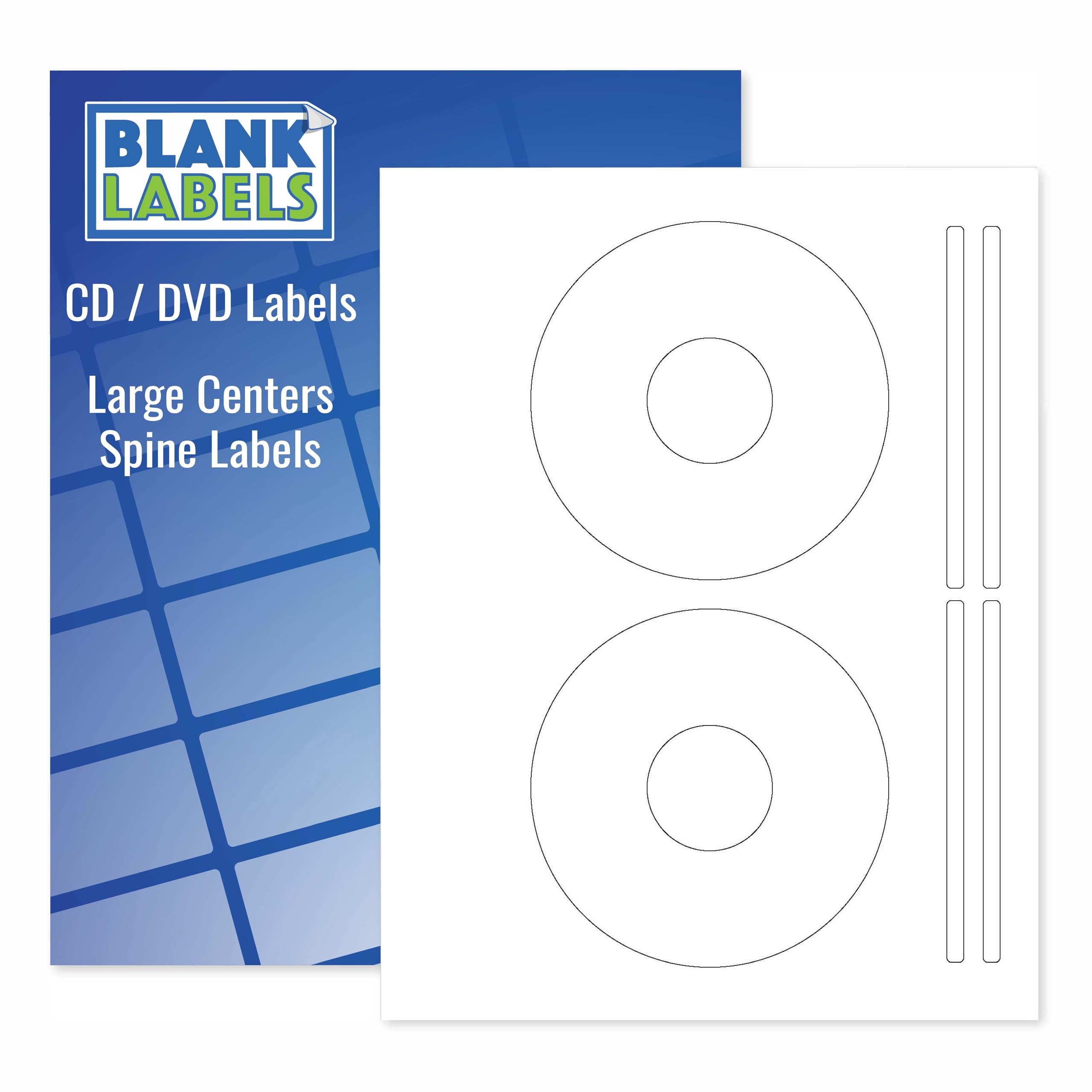
🎯 Stick with the best — label your legacy flawlessly!
This pack of 50 permanent white matte CD/DVD labels, plus 100 spine labels on 25 sheets, offers smudge-resistant, high-quality printable surfaces compatible with both inkjet and laser printers. Proudly made in the USA, these easy-peel labels deliver professional-grade customization for your discs and spines, ensuring your media stands out with crisp, vibrant prints every time.


| ASIN | B00J602GAW |
| Best Sellers Rank | #239,161 in Office Products ( See Top 100 in Office Products ) #2,045 in Laser & Inkjet Printer Labels |
| Brand | Blank Labels |
| Brand Name | Blank Labels |
| Color | White |
| Customer Reviews | 4.3 out of 5 stars 151 Reviews |
| Finish Type | White Finish |
| Item Shape | Round |
| Manufacturer | Blank Labels |
| Material | Paper |
| Material Type | Paper |
| Number of Labels | 50 |
| Shape | Round |
| Size | 25 Sheets |
| UPC | 634392387472 |
| Unit Count | 50 Count |
B**W
Blank Labels BL-CD2 (100 Sheets)
The positive side of these CD/DVD labels is their price. If you are accustomed to purchasing big name brand disc labels (Memorex, Stomper, etc,) you will remember you could get a pack of 100 sheets for $15-20. Sticker shock reveals these brands now cost as much as $80 for 100 sheets. What happened? They were neatly packed in a cardboard packet adorned with nice graphics. The packet served as a convenient storage container until you used the last sheet. You got 100 sheets that ran through a printing press with the manufacturer's instructions and indicators printed on every sheet. Therefor several processes added to the cost. They may or may not have been on heavier paper stock than these blank labels. (I owned a quality printing company for a number of years.) For personal use I bought many of the Memorex and Stomper brands in the past. But I am not willing to pay the prices being asked today. As for quality of the Blank Labels, I see no difference in the end use of the product. What I have used so far have presented no problem in my color laser printer. The price is very reasonable. My order was shipped by Amazon, so I had no contact with the seller. As for the Avery compatibility, the pack I received were not compatible with the Avery template. But one can easily make a template with any "publishing" program, which I did.
C**.
Excellent choice for labels, but needs a better template
The labels work as advertised. They go through the printer's manual feed without getting creased or jammed. The image prints with nice contrast and vivid colors. My only complaint, is that the Avery 5824 template didn't match these labels exactly. I had to tweak my layout a few picas to get things to align exactly, so a few labels got wasted during trial and error. The manufacturer should have its own custom template available for download. My advice, with all such labels, is to scan one and use your scan as your template. It's the only way to know for sure you will hit the trim exactly. Also, include some bleed in your background, so if it's still of by a millimeter or two, it won't be noticeable.
J**H
A couple issues that can be easily lived with. Still the best "bang for the buck" on adhesive CD labels. See my template specs.
There are a couple issues with these labels: 1) The Avery 5824 template is NOT the right one for these labels. (And the template the seller sent me in response to a question doesn't fit correctly either...see image that I'm uploading.) 2) It's difficult to tell which side of these should be facing up in your printer. With that said...I will be buying more of these. They are a good quality label that, with just a little bit of tweaking in a Word template, work in both inkjet and laser printers, black & white or color. They stick on well and cover the entire printable area of the disk. The template the seller provided to me has the correct dimensions for the outer edge of the label, but the inner "cut out" isn't the same as the circle in the template, so if you crowd that inner circle, you'll lose some of your print when you peel the label off the backing. I used a ruler to tweak the document, then saved it as a Word template so I can go back and reuse it later. I suggest you do the same. I had a couple requests (and honestly, I should have thought of it myself earlier) so here is how I designed the template: Make sure you are using Letter paper and not A4 or any of the other sizes a lot of the Avery templates come it (i.e., I suggest starting from scratch). Use "Insert - Shapes - Basic Shapes" and select circle (with no fill) --- You'll need four circles. You'll be using "Drawing Tools" with "Position - More Layout Options" to size and position the circles. Circle 1: 4.5" diameter; Horizontal, Absolute position 1.95" to the right of Page; Vertical, Absolute position 0.49" below Page Circle 2: 1.62" diameter; Horizontal, Absolute position 3.39" to the right of Page; Vertical, Absolute position 1.93" below Page Circle 3: 4.5" diameter; Horizontal, Absolute position 1.96" to the right of Page; Vertical, Absolute position 6.01" below Page Circle 4: 1.62" diameter; Horizontal, Absolute position 3.39" to the right of Page; Vertical, Absolute position 7.47" below Page That layout perfectly aligns with the cutouts on the sheets I have...so I hope this will work properly for you. There is so much area on these sheets that isn't part of the labels, it would be nice for there to be a, "this side up" or "print this side" comment on the label side of the sheet. The cut lines are so fine and the front and back are exactly the same kind of paper, so you really have to check closely to make sure you're not printing on the back of the sheet. (Of course, if you do, you haven't ruined anything, just flip it over and send it through the printer again...but it's a nuisance.) Finally, I posted a question about the product and had an answer within an hour...I've also seen several comments to people on their reviews. I really like seeing a seller who takes the time to read and respond to the questions and comments.
S**E
Excellent!
I used these to label some old blank CDs and they worked amazingly well. Very pleased with this purchase.
T**S
These labels work well enough but make your own template if you can
These labels work well enough as any others. They dont work that well with the 5824 template as they say they do, but like any other label, what I do is make my own word template by scanning one into A pdf changing that to word testing it and saving that as a template. They are inexpensive and OK,
Z**U
Fine product
The item came on time, and it was just what the doctor ordered. SF
L**R
CD labels
Difficult to find CD labels for my office needs, printed nicely and the labels adhesive works great.
R**O
no template support
Supposedly Avery compatible, but ZERO information about which Avery template corresponds. Big waste of time and money. Blech!
ترست بايلوت
منذ 3 أيام
منذ شهر