


🚀 Print smarter, faster, greener — the Canon imageCLASS LBP632Cdw keeps your office ahead of the curve!
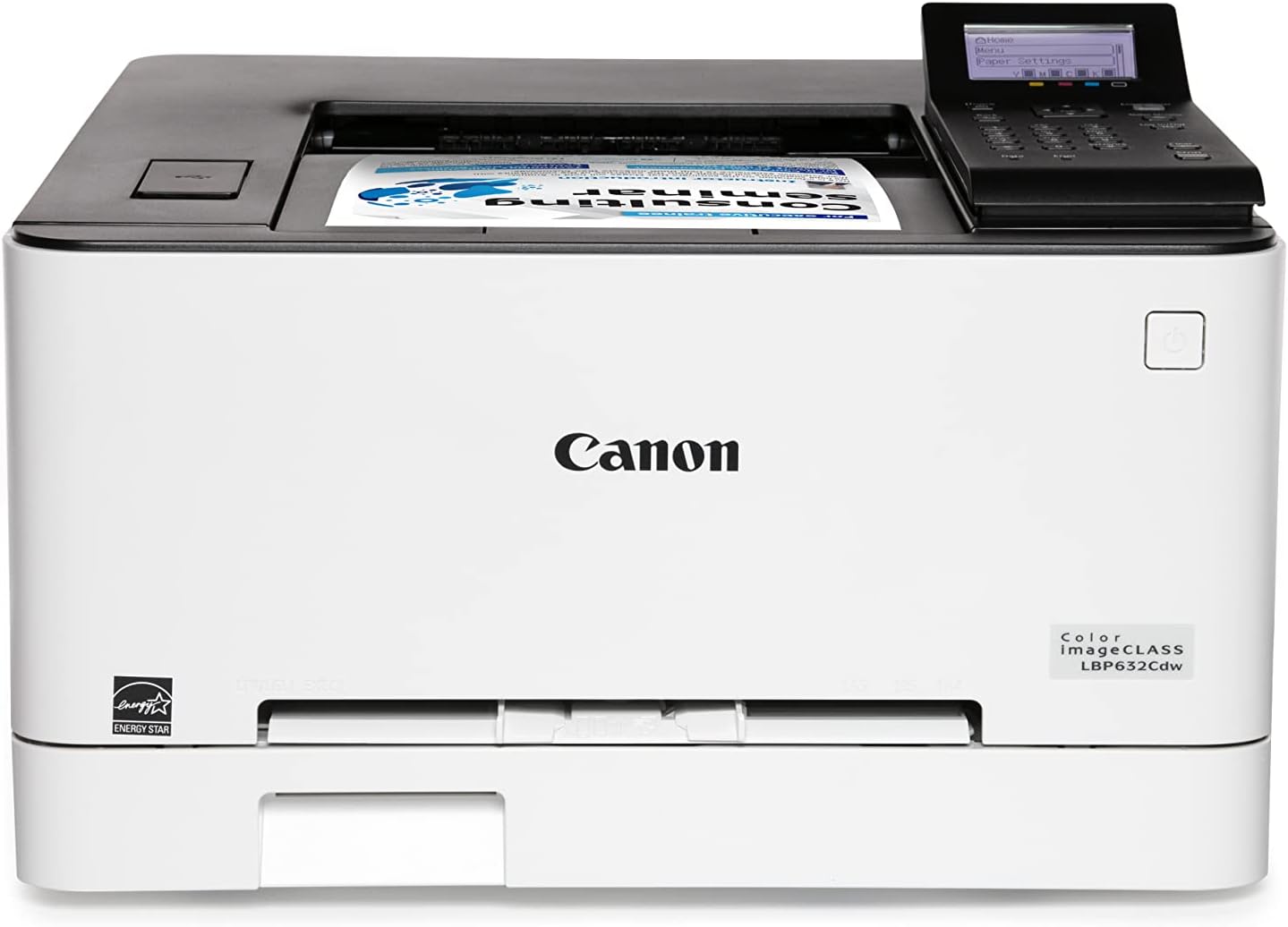
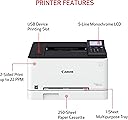
The Canon imageCLASS LBP632Cdw is a high-performance wireless color laser printer designed for home and small office use. It delivers sharp, professional-quality prints at speeds up to 22 pages per minute with automatic duplexing to save paper. Featuring a 250-sheet capacity, versatile media handling, and mobile device compatibility via the Canon PRINT Business app, it combines speed, convenience, and eco-friendly features in a sleek white design backed by a 1-year warranty.






| ASIN | B0BSMJM9W1 |
| Additional Printer Functions | Print Only |
| B&W Pages per Minute | 22 ppm |
| Best Sellers Rank | #15,321 in Office Products ( See Top 100 in Office Products ) #83 in Laser Computer Printers |
| Brand | Canon |
| Built-In Media | Cartridge 067 Starter: CMY 680 / Black 910 Yield, Documentation, LBP632Cdw Product, Power Cord |
| Color | white |
| Color Depth | 24 bits_per_pixel |
| Color Pages per Minute | 22 ppm |
| Compatible Devices | Smartphones |
| Control Method | App |
| Controller Type | Amazon Alexa |
| Customer Reviews | 4.1 4.1 out of 5 stars (907) |
| Display Type | LCD |
| Dual-sided printing | Yes |
| Duplex | Automatic |
| EU Spare Part Availability Duration | 1 Years |
| Global Trade Identification Number | 00013803342079 |
| Hardware Interface | Ethernet |
| Initial Page Print Time | 10.3 Seconds |
| Ink Color | Multicolored |
| Is Electric | Yes |
| Item Dimensions D x W x H | 16.5"D x 17"W x 11.3"H |
| Item Type Name | Color Laser Printer |
| Item Weight | 35.3 Pounds |
| Manufacturer | Canon |
| Maximum Copy Resolution Black and White | 1200 dpi or higher |
| Maximum Copy Resolution Color | 1200 x 1200 dpi |
| Maximum Copy Speed Black and White | 22 ppm |
| Maximum Media Size | 8.5 x 14 inch |
| Maximum Print Resolution Black and White | 1200 x 1200 dpi dots_per_inch |
| Maximum Sheet Capacity | 250 |
| Maximum print Resolution Color | 1200 x 1200 dpi Dots Per Inch |
| Model Name | iC LBP632Cdw |
| Model Number | 5159C003 |
| Model Series | imageCLASS |
| Number of Ethernet Ports | 1 |
| Number of Licenses | 1 |
| Number of Trays | 2 |
| Other Special Features of the Product | Auto-Duplex, Display Screen, EPEAT Silver, Energy Star, Network-Ready |
| Output sheet capacity | 250 |
| Paper Size | 3 x 5, 8.5 x 14 Inches |
| Print media | Paper (plain) |
| Printer Connectivity Type | Ethernet |
| Printer Output Type | Color |
| Printer Type | Laser |
| Resolution | 1200 x 1200 |
| Specific Uses For Product | Home, Office |
| UPC | 013803342079 |
| Warranty Description | 1 year |
| Warranty Type | Limited |
| Wattage | 2 watts |
R**A
Excellent print quality and fast duplex printing
I’m very happy with the Canon imageCLASS LBP632Cdw. Print quality is excellent—text is sharp and colors are clean and professional-looking. Print speed is impressive, and duplex printing is fast and reliable, which is a big plus for everyday office or home office use. Setup was straightforward, and once running, the printer performs consistently with no issues so far. The only minor downside is that it’s a bit noisy while printing, especially compared to smaller or inkjet printers, but it’s not excessive and finishes jobs quickly. Overall, this is a solid, high-quality color laser printer with great performance. Highly recommended if you want speed, sharp output, and dependable duplex printing.
C**G
Fast color laser printer makes crisp clear prints and does double sided prints automatically
I love this printer after using it for a couple of years. The printer starts up quickly and prints quickly producing clear, crisp prints in B&W or color. The cartridges snap in easily when changing is necessary. I am using the wireless connection method to my Wi-Fi network which connects to all my computers - two desktops and several laptops. The driver is easy to install and once installed provides for various telemetry and optional settings. I know I am not using all the sophisticated features of this printer, but the one I have used and like very much is the automatic double sided printing features which saves paper and negates the need to manually flip the paper over to print the odd or even sides. There was one occasion where the printer would not power up, but a quick search revealed that a hard reboot will fix the issue and it did. That error only occurred once and it was probably caused by my "dirty" power lines. Overall very happy with this printer.
W**E
Big time saver versus ink jets. Great output.
Had this since the end of last year and it has been working great. No issues. Great output on plain paper. No wasting time with dried ink or clogged heads as with our old ink jet printers. Really fast printing. If you want really glossy photo prints, this won't give you that; but if you don't mind matte output and if you are tired of wasting time trying to get a decent print out of your inkjet, this will save you a lot of time and frustration. I only wish the toner cartridges were less expensive, but even with the starter cartridges that came with this laser printer, we still have not had to replace them after almost a year and it looks like we will get at least two-years of use out of them with our low volume, about 15 to 20 pages a week, needs. I should've switched to a color laser like this years ago. Just the time saved from running head cleaning, swapping to new ink cartridges, etc. is worth the switch to color laser.
M**Y
Very happy with this printer
I am very happy with this printer. It was less expensive to buy a new printer than to replace even one color toner cartridge in the color laser printer I used to use (different brand). This one set up easily including wi-fi configuration and it prints well. Not super fast or quiet, but acceptably fast, and I don't print so much that the noise bothers me.
E**E
print quality is great, user experience not so much
You would think that in 2024 getting a network-attached printer to print from a modern OS like Windows 11 would be trivial right? Unfortunately that's not the case. First problem: This printer refuses to work with my wireless network. I have a Wifi 6 mesh system in my house and this printer sits less than 4 feet away from the main unit. It can detect the wifi network with no issues, but rejects my password EVERY SINGLE TIME. I've even tried changing the network password to 1234 to make mistyping it literally *impossible* but each time the printer will tell me that the wifi password is not correct (spoiler alert: it is not). This is the ONLY network device I have bought in the past 10+ years that I've had trouble getting to connect to wifi, and it's supposed to be easier than ever these days. Okay fine- I'll connect it wired- like I said, the device is 5 feet away from the router so I'll just plug it in. Network detected, great! Now I'll just set up an IP reservation for this device so it always has the same local IP address.. nope, my router doesn't see it. Like it literally _does not show up_ in the list of clients, even though the printer says it's connected. So even though it's 2024 and I've bought a _wireless_ printer, I'm stuck with a ridiculously long USB cord and using windows printer sharing so everybody on my network can print. Absolute disappointment.
R**.
Fast, value, quick setup, print quality, and double sided
Printing with Ubuntu (Linux), installed nothing, just took it out of the box, took the tape off, entered my Internet KEY, put in some paper, and ready to go. Printing in color, printing both sides of the paper, printing from my Android phone without adding any software. Quality is awesome in BW or color. Finally a printer that doesn't waste all your time trying to make it work. Very impressive. Toner cartridges can print 3000 pages, which for me will be a couple years. I love this machine!. To get from wait state to 1st page is about 15 secs, then cranks out pages 22/min. I can't believe what this cost!! $300. I've only had it 2 days, but I anticipate no probs.
T**Z
Good price/adequate/works as it should but interface is clunky and unit is LOUD
The printer is fine. Canon isn't known for ease of use in their printers. The print experience is fine. For a no nonsense business printer if you just print occassionally it's fine once you get it all set up. HOWEVER, you won't be able to print if you're trying to be quiet. This thing is LOUD when it's running. A lot of clunky mechanical noises. Also the LCD is super low quality - it's like an 80s calculator. It also took me like 5 tries to get it to connect to my home network. It's also large and kinda heavy - well larger than other units in it's category... It won't be easy to hide or tuck under a desk. So for the price - I think it's just fine. But I wouldn't be shouting from the mountain tops about it. It's "good enough for government" as they say. It's a solid 3.5 stars..
ترست بايلوت
منذ شهرين
منذ شهر