Buy anything from 5,000+ international stores. One checkout price. No surprise fees. Join 2M+ shoppers on Desertcart.
Desertcart purchases this item on your behalf and handles shipping, customs, and support to Israel.
🔴 Master your workflow with precision and style — the Expert Mouse that means business.
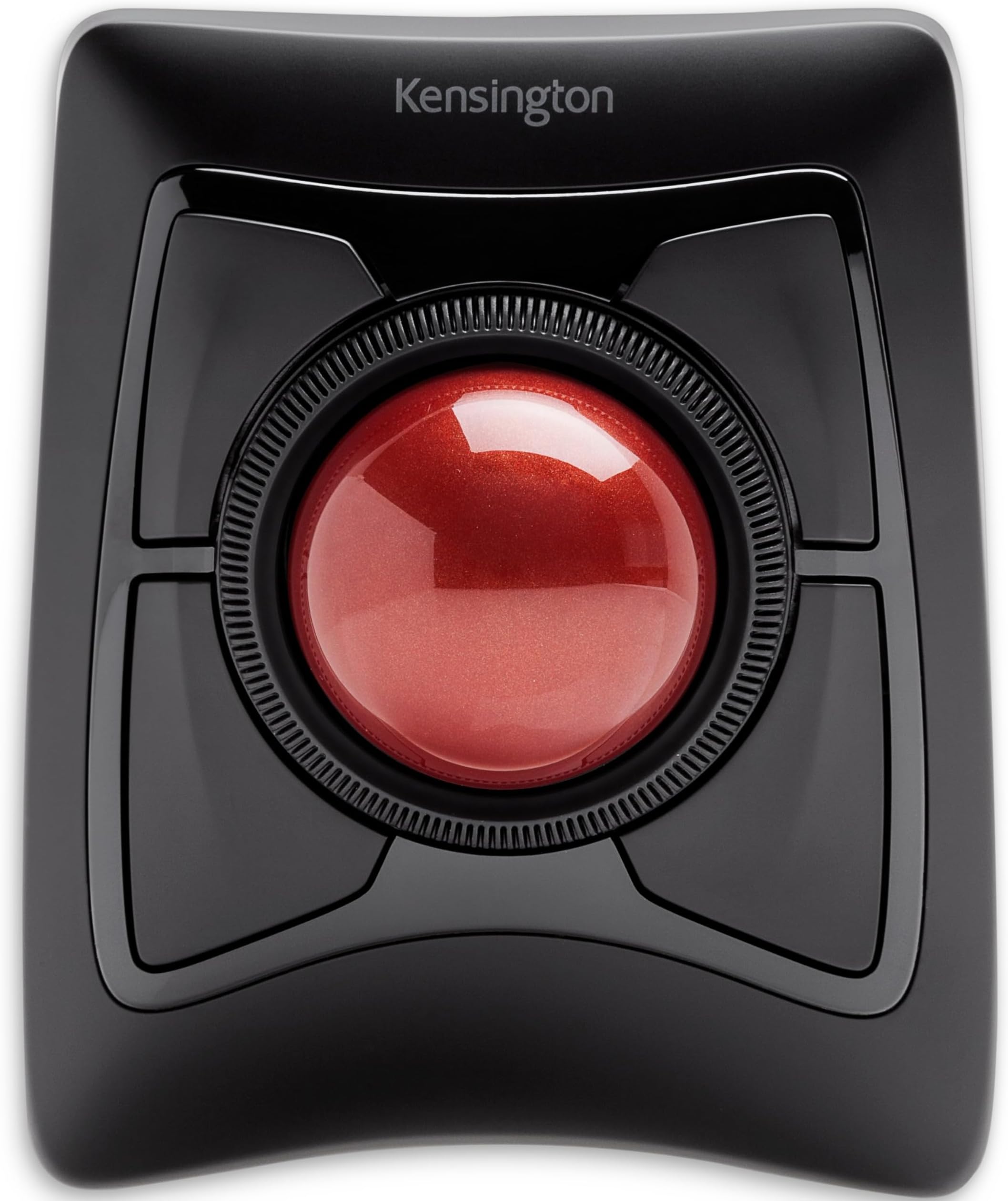
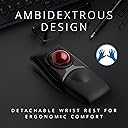
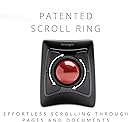
The Kensington Expert Mouse is a premium wireless ergonomic trackball featuring a large 55mm precision ball, dual wireless connectivity (Bluetooth 4.0 LE and 2.4 GHz USB receiver), and 4 fully programmable buttons. Designed ambidextrously with a detachable wrist rest and an award-winning scroll ring, it offers customizable control and comfort for both Mac and Windows users seeking enhanced productivity and pain-free navigation.


| ASIN | B01936N73I |
| Antenna Location | Office |
| Are Batteries Included? | Yes |
| Are Batteries Required | Yes |
| Best Sellers Rank | 5,445 in Computers & Accessories ( See Top 100 in Computers & Accessories ) 4 in Trackballs |
| Box Contents | Bluetooth+USB |
| Brand | Kensington |
| Brand Name | Kensington |
| Button Quantity | 4 |
| Colour | Red |
| Compatible Devices | Personal Computer |
| Connectivity technology | Bluetooth, USB |
| Country of Origin | China |
| Customer Reviews | 4.1 out of 5 stars 5,183 Reviews |
| EU Spare Part Availability Duration | 3 Years |
| Enclosure Material | High quality plastic or light metal |
| Global Trade Identification Number | 00085896723592, 07802880611214 |
| Hand Orientation | Ambidextrous |
| Hardware Platform | PC |
| Item Dimensions L x W | 15.3L x 12.5W centimetres |
| Item Weight | 1.35 Pounds |
| Manufacturer | Kensington |
| Manufacturer Part Number | K72359WW |
| Minimum Required Operating System Version | Windows 7 |
| Model Name | Expert Mouse |
| Model Number | K72359WW |
| Movement Detection | Optical, Trackball |
| Movement detection technology | Optical , Trackball |
| Network Connectivity Technology | Bluetooth, USB |
| Number of Batteries | 1 A batteries required. (included) |
| Number of buttons | 4 |
| Operating System | Mac,Windows |
| Pattern | Single |
| Power Source | Battery Powered |
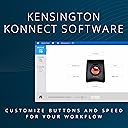
| Product Features | Ergonomic design with removable wrist support, programmable buttons, customizable mouse speed, wireless connection and award-winning scroll ring |
| Product Finish Type | Glossy |
| Product Warranty | 1 Year |
| Range | 33 feet feet |
| Special feature | Ergonomic design with removable wrist support, programmable buttons, customizable mouse speed, wireless connection and award-winning scroll ring Special feature Ergonomic design with removable wrist support, programmable buttons, customizable mouse speed, wireless connection and award-winning scroll ring See more |
| Style Name | Expert Trackball |
| Theme | Computer |
| UPC | 085896723592 |
| Unit Count | 1.0 count |
A**M
Good size trackball; very easy use with either hand
Great trackball. Easy to connect; just plug the dongle in, and it's good to go. Really good size of trackball allows me to use three fingers to navigate precisely with my non-dominant hand. Comfortable to use from the couch too. The buttons click nicely and the scroll wheel works well. It's definitely a little bit pricey, but definitely worth it to be able to rest my injured dominant hand but still be able to enjoy good precision when using my home PC. The ball comes out easily to clean, so I wouldn't want to take this loose in my bag into the office, but that isn't really a consideration for me since I've switched this one out for the Orbit Fusion, which I'll take to work instead.
U**Y
Good upgrade from old trackball
I had the Kensington orbit with scroll wheel previously, which stopped working after 18 months. Kensington is willing to send out a replacement which will take 2 weeks which is a long wait. Decided to get the expert as an upgrade as I cant wait that long for a mouse. The expert is a much bigger unit and the ball is probably double the size. Overall it you feel it is a better product and has 4 programmable buttons instead of the normal 2. Ironically because of the size of the ball and the placement of the buttons. I dont have the top 2 buttons as left and right click. I have bottom left as left click and top right as right click. There is one slight niggle the scroll wheel is a little too close to the right buttons so sometimes you nudge the right buttons when using the scroll wheel. If you are on a budget the orbit is fine but if you use the mouse a lot, the expert maybe worth considering
R**R
Ergonomic, but less accurate than a mouse
Pros: Truly ergonomic. Very fast to get from one corner to another corner of a large screen. You don't need to move it around like a mouse. Hand and wrist practically unaffected, no pain whatsoever. Easy to clean. It looks very cool. Cons: Considerably more difficult to click onto a specific point of the screen. Not a problem if you need to perform such a task occasionally, but may feel tiring if you need to do it regularly. e.g., you need to click many times into tick boxes. Somewhat more difficult to scroll. Quite large. Conclusion: Will it replace a mouse? Probably not. Will a mouse replace it? Definitely not, it is a completely different type of "animal", but you need to get used to it.
U**Y
Came for the ergonomics, stayed for the productivity
Why, why did I wait to buy one of these it's beyond brilliant. First up let me explain, about 3 months before buying this I had a fall and broke my wrist, broke 2 bones and did some ligament damage - ouch, yes it's as painful as it sounds and if you take nothing else away from this review be careful with icy pavements. The healing from a broken wrist can take up to a year in some cases and a lot of pain ensues while thats happening, when I had a cast on for 6 weeks towards the end there was no discomfort hardly at all so in my head it's yay, cast off, back to normal, rock on. Er no, as the cast came off my reaction was mm ow ow OW OW! MOTHERFU.... that hurts, and so began a quest to find someting I could use comfortably and get my extremely bored arse back to work. So finally, the trackball itself, what can I say, silky smooth operation from the actual ball, being 55mm across it means you can control it with three fingers if needs be, the four buttons around the ball are totally customisable if you download a small application from Kensingtons website and you aren't limited to four functions either, you can add keys to each button so you get a different function if you press shift, or control, or alt or the win key so four individual functions on each of four buttons - that's a lot of shortcuts. In addition to this you can specify a set of shortcuts for each application, the combinations and permutations are mind boggling. There is also a scroll wheel right next to the ball and again it's customisable in terms of speed and direction and inertia which I tried but didn't like but it's worth looking at it to see if it works for you. There is of course the usual pointer speed control which using a super ultra wide high resolution monitor I have set quite high to quickly move around the huge screen area, that is fine but it's not the most precise method - however Kensington have thought of that too, you can set one of three keys to instantly and temporarily lower the pointer speed making precision a doddle, there is even a setting to lock the movement to just vertical or horizontal movement in a single axis and while this might not sound like the pinnacle of technology if say you have a bunch of tabs open in a browser or are going through a bunch of drop down menus in a professional application such as Photoshop or illustrator - which I do all day every day while doing actual work it just makes it even easier - hence quicker to use. It's just one more reason to like this trackball and why I will NEVER go back to using a mouse again - ever. Looking at one of the other reviews there was a criticism that you had to float your arm to use the trackball and it placed strain on your arm/wrist - well as this was the entire reason I'd been looking at things like this trackball to reduce just that and allow me to get back to work take a look at this... https://www.amazon.co.uk/gp/product/B0752MCX82/ref=ppx_yo_dt_b_asin_title_o04_s00?ie=UTF8&psc=1 It's basically a device that clamps to your desk and cradles your arm taking the weight and strain away from your arm - and crucially for me the wrist, a combination of that cradle and this trackball means I have a perfectly straight arm position from the elbow to fingertips and the sometimes unbearable pain of using a mouse - and i've tried 6, everything from gaming mice to really thin bluetooth mice to smaller sized mice, even a vertical mouse has gone, I can use this for hours with nothing more than the odd twinge - using a mouse all day I'd have to mainline so many painkillers it'd turn me into a zombie. Very seldom do I buy anything that makes a real improvement to my daily life but this is definitely one of those times and I don't like this trackball I love it.
M**N
Too many issues, especially for the price
So as the reviews all seem to be tied into each other, this review is for the Kensington Wireless Trackball Expert Mouse (Red ball + 4 buttons) Crap. I have several of the Kensington Orbit Optical Wired USB Trackball Mouse with Scroll Ring (blue ball) and they are absolutely superb so I thought I would take a punt on the much more expensive wireless version to help me move about with my laptop (I hate the trackpad on my work laptop). 1st problem - I wanted to be mobile with this. Made an incorrect assumption that the ball was the same sort of size as the blue one in the orbit. BZZZZZT. It's massive. This thing has a direct influence on the earth's tides. 2nd problem - The planet-sized orb falls out if turned upside down which, if you want to be mobile like me then this is a constant annoyance (the blue orbit version holds the sphere in place) 3rd problem - the scroll wheel is appalling. I read reviews saying that it was crap and thought maybe people weren't used to it or something, how bad could it be compared to the smooth and accurate one on the Orbit version (you can flick that one and it will spin and keep going, for me also useful). This one will move and that's the best I can say about it. It feels crap and uncomfortable to use. The size of the ball also makes it an issue if you want to twist the wheel more than 1 cm. I know there are ways to improve this and was going to do so but after the next problem I decided not to bother. 4th problem - The deal breaker for me was that the main selling point was that it was wireless Bluetooth. I also have a pair of BT headphones and the 2 do not get on even when not connected to the same device. When my headphones (Bose QC-35 if that is relevant) are on, this trackball drops off every 10 seconds. I don't know who is to blame but even if it is my headphones fault, they win this round. Summary - It's like this has been made by a completely different company to the one that made my beloved Orbit. Tried my best to put up with all of its foibles and for 20 quid, I might have but this thing cost me over £100. Not a chance, had to go back.
J**E
A wonderful bit of kit.
Much easier to use than the normal size due to size of the ball. I like its ambidexterity. I would like a little more customisation of the speed of the ring. But overall, a beautiful bit of kit. It's quite big, though. Obviously.
M**N
Missing item Bluetoth problem
Item arrived with Wireless Dongel (2G4) missing. Failed to connect via Blue tooth after folowing all the problem solveing processes. Tracker ball would be very good if it worked prperly
J**7
A great mouse generally, with a problem or two
Mouse works well. Does what Mice do and that is all one can ask. BUT it claims the top buttons do things. They do not. The bottom buttons work alright, except, well only one is usable. The left in my case. The other three are for my needs pointless. ALSO when I turn on my computer the cursor doesn't show up nor become usable till I jiggle the ring or click on the left lower button. Something isn't right about the ball and the sensors when one starts trying to use the mouse. Getting it to run the cursor becomes a bit frustrating. Once it is working the mouse is a life saver for my needs. Arthritis in my hands makes this a must have. Despite the poor startup problem.
ترست بايلوت
منذ 3 أيام
منذ أسبوعين