


Desertcart purchases this item on your behalf and handles shipping, customs, and support to Israel.
⚡ Power, Precision, and Prestige — Charge into the future of gaming.
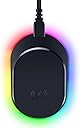
The Razer Mouse Dock Pro with Wireless Charging Puck is a premium accessory designed for Razer’s top-tier mice, featuring an integrated 8K Hz HyperPolling transceiver for ultra-responsive wireless performance, magnetic wireless charging for hassle-free power, and fully customizable Chroma RGB lighting with 8 zones. Its anti-slip base ensures stability, while smart RGB battery indicators keep you informed. Compatible with Basilisk V3 Pro, Cobra Pro, and Naga V2 Pro, this dock elevates both your gaming setup’s aesthetics and functionality.


| ASIN | B0B7VB5NPX |
| Best Sellers Rank | #2,277 in Video Games ( See Top 100 in Video Games ) #129 in PC Gaming Mice |
| Brand | Razer |
| Built-In Media | Mouse Dock Pro, USB-A to USB-C Cable, Wireless Charging Puck |
| Color | Black |
| Compatible Devices | Basilisk V3 Pro, Cobra Naga V2 Pro |
| Customer Reviews | 4.5 out of 5 stars 908 Reviews |
| Hardware Interface | USB 3.0 |
| Item Dimensions L x W x H | 3.29"L x 2.2"W x 1.71"H |
| Item Type Name | Charging Dock |
| Item Weight | 4.32 ounces |
| Manufacturer | Razer |
| Mfr Part Number | RZ81-01990100-B3M1 |
| Model Number | RZ81-01990100-B3M1 |
| Number of Items | 1 |
| Number of Ports | 1 |
| Product Dimensions | 3.29"L x 2.2"W x 1.71"H |
| Total USB Ports | 1 |
| Total Usb Ports | 1 |
| UPC | 840272904091 |
| Warranty Description | 1 year manufacturer |
| Wattage | 4.5 watts |
G**B
Great product, would strongly recommend.
Connectivity is extremely easy, and it makes it so I don't have to worry about my mouse's battery life. Very durable and comes with the only accessories you'll need. I use it for my Trinity Naga (wireless). Make sure you check you mouses compatibility before buying.
M**G
A charger with impressive grip
Works as you'd expect, just don't forget to peel off the plastic on the bottom covering the rubber feet. The feet makes a ring around the entire bottom of the charging dock and is almost more impressive than the charger itself. Even when testing with more bumpy surfaces, the grip it has is remarkable. If the grip gets dirty, it's easily cleaned with a wet towel, and will have effectively the same grip as new. The charger has nothing else particularly notable; its shape makes it easy to blindly put a mouse onto, and it can charge overnight, which is useful for mice you're using a lot. It also keeps Razer mice awake to continue using their press to toggle macros even after the mouse would've gone to sleep (which disables the macros by default).
R**M
Excellent Accessory to have
The Razer Mouse Dock Pro is a premium accessory designed for convenience, performance, and style. It combines a magnetic wireless charging system with an integrated 4K Hz wireless transceiver, giving compatible Razer mice both effortless charging and ultra-fast response. Setup is simple — replace your mouse’s bottom plate with the included charging puck, and the magnet automatically snaps it into perfect alignment when placed on the dock. I had to ensure my mouse was charged to ensure the pairing happened - Battery above 50% ideally 100% and I used the left mouse button. The Chroma RGB lighting adds flair and can sync with your other Razer gear. Very durable build quality, and it's slightly larger than I expected; it's about 3/4s of the mouse size. Unfortunately, the 4k polling wasn't compatible with my Naga V2 pro, but should any future upgrade include it, I have the charger to support it.
S**I
This actually comes with the charge puck!!!
I wrote a hefty review on the mouse -- 4 its got the buttons - you need good grip strength Posted 43 minutes ago first things first--- to be able to charge this with the puck-- you actually need to buy the razer base... it doesnt work with anything else... ive tried 3 different qi charging pads... so keep that in mind if you want it to be truely wireless...(unless mine is busted - getting the base from amazon today) Its big.. its heafty, and a little heavy - but has a decent grip on the right side - i have very low dexterity in my hands and this is a little hard to use, i need it for the buttons -- trying to figure out a way to hold it easier. yes its big, and heavy, but it comes with a lot of features that are extremely nice to have, most you know already if youre reading this--- one thing i never saw was that you can change the scroll wheel!!!! How many rotations how strong the pull needs to be -- I had no idea things like this existed, I was used to the logi-button that just flips it to completely free wheel-- but being able to change the strength and clicky's it takes for your own personal preference is AMAZING!!! so yes, I will be keeping this mouse no matter what-- I just need to figure out a way to comfortable hold a mouse this big in my low dexterity hands... if the charging dock actually works, I will put this at 5 stars. This base is amazing--- and it ACTUALLY WORKS!!!! definitely 5 stars for the base also there is a 89$ version of this that shows the magnetic puck off to the side saying it comes with etc, --- YOU DO NOT NEED THAT --- this 69$ one comes with the puck and charger, and a decent cable!!!! I used to not like razer products, but this combo blows my mind!!!
T**E
Works great, looks great, buuuut…
Works with my Basilisk V3 Pro fantastically and as advertised. Allows for 4000hz polling wirelessly as well which is very nice. Charges anything that is wireless charging as well which is also super sweet. RGB is bright and well done. My only huge gripe is that the RGB does NOT and CANNOT be turned off when the PC shuts down - must be unplugged for RGB to turn off (or you have to go into Bios and set USB power to turn off which is a huge pain and not conducive to the rest of my setup). RAZER PLEASE FIX THIS WHITH A FIRMWARE UPDATE ASAP! Aside from that the other downside is that the Basilisk V3 Pro and Naga V2 Pro - no Viper or Death Adder support as of yet - not a deal breaker as the other 2 need weight cut etc. I like it. Looks great on my setup and the convenience is second to none. Would get 5 stars easy if they’d address the RGB power off situation.
@**S
Sleek, Functional, and a Must-Have for Gamers!
The Razer Mouse Dock Pro with Wireless Charging Puck is the ultimate docking solution for any serious gamer. The wireless charging feature is incredibly convenient—just place your mouse on the dock, and it charges quickly without any hassle of cables. The magnetic puck ensures a secure fit, keeping the mouse in place. The 8K Hz HyperPolling transceiver gives a noticeable improvement in responsiveness and precision, making this a great choice for high-performance gaming. The anti-slip base keeps the dock firmly in place, and the customizable Chroma RGB lighting adds a sleek, personal touch to my setup. Not only does it look stylish, but it also serves a practical purpose, keeping your mouse charged and ready to go at all times. Highly recommend it for anyone looking to elevate their gaming experience!
D**E
Convenient Charging with Some Considerations
I've been using the Razer Mouse Dock Pro with Wireless Charging Puck for a few weeks now, and it's a handy accessory for my gaming setup. Here's my take on it: Pros: Convenience: The magnetic wireless charging puck makes it super easy to charge my Razer mouse. Just place the mouse on the dock, and it starts charging without any hassle. Stability: The dock is sturdy and keeps the mouse securely in place while charging. I don't have to worry about it falling off or getting knocked over. Pretty clean for a setup in my opinion. Charging Speed: The charging speed is decent, and it's great to have a fully charged mouse ready to go whenever I need it. Do I forget to put it on the dock at times? Yes! Can I just put it on for a few minutes and be good to go for the day? Yes! Isn't that great? Design: The design is sleek and fits well with my other Razer accessories. It looks good on my desk and adds a bit of flair to my setup. Obviously no gamer product is good without RGB, and it has some pretty colors. Using RAZER software is nice too as it matches all my other peripherals. Cons: Price: It's a bit pricey for what it offers. While the convenience is nice, I wish it was a bit more affordable. Heat: After extended use, the dock and the mouse can get a bit warm. It's not a huge issue, but it's something to be aware of. At the end of the day, warmth doesn't matter while charging because it isn't being used, but where it could matter is when it comes to its lifespan. Heat can always cause problems long term, so I will have to wait and see if this will be impacted. Compatibility: Make sure your Razer mouse is compatible with the dock. Not all Razer mice work with this specific charging puck, so double-check before purchasing. I got the Razer NAGA V2 and it works great. Overall, the Razer Mouse Dock Pro with Wireless Charging Puck is a convenient accessory for anyone who uses a Razer mouse. It makes charging easy and keeps your desk organized. Just be mindful of the price and the potential for heat buildup overtime.
B**.
Nice charger
Works well and solid build quality.
E**E
Love it!
I like this little thing. Convenient charging at night and it syncs to all my other RGB. Ive had it for.. 2-3 years now? And it just keeps doing its job.
L**S
Muy buen producto
Hasta ahora funciona correctamente, no me esperaba que puedo conectar elouse con el tipo de conexión 2.4g, así ya no uso el dock que viene con el mouse
D**N
good
I bought this as it's easier for me to charge the mouse rather than having to plug in the cable all the time, it does have the 8000hz polling rate but I didn't find much of a difference vs 1000hz, maybe a slight improvement but since it uses more battery, I rather stay at 1000.
A**M
Gute Alternative
Super Ladestation. Kompakt & sehr leicht installiert.
A**R
Excellent connection for Razer Basilisk v3 Pro mouse and others
This drastically speeds up the polling rate and serves to connect more than one Razer device. The magnetic charging function works well as the mouse sits on top. The magnetic puck included here is a simple transfer to the bottom of the mouse and it all works as advertised. Very glad to have added this to the mouse. And it has full Chroma as well!
Trustpilot
3 weeks ago
5 days ago