We remain fully operational. Our teams are working around the clock to ensure your deliveries continue safely.

قم بتنزيل التطبيق


معلومات عنا
حقوق الطبع والنشر © 2024 Desertcart Holdings Limited
قم بتنزيل التطبيق
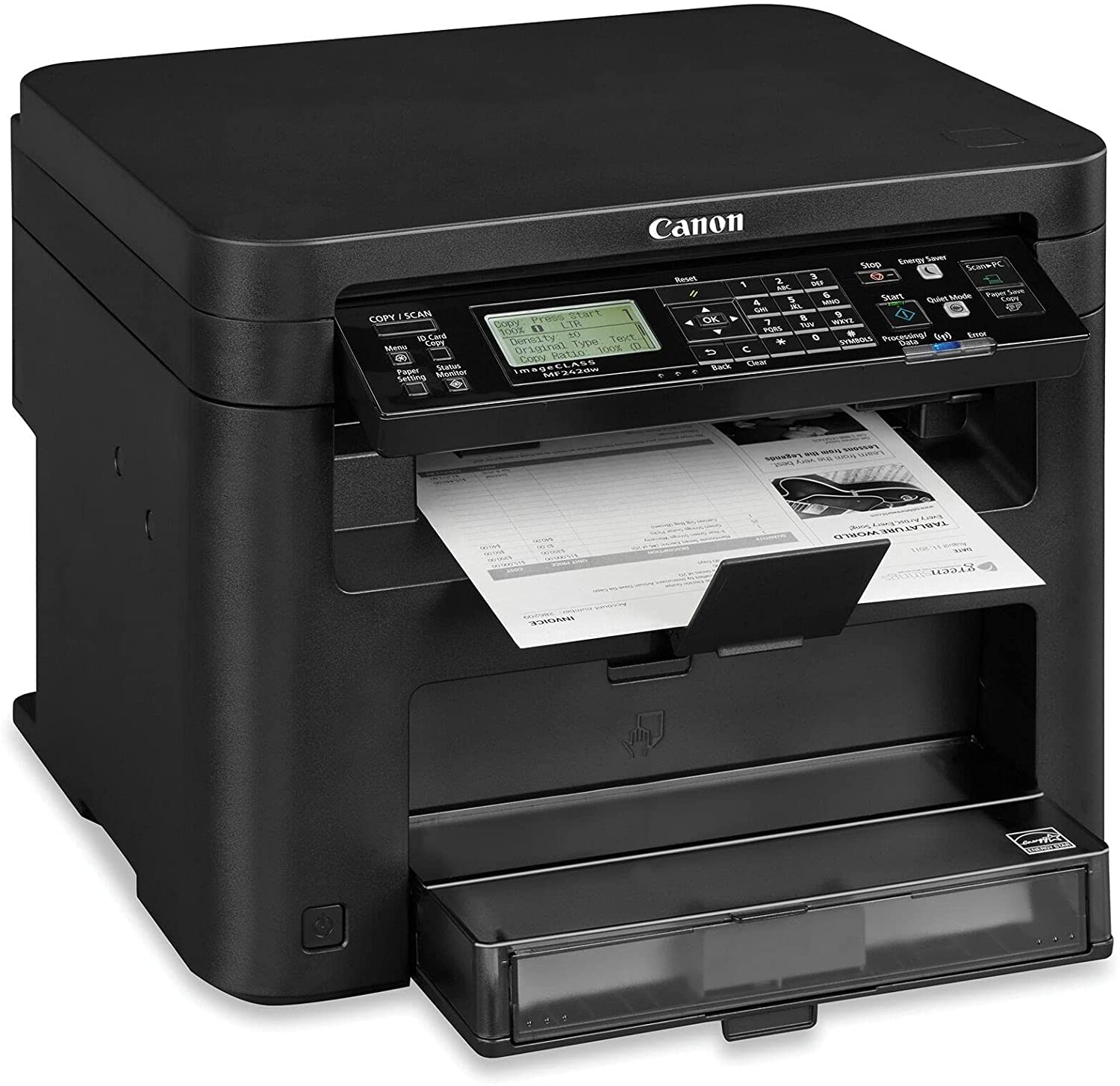


🖤 Black & white brilliance for the modern workspace
The Canon imageCLASS MF242dw is a monochrome laser all-in-one printer designed for small and home offices. It delivers fast printing speeds of up to 28 ppm, features a 5-line LCD for intuitive control, and supports wireless printing via WiFi Direct. With 512MB memory and a 250-sheet paper capacity, it handles high-volume tasks efficiently, including automatic duplex printing, scanning, and copying—all in a compact, reliable package.
| ASIN | B09ZB4JRH4 |
| Additional Printer functions | All In One |
| Best Sellers Rank | #365,106 in Office Products ( See Top 100 in Office Products ) #535 in Laser Computer Printers |
| Color Depth | 1 bpp |
| Compatible Devices | Smartphones |
| Control Method | Remote |
| Customer Reviews | 4.2 4.2 out of 5 stars (75) |
| Date First Available | May 2, 2022 |
| Dual-sided printing | Yes |
| Duplex | Automatic |
| Hardware Interface | Ethernet, USB |
| Included Components | Canon imageCLASS MF242dwA Multifunction Monochrome Laser Printer, Starter Cartridge 137, Power Cord, Starter Guide, User Software DVD-ROM |
| Ink Color | Black |
| Is Discontinued By Manufacturer | No |
| Item Weight | 32.6 pounds |
| Item model number | Canon imageCLASS MF242dw |
| Manufacturer | Canon |
| Max Copy Speed (Black & White) | 28 ppm |
| Max Input Sheet Capacity | 250 |
| Max copy resolution black-white | 600 dpi |
| Maximum Black and White Print Resolution | 600 dpi |
| Memory Storage Capacity | 512 MB |
| Model Series | MF242 |
| Number of Trays | 1 |
| Number of USB 2 Ports | 1 |
| Output sheet capacity | 100 |
| Print media | Labels |
| Printer Ink Type | Toner |
| Processor Count | 1 |
| Product Dimensions | 15.4 x 14.6 x 12.3 inches |
| Scanner Type | Image Scanner |
| Series Number | 242 |
| Sheet Size | Letter inches |
| Smart Home Compatibility | Smart Home Compatible |
| Specific Uses For Product | business, home office |
| Supported Media Sizes | A4, A5, B5 |
| Total Ethernet Ports | 1 |
| Total USB Ports | 1 |
| UPC | 798044324670 |
| Warranty Type | Limited Warranty |
A**R
Great value for your money
I love this printer and all canon printers. Works excellent, value for money, connects quite easily to the internet. Printer quality is great. Works well with the compatible toners.
A**R
Nice machine
It is a very nice copier. It is speedy, works well but it takes a few uses to use quickly. We use it in the office of a small church and it is perfect for that.
K**R
Good printer for Home use
This printer works well and I really like the wireless connection with my computer. The only down side is that it doesn't have a feeder for those times when you have to make more than one copy. But the price was right.
R**S
works great, prints well, can use 3rd party cartridges, never once jammed in 10,000 prints
Works great, accepts non-branded cartridges but does give a warning, I use it a ton during shipping season, have printed thousands of pages. Double sided printing plus a scanning function are fantastic.
M**N
Works well once I replaced the toner cartridge
They sent me a nearly empty toner cartridge (starter cartridge... = start immediately spending more money, lol). Once I got a new toner cartridge it really worked well. Print quality is really good, no problems connecting to the printer over the network from either my laptop or my mobile, scanner works great, and there have been no paper jams (hope I'm not jinxing myself!).
J**L
Printing quality far below my cheap HP laser or my old Samsung laser; it looks unprofessional.
I have never written a bad review before. I have more than 1100 positives on ebay with no neutrals or negatives. I have an HP laserjet, a cheap one, MFP M139fw, and an old Samsung SCX-4729fd; the printer quality on both of those machines is great. The printer quality of the Canon MF242dw sucks in comparison, it is too light. I would be afraid to print out a shipping label, the barcodes may not be dark enough. My occupation over the last decades has been installing and repairing thousands of such machines. I called Canon twice, what they offered me was to replace my new printer with a refurb without a new toner cartridge, I would have to use the one that came in my new Canon printer. I told them that the problem may be the original "starter" toner, because I cannot change the quality of the printing no matter what selections I make in the printer settings or in my pc settings. They had me email them a photo of their data sheet that my new printer printed out. After viewing it they told me that the page I printed out was normal and good. Seriously? The print looks unprofessional and unacceptable to me or my customers. Amazon gave me the okay to return the printer to the store that shipped it to me. Here's one problem; you cannot ship a laser printer with a used toner cartridge in it, the inside of that printer will be one big mess. But no one tells me not to ship it that way, nor approve the shipping of an additional box for the cartridge. So, I would personally remove the cartridge if I shipped the printer back and squeeze it in somewhere in the printer box, if at all possible. I'm afraid that if I go to all the time and trouble to ship the printer back that I will be billed by Amazon either for removing the toner cartridge or the company that I'm shipping it back to will say that there is nothing wrong with the printing quality. Buying a new Canon toner is in my city costs about $100. including sales tax, and that may not solve the unacceptable printing problem. Bottom line, don't buy one of these printers. Ty.
R**D
Printer for every house.
Great buy
B**O
cumbersome
I did not like how to navigate through the various programs/options Did not seem straightforward to me
ترست بايلوت
منذ 5 أيام
منذ 3 أيام