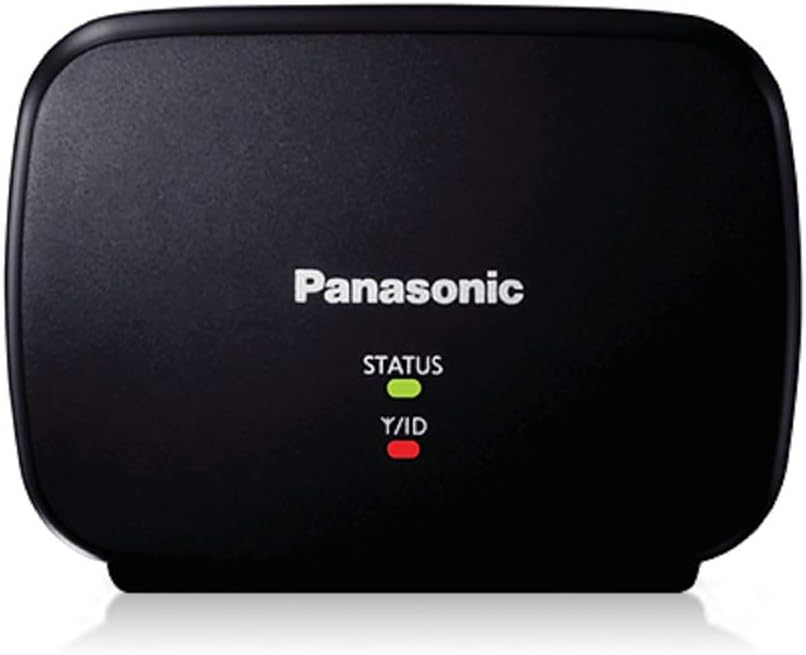
📡 Double your cordless phone’s range and never miss a moment!
The Panasonic KX-TGA405B Range Extender is a compact, energy-efficient accessory designed to double the transmission distance of select Panasonic DECT 6.0 Plus cordless phone systems. Compatible with KX-TG7500, 6500, and 4000 series, it ensures extended, crystal-clear call coverage across large homes or properties, eliminating dead zones and boosting signal reliability.

| ASIN | B003MOKUIS |
| Batteries | 1 Product Specific batteries required. |
| Best Sellers Rank | #555,752 in Office Products ( See Top 100 in Office Products ) #1,551 in Landline Phones |
| Customer Reviews | 4.2 4.2 out of 5 stars (1,735) |
| Date First Available | May 17, 2010 |
| Is Discontinued By Manufacturer | No |
| Item Weight | 7.1 ounces |
| Item model number | KX-TGA405B |
| Manufacturer | Panasonic |
| Product Dimensions | 9.5 x 7.25 x 4.75 inches |
R**N
Really increases signal coverage for select Panasonic Dect 6 Phones
Had the older Panasonic 5.8 DECT phones. They had limited range. Could not get across my property, let alone even talk on the phone while on my deck which is located on the other side of the house. So, recently I purchased the Panasonic Dect 6.0 phones (TG7875s). By themselves, the range of these phones is greatly increased. I can now talk on my deck. However, when walking the dog, I still can't talk across my large property. I took a chance and ordered one of these range extenders. I was a little apprehensive about spending the money because of the mixed Amazon reviews. It's a very tiny device. Getting it to pair was effortless, though Panasonic's documentation is very poor. The best thing I would recommend anyone do is to go to Panasonic's Support site and look at the video tutorial. Hopefully this direct link will work for all of you... http://shop.panasonic.com/shop/model/KX-TGA405B?support=y (Click on HELP & TUTORIALS and then the video link) The pairing can be done in less than two minutes as you watch the video. Placed the Range Extender somewhere in the middle of the house. Was not getting a secondary green signal. Only Amber. Yet, when I tested the phone range across my large property, I was very surprised to find that I had excellent signal strength throughout. Phone calls actually sounded as if I was right next to the base unit. I think, because I did not put the extender closer to the base unit (which is why I get the amber light instead of green), there is an occasional "quick" signal loss, but it's not even worth worrying about. The main thing to be considered is that this range extender works as advertised. I believe you could double the coverage of your Dect 6.0 phone using this device. It's amazing the coverage it gives you. If you need to be out in your yard, working or just walking your dog, this extender will give you the complete signal coverage that you need.
E**Y
After Connected it Works Great! NOTE: The Instructions are Poor - THE FOLLOWING METHOD TO CONNECT WORKS SEAMLESSLY
This unit works well for me, extending the range of my phone system, a Panasonic KX-TG7875S Link2Cell Bluetooth Cordless Phone with 5 handsets. Although I don't think it's fair to remove a star for the poor set of directions, I must admit I was temped. If one doesn't "nail it" on the first try, the setup appears to become corrupted by the attempt and stubbornly refuses to connect no matter how closely one follows the directions provided. I did everything and followed two separate sets of instructions posted in the reviews. I wasn't able to resolve the dilemma until I searched for other instructions to come upon a solution to registering the range extender to Panasonic DECT 6.0 Plus Phones that actually works. For the convenience of those who are struggling to get connected, I will post them, as I believe they address the problem of a 'fumbled first try' that produces a corrupted file in the repeater. One MUST deregister the range extender BEFORE attempting to connect again. I might add that, once I used the following method, I was able to connect on the first try - THIS after at least 20 attempts to connect using the provided instructions, which were of no help at all. Here is the procedure that worked the first time for me: ***** How to De-register the Range Extender: 1. Unplug the AC adapter; 2. Repower the range extender by plugging the power adapter into an AC receptacle while holding the PROGRAM button on the back of the unit; 3. Keep holding the PROGRAM button about 10 seconds until the STATUS light turns from solid to flashing amber then release the PROGRAM button. Your range extender is no longer registered by the phone base. ***** How to Register the Range Extender: 1. Unplug the power adapter of the range extender from AC current. 2. Press and hold the LOCATOR button on the base unit about 5 seconds until a registration tone is heard; 3. Plug the power adapter into an AC receptacle and wait until the STATUS indicator turns green. 4. Press the LOCATOR button on the base unit again to turn off the registration tone. ***** Reference: Search the web for "Panasonic KX-TGA405B Range Extender - How To De-Register and Register," as Amazon won't allow posting of a link here. It worked like a charm for me the very first time.
H**U
As advertised, easy to set up.
A**Z
Es un tremendo asistente; la clave esta en posicionarlo estratégicamente, de acuerdo a tu necesidad y a la construcción de tu inmueble, qué tanto te permita traspasar tus bardas la señal. Y obvio, teniendo cerca la base.
D**L
Excellent Performance
P**N
Je ai acheté ce produit de "Plus Optics" et ce était la pire expérience jamais. Ils me ont envoyé un 120v modèle américain qui ne est pas compatible avec 220v en Europe. Je ai porté plainte mais ils ne ont pas répondu!
C**E
Funciona muy bien buen equipo se recomienda
ترست بايلوت
منذ 3 أسابيع
منذ أسبوعين